Thursday, January 29, 2015

The Queen of Code – Grace Hopper

There is a new movie about Grace Hopper out in the Internet. The movie is about 16 minutes look and I think it is pretty good. I’m looking for a place in my schedule to show it to my students. Grace Hopper is a long time inspiration for me. I was able to meet her in person back in the early 1970s and hear her speak several times. She was ahead of her time and many ways.

As a rear admiral in the U.S. Navy, Hopper worked on the first computer, the Harvard Mark 1. And she headed the team that created the first compiler, which led to the creation of COBOL, a programming language that by the year 2000 accounted for 70 percent of all actively used code. Passing away in 1992, she left behind an inimitable legacy as a brilliant programmer and pioneering woman in male-dominated fields.

Hopper’s story is told in “The Queen of Code,” directed by Gillian Jacobs (of “Community” fame). It’s the latest film in FiveThirtyEight’s “Signals” series.

Monday, January 26, 2015

Interesting Links 26 January 2015

A new semester starts for me today. Since I only teach semester courses that means a whole new group of students to meet and teach. I have spent much of the weekend retooling my plan for the semester based on what I learned last semester. My goal is always to teach each new group of students better than I taught the last group. Wish me luck!

Guest speakers are often hard to arrange but can add a lot to student experience and learning. Over the weekend I learn about a program to provide Guest Speakers in Computer Science via Skype. This looks pretty interesting to me.

Ontario CS and Computer Tech teachers, don't forget to register for the ACSE Conference on Feb 28! Looks like a great conference. If it were just a little bit closer I think I would try to attend myself.

I thought this was interesting. Retiring Python as a Teaching Language a number of teachers have pointed out that there are tools for solving all the “problems” with Python that this brings up. I link to it manly to show the thinking that goes behind decisions on languages. And as a suggestion to look more than superficially for answers.

I always talk about what makes a good password with students. Having an updated list of really bad and yet still common passwords hanging on my bulletin board starts a lot of conversations. SO this article “123456” Maintains the Top Spot on SplashData’s Annual “Worst Passwords” List means my board gets updated today.

My big post last week was: Robots For Teaching Programming What am I missing? Are you using something not on my list? Please let me know.

Wednesday, January 21, 2015

Robots For Teaching Programming

One of my most popular posts has been a collection of links to block programming (drag and drop programming) tools and languages. The other day it occurred to me that a similar list for programming with robots might be useful. There seems to be more and more interest in this as time goes on. A lot of students prefer to “move atoms more than move pixels” after all. Since I first posted this I have added more and reorganized a bit. The latest update is because of resources from the #CSK8 Twitter chat and this list of Robotics and Physical Computing Resources for Kindergarten (5 yr olds) to Middle School (14 yr olds).
Robots are not just for boys either. Girls love robots as much as boys do. Many of the newer educational robots appeal to younger students as well with bright colors and friendly shapes. There are many options. I plan to add to this post as I learn about more robots over time. If you know of something that should be listed please mention it in the comments.
I’m not listing costs because a) those change a lot and b) there are often different options for educators including loans and grants. Visit the web sites to learn more.

Pre-Built Robots


Finch_logoFinch robots were among the first robots designed from the ground up for teaching programming. They seem to be programmable in just about any language you want to use. There is also a lot of curriculum support available and a large community of users.

Scribbler Scribblers are another of the early robots designed and built for teaching programming. “The S2 robot is suitable for a wide range of programming skills. The Scribbler robot arrives pre-programmed with eight demo modes, including light-seeking, object detection, object avoidance, line-following, and art. Place a Sharpie marker in the pen port and it will scribble as it drives. Next, use the Graphical User Interface (S2 GUI) tile-based programming tools, or modify the Propeller source code in our BASIC-like Spin language. Through the use of third-party tools you can also program the S2 on a Mac or under Linux, in PropBASIC and C using PropGCC.”
If you interested in Scribblers be sure to check out the Institute for Personal Robots in Education (IPRE) resources including the Calico project.

DotDashDot and Dash from Wonder Workshop Dash, the larger robot, moves while Dot is stationary. Both are pretty cute. These are both connected via Bluetooth to iOS and/or Android devices. They are programmed with a version of Blockly which is very similar to Scratch. There is also a very simple app that I am told works with students in the very early grades.


BeeBot_blinking_leftBee-bots are definitely for the young students. Small and cute they are programmed using buttons. A wide variety of resources and add-ons seem to be available.


Sparki Sparki is an Arduino based robot. “Sparki works out of the box with its remote control. To write your own programs, just plug it in via USB, install the custom-enhanced Arduino software and try any of the dozens of example programs.”


banner_edison__04371 Edison sort of fits in both the pre-built and the build it yourself categories. It is Lego compatible so you can add more to it pretty easily but from the looks of it you can use it right out of the box as well. “Edison is programmed using EdWare, a drag and drop graphical programming language that is easy to learn. EdWare is free and open source and works on Windows, Mac and Linux computers.”


graphic-render-spherographic-render-ollieSphero and Ollie from Go Sphero  are another set of app controlled robots. Ollie (the barrel shaped robot) has apps for iOS and Android devices. Sphero (the ball) has apps for iOS, Android AND Windows 8.1 and Windows Phones as well as some Amazon Kindles. There is also some curriculum support materials available.
image[4] ThymioTechykids.com is a robot developed in Europe for educational purposes. It provides three main features:
  • a large number of sensors and actuators,
  • an educative interactivity based on light and touch,
  • a programming environment featuring graphical and text programming.
Ohbot is from the UK. I saw it demonstrated on a Microsoft product announcement for Windows 10S. It is a roughly humanoid talking head that is programmable in Scratch. It can be purchased either assembled or as a kit. With text to speech standard I can see some interesting project ideas.

They have a US distributor called TechnyKids who also have curriculum..
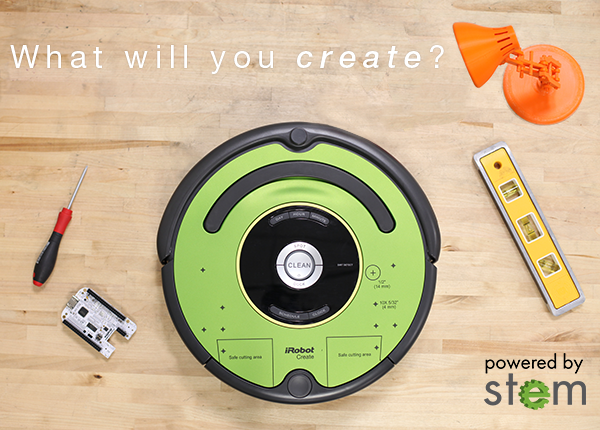
create2The Create 2 is the latest educational offering from iRobot, the people behind the Roomba home vacuuming robot. A bit more expensive than some of the others and also a bit more appropriate for people who want to add on to a robot. But it is also a lot larger than the others on the list which can be a plus in some situations.


Codie_logoCodie is involved in a crowd funding effort as I write this and should be available in the November of 2015 according to the company. They are developing their own language for programming. Check out their crowd funding page if interested.


mBot and mDrawBot from Makeblock Small classroom robots looking to get funded through Kickstarter. Bazsed around Arduino.
image[17]Pro-Bot is a turtle robot, cleverly disguised as a race carPro-Bot commands are entered via a set of arrow and number keys mounted on the back. Plan a route for Pro-Bot and press the corresponding keypad controls. Press the GO button and send Pro-Bot on its way. Pro-Bot will follow the sequence of commands that were entered step by step.
 image_thumb[11]
Ozobot  is a tiny robot “You can program ozobot to move, play and dance through intuitive color code patterns.” Also can be run on top of Android and iOS tables using special apps.
KIBO
KIBO is a robot kit specifically designed for young children aged 4-7 years old.


mOway A european entry that looks like it can be programmed in a flowchart language called "Moway World Software", C, and Assembly language. See mOway education for more information.

ezrobot EZ-Robot makes a family of robots including the Adventure Bot, JD Humanoid, Six Hexapod, and EZ-Robot Roli. These are not inexpensive but they look pretty interesting. An SDK allows the robots to be controlled using C# or Visual Basic with a wi-fi connection.

Built Them Yourself Robots

mindstormslogo A lot of students get their start with
Lego Mindstorms. Involvement with FIRST Robotics and their FIRST Lego League competition has been a big part of that. This is a nice platform for people who want to include building the robot as well as programming a robot.
EV3 Basic is an extension to Microsoft Small Basic that allows Small Basic to interact with the Lego Mindstorms EV3 robot.
image3[3]The WeDo 2.0 is designed for the younger grades – grades 2 through 4 – while the earlier NXT and related products are for older grades – middle and high school. They seem to see this product as fitting in to science classes not stand alone computer classes. I like this idea. I think we should use coding and related tools as ways to teach other subjects and not just as independent and unrelated topics.
imageMirobot is an Arduino compatible kit that can be controlled via wi-fi using a number of programming languages and tools.
arduino-UNO Arduino is not strictly robots but a lot of people use them as the base for a robot.  And there is an Arduino robot kit! There are other robot kits built around Arduino as well. One of them is the Funduino UNO Robotics Kit
Arduino is an open-source electronics platform based on easy-to-use hardware and software. It's intended for anyone making interactive projects. Arduino senses the environment by receiving inputs from many sensors, and affects its surroundings by controlling lights, motors, and other actuators.

 Hummingbird Robotics Kit Not complete robots but important building blocks for creating and programming robots. Probably just the thing for maker spaces and pre-engineering programs. “The Hummingbird Robotics Kit is a spin-off product of Carnegie Mellon's CREATE lab. Hummingbird is designed to enable engineering and robotics activities for ages 13 and up (8 with adult supervision) that involve the making of robots, kinetic sculptures, and animatronics built out of a combination of kit parts and crafting materials.”
Vex Robotics - “The affordable VEX platform is expanding rapidly and is now found in middle schools, high schools and university labs around the globe. Robotics hobbyists also appreciate the advanced capabilities of the VEX System”
moss Cubelets are magnetic robot blocks that snap together to make an endless variety of robot toys. Without wiring or programming, you and your youngsters can build thousands and thousands of tiny robots!
image[11]
Edison is Lego compatible, easy to program and has built-in programs that are activated by driving over barcodes.

BrainNewLogoandPhotoRiQ This is a “brain” for use in building with a number of build it yourself platforms.
“The All-New Cortex™ 5.0 is compatible with Windows and Apple computers and, best of all, offers tablet based robotics programming for Android and iPad!!  The Cortex robotics programming language is gamified, visual, and intuitive. Kids have so much fun with RiQ they don’t realize they’re learning to program robots!”

Monday, January 19, 2015

Interesting Links 19 January 2015

School is out today in honor of Martin Luther King Jr Day. Semester exams start tomorrow. I think I’m ready. I hope my students are ready.  I do have a couple of interesting links to share today. Hope you find them useful.

Logo changes: The challenge of making a square in modern Logos – From Mark Guzdial – you can’t use lessons and instructions from early Lego materials with modern implementations of Logo. I’m wondering how hard it would be to write a new Logo that was backward compatible with the original materials.

Kids these days -- they don't know nuttin – New from Mike Zamansky about how little students know about the technology industry. 

Applications are now open for Google’s Computer Science Summer Institute and the Generation Google Scholarship! Mostly for graduating high school seniors. Looks good for those who can get in.

Choice of Programming Language - Justifying my Choice. We all get asked about what languages we teach with and why. In this post Ben Gristwood, an ICT/Computing teacher in the North West of England, writes about why he teaches with Visual Basic.

New Entrepreneur Unit for CS Classes – on the CSTA blog, Irene Lee writes about and interesting looking add-on unit for computer science classes being developed in New Mexico.

Thursday, January 15, 2015

Surface Pro 3 – First Thoughts

Thanks to a contest run by the Office Mix people I won a Surface Pro 3 for my school. And I get to use it which is great. I’ve had a Surface RT (first edition) for a while and while I like it the fact that it is Windows RT means I can’t run “regular” Windows apps on it. That is not always a problem since office is there and I can do a lot of web based things easily. But I teach programming so not being able to run Visual Studio is somewhat limiting. Also I could not use Windows Live Writer on it for blogging. Those issues go away with the Surface Pro 3.

First off the keyboard. Yes not quite the computer but I have a Type keyboard with my RT and while it works just fine it doesn’t give me the tactile feedback I like. The Pro came with a Touch keyboard and I love it. Looks great, feels great, is just enough bigger that it works better with my big hands and fat fingers. Recommended.

Performance is great. The screen is beautiful to look and the 12 inch screen is large3 enough for most things I do. And it is a touch screen I love touch. TouchDevelop works better with touch than with a keyboard and mouse for me. There may be a game or two that I occasionally play where touch is an advantage over a touch pad or even a mouse as well.

The whole unit is very light and it looks so far like battery life is going to be very good as well. Seems like a great computer for traveling or for 11 computing at school.

It came with a pen and I confess I haven’t used it yet. I probably will use it with creating Office Mixes as I think it will be easier to highlight things with a pen than it was with the mouse. This is going to work for me.

Set up was quick and easy and since I save things like favorites to OneDrive my web browser settings, screen background and more personalization came over from my other computer automatically. Good thing since the hard drive on my main personal laptop died yesterday. My most important files are all on OneDrive as well. So a possible catastrophe has been avoided.

Wednesday, January 14, 2015

Code Hunt for Review and Problem Solving

Code Hunt is something I have been experimenting with a bit this year. For those who are not familiar with it, Code Hunt “is an educational, browser-based coding game targeting teachers and students” (link to information about Code Hunt) I’ve used it in a couple of ways. I had my students do the standard Code Hunt puzzles for a while and I have used Code Hunt combined with Office Mix to provide some exercises following the audio recording of some PowerPoint presentations. I suggest them for review for my students. (Links to them are below if you want to check them out.

What I like about Code Hunt is that it forces students to do some critical thinking. They have clues to what the code should do and have to analyze it to understand the problem. Then they have to develop the code to provide the correct answer for the problem. They are forced to review the syntax so that is reinforced. But since they have to use the syntax is more than just a “fix this code” sort of thing.

I had two issues with the standard Code Hunt puzzles. One is that some of them are a bit too hard for my absolute beginning programming students. Great fun for more experienced coders of course. The other is that the solutions are findable via Internet search. Also not a totally bad thing but I’d rather some puzzles my students can’t find the answers for on the Internet.

This week we are reviewing before semester exams so I created my own set of levels and puzzles for my students. These C# Code Hunt puzzles are based on things we have done in class so they are optimized a bit towards the things I have tried to cover during the semester.

The four sections of my C# Code Hunt puzzles are basics (assignment statements with some math), Decisions (solved using if statements), strings (some basic string handling) and loops (loops required for solutions). I plan to use these earlier in the new semester in hopes that I can improve the connection between problem solving and understanding the programming concepts. I’ll probably try to come up with a second set for review. And they are going to appear in more Office Mixes as well.
Anyone else using Code Hunt with their classes? Any interest in sharing puzzles?

A great Office Mix lesson about getting started with Code Hunt may be found at https://mix.office.com/watch/q4tnp5au9mbo

My Office Mixes with C# Code Hunt puzzles

Tuesday, January 13, 2015

But I Have The Same as Him

One thing I hear a lot is “I have the exact same code and someone else and theirs work and mine doesn’t.” The obvious wise guy reply is “if yours doesn’t work then it is not the same.” Students are not huge fans of that reply. Typically this situation occurs because students copy code without understanding it. They don’t realize that code does not exist in nice isolation.

The two most common reasons I see this complaint is that the code depends on variables the student has not defined or there is an identifier mismatch. For example the code uses a variable that has a scope beyond just the method the student is looking at. Usually there is a warning or even an error that would point the student to this answer. For some reason students often want someone else to explain the error message to them.

The identifier mismatch comes into play in a lot of Windows Forms applications. The student whose code does not work has named their objects differently from the student whose code they copied. Students seem to expect the computer to magically understand what object they mean regardless of what they call it. Alas the “do what I mean” instruction seems not to have been implemented yet.

I try to impress on students that names matter and that spelling names correctly matters. Somehow it seems to take a while to stick.  Students are used to other people understanding what they mean even when they have trouble expressing themselves. Computers are not very good at that though.

Monday, January 12, 2015

Interesting Links 12 January 2015

It’s the end of the semester and I’ve been crazy busy. Outside projects, grading, exam writing, and more. Time for blogging seems to be in short supply these days. Plus I haven’t had much to say probably because of all the routine work going on. I picked up a few things though during my breakfast blog reading though. Here are the best of them.

From Simon Johnson  10 StepByStep tutorials for introducing TouchDevelop Some interesting looking projects here.

CS Degree to Army Officer – an interesting write up of how computer science background applies to being an Army officer.

CSTA is searching for an Executive Director. To apply or to nominate someone you know, visit http://tiny.cc/6ih7rx .

Better Know a (CSTA Board Standing) Committee  This blog post introduces the CSTA standing committees and their chairs. Posts from the various chairs talking about what the committees do are coming in the near future.

CSTA, in collaboration with Oracle Academy, releases new survey data addressing the state of CS education in the US.

Monday, January 05, 2015

Interesting Links 5 January 2015

First interesting links post of the new year! I hope your year is off to a good start. Classes started back up for me today. I think I’m ready even though I didn’t get all the grading done that I planned. Oh well I needed the time away from it. And now for some links to start you off.
Mike Zamansky responds to my predictions with his own post at CS Ed Predictions 2015. Laura Blankenship replies on her blog as well. An example of how cross blog conversations adds to the the discussion.
The Changing of the Nerd by Doug Bergman. Good quote “It’s normal to have the same gadgets which, in another time, would qualify you to be kind/queen of the nerds but now it just makes you cool…I mean normal.”
Recommended SF Reading for Computer Scientists on the blog@CACM I left some suggestions in the comments but I’m surprised not to see more from others. Jump in!
One bad tweet can be costly to a student athlete another cautionary tale to share with students. People ARE paying attention to them and that is not always to their advantage.
Time to Reflect   A few thoughts on reflecting and planning - posted on the CSTA blog
Why there’s no such thing as an ‘F’ in computer science By Ayanna Howard and Alison Derbenwick Miller Fear! Our students have it – how do we deal with it?
Let's Not Forget: CS 1 Is Hard For Most Students by Eugene Wallingford. For those of us who have been coding for a long time it is easy to forget this. It was once hard for us to.

Saturday, January 03, 2015

Computer Science Education Predictions for 2015

Seems like a lot of people like to make predictions this time of year. I tend not to because I’m not that good at it. But I think I have some ideas so I’m going to try.
More states allow CS to count for graduation. The momentum is there. CS Ed Week is helping to bring attention. The bad news is that allowing it to count doesn’t automatically translate to more schools offering it.
Python continues to grow in popularity. Ok that is probably an easy one. The trend has been that way for a while. It’s not going to change the AP CS A language yet though. Will it be the big language for AP CS Principles? Maybe.
AP CS Principles gets real for a lot more people. It is now an official course starting in 2016. The way things work is that a school that wants to offer it that year needs to get started this year so it can be in the program of studies next winter. This means a lot of demand for professional development as well as a lot of soul searching for teachers. Add AP CS Principles or replace AP CS A with it? I think most schools with APCS A will ignore AP CS Principles but a many schools that don’t offer AP CS A will add AP CS Principles. What will your school do?
Debate on the right languages for AP CS Principles will get heated. A lot of people have been using Snap! while others have been using Python and that is just the start of the options. What will most people choose? I don’t think anyone knows but I have to wonder how many teachers are ready to learn a new language for the new course. I see a Tower of Babel selection in the early years of the exam.
Chromebooks for 1 to 1 computing become a big problem for CS education. This is the year of the Chromebook as more and more schools see it as the silver bullet computing device. They love the price and the tech support people love that students can’t do serious things that make their life harder. It’s not a great platform for teaching computer science though. None of the currently popular IDEs run on it. Chromebooks may be the single greatest threat to expanding CS education we face in 2015. of course in 2016 the next big thing becomes popular and I have no idea what that will be.
What do you think? All wrong? Some right? What do you see happening? I almost can’t wait until next January to see how I did.

Note: Mike Zamansky responds to my predictions with his own post at CS Ed Predictions 2015Laura Blankenship replies on her blog as well. Garth Flint responds in the comments here. Don't miss the replies. Conversation is helpful to everyone.

Tuesday, December 30, 2014

My Favorite Teaching Tools from 2014

This is the year I got serious about doing things differently in my class. Three tools really helped me out. Yes they are all from Microsoft and part of me really wants to be angry with the company for reasons that are outside the scope of this blog. At the same time I love these tools. In several cases I also know the people behind them and think they are pretty special as well. Did I mention that they are free? Well one is an add-on to software that is not free but it’s still cool. So what are they and why do I like them?

TouchDevelop.

Now I have toyed with TouchDevelop in the past (prior to 2014) but this year I really dug into it. I use TD to introduce my students to programming concepts. It is a great way to show them loops, decision statements and even variables in a nice way similar to drag and drop languages. Syntax is largely removed as a barrier but the results look more like a “real programming language.” This is especially true with the new skill levels recently introduced. The ease of doing graphics with turtles and the creating games with sprite is a huge plus as well. I plan to expand on my use of TD next semester.

I will add that Peli de Halleux from Microsoft Research has been very responsive to my questions. Plus he teaches computer science at a high school local to him in Washington state so he is motivated to help make TD a great learning/teaching tool.

Code Hunt

CodeHunt is a sort of programming game. One is presented with a puzzle and asked to write the code to create the results from generated test data. One writes their answer in either C# or Java. That Java is an option should make it attractive to teachers of APCS. Some of these are hard. The truth is though that my students like the challenge. They want to try these puzzles.

What makes it even cooler for teachers is that one can create their own code puzzles. I have created a few and my plan is to make a whole set of them over time and assign them to my Honors Programming students. Another plus is that Code Hunt works well with my third great tool – Office Mix.

Office Mix

Unlike the others above Office Mix is not just about programming. To the contrary it is a general purpose educational tool that is ideal for flipped classroom work. It is a free add-on to PowerPoint (2013 or Office 365) that lets you record your presentations with voice and ink AND add things like quiz questions and Code Hunt puzzles and more. TouchDevelop works with it as well though I am struggling with that right now. How cool is it? I spent money out of pocket to get Office 365 so I could keep using it after my free trial of PowerPoint 2013 started to get close to running out.

I’ve used this as a review tool for my students in several courses. Students can watch and listen to my go though a PowerPoint and then take review questions to make sure they are getting it in. Some of my Mixes also conclude with Code Hunt puzzles so that students can put the code they have just learned into practice. How cool is that? Oh and it is all online and students can run it on any web browser. No matter what subject you teach it is worth checking out. Also there is a whole gallery of Mixes by others where you may find something useful by other people. Sharing is a good thing! There are sections for Art, Computer Science, Economics and Finance, language arts, math, science, Social Studies and more.

These tools are changing the way I teach. For the better I think. What did you take on this past year that worked for you?

Monday, December 29, 2014

Looking Back on The Blog Posts of 2014

Last week was Christmas and I spent very little time online and did not collect a lot of good links. So with the  end of the year is just around the corner I thought I would take a look back at the last year according to statistics reported on my blog. Now I try not to get too caught up in the numbers largely because they tend to be unreliable. That is especially true of the numbers blogger reports. If I really had as many views as those stats suggest I should have a lot more comments. Google Analytics reports numbers that are much lower but I tend to trust them more. For my old blog I once had statistics from three different sources and they tended to agree. Since one of those was Google Analytics I’ll go with them.

One of the things I did was to look at the top viewed posts over the last 12 months. Five of the top 10 pages were written in 2013 and the most viewed page was initially posed in 2012. Though to be fair it has been updated since.

I’m not sure the ten posts listed below would make a top ten list of my favorite posts. I tend to prefer posts about interesting projects and reviews of interesting teaching tools. So the programming with blocks and Binary number teaching tools would probably rate high with me. Judging by comments here and on Facebook my post/review of the movie Top Secret Rosies was helpful and that rates high with me.

My post about which to teach first – loops or arrays had a bunch of comments and that discussion was helpful to me. Maybe others as well. Conversation is always a sign of a good post I think. My most commented on post was Leave School Now While You Still Know It All with 20 comments!

All in all though I never know what is going to get the attention it does or who (if anyone) will find value with a post. So I post what I want and hope it is useful to others.

Here’s the list for what it is worth.

  • Programming with Blocks By far the most viewed page. I credit search engines with this. Plus I think it is probably the most comprehensive list of drag and drop programming tools around. If I’m missing any let me know.
  •  My main page – Probably not surprising as a lot of people come directly there to read the latest posts.
  • Programming Languages are horrible This one scored bog on Reddit and almost all the traffic it had was on the day it posted. Language wars are always popular link bait. This was one of those posts where I just had something I wanted to say and not something I thought had a lot of educational value.
  • Your GPA Doesn’t Mean Anything Useful Another opinion piece that seemed to attract some attention.
  • Programming Languages for Middle School Students This one I hoped would be useful and judging by the visits I did ok. Written just about a year ago search engines continue to bring traffic to it.
  • Beware the Self-Taught Know It All Self-taught know it alls continue to show up. Smile
  • Lecture, Demo, Project This one is about  my teaching style. I was hoping for more comments on this one.
  • Resources for Teaching Binary Numbers This is another collection of resources that I update as I find things that belong. It appears that a lot of teachers search for these sorts of resources.
  • The More Programming languages Change the More they stay the same. I’m not sure why these language topics continue to draw attention by way of search engines. This is another one that got most of its attention the first few days BTW.
  • Code Hunt I wrote this when I first really discovered Code Hunt. These days I am using it more and more to give my students exercises in programming class.

Sunday, December 28, 2014

Professional Development Online–Is Twitter the Best?

Last week Audrey Watters wrote a blog post that asked Is Twitter the Best Option for Online Professional Development? Now I love Twitter (follow me there @AlfredTwo) and I learn a lot there. But while there is some good conversation going on there at times what I get the most value from on twitter are links to longer writing.

I learn the most online from reading blogs. Especially from the blogs of other computer science teachers. I have a Computer Science Education Blog Roll that I update when I find good blogs. Some of those blogs haven’t been updated in a while though.  I really wish more of you would blog. I have a lot to learn.

Audrey concluded her post with “I wonder if, in fact, "the future of professional development" might be a "return to blogging."” I say some of us never left. For the rest of you, jump in the water (and the learning) is fine.

Friday, December 26, 2014

Geeky Christmas Humor

All you AP CS teachers will want to share this one.

This one is the for math teachers in the crowd.

Merry math Christmas

Thursday, December 25, 2014

Single Finger Programming

Yesterday I was charged with helping my grandson (he’s three months old) get to sleep for a nap. After walking around and speaking softly to him for a while I got him to sleep. On my chest. Now of course I didn’t want to take a chance on him waking up or of getting assigned another task so I didn’t put him down anywhere. I sat quietly on a rocker making sure he was comfortable like any good grandfather would do. After a while though my mind started to wonder to my current programming task. I’m writing a Breakout style game in TouchDevelop

image

Since it is being written in TouchDevelop it will run on anything with a web browser and I have been developing it mostly on my laptop. But you don’t hold a laptop on a lap already occupied with a sleeping grandson. So I took out my phone. I can run TouchDevelop on any smart phone with a good web browser but there is also an app for TouchDevelop that runs on my Windows Phone so I opened that and started in.

It turns out that in some ways it feels easier and more natural to program TouchDevelop using a touch screen on a phone than using a mouse on a laptop. I made great progress trying out some new (to me) features of the language and completely changed (for the better) some aspects of my program.

TouchDevelop is more than just a touch optimized IDE though. The library of commands makes a lot of things, especially related to game creation, pretty easy. Sprites, obstacles, boundaries and more are all clearly defined and easy to implement. And gravity too! There are also methods for handling things like swipes and taps. I can’t imagine getting as much done in this game so easily and quickly in traditional languages.

There is an advantage to domain specific languages. One may give up something in the way of general purpose programming but in return one gets a lot of advantages in the specific domain.  But giving how much we are moving to devices that are in  the domain of what TouchDevelop is made for I think I may be using it more in the future.

Monday, December 22, 2014

Interesting Links 22 December 2014

Christmas vacation for me. I love my students but I sure do need a break right now. Like a lot of teachers I can use the time to catch up with things at home and to get ready for the end of our semester which happens in January. If you’re looking for some things to look into here are some links.

The Role of Tech Firms in Computing Education new at the blog@CACM  by Mark @Guzdial (It’s a response to this article on Politico – Seeking coders, tech titans turn to schools ) I wrote my response recently in Tech Companies and Computer Science Education.

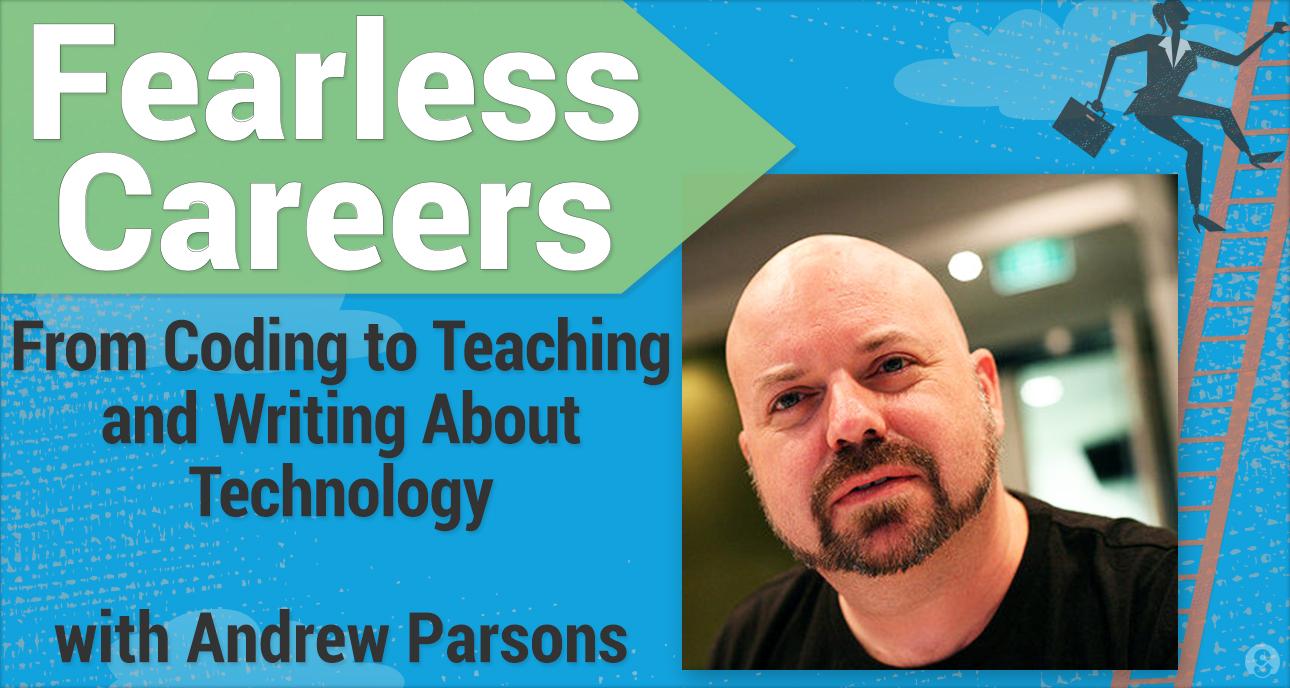
My friend Andrew Parsons who still works for Microsoft did an interesting podcast interview recently.  The topic is Andrew Parsons’ eclectic career. Careers in tech can take a lot of twists. This is a good example of that.

Embedded image permalink

Hack it. Build it. Share it. That is the motto of the latest announcement from iRobot about their Create 2 robot. These robots are remanufactured Roomba robots to be platforms for educational and hobbyist creations.

Embedded image permalink

Microsoft takes action against tech support scammers They are taking legal action against companies who impersonate Microsoft employees in attempts to hack into people’s personal computers.

“Saturday Night Live” brilliantly lampoons lack of diversity in tech This is a great use of humor to show a serious issue.

Join the nation's largest CS competition for middle school girls! Registration closes 2/15/15 via @projectcsgirls

Friday, December 19, 2014

With Super Power Comes Super Responsibility

Earlier today several people told me that my name was referenced on SlashDot. Specifically it was in reference to me calling programming a super power in a post on my old blog back in 2010. The post on SlashDot said that the recent events with regards to Sony demonstrated that software was a super power and ended with the line “remember to always use your coding superpower for good.

One of the things we discuss in my classes is the impact of technology on society. I tell students to remember that just because something can be done doesn’t mean is must or even should be done.

Software is very powerful especially when connected to data. We’re collecting huge, almost unimaginable, amounts of data these days. Some by governments but even more by companies. The Sony break in shows the damage that exposing data can create. I have heard people speculate that this could bring down Sony as a company and that at the minimum it will be terribly harmful in the near term. Clearly many people have been negatively impacted.

It seems like a lot of people are ready to blame the crackers and their technical expertise for the break in. Friends of mine who are in the business of information security are skeptical that all the information was taken without inside help though.  While there is a tendency to blame the technology or poor software for break-ins like this one thing people who have been around for a long time know is that many big break ins take place with inside help – knowingly or unknowingly.

Social engineering is a huge part of the information security situation. That is where someone convinced someone to give them access or information my claiming to be someone they are not. It is how a lot of systems are broken into. It turns out that the ability to program is not the only “super power.” Sometimes just the ability to access data or computer systems comes with a lot of power. Power that not everyone realizes is intrinsic with that access. Power that not everyone guards as closely as they should. No matter how much people talk about firewalls, access codes, viruses, Trojans, Zero Day exploits and other software security issues the weak link in most systems is still the people who have access to them.

That is not something we spend enough time talking to students about. And frankly most companies don’t talk about it or train about it enough either. A company that trains people to look for shoplifters often has more to lose when people are careless with passwords or leave terminals/computers logged in and unattended.

We need to teach more about security. I remind people that increased security training was added to the CS 2013 Undergraduate curriculum recommendations in recognition of how important this issue has become. But in many ways university is too late and computer science majors are a much smaller group of people who needs to understand these issues better. As educators we have the power to improve this condition and I would argue the responsibility as well.

A Look at Computer Science Education Week

Computer Science Week has been around for about seven years now. In the early years I think most of us didn’t really know how to deal with it. There was talk about doing things similar what what other subjects did for special weeks. But while French departments can attract a crowd by serving crapes and the Latin department can show off trebuchets we don’t have quite the same things in computing. A lot of schools brought in special speakers. I gave a bunch of those talks myself. I’m not sure they made much of an impression with most students though.

Two years ago code.org came up with the idea of an Hour of Code for CSEdWeek and that took off. Between code.org’s outstanding marketing and their ability to mobilize industry and famous people Hour of Code became almost synonymous with CSEdWeek. It continues to create a lot of buzz and media attention. All of this attention is great. But one week, let alone one hour, is not enough to really get things going. CSTA and Code.Org (among others) work all year long to improve the state of computer science education. And that is great as well.

Where do we go from here? By we I don’t just mean CSTA and Code.org and other organization but computer science educators as individuals. As much as CS Ed Week is a great thing my biggest fear is that too many people will think that it is enough. I like to think of it as a boost or perhaps a “kick in the pants” to spur action though the rest of the year.

In the new year most schools start registration for classes next fall. Registration time is a good time to talk to all the students who did an Hour of Code and suggest that they might like a whole semester (or year) of it to do more with it. And while most schools have their program of studies set for next year it is really a good time to look at how more CS could be added to the next program of studies.

Perhaps an existing course could be made better and include more real CS. I wrote a bit about how we changed our school’s applications course and made it more of a computer science course in a recent guest post on the Microsoft New England blog. I think more schools (or their administrators) may be open to that these days in part as a result of the CS Ed week and Hour of Code publicity.

Perhaps a school that couldn’t (or wouldn’t) offer the current APCS Course will be willing to support the AP CS Principles course. Or the Exploring Computer Science course that many schools are adopting. Middle schools could think about offering a CS exploratory using some of the simple tools for teaching CS that seem to be sprouting up all the time. (See here and here)

The important thing in my opinion is to act locally, building on the momentum from CS Ed Week and make changes in individual schools. It’s not easy. In some schools it can be very difficult to add courses. But trying is the only way to find out how hard. We have a chicken and egg problem in CS. Not enough teachers in part because there are not enough courses and there are not enough courses because there are not enough teachers. At the same time since there are not enough courses administrators think they don’t need any courses. Inertia is not our friend. But we can overcome it.

Wednesday, December 17, 2014

Too many Arrows in the Quiver?

Last week I saw a tweet complaining to Wonder Workshop about them using Blockly to program their robots when (apparently) the Kickstarter proposal said the would be programmable using Scratch. A conversation ensued as it is likely to do. I thought Blockly and Scratch were similar enough that it shouldn’t matter much. The other person disagreed. He was concerned that teachers should be able to pick a tool and stay with it a while. And I can see that point. On the other hand I love learning new tools and like using different ones with students. A matter of personal taste perhaps.

A third person entered the conversation to say that “diversity and competition drives the quality of tools up, teachers and students benefits” which is a notion that I completely agree with. Admittedly it can be hard on teachers though. Especially if change is mandated. We have a large number of drag and drop programming languages these days. My list of tools for Programming with blocks has been my most viewed blog post for the last month accounting for over a quarter of page views. So clearly there is a lot of interest in the topic. Both for using them and for developing them.

Is this a good thing or a bad thing? Well the obvious answer is yes.

A couple of years ago I did a series of workshop using Kodu for middle and high school students. During the breaks I talked to the students about other tools they had used. Most had used either Scratch or Alice (the big dogs in block programming languages) and many had used both. Their preferences were clear. Some like Scratch better, some Alice and some Kodu. They all had reasons for their preference as well. This is not unexpected. People are different and see things differently. So in one sense the plethora of tools offers the opportunity to meet the needs of more people. And that is good.

On the other hand there are a lot of things for a single teacher to learn. There are 17 tools currently listed on that blog post and I hear about new ones regularly. (Let me know if any are missing.)  Knowing them all is really not practical so some choices have to be made. There is not a lot of real research on any of these tools (though there is probably more on Alice than most and some on Kodu as well) so what is a teacher to do? Don’t look at me to tell you which one to pick! I’ll tell people what I use and why but that is not the right answer for everyone. Possibly not for anyone.

Beyond that there are many traditional languages to teach and more all the time. PASCAL was the last language that seemed to have any concession around it. These days there is Java, C++, C#, Visual Basic, Small Basic, other BASICs, Scheme, Rachet, and growing of late Python. And that scratches the surface.

As I have said time and again There Is No Best Programming Language but should we at least narrow it down a bit? I’m not a fan of that idea (limiting teachers to a small number of options) either. After all I even think we need more operating systems!

So what is a teacher to do? Well I think more teachers need to share what works for them and why. Yes, I think more teachers should blog. I regularly enjoy reading about things that Mike Zamansky and Garth Flint are trying and using for example. Two different teachers in two very different schools in two very different parts of the country. I highly value their perspective. I do wish more people blogged their experiences more often.

And of course there are conferences for sharing. I am planning on attending SIGCSE this March as well as the CSTA Annual conference next summer. I learn a lot from teachers at these events. And not just in formal sessions. That they are expensive and hard to attend for many teachers is why I like the online interactions I get on blogs and even Twitter.

The value of all the amazing tools out there is increased when people try them, use them and share what they have learned. Only then can we pick the right tools for our students and also help make our tools better. So ask yourself – what have I learned and how can I share it with other teachers around the world?

Tuesday, December 16, 2014

The Untold History of Women in Science and Technology

A friend sent me a link to an interesting looking page that the White House set up to tell stories of the history of women in Science and Technology. It is a collection of stores about great women in science and technology. For each person there is a brief intro and picture followed by a recording on a woman on the President’s administration telling the story of a personal hero. Several of the stories are told by U.S. Chief Technology Officer Megan Smith. 

As you might expect there are a number of stories about women in computer science but the women and their fields covers are much broader than that. This may be a site to share with STEM teachers of all disciplines. And with girls you want to inspire to greatness of their own.

They were leaders in building the early foundation of modern programming and unveiled the structure of DNA.
Their work inspired environmental movements and led to the discovery of new genes.
They broke the sound barrier — and gender barriers along the way.
And inspiring more young women to pursue careers in science starts with simply sharing their stories.
Let’s write their stories permanently into history.