Showing posts with label appinventor. Show all posts

Monday, January 19, 2026

Funding for CS Educational Tools

Mark Guzdial posted a link to an interview with Jens Mönig. Jens is the main person behind Snap! which developed out of Scratch (which Jens worked on). It’s a great interview and I recommend it. The story of Snap! is an interesting one. I think it is great that SAP is funding the team behind it. This blog post, which sort of rambles a bit (sorry) was inspired by that interview.

There are basically two and a half ways that software for teaching programming and computer science are funded. One is research funding. Usually by universities but sometimes by research groups that are part of major companies. The later is the half I refer to. The other is commercial products. I.e.. products that actually make money for companies.

The problem with commercial products is that they are really designed for professional software developers. That means a number of things that are great for professionals but harder for beginners. Complexity is one of those issues. Visual Studio, which I use for my own development and used for years in the classroom, using a number of different files for every project for example. That’s just the beginning. Development on professional tools adds features for professionals but often subtracts features that are helpful for beginners. I first ran into this when Visual Basic became Visual Basic .NET and arrays of controls when from intuitive to complex with extra code necessary.

Commercial software often has free versions which is the only way schools can generally afford to use them. Simple versions that work on a school’s limited resources tend to go away over time though. They don’t pay for themselves.

I have seen other cool tools from commercial tools, or tools commercial companies provided for free, disappear over the years. Corporate research projects generally last while the principle investigator remains interested and can keep getting funding. If the research doesn’t wind up in a commercial product that doesn’t help with funding.

App Inventor is an exception. Originally developed at Google, App Inventor had an academic sponsor (It resides at MIT these day) and Google provided some seed money to get the open source version started. It phased easily from corporate research to university research.

MakeCode (largely a Microsoft Research project)  is still going strong. It appears that industry/ academic cooperation is helping keep that going. That combination seems to be key in keeping some projects going.

University research projects tend to last longer than corporate research projects. As long as someone can get grants, usually tied to graduate students coming up with good research topics involving the tool, they keep going. I wonder how well some these will continue when the principle academics lose interest, retire, or pass away. Some projects have depth of involvement which is helpful.
 Alice out of Carnegie Mellon has been going strong for 30 years even though it’s originator, the great Randy Pausch passed away in 2008.  External funding, required for most academic tools has stayed strong for Alice. That takes a lot of work to maintain of course.

Most of the long lasting tools have some level of corporate sponsorship. Oracle helping with Greenfoot and BlueJ are other examples.  There used to be a lot of NSF (US National Science Foundation) money around. Somehow I suspect there is a lot less of it these days. It’s risky to depend on it as well given the rapidly shifting state of US Federal funding.

And then there is Artificial Intelligence to think about. That’s sort of the elephant in the living room these days. If funding agencies (government, non-profit, industry) decide that coding is dead because of AI what happens to funding for the tools educators are using today?

I don’t believe that coding is dead but I know that some people have decided that  it either is or soon will be. Computer science education is going through a change caused by the winds of AI. Industry seems to think that they don’t need inexperienced software developers. Development of developers has to start somewhere though. One can’t go from zero to experiences expert without starting somewhere.

I believe we need good teaching software. I hope we can keep seeing good things supported and developed in the future. We live in interesting times.

Note that Mike Zamansky wrote a riff on this post. Recommended at Funding for CS Educational tools - C’est la Z

Thursday, September 04, 2025

An Interesting School Year in Computer Science Education

Mike Zamansky is Looking at the start of school for 2025 on his blog C’est la Z He’s thinking about phone bans and AI in schools. I have been thinking about both of those as well. I spent some time recently with the teacher who is now teaching in my old computer lab. He’s also a former student of mine. We had a great conversation.

We talked a little about the cell phone ban in schools that was passed into law in New Hampshire among other places over the summer. It is not clear how it will be enforced and what sorts of consequences will be in place for violations.  For a while, I taught with AppInventor which meant that phones were an active and essential part of the class. I wonder what these bans will mean for all the many teachers and students using AppInventor and similar tools.

Phones were a distraction but teaching in a computer lab with computers in front of every students means the Internet is still going to be a distraction. Classroom management is hard enough without computers and cell phones.

Artificial Intelligence is going to be even more interesting this year. How much to allow? How to check for its use? What to teach about it? All interesting questions that teachers and schools will struggle with this year.

My son, a school administrator, find AI tools very useful. So do many others both in and out of education. Clearly, students need to be taught about AI. That debate is, I hope, over, What and how to teach it are still largely to be determined.

Students are going to use AI to write code for them. It would be foolish to deny that. They still need to understand the code that AI is writing for them. Talking to my teacher friend I used the example of HTML. I write these blog posts using Open Live Writer which builds the HTML that gets posted. It does a great job but I still find myself jumping into the HTML to do some fine toning. In this post, for example. I went into HTML to edit the text for the link to Mike’s blog. A small example but knowing what to do saved me a small amount of time.

To be honest though, students using AI to write their code is not my most serious concern. Ethical concerns around AI use is my biggest concern. There are all sorts of issues around copyright for example. The use of books and art to train AIs to create without giving credit to original creators is an important discussion topic. Taking credit for AI output is another. I want students to think about these sorts of things. There is a lot more and more issues will be showing up.The old question is not so much what can we do but what should be do.

So, yes, we want to teach students how to prompt AI. We want them to be able to evaluate to AI product as well. There is a real risk of AI having a negative effect on people actually thinking. Teachers need to find ways to encourage students to think about what AI is, how it can be used, and most importantly how it should be used.

This year is going to be an important one in the future of AI in education.

Sunday, August 18, 2019

And So It Begins–School year 2019 2020

Tomorrow (Monday) I will meet the new freshmen in my study hall. And I’ll finish getting my room ready for the new school year. First day of real classes is Tuesday. And I am not as ready as I would like.

I have a day by day plan for every day of the semester (even the year for my AP CS Principles class). Lesson plans last until they run into actual students so there will be adjustments. There always are. It’s my 5th or is it 6th year teaching honors programming so that is more settled than anything else. I still make changes as I go along because not every class in the same as any other. And who wants to do the same thing year after year anyway.

It’s my third year teaching AP CS Principles and I am making big adjustments in the schedule over last year. I am hopeful that I’m going to get it better this year but who really knows.

My third year for teaching Mobile Application Programming and I am switching from AppInventor to Thunkable. AppInventor has given me a lot of issues with the emulator and most of my students have iPhones and Apple is dragging their feet on allowing AppInventors iPhone software. Thunkable already works with iPhones, though without support for some features I would really like. Plus it seems to connect to phones more reliably. We’ll see how it goes. I’m adapting project ideas as I go along. That’s not completely new but it is not without risk.

At least I only have three preps. Last fall I had four. I also have more free periods as I am teaching a reduced load (at my request) and that should help a lot.

Are you ready? Have you begun already? Let’s do this thing!

Friday, December 07, 2018

Teaching Phone Programming Should be Easier

Garth Flint and I have been independently looking at resources for teaching mobile phone application development. (Garth’s posts are linked below) I’m currently teaching a course using AppInventor which is going ok but not as well as I’d like. Most of my students own iPhones which AppInventor doesn’t currently support. Their iOS support is currently under review by Apple but my course is almost over. Even with Android phones I still have some trouble with connectivity. And the emulator is a mess. Some days I can’t get it working at all. So I’m thinking about what to use to teach next year.

There are other options. I have been testing Thunkable with some of my students. The good is that it supports both Android and iOS. The bad is that this support doesn’t support many sensors and really that is a huge part of what I want students to do. Without sensors its just another desktop app with a tiny screen.

I still need to take a closer look at LiveCode which seems to come up in this discussion so I don’t know much about it yet. Input welcome!

I haven’t tried the platform specific (ie professional) tools yet and I am reluctant to do so. The ones designed for iOS or Android only work on those platforms and I’d like to use both. Since most of my students have iOS devices than going Apple might be a way to go except that that requires developing on Macs. We have a Mac lab but its already used a lot. And they are all Macs which comes with its own complications. I am not a fan. That’s a last resort.

Microsoft Xamarin with Visual Studio is a cross-platform professional option. I’ve looked very briefly at it in the past. Setting it up is non trivial and I do have to have some connection to Macs for the iOS loading. Networking to a Mac or three might be an easy option.  Well, easier than taking over a whole lab. I need more time to work on that option though. I don’t know many teachers using it which is a concern.

I really wish Windows Phones had not died out. I have a Windows Phone and writing apps for it with Visual Studio (2015 or earlier only) is a piece of cake.

Saturday, October 27, 2018

CSTA New England Regional Conference 2018

cstaNEThis is the second of these conferences. How I missed the first year I don’t remember but I’m glad I made it to this one. The conference was held at Rhode Island College. I got some good things from it.

We started with some welcoming remarks from the president of the college, the Rhode Island Commissioner of Education and a few others. It is clear that there is some strong support for improving CS education in Rhode Island from the state and from the universities. Rhode Island has made some great strides with hundreds of teachers trained in the last 2 and a half years. The have also expanded APCS into 78% of the state's high school.

We than heard from a panel of representatives from the state Departments of Education from all of the New England states. IT was interesting to hear how the different states are progressing towards expanding CS education. Several people said that their state was "working to catch up." Given how little CS education had a few years ago and how much a lot of states are working I don't see these states as behind other states that much. Behind where they want to be is a whole different question. It is probably good that the various states don't want to fall behind other states.

Next came concurrent sessions. Lots of concurrent sessions. Some were an hour long and some sessions were a set of three flash talks. I went to flash talks. Now the flash talks were good and I got value from them but I wish some of them had been longer. The committee might want to think about making some tough decisions and have fewer presenters but for longer sessions. Anyway.

Elizabeth Patterson @EPPHS presented two flash sessions. One was on teaching binary, an interest of mine from way back, and shared the resources she uses at:  https://goo.gl/9qNt3i  Her second session (after lunch) was on sorting (another fun topic) and she again shared resources at https://goo.gl/uAz2t5 I’ll be spending some time looking through  them for my own practice. This is exactly the sort of sharing we as CS educators should be doing more of.

I also attended two sessions by representatives from the Lesley University STEAM Learning Lab. One was on visualizing computation with 3D modeling and printing. Very interesting and I got a few ideas but this one would really have benefited from being a lot longer that n15 minutes. Now that I know about them and their programs I’ll be spending some time at their web site looking for resources that I can use. Their other session was on physical computing. .I didn’t hear much new here but again I think the time limit was more responsible than the presenters. They clearly had a lot more to share than they could in 15 minutes.

Fred Martin, UMass Lowell and the CSTA Board, talked about rethinking computational thinking. There  is a lot of talk about that lately and I liked Fred’s take on it. Fred’s slides are at cstane2018-fredm He concludes with “CT is the “connecting tissue” between the world of computer science / programming expertise and the world of disciplinary knowledge”  I think I like that as much as any definition of CT I have read lately.

Karen Lang, MIT Appinventor, gave a talk on new and coming features for AppInventor. Tutorials seem interesting as does the new CloudDB which seems like a big improvement for data storage. There is a new emulator available for MacOS and a new one for Windows is coming. That’s good news. Also the companion app for iPhones has been submitted to Apple for the Apple store. At some point Apple will (we all hope) approve it and students will be able to put AppInventor apps on iPhones.

Chad Williams, Central Connecticut State University, shared some of his ideas about teaching cryptography. I hope to get his slides because he has some good stuff that I hope to write more about at some point. Since this subject is coming up soon in my AP CS Principles course I can put some of this to work.

Overall, this was a great little conference. I did some networking between sessions. Connecting with old friends, meeting some new people, and getting ideas from informal conversation as well and sessions. The food was good. We had a real breakfast – eggs, potatoes, sausage plus healthy stuff. Box lunches with good sandwiches and vegetarian options. Let’s pretend I didn’t eat the brownies that were available for snacks.

Hopefully there will be a third conference next year.

Wednesday, August 29, 2018

Teaching Programming with Blocks vs. Teaching with Text-based Languages

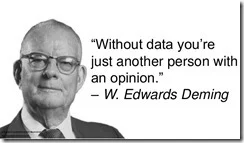
Blocks or text? Which should I use with beginners? On one hand, I read research backed articles like Mark Guzdial’s High school students learning programming do better with block-based languages, and the impact is greatest for female and minority students which strongly suggest I should be using Block based programming languages. Well, at least in the first course. On the other hand, I had programming in block-based programming languages.

a-collection-of-quotes-from-w-edwards-deming-4-638Sure it should be an easy choice – go with the research. Sometimes I hate data. What happened to when we could all just go with our guts?

Seriously, it is hard to argue with peer reviewed data and I am rethinking a lot of things. I currently teach four different courses and each one uses a different programming language. Advanced Placement uses a combination of block-based programming that migrates to text-based JavaScript. That’s ok I think. Most of these students have had previous programming in either or both blocks or text languages.

My mobile application programming course does use a block based programming language (currently AppInventor) and it works well there. Most of these students have had very little if any previous programming experience. The pace is slower than my honors or AP courses and students seem to like it. I need better assessment tools to really understand how solid of a foundation they have for future computer science and programming. That is something I am working on.

My Honors Programming course uses C#. These are students who, for the most part, are highly motivated, have a good base to build on, and want to be challenged. I think C# is a good language for them. Opinion I admit.

Where I am really having to think hard is with our freshmen class. We currently introduce programming with Visual Basic. Should we be using a block language? Maybe. Unlike the other courses I teach I am not the only teacher. I teach two sections out of a total of 11 or 12 sections. Three other teachers also teach sections and the department chair teaches more of them anyone else. So it is not just my call. At least not for everyone.

What I am currently thinking about is doing a pilot with my sections. What I need to do first is come up with some sort of way for use to assess the difference (if any) in results. Since I teach the second course for many of these students I could look at who takes more programming and how they do with the next course but that takes a lot of time. And how do I know if the language used influences (and in what direction) if students do or do not take more programming?

I guess I have research to do. On the other hand, if there are some of you who have made this sort of change and would like to share what they have learned I’d love to know about it.


Thursday, May 17, 2018

Can I Plan For Next Year Yet?

My school has a couple of weeks left but it’s getting close. My Advanced Placement Computer Science Principles students have taken their AP exam. My own exam for them is next week. My underclassmen have a bit more to do and I still have some topics to teach them. Soon the underclassmen will be starting their semester summative projects. So other than grading my workload is lessening. Not gone but at least I have some time to think. Thank about what?

While things are still fresh in my mind I am starting to plan for next year. This was my first time teaching APCS Principles so I learned a lot about pacing and scheduling. I need to modify my plan for next year. I want to move the explore task into the first semester I think. The Create Task should be earlier in the second semester because it was much too stressful to have it due right at the “drop dead” deadline with the College Board. I’ve got some work to figure out how to make that happen. I’d like to incorporate some small device programming as well. I want to explore the possibility of teaching networking using Micro:bit which can communicate with each other. I need some time to work on that.

My mobile app development course went well using AppInventor but it was also the first year teaching that course with that tool. I’ve got to clean up the pacing for that as well as thinking about more or better projects for students.  If they release a version that supports iPhones I have to borrow my wife’s iPhone and test it out.

My Honors Programming course has gone very well and I am really pleased with pacing and projects. My collection of resources is a mess though so I need to organize that. I’ve already been filtering through duplicated PowerPoint presentations and trying to build the perfect ones. No doubt I will continue to modify each one after every time I use them but at least I will not have to search through to find the current ones. I want to organize all of my resources by topic unit. If I have time, I want to record short videos on most topics as well.

I wrote a reference guide to C# in the middle of the year and gave it to my students. Now I need to fix all the problems that they found and modify explanations based on what confused students this time around.

Our freshmen course is taught by two other teachers so the pacing and much of the rest is determined as a team. It’s in good shape but I still want to look at organizing the materials a little. And we teach Visual Basic there so I am created a reference book for that using as well. That draft needs review and corrections.

It’s going to be a busy summer. And that is not even including attending the CSTA Conference in July. (Hope to see some of you there.)

Thursday, April 05, 2018

Thoughts on where CS education tools come from

TouchDevelop is being retired. It’s not the first tool with educational use to be retired by Microsoft. Or from other companies either. While I have used TouchDevelop with my students I was getting ready to move to MakeCode anyway so it is not a fatal move for me by any stretch. I know other teachers who have been using it more extensively who are going to feel some pain though.

I tend to divide CS educational tool sources into four categories.

Professional tools that are useful in education. In this category we see things like Eclipse, Visual Studio, and other development tools that are being used to create real products. These tools are not going anywhere anytime soon. Companies, both those that use them and those who create them, have a vested interest in supporting and improving them.

University developed tools. This includes things like Alice and Scratch but also BlueJ and Snap! and, well, far too many to mention. These are also likely to stay around for quite a while. People tend to build careers around them and use them to attract graduate students who use them, enhance them, and generally want them to be around.

Education companies. Companies like Tynker and Birdbrain are included in this group. As long as these companies can make enough money to keep going their tools will be around.

Industry Research Projects This is often the most state of the art and cool new things. On the other hand they are the least to be around for a long time. AppInventor was originally one such. Fortunately for educators who adopted it, when Google was done with it they were able to hand it off to a major university where it continues. TouchDevelop is another. Hear though, when the researchers moved on to new ideas there was no similar handoff. Both the Touch Develop web app and cloud backend are open source under the MIT license:

There is no indication that anyone is going to take it on though. I always assumed this day would come to be honest. Industry research groups have changing priorities and in some ways that is a good thing. I could argue it is a very good thing in terms of advancing the state of the art in computer science. It’s sad for us in education who aren’t always as quick to adjust as industry is.

As one tool fades another grows. MakeCode is pretty cool and there is a lot there learned from TouchDevelop, the Micro:Bit and educational uses of them both in there. Microsoft is developing a sprite-based game engine for MakeCode and a new course on game programming, in the spirit of CCGA (an interesting curriculum based on TouchDevelop.). One hopes it will be available in some form for teachers to learn it this summer.

I’m not sure where the materials developed by code.org fit into my classifications though. They are a non-profit with industry funding but they are neither industry or academia.  They have some great stuff though. I am using their CS Principles program for example. Chances are I’ll retire before they “go out of business” so I can probably depend on them plenty long enough.

Nothing lasts for ever though and change is the most constant thing in computer science. So we have to learn to adjust and change our tools and our curriculum, probably, a lot more often than educators in other disciplines. At least we’re not going to get bored.

Tuesday, December 05, 2017

Some Thoughts on Drag and Drop Block Programming

I’ve toyed with drag and drop or block based programming for a bunch of years now. I even keep a list of block programming platforms. But this year I am really using them a lot with students. It’s been a real learning experience for me and my students. I’m using AppInventor with my mobile application programming students and code.org’s AppLab with my APCS Principles students. Now the AP class is using AppLab with JavaScript now but we started with the blocks and the interface is still very much drag and drop related.

I’m thinking about this in two ways. One as for my own projects and one as a teaching tool. I’m old school – started programming with punch cards and FORTRAN – so I confess that I am still most comfortable doing my own programming in traditional languages (mostly in C# these days with some Visual basic depending on my mood0. For for students things are different.

First the good. In many ways my mobile apps students are doing more advanced things than my Honors Programming students (C# there). For example connecting to Amazon’s API is a snap in AppInventor. Setting up things like nested code is also very easy. Syntax problems are pretty much not an issue. So we are covering a lot of concepts. That’s all great. I wonder how it will translate for learning text based languages. My AP students all have previous (to applab) experience with text based languages so they are not a control group for me.

One the down side, debugging block based code is different for me. I’m used to traditional debuggers and I haven’t figured out how (or if) that can be done in AppInventor. So of course I go old school with taking code out or adding messages in different places. Error messages in AppInventor are an area where I am facing a learning curve. The idiom is different and I’m teaching myself so it can be slow at times. Next time I teach this it will be better though as my students are showing me a lot of bugs learning opportunities. Still I have had the AppInventor emulator crash with no usable error message and that is a problem. I want to see if I can get some cheap devices to use next year. I think that will make some things better.

UI formatting is an other area I am struggling with. I think this is both a lack of experience and practice with the tool combined with different limitations on a mobile device screen. I am less than happy with my UI for my Windows Phone app which I wrote in C# and Visual Studio which suggests I need help with small screen UI design anyway.

In any case the students in my mobile app class are learning a lot (I think) and enjoying the course (I think) which are good indicators of success. I’m pretty happy with that. I’ll use AppInventor for future sections of Mobile App Programming.

I still feel like blocks are best for small apps and for beginners. Yes, I know people make some pretty sophisticated programs with them but I struggle to wrap my head about that being as easy as text based languages. Maybe 45 years of experience writing text based code is a learning disability for me. Or maybe I just need the right teacher? I’m taking blame here and trying not to blame the tools.

Today block programming languages seem to be mostly designed as teaching tools and they are good at that. I think a lot more has to be done to really make them usable as general purpose languages for more complicated large projects. I do think they can get there even if the path isn’t obvious to me.

Monday, November 20, 2017

Learning From My Students

Some days I think my greatest edge over my students is that I am better at debugging than they are. Well there is that I actually read documentation as well but putting that aside for now.

This semester I am teaching with AppInventor. It’s a pretty cool development tool and I have been playing with it off and on for some time. I’m far from expert at it though. Usually I am happy to keep a couple of lessons ahead of the students. There is only so much I can learn on my own though. So I learn a lot from my students. While anyone can learn from their own mistakes the really smart people learn from the mistakes of others. So I learn a lot because I see a lot of mistakes.

Students make all sorts of mistakes. I’m not sure mistakes is the right work though. Perhaps I should say they try all sorts of things that don’t work as they expect them to work. At some point it becomes my job to help them figure out what is going on. Since they are so clever about try9ing things that would not occur to me this is a wonderful learning experience. Fortunately I have seed a lot of things go wrong using a lot of programming languages and tools over the years so I can usually figure things out pretty quickly.

The advantage of this style of learning is that it helps me anticipate things – misunderstandings, incorrect assumptions, and what not – that I can build into my teaching going further. While I can’t cover every possible error even if I knew them all I can at least point students in better directions.

At the same time I have been having students learn things beyond what I am teaching on their own. I have a couple of students who just love to try things in Appinventor on their own. Sometimes in class but often at home. These students are more than happy to share what they learn. They share with me and they share with their peers. Encouraging this sort of experimentation is, I believe, key to being a good teacher as well as being a life long learner.

Teaching this course has probably taught me more about Appinventor than I could ever have learned on my own. I call that a win.