Tuesday, March 17, 2015

2015 CSTA Administrator Impact Award Nominations Open

image

Dear CSTA Community, 

Nominations are currently open for the 2015 CSTA Administrator Impact Award! This prestigious award is given by CSTA to recognize an administrator who has made an outstanding contribution to K-12 computer science education. 

The winner will be presented with the Administrator Impact Award during the CSTA 2015 Annual Conference, July 12-14 in Grapevine, Texas. The winner and the nominating teacher will receive registration, travel, and accommodations for the CSTA 2015 conference. The award winner will also be featured in an article in the CSTA Voice and recognized on the CSTA website and Advocate blog.

Award applications open today, Monday, March 16 and will close on Sunday, April 5 at 11:59 pm Pacific Time.

Teachers are asked to nominate an administrator they believe has demonstrated significant impact on computer science education in their school, district, or state. The award winner's work must be shown to have broad impact and influence, and to demonstrate leadership in a variety of ways, including innovative approaches, mentoring of teachers, and visionary thinking.

Submit your nomination now!

For questions regarding the Administrator Impact Award, please contact customerservice@csta-hq.org.

Monday, March 16, 2015

Interesting Links 16 March 2015

Last week I was not at SXSWedu. There were not as many tweets about it in my stream as there were from SIGCSE. I still want to go some day though. With progress reports due last week I had more than enough to keep me busy though. I’m sure the same it true for most people. Just a few links this week and two of them to my own posts. I tend not to post on the weekend or late on Friday because those posts tend not to get read. But I was out of control.

The first was about the new (not yet real) BBC Micro Bot. I just had to write about what I was thinking so I did at Is the BBC’s ‘Micro Bot’ the Silver Bullet. The second was about a fundraising teaching CS opportunity for US public schools at Choose to Code With TouchDevelop.

Garth Flint wrote about The value of guest speakers in CS. He’s been having a couple of them come in and talk to his students. Seems like it is working well.

I had no idea there were languages for programming music until I saw this  List of Programming Languages For Music: Did you know about these?

How long do you spend teaching variables? I just spent three weeks. This is an interesting post from Dawn DuPriest @DuPriestMath who is self described as a “Middle School computer science / math teacher and proud geek.”

Will an 'Hour of Code' Change Schools?  is a good commentary but Audrey Watters. @Audreywatters

Embedded image permalink

Saturday, March 14, 2015

Choose to Code With TouchDevelop

Looks like a good chance to earn some money for school projects and introduce students to programming. Open to US public schools only unfortunately.  More information from the Choose to Code website.

Teach your students to code in just one hour. Earn $500 in classroom funding from DonorsChoose.org! The first 200 teachers to complete Choose to Code will receive $500 in classroom funding from Donorschoose.org.

Here's how the program works:

Sign up for Choose to Code.
Create your Choose to Code class and add your students.


Work with your students to complete the eight Microsoft TouchDevelop coding courses.It only takes an hour to complete all eight courses at one time or you can do each course separately, it’s up to you.


Submit proof of the completed courses & your signed Microsoft Gifting Letter* and receive a $500 gift code to use at DonorsChoose.org.

Friday, March 13, 2015

Is the BBC’s ‘Micro Bot’ the Silver Bullet

It’s been all over social media and online news the last couple of days image- BBC to give out one million 'Micro Bit' computers to get kids coding. I’m a little skeptical. I’ve heard things like this before. (and blogged about it - most recently at Still More Hardware for Learning Software–But Why?) This one seems a little different. For one thing there are a lot of different partners involved.  This article at the BBC web site (BBC launches flagship Make it Digital initiative) goes into some more detail and explains some of the other things going on. It is more than just a “give every 11 year old in the UK a piece of hardware.”

From a couple of personal sources I have learned that TouchDevelop, one of my favorite tools, is going to be an important part of the software for this initiative. I knew that there were already ties to Arduino in TouchDevelop (TouchDevelop Generates Arduino Code) so this does seem like a natural next step for them. And my female students seem to like TouchDevelop. I’m told that using the new ‘Micro Bot’ to make wearable technology will be easy and will interest girls. That would be nice if it works out that way. The device and related software are still being developed though so we’re going a lot on hope and theory.

On one hand I want to be optimistic about this. When I first saw this I asked on Facebook how many of these devices would get used and how many would collect dust. Reactions from friends ranged from “1 in 10 but that may be optimistic” to “does it matter as long as some get used?”  I think it does matter. Big highly publicized failures make it harder to get the next innovation into schools. So I’d like something like this to have some success.

There is some teacher training attached though I’m not clear on what is for teachers and one is part of the larger program and may not be part of the schools. Teachers are going to need some training in this stuff. And not just how to use it in the abstract but how to use it in the context of their schools. Cross curricula efforts would be ideal.

But there are other concerns. They are saying there will be a million of the devices and no more after that. My first question is why? But more concerning is that of ongoing support. And what about the next year’s Year Seven students? There is also the issue of what do these students do next? What will there be for them in Year Eight? I know that the UK is working hard of getting more CS in the curriculum but is that in place? Is there a natural flow from year to year? Or do they expect that after one miracle year thousands if not hundreds of thousands of kids will become computer science autodidacts? That seems unlikely. It also seems unlikely that these devices will keep kids going for years until they get to the next real CS course.

So while I see things to love about this, in fact I’d like one myself to work with, there is a lot to be concerned about. We’ll have to see what happens I guess. What do you think?

Thursday, March 12, 2015

Simplify Simplify Simplify

One of the things beginners do when learning how to program is to make things more complicated then they need to be. It’s a natural thing because they often don’t know the shortcuts. They may not know enough library routines or even enough language features. So they build complicated ways around what they don’t know using what they do know. It’s that old story of when you only have a hammer all your problems look like nails.

Everyone once in a while my students are the ones with the shortcut and I’m the one who over complicates things. That happened to me with a recent project. I assigned my students the project I blogged about in Simulations Are More Fun recently. As is my practice I coded up a sample solution myself. I liked my solution. It was cool. My students took an easier path though.

I over thought the problem. The problem includes the detail “If the biggest number rolled is five or six, player 2 wins” so my first thought was to determine the biggest number and then check it’s value. I got even more clever by creating a function that took two numbers and returned the value of the larger. It worked wonderfully but it added additional complexity without adding real additional value. My students just checked the two values with an OR  expression. Sort of like this:

   1: if (die1 >= 5 || die2 >= 5)
   2:     player2++;
   3: else
   4:     player1++;


Nice and simple with no extra method call overhead.It’s actually sort of elegant.


My problem, if I can call it that, is that I tend to think of solutions that scale. I’ve spent a lot of time in my career dealing with big problems and big data. This colors how I look at some problems. This problem is simple with a very small data set and this simple if works great in this case. If I had to compare a value to the highest value in an array this simple solution could be limiting. It would get complicated very quickly. Having a method that found and returned the highest value in an array (something we talked about in class when introducing arrays) would make things easier. Or at least simpler in the if statement.


This is something I will talk about in the future as I try and continue to work scalable solutions and how to design for scalability. But we’ll also have to keep an eye out for simple solutions as well.

Wednesday, March 11, 2015

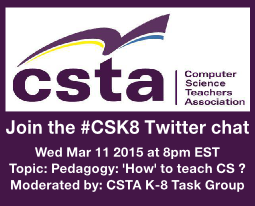
How to teach Computer Science to 5-14yr Olds – #CSK8 Twitter Chat

Embedded image permalink

Join CSTA K-8 task force for #CSK8 chat on Mar 11 8pm EST. Pedagogy- ‘How to teach’ Computer Science to 5-14yr olds. Not the What or Why. Discuss pair programming, blended learning, structured vs unstructured approaches, online curriculum, differentiation and more.

This is the latest in a series of twitter chats that take place every other Wednesday on Twitter. These usually have a lot of good conversation.

Tuesday, March 10, 2015

YouthSpark Challenge for Change

Microsoft runs all sorts of competitions. Recently I read about the YouthSpark Challenge for Change. Since it is no open to 13 to 17 year olds (aka high school students) I thought  I would post information about it here.

image

Calling all students and young adults! Are you active in your local community or concerned about national issues? Microsoft’s third annual YouthSpark Challenge for Change is inviting youth aged 13-25 around the world to share their ideas for sparking change in their communities, schools, college campuses, or the world. Microsoft YouthSpark is part of Microsoft’s commitment to create education, employment and entrepreneurship opportunities for young people around the world.

What could I win?

Microsoft is awarding exciting prizes to help you do more good. And, this year, the Challenge has been extended to 13 to 17 year olds! 15 finalists from each age group (13-17 and 18-25) will win a Surface Pro 3 with Office 365*.

5 grand prize winners from each age group will win:


An amazing leadership-development trip to Nicaragua to learn about creating change


$2,500 cash to help turn their ideas into a reality


A Windows Phone*


The opportunity to serve as a YouthSpark Advocate.

I found this thanks to a blog post by Aimee Sprung on the Microsoft New England blog - Calling young people with ideas for change — win support to make them a reality More information is available following the links. I have no connection to the competition.

Monday, March 09, 2015

Interesting Links 9 March 2015

Last week was SIGCSE in Kansas City. From all reports it was a great conference. I wasn’t there but I followed as close as I could via Twitter. The twitter stream was active with lots of links, pictures and interesting comments. I’ll get to read the papers at some point but I wish I had been there. In any case I did collect some good links from SIGCSE to share this week. And a few from other places. Hope you find some useful.

First a could of blog posts by Lisa Kaczmarczyk  (twitter @lisakaczmarczyk ) on her Interdisciplinary Computing Blog:

And then there are some summary blog posts at the Blog@CACM

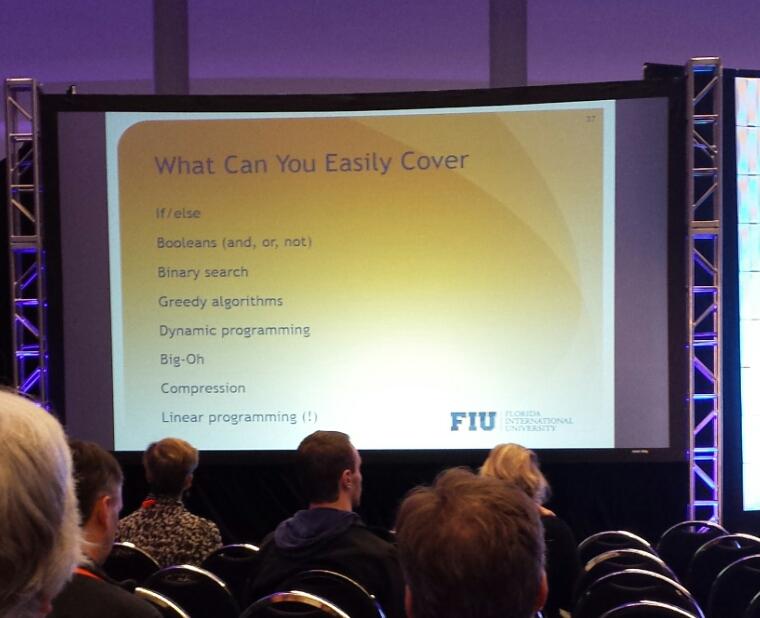
Mark Weiss was one of the keynotes and I really wish I could have heard that one. One thing he proposes is that you can teach all these topics (image below) in Excel! For example did you know that VLOOKUP in Excel uses a binary search? I didn’t but I guess I should have.

Embedded image permalink

A new (to me anyway) thing I saw a lot of tweets about was Pencil Code (https://pencilcode.net/) which is a  tool for converting between blocks and text based code. I need to look into that one some more. I did add it to my Programming With Blocks post.

Recently I wrote a post for the CSTA blog about the CSTA Equity Committee which I currently chair. If you’ve wondered about CSTA Board committees this will be interesting. 

I updated my computer science education blog roll (http://blog.acthompson.net/2012/11/computer-science-education-blog-roll.html …) to include Leigh Ann Sudol-Delyser‘s new blog at http://csadvocate.org/blog/ I am so happy to see Leigh Ann blogging again. She recently completed her PhD from Carnegie Mellon which I hope gives her more time to blog again.

Found an interesting post at Willa's World: The Six Most Common Species Of Code

Mark Guzdial summarizes some of the AP CS 2014 Results as analyzed by Barbara Ericson: Big jumps in participation! Demographics still poor

Speaking of Excel I found this interesting post Excel Fun—Build 3D graphics from a spreadsheet on the Microsoft Office Blog.

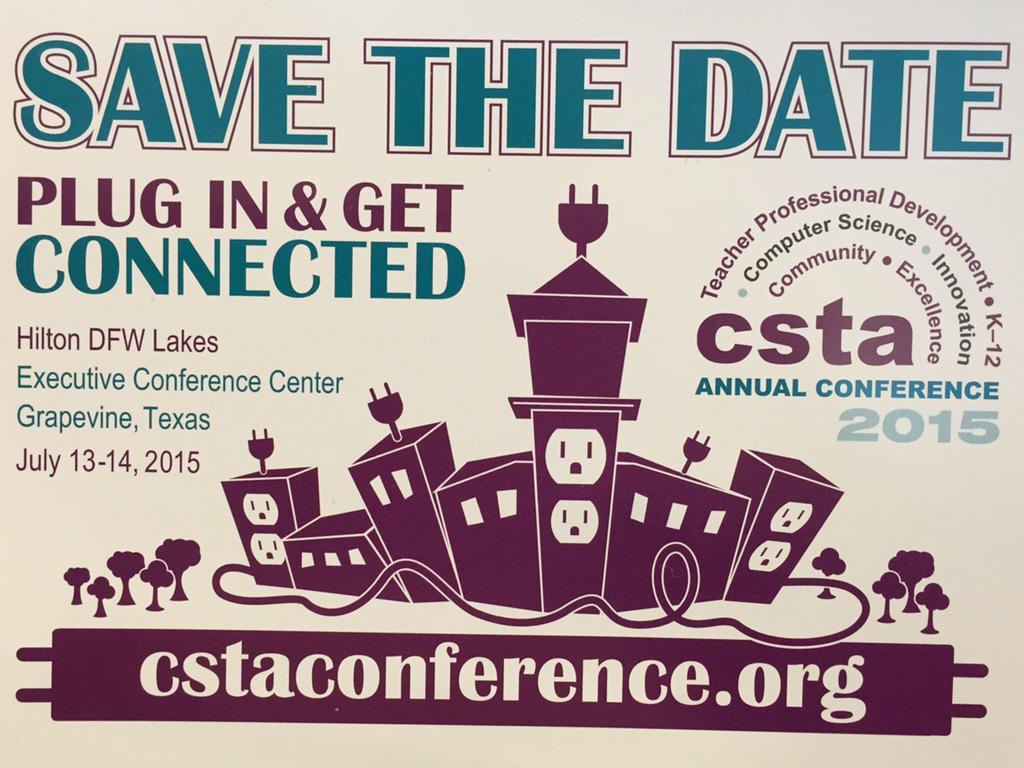
Lastly don’t forget this summer’s Annual CSTA Conference.

Embedded image permalink

Friday, March 06, 2015

Still More Hardware for Learning Software–But Why?

I get email. And I get twitter followers. Often these new followers or email senders are promoting some new gadget for teaching. This week it was RobotIX and Hackball. Hackball is looking to get funded via Kickstarter so it’s not available yet and most of the information about it is at the Kickstarter link. The RobotIX web site talks about some robots that are “coming” but doesn’t include pictures or really any data about them. That obviously makes it hard to review them.

Why are there more and more of these sorts of things all the time? Well, I guess because they are cool and fun. Lots of people want to create the magic bullet to make teaching easier. There are already a lot of robots and what not out there (I list many at Robots For Teaching Programming) so it feels like people are “reinventing the wheel.” This is the case even though we don’t really know if any of this really works as advertised.

We seem to do a lot of things based on intuition or because we want it to work. Mark Guzdial wrote about this recently at Computing Education Must Go Beyond Intuition: The Need for Evidence-Based Practice on the Blog at CACM. That lack of evidence for most new things is what worries me. Yes I love to try new things and there are others out there like me who will. But in the end how do we know it is working? Not all teachers are trained researchers with well defined environments that allow for serious evidence gathering.

I suspect I am not alone in wishing that universities would step up and take on the task of researching what works and what doesn’t in computer science education. So far at most universities there is a lot of finger pointing and saying let the other guy do it. CS departments think Education departments should do it and Education departments think that CS departments should do it. Few schools are willing to fund real CS education research. And so we keep doing things by trial and error and hoping that the things we think are cool are also working.

Robotix

Wednesday, March 04, 2015

Can I Give You A Hint?

Last month I attended a workshop on CodeHunt at Microsoft Research. A talk there by Daniel Perelman on Hint generation in Code Hunt (you can watch a video of his talk here) really sparked some thinking on my part about how I give hints to students. Since then I have seen some other research on automatic generation of hints including an interesting paper by some researchers at Stanford (PDF). Having automatic hint generation is an important problem for online education and MOOCs. It’s not an easy problem though. In fact at times I struggle with giving the right hints to students in live interactions.

Some times there is a fine line between pointing a student in the right direction and telling them how to solve the problem. Sometimes a simple “are you sure you want to do that inside the loop?” is enough. Other times a student needs someone to go over the statement of the problem and help them break it down into pieces. If a student is close to a solution then there may be little room of a hint. At that point it can become a judgment call between asking the student to keep working on their own and giving them the information that puts them over the top.

Different students need different hints. Or perhaps I should say that some students need more help than others. Working with students in person means that a teacher can figure out what concepts students are struggling with. A student that understands loops can be told “have you thought about a loop here? while a student who is struggling with how to set up a loop needs a refresher on the lecture they slept though didn’t quite understand the first time. That more involved help, which is more than just a hint, may be a harder problem for software tutorial systems to handle than simple hints.

I’m pretty excited about the possibilities for software giving students hints. I think that this may allow teachers to spend more (and higher quality) time with students who need more than a hint.

Tuesday, March 03, 2015

It’s the Software Stupid

Computers are magic. Well to a few people they are. To others they are annoying and useless pieces of hardware. At least until you add software. I was reading Audrey Watters’ post on “How Steve Jobs Brought the Apple II to the Classroom” recently. It is a prime example of someone finding the magic in the box and assuming that, if not everyone, a lot of others would also discover the magic. This idea never seems to go away and yet it seldom works out that way.laptops For everyone who teaches themselves there are a great many others who need a teacher.

For some people, I confess I am one of them, discovering that a computer can be programmed and used to do interesting things is enough to get one hooked. This doesn’t seem to be universally the case though. The great majority of people need more out of the software to find the computer useful let alone educational.

This is not limited to computers either. A few years ago it seemed like everyone was buying Flipcams. Workshops and presentations abounded at ed tech conferences on the amazing things that teachers were doing with them. The reality turned out to be boxes and boxes full of unused Flipcams in schools all over the place. It turns out that just giving people the cameras did not make magic happen.

Time after time some new technology is touted as being a sort of silver bullet. Apple computers, digital cameras, Flipcams, iPod and iPads, Chromebooks and tablets of all sorts. Without a doubt some teachers are able to do awesome things with these devices and their students. But they seem to be the exceptions. Some teachers are naturally creative and combine that with a fearlessness that let’s them try out of the box projects.  Other of us need a bit more direction. Some education and sharing of ideas of what works for others is needed to get things started. Teachers also need administrative support even if that support is in the form of benign neglect. :-)

Too often I get the question “we just bought [latest gee-whiz technology] can you tell me how to use it to teach [subject of the day.]” If you have hardware and need to ask about software you have, in my opinion, don’t things backwards. Find the software (be that computer software or curriculum materials) and then find the hardware to run it on.

We shouldn’t start with a solution and go looking for problems to solve with it.

Monday, March 02, 2015

Interesting Links 2 March 2015

Back in school today. It was nice to have a break but I am looking forward to time with my students today. I got no school work done at all during the week off. I’m going to be paying for that this week though. Well that is life. I did pick up a mini display port to VGA connector from my Surface Pro 3. Now using a second monitor. Productivity will improve. Yeah! And now a few interesting links that I managed to capture over the last week. Some fun ones I think.

Most vulnerable operating systems and applications in 2014 It will come as a surprise to some that Windows is NOT in the worst three. The worst two are from Apple. May spark some interesting conversations.

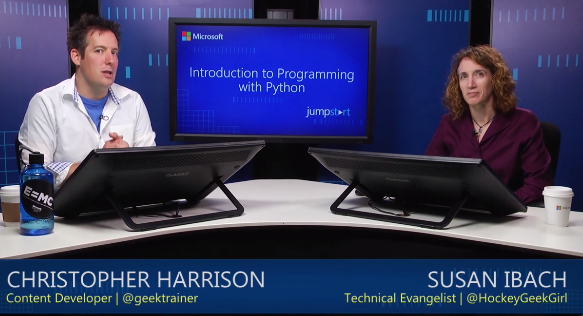
Level up your programming skills with this FREE introduction to #Python! Get started: http://spr.ly/60170xwS I may try this one out. I need to learn some Python.

Embedded image permalink

Great article about why having the right people develop key libraries for computing. Proving that Android’s, Java’s and Python’s sorting algorithm is broken (and showing how to fix it)

I found one link top interesting quotes about programming and remembered I had seen some other collections in the past. I thought I would list some of the best lists here.

Thursday, February 26, 2015

Lessons in Time

The other day I was microwaving some food to heat it up. Ten seconds seemed like forever. I was actually able to do several other things while I waited. The microwave has changed my perception of time in some ways. nanoseconds As I thought about that I remembered the first time I heard Grace Hopper speak.

One of her favorite stories was about explaining to an admiral why there was a delay in satellite transmission. She used a wire “nanosecond” to demonstrate. Light travels about 11 3/4 inches in a nanosecond. She would show the wire and explain that there were a lot of nanoseconds between the ground and the satellite.

Later in her career Admiral Hopper used to show off packets of picoseconds. She got the little packets in the cafeteria where they were already labeled with the letter P.

I am I am sure many others use the nanosecond story to help explain to our students why smaller computers are faster computers.  I’m thinking about adding the microwave story to my toolkit as well. Some times that we think are very fast in the abstract are actually very slow in reality. Once you realize that 10 seconds is not instantaneous and that you can actually accomplish other things during that time you realize that parallel operations can make better use of the time available. Ten seconds to you and I can be a long time. A nanosecond is a long time to a computer. Even, these days, a picosecond is a long time for a computer. We’ll see how that goes over.

Tuesday, February 24, 2015

Simulations Are More Fun

One of my favorite computer science teachers, Judy Hromcik from Texas, posted a link to a video called “The last banana: A thought experiment in probability.” The video outlines a particular statistical problem.

“Imagine a game played with two players and two dice: if the biggest number rolled is one, two, three, or four, player 1 wins. If the biggest number rolled is five or six, player 2 wins. Who has the best probability of winning the game?”

The video outlines several ways to determine who has the best chance of winning. There are several ways including logic diagrams which are interesting and perhaps even fun. For me, programming geek that I am, creating a Monte Carlo simulations seems like the most fun way. Judy is thinking about using this with her students and I’m thinking about using it with mine as well.

I’m looking forward to discussions with students about the results. image The first couple of times I ran the simulation I did so with small iterations (36 simulated rolls) and the results were not always what I expected. Player One won more than Player Two in several cases. This is well within the realm of possibility of course. Probability is not certainty. Larger numbers of iterations came a lot closer to the theoretical ratio of winners. This is also expected. I think the next improvement to the program is to show the percentages for each player as well as the raw numbers BTW. Theoretically Player Two should win 56% of the time.

I think simulations are fun but I also wonder if they might help students picture the results better than looking at a strictly mathematical look at the probabilities.

Back in college I took a number of courses in statistics (I was originally a sociology major) and I got tired of doing the arithmetic. The math was fun but doing the calculations was tedious. So I did the only logical thing – I wrote programs to do the arithmetic. Do this really helped me focus on the math, the algorithms, and save time doing the arithmetic. So some people the math is enough. Some of us like to see things in a different way.

Anyone out there teach statistics? Do you have students run (or better yet program) simulations as part of the course? Does it work for your students?

Monday, February 23, 2015

Interesting Links 23 February 2015

It's February break for my school. I’m trying to take it easy this week. And catching up with grading of course. I suspect a lot of teachers use so-called vacation time to catch up on school work like grading and planning. I also hope to play with some tools I haven't had time for. With any luck at all I’ll get my new 3-d printer working. And maybe a Kinect project I want to start. We’ll see!  IF you’re looking for interesting things I have a few good links below.

I love the suggestions that come fromCS Teaching Tips @CSTeachingTips For example “Give students a caesar cipher to teach how characters can be treated as numbers and to reinforce string manipulation. http://ow.ly/IiLhJ  “ I love Caesar cipher projects! Also this one “Give students a large data file to sort when teaching sorting algorithms. http://ow.ly/IiJZ7 “ Sorting small data sets is boring, feels to easy and doesn’t give one a real chance to see performance differences.

Computer Science Teacher: 2015 CSTA annual conference – Registration is Open. Will I see you there?

Fun images to help visualize how computers have changed. Your students may find these interesting.

Algorithms – Teaching coding structures to 6th grade.

New collaboration features in TouchDevelop   This opens some interesting possibilities. I’m wondering about how several students modifying the same program at the same time will work out in class.

Friday, February 20, 2015

Today’s BASIC Is Not Your Father’s BASIC

A post at Doug Peterson’s blog (A Different Time) sent me to a site that has a collection of old BASIC programs. And by old I mean the 1970s. I remember many of these programs as I was starting my programming career back then. One could take these programs and type them into their computer and run them. It was fun and we learned a lot. But I’ll tell you the language has changed a lot since then.

image

For example back then a comment was a REM statement. Short for REMARK of course. Today most version of Basic use a single quote to flag a comment. Today variable names can be of any length while back then one was limited to a single letter followed by a number or numbers. Variables were declared using a Dim statement as they are today but the type was specific by a $ for string, a % for integers and floating point numbers had neither of those special symbols. One can’t use them in variable names today of course.

Originally BASIC did not have subroutines as we know them today. We had the GOSUB statement which branched code to a line number (we don’t use line numbers at all any more) and a return statement brought the flow of execution back to the line after the GOSUB. There was no parameter passing and variables were basically global. There were functions of a sort. Those were defined in a single line like this:

180 DEF FNM(X)=X-8*INT((X-1)/8)

The functions were all named FN followed by some letter. Return values were loosely typed. It sure was easy to use though.

I’m looking though these old projects for ideas for updated versions to use with my current students. Some I will use with Visual Basic and some with C#. And just maybe some with TouchDevelep. Some things never get old.

Today’s versions of BASIC are both much more powerful and much more complicated than those early versions were. Stronger types, more powerful functions and subroutines,  lots more flexibility in identifier names and real error handling.  Small Basic is an attempt, and a good one, at returning in part to those simpler days.  It still has more power and complexity but many things are much easier. Visual Basic is a very powerful professional level language and development environment. It too makes some things much easier than they were “back in the day” but in other ways the complexity can be intimidating and even frustrating for beginner.  It seems to work well with my high school freshmen though as long as I stick to the basics.

I wonder how many people judge the idea of BASIC based on thirty (or forty) year old versions of the language? Today’s versions, especially Visual Basic are every bit as powerful and modern as Java or many other popular languages. And still easier to learn. I still like them.

Thursday, February 19, 2015

2015 CSTA annual conference – Registration is Open

unnamed

Registration is now open for the CSTA annual conference. CSTA 2015 is a professional development opportunity for computer science and information technology teachers who need practical, classroom-focused information to help them prepare their students for the future. Conference content is peer reviewed and peer or industry led, making it relevant to today's classroom needs. This year we are staying true to being "bigger and better than ever" so we have expanded our conference to span three days, with two days worth of workshops, more exhibitors, along with multiple networking opportunities.

Highlights:

  • Explore issues and trends relating directly to your classroom
  • Learn, network and interact
  • Choose from various workshops and breakout sessions
  • Amazing value (complimentary conference Wi-Fi, breakfast, lunch and snacks - CHECK!) at approximately $100/day!

Some of this year's session topics include:

  • Advanced Placement Computer Science
  • Computational Thinking
  • Increasing Enrollment in Computer Science
  • Programming
  • Robotics

Keynotes:

  • Megan Smith, Chief Technology Officer of the United States - Invited
  • Randy Pitchford, Aaron Thibault and Jimmy Sieben with Gearbox

Pre-registration is required and will be accepted for the first 500 teachers. The registration deadline is June 26, 2015. Also, please note that you must complete the payment portion of the online form in order to be fully registered for the conference!

As always, we thank our sponsors for their generous donations. Your registration fee will include networking opportunities, lunch and resource materials. The 2015 CSTA Annual Conference is made possible by the generous support of Google, Lockheed Martin, Oracle Academy and the University of Texas at Dallas.

Costs:

Conference registration (which includes a community session on Sunday (July 12) afternoon, Monday night's event with the University of Texas at Dallas, and all general and plenary sessions on Tuesday(July 14) is $100 if you register by April 15. From April 16-June 26 the price is $150, and after that the price increases to $225.

Workshops are a separate price, and this year we have expanded our offerings to include options on Sunday, as well as Monday. The price for workshops is $100 for the first one, and $50 for each additional workshop (maximum number of three).

Please note that all workshops are "bring your own laptop" and that workshop registration is limited to 30-40 participants; so be sure to register early to get your workshop choice. As an additional reminder, we DO NOT accept workshop registrations onsite, and there is NO switching of options.

Register at: www.cstaconference.org

For more information contact Tiffany Nash, CSTA Events and Communications Manager at t.nash@csta-hq.org

P.S. A big thank you to the 2015 Conference Planning Committee:

  • Doug Peterson, Program Chair
  • J. Philip East, Workshop Chair
  • Duncan Buell, Review Chair
  • Mindy Hart, Volunteer Coordinator
  • Stephanie Hoeppner
  • Tammy Pirmann
  • Dave Reed, CSTA Professional Development Committee Chair
  • Hal Speed, Central Texas Chapter Conference Liaison
  • Sheena Vaidyanathan
  • Henry Vo, Dallas Fort Worth Chapter Conference Liaison
  • Lizan Ward, Greater Houston Chapter Conference Liaison
  • Lissa Clayborn, Acting Executive Director, CSTA

We look forward to seeing you in Grapevine!

The CSTA 2015 Annual Conference is generously sponsored by:

Tuesday, February 17, 2015

One Thing Leads To Another

One of the great things about teacher blogging is the sharing of ideas. Often these ideas can be easily adapted and adopted in new ways. Earlier today Doug Peterson had an interesting post about wind chill calculations. He had an interest, shared by lots of us “enjoying” a particularly cold winter, and did some research. This resulted in a Small Basic project. And all the information I needed to write my own project.

Now Small Basic is a wonderful little language for projects like a wind chill calculator.  I can easily understand why it was a go to language for Doug. On the other hand I have been doing a lot of work with TouchDevelop lately so writing the program in that came to my mind. My wind chill program (which you can run from any web browser) looks like the following.

image

TouchDevelop has three levels of ability for coding these days BTW. That is the “beginner” format which I chose in part because I like the color coding.

Any way, I can see some room for expansion. There are obvious UI improvements but as is often the case there is more to wind chill can meets the eye. For example these calculations are apparently only useful for temperatures below 50 degrees Fahrenheit. That’s an obvious check that should be made. It has the added advantage of being able to add if statements to a simple assignment statement project.

We should probably also check for negative wind speed. As always one thing leads to another in programming. And now thanks to Doug for sharing what he did I have another project I can use with my students. One that conveniently works in any programming language I might use.

Monday, February 16, 2015

Interesting Links 16 February 2015

President’s Day today which means my school is closed. I can use the rest after cleaning up from the latest snow storm. I’ve lost count of the number of feet (yes FEET) of snow we have had in the last month. Probably over 6 feet (2 meters) and it looks like more to come. Great weather to stay inside and write code. And look though some interesting links.

Rob Miles has put the materials for his  C# Course and a Shiny New Kindle C# Yellow Book on line. I recommend his materials. He does good work.

Garth Flint writes about taking his students on A CS Field Trip. Do you take students on field trips? Where to?

Simon Johnson has created Flapping Birds v.2.0.1 in 68 lines of touchdevelop! I may use this as a starter for some additional projects.

Speaking of TouchDevelop. TouchDevelop is now an open source project on GitHub. The current team will keep working on it, but can use some help.

Have you been following the CSTA blog? Maybe it is time to catch up on the latest posts.

Care about CS Education? You can work for http://Code.org ! They are hiring. Lots. http://code.org/about/jobs Some great people already working there.

Thursday, February 12, 2015

Creating Code Hunt Puzzles

As I mentioned the other day (see Learning From the Code Hunt Dashboard) I have been creating my own Code Hunt puzzles for use with my students. Earlier this week I spent some time at Microsoft Research in a workshop about Code Hunt. Among the things I learned was a few more things about creating puzzles. Specifically I learned more about how test cases are generated and how I can tune what test cases are created for my students to see. This can make puzzles harder or easier for students which is a good thing. Sometimes I want the test cases to point a little more clearly to a solution. I don’t want students too frustrated but at the same time I want some challenge to the puzzle. I learned a lot from the Code Hunt designer documentation which is available online here but I wanted to highlight a few things that others may find useful.

Let’s start with something simple. I created a puzzle where the correct solution is to convert a number from Celsius to Fahrenheit. Initially I created something that looked like this:

   1: #level Cold
   2: #code C#
   3: using System;
   4: public class Program {
   5:     public static double Puzzle(double x) {
   6:         return 0.0;
   7:     }
   8: }
   9:  
  10: #secret C#
  11: using System;
  12: using Microsoft.Pex.Framework;
  13: public class Program {
  14:     public static double Puzzle(double x) {
  15:          return (9.0/5.0) * x + 32.0;
  16:     }
  17: }

the problem for me is that the test data looks something like this: image


While the 0 to 32 is helpful I wanted a bit more of a hit. So I added a simple if with no action that forces 100 to 212 to run as test data. This makes the secret code more like this:


   1: #secret C#
   2: using System;
   3: using Microsoft.Pex.Framework;
   4: public class Program {
   5:     public static double Puzzle(double x) {
   6:         if (x == 100);
   7:          return (9.0/5.0) * x + 32.0;
   8:     }

The other issues I have had are with string based puzzles. While for some puzzles I want students to deal with the null case for some the early puzzles I want to remove that complexity. And in fact I may want to have a minimum number of characters in the string. For that there are some PexAssume methods we can use. I particularly like IsNotNullOrEmpty for avoiding having the null or empty string case. Though I could also use PexAssume.IsNotNull(s); to leave in the empty string case while removing the null string case. I can also use PexAssume.IsTrue to require that strings be at least a specific length.


   1: PexAssume.IsNotNullOrEmpty(s);
   2: PexAssume.IsTrue(s.Length >= 3);


To the computer a string is a string is a string and it doesn’t really care what characters is in it. So you can see strings like “/0/0/0” which can be a bit confusing and intimidating to beginners.


image


IT turns out that you can do some work in your secret code before you feed a value to a PexAssume.IsTrue method. That means that code like the following will make sure that the test data includes only the characters “a” though “z” are included in the test data.


   1: Boolean b = true;
   2: for (int i = 0; i < s.Length;i++)
   3:     if (char.Parse(s.Substring(i, 1)) < 'a' || char.Parse(s.Substring(i, 1)) > 'z') b = false;
   4: PexAssume.IsTrue(b);


I see a lot more potential in that sort of thing for the future.


I’ve been using PexAssume.IsNotNullOrEmpty for arrays as test data as well. I’ve got a zone that I have been using this semester but I am gradually adding puzzles as I learn more about Code Hunt. I’m willing to share my puzzles with others. Anyone else creating custom puzzle for their students?

Wednesday, February 11, 2015

Coding lessons for 8-10 yr olds

Are you a tweeting teacher who teaches K-8 computer science? If so I am hoping you can join the CSTA K-8 task group for the next #CSK8 Twitter chat on Wed Feb 11 8pm EST. Please forward the invitation to other teacher/specialists/parents and others interested in teaching this age group. 

Topic: Coding lessons for 8-10 yr olds. What do you need to know about teaching this age group?

Learn and share your favorite lessons, activities and resources for this age group. Talk about integration of CS in the curriculum by non CS teachers and the role of after school coding clubs.

Tuesday, February 10, 2015

Learning From the Code Hunt Dashboard

This week I am in Redmond WA at a two day workshop around Code Hunt being run by Microsoft Research and the developers behind Code Hunt. After day one I can say I have learned a lot.  I’ve been using Code Hunt with my honors programming students. I started using it with last semester’s class but have been using it right from the beginning this semester. While I have used the default question set and also included puzzles in Office Mix recordings I really got into developing my own Zone for my students. As you can see I have four basic sectors each with 3 to 6 puzzles. I’m going to expand that over time. BTW the Code Hunt designer documentation is available online here. I’m planning on blogging some about that soon.

image

One of the things I learned more about today was the ability of a zone developer to get information about how users are doing with the puzzles from a dashboard. How do I get to the dashboard? Pretty simple so I wonder how I didn’t fall into this earlier. From user settings I can open a dashboard and see some status of how my students are doing.

image

Here is a look at the dashboard for my class (student names removed)

image

We just started on decision structures which is why most of the class hasn’t finished those puzzles. The outlier in the middle is me by the way. Most of the top students have had some previous programming experience. But not all. Some people are just picking things up quickly. Some of the people at the bottom have missed an above average number of school days. I’ll know to spend some time with them one on one to help them catch up.

I’m using the data, especially the number of failed tries, to understand what puzzles are giving students issues. I feel that probably indicates something I could/should teach differently or better. On the other hand, that some of the students have worked their way beyond what we have done is class is encouraging.

Something else I have done this week was to ask the students to all describe one of the puzzles that is giving them problems. I am hoping to learn more about how they think about solving puzzles, what concepts they need to learn or learn better to move forward and what is coming easy. Code Hunt, which students seem to really like using, is helping me get a better understanding about what and how my students are learning. This is pretty exciting to me.

Monday, February 09, 2015

Interesting Links 9 February 2015

I’m back in Redmond WA today. First time in over three years I have been here. I expect it to feel different as a visitor after being hear many times as an employee in the past. My time here this time is with the CodeHunt team for a two day workshop with some university educators. I’ll talk about my use of Code Hunt with my high school students tomorrow. I’m also hoping to learn quite a bit while I’m here. Speaking of learning, here are this week’s interesting links.

The Science Fiction Books That Every Computer Scientist Should Check Out I haven’t read any of those books. I wonder if I should. Anyone have an opinion?

Mentors can be a powerful aid to people getting started in any area. To Get Women Into Computer Science, Sheryl Sandberg Launches Lean In Mentorship Network.

Decision trees and football? Does it get any better? Why the Pass at the End of Super Bowl XLIX was the Right Call  via Communications of the ACM

Microsoft announced that they are increasing their interest in the Internet of Things  (IoT) by delivering Windows 10 support for Raspberry Pi 2. That could open the door for some interesting projects.

School Leaders Mostly Mystified by Computer Science Education An interesting article about the results of some research the CSTA published recently.,

Speaking of CSTA, the winners of the recent CSTA equity competition made the news in their local paper. Mass. Academy students ace international video contest

The Call for Participation for the Grace Hopper Celebration of Women in Computing has opened!

Sunday, February 08, 2015

Recursion – Love it or hate it?

The following was posted to the AP CS Facebook page yesterday with the question "What would the answer be?" Things went along just fine for 3 replies of people giving the answer (0123456) until some troublemaker (who would be me) piped in with "Yet an other example of how AP exams are loaded with poor coding practices". And then it got interesting. Recursion seems to stir up a lot of discussion in CS Education circles.

I would argue that this is a poor example of code practice. It is a good, for some definitions of good, example of both recursion and asking students to trace good. That doesn’t make it a good way to get 0123456 output to the command line. At least not in my opinion. Someone raised on functional programming where recursion is a pretty standard way of doing looping might disagree of course.  I tend to think that:
for (int i = 0; i <= n; i++) System.out.print(i);
is a lot easier to understand however.
There is a saying that when all you have is a hammer all your problems look like nails. This seems, in a way, to be the case with recursion and loops. If your first tool of choice (or what you have learned first) for iteration is loops you tend not to think of recursion as a solution. Similarly if you start with recursion (as is common with functional programming) you are a lot more likely to look at recursion as a tool for iteration. Personally I struggled with recursion in the beginning. I just couldn’t wrap my head around it for a while. Now I find it really interesting and in some cases very useful. But I prefer not to use it for simple iteration. There is extra overhead involved with all that stack use and I’m still thinking in terms of minimizing memory from my early days when memory was expensive.
But getting back to the discussion I started on Facebook. We are often forced to use code examples that are not ideal coding practice. WE do that to make things clear and to demonstrate specific concepts in a sort of isolation that we might not normally use. We seem to do that a lot with recursion because the example that require recursion tend to be fairly complex. For example traversing trees is an application that recursion is particularly good at but trying to teach both trees and recursion at the same time can be complex. An other frequent example if the Towers of Hanoi which has a complexity of its own. The Fibonacci sequence? Probably better than some but you can still solve it without recursion.
We move on to the question of when should recursion be taught. With functional programming it has to be early. We procedural programming it doesn’t have to be taught early but people disagree on if it should be. I don’t teach it in my first course. Part of that is time – its a single semester course and I can’t fit everything in. Also I tend to think that recursion should be taught in conjunction with other CS concepts like stacks and context switching and memory usage. That is a big pill for a first semester course in high school.
Some might argue that this is all an argument for teaching a first course with a Functional language. I’m trying to make my mind up about that. I’m also wondering if the most important thing a first course does is cover all the key concepts beginners need for some definition of all the concepts beginners need OR is the most important thing for them to learn enough to want to learn more?

Tuesday, February 03, 2015

Girls Who Code Is Hiring Paid Teaching Staff

Looks like these opportunities are in New York, Detroit and San Francisco.


Girls Who Code is a national non-profit organization working to close the gender gap in technology. Through our Summer Immersion Program and Girls Who Code Clubs, we're leading the movement to inspire, educate, and equip young women with the computing skills to pursue 21st century opportunities.

Girls Who Code has grown from a single pilot program in 2012 to reaching more than 3,000 girls with high quality computer science by the end of 2014. Backed by the nation's leading technology companies, we are scaling rapidly, hiring across the country, and preparing to enter new markets in 2015.

We are a small, dynamic group of individuals passionate about changing the world. We thrive on working in a collaborative, fast-­paced environment. We represent a diversity of backgrounds, a wealth of experience, and a ton of fun.

Gearing up for a drastically expanded 2015 Summer Immersion Program, national non-profit Girls Who Code is looking to triple its teaching staff across the country! The organization encourages empathetic and enthusiastic women and men with technical backgrounds to APPLY NOW for hundreds of available paid Teacher and Teaching Assistant positions:girlswhocode.com/get-involved

Teaching at Girls Who Code offers individuals the unique opportunity to empower teenage girls with computing skills to change the world while sharpening their own tech skills and making lasting industry connections. Teaching staff will get the opportunity to work at one of the following companies:

Accenture, Adobe, AIG, Akamai, AOL Charitable Foundation, AppNexus, AT&T, BSA | The Software Alliance, eBay, Electronic Arts, Expedia, Facebook, GE, Goldman Sachs, Google, Groupon, IAC, IBM, Intel, Intuit, Lockheed Martin, MassMutual, Microsoft, Moody's, Pixar Animation Studios, Square, The Honest Company, Twitter, Viacom, and Verizon.

Monday, February 02, 2015

Interesting Links 2 February 2015

Happy Groundhog Day! We’re having a snow day with schools closed because of a snow storm. I’m betting on six more weeks of winter. It may take that long for all the snow we’ve had in the last 10 days or so to melt. I’m not complaining though. I like snow. And today I’ll have some time to work on some personal coding projects I’ve been wanting to get to.

Interdisciplinary Computing Blog: Who thinks Computer Science is less relevant than physics? A good question in my somewhat biased opinion.

I saw some interesting discussion on this week’s Twitter chat for K8 computer science sponsored by the K8 Task Force of the CSTA. There will be another chat but here are a couple of interesting links from this week. An archive of tonight's chat on Coding Lessons with 5-7 year olds has been posted at https://plus.google.com/114810523265094113657/posts/LF7ZTnm24Lo

Beginner languages – the usual infinite loop and interesting take on the subject by Garth Flint

ANYBODY CAN LEARN — With education moving online, do we even need teachers anymore?… YES!   from @codeorg Some interesting data that reinforces the value of a real in person teacher.

I found a pair of interesting examples of code solutions for common technical interview questions. Maybe there are some projects here for students?

Thursday, January 29, 2015

The Queen of Code – Grace Hopper

There is a new movie about Grace Hopper out in the Internet. The movie is about 16 minutes look and I think it is pretty good. I’m looking for a place in my schedule to show it to my students. Grace Hopper is a long time inspiration for me. I was able to meet her in person back in the early 1970s and hear her speak several times. She was ahead of her time and many ways.

As a rear admiral in the U.S. Navy, Hopper worked on the first computer, the Harvard Mark 1. And she headed the team that created the first compiler, which led to the creation of COBOL, a programming language that by the year 2000 accounted for 70 percent of all actively used code. Passing away in 1992, she left behind an inimitable legacy as a brilliant programmer and pioneering woman in male-dominated fields.

Hopper’s story is told in “The Queen of Code,” directed by Gillian Jacobs (of “Community” fame). It’s the latest film in FiveThirtyEight’s “Signals” series.

Monday, January 26, 2015

Interesting Links 26 January 2015

A new semester starts for me today. Since I only teach semester courses that means a whole new group of students to meet and teach. I have spent much of the weekend retooling my plan for the semester based on what I learned last semester. My goal is always to teach each new group of students better than I taught the last group. Wish me luck!

Guest speakers are often hard to arrange but can add a lot to student experience and learning. Over the weekend I learn about a program to provide Guest Speakers in Computer Science via Skype. This looks pretty interesting to me.

Ontario CS and Computer Tech teachers, don't forget to register for the ACSE Conference on Feb 28! Looks like a great conference. If it were just a little bit closer I think I would try to attend myself.

I thought this was interesting. Retiring Python as a Teaching Language a number of teachers have pointed out that there are tools for solving all the “problems” with Python that this brings up. I link to it manly to show the thinking that goes behind decisions on languages. And as a suggestion to look more than superficially for answers.

I always talk about what makes a good password with students. Having an updated list of really bad and yet still common passwords hanging on my bulletin board starts a lot of conversations. SO this article “123456” Maintains the Top Spot on SplashData’s Annual “Worst Passwords” List means my board gets updated today.

My big post last week was: Robots For Teaching Programming What am I missing? Are you using something not on my list? Please let me know.