Sunday, December 07, 2014

There Is No Best Programming Language

Three items from different places on the same topic requires a blog post. Well for me it does. This week’s topic was picking the best programming language. Now you should know that one of the easiest way to get computer scientists, CS educators or software developers into a heated discussion is to start off with “what’s the best programming language?”

The first thing I ran across was “My Computer Language is Better than Yours” by Scott Rosenberg (@scottros) That post is a look at the new languages Go (from Google) and Swift (from Apple) and it is an interesting read.

The next thing I read was The Best Programming Languages Every Beginner Should Learn which is mostly the opinions of Hadi Partovi @hadip of Code.Org. It’s not a bad list but words like “best” and “every” always make me raise an eyebrow at least.

Lastly there has been a discussion about moving from C to Java or perhaps some other language for the first course in a university computer science program on the ACM SIGCSE mailing list. (Not sure the archive is available to non-members)

These are all discussions I find myself reading/following and occasionally taking part in regularly. The question about how many angels can dance on the head of a pin has nothing on the one about first programming languages.

In the case of programming languages I will say “it all depends.” It depends on what age level are you talking about? Grade school students are different from middle school students who are different from high school students who are different from university students who are different from older students. People trying to learn on their own are different from students with teachers. And teachers make those differences more different as well. In short the idea that there is a single language or sequence of languages that all beginners should learn really doesn’t make sense.

I was asked how the curriculum at my school matches with the suggestions that Hadi made. In some ways similar but in other ways dissimilar.

We start a half step above a block language. One teacher with a home-grown Logo tool and me with TouchDevelop. TouchDevelop is sort of like a drag and drop language but it is also closer in appearance to a text based language. I like that it takes a lot of the syntax out of the picture but still looks like real code. Also Block languages start with variables too late in my opinion and the jump to a real language can be a big one.  I also like how easy it is to do fun things. Recently I saw a student on their own showing it off to a visiting student. That tells me good things.

Visual Basic is next and it has many of the advantages of Python (a language growing in popularity) PLUS the ability to easy create real Windows programs without writing a lot of code. It is a friendly and yet powerful language. It gets students motivated.

Our next course is C# which is a very nice language in the C family. It is an easier preparation for Java, which we have to teach for the AP course, than JavaScript I think. If we had another semester course JavaScript would make sense though. We could think about it for our honors programming course I guess. Might not be a bad idea.

Our last course uses Java because we have to teach Java for the AP course. It we didn’t have the AP course JavaScript would make a lot of sense given its multi platform nature.

BTW we also do introduce HTML in our first course. It is important even though it is not strictly speaking a programming language. The web needs it and I like to think it is a good setup for the idea of markup languages and XML.

Is this the best set for everyone? Not hardly but it works for us. But it works primarily because we think about the concepts we want to teach first and pick the tools for it second. That is the way things should be done.

Thursday, December 04, 2014

Computer History–The Importance of Stories

I ran across quiz today (Do you recognize these Obsolete Technologies?) If you know me you are probably not surprised that I recognized all 15 of them. I’ve been around a while. Several of my friends on Facebook did as well. As so other happens the reminiscing started next. Tales of FORTRAN and punch cards and the very first PCs abound. It’s fun for us and probably has the younger people shaking their heads. I started to ask myself if knowing this old stuff helps us or just clutters our brains. Do these stories perhaps help us to explain things to students I wonder?

My students today never had to use punch cards, paper tape and some of them are unfamiliar with floppy disks. Mainframes? Not even a distant memory. The way computing is moving faster and faster does that matter? Maybe not. But maybe it does.

We made a lot of mistakes over the years and knowing them can be valuable. Things that we think of as advanced and modern have their roots in the past. Concerns about privacy and data security in the cloud are not dissimilar at all from the same concerns in the days of mainframe computing with remote terminal access for example.

Web forms are little different from block mode terminals connected to mainframes. Web services are just a new version of server programs for client server applications in timesharing system.  I could go on of course.

We teach students at my school some computer history as part of our freshmen CS course. It’s a little and I often wonder how much sticks beyond the unit test. On the other hand when I am teaching programming I try to weave in some stories from my experience in industry. I think that helps make the usefulness of concepts more real and less theoretical. The book Made to Stick: Why Some Ideas Survive and Others Die talks about the importance of telling a story to make ideas “stick.”

I’m lucky in that regard in that I have real industry experience which means stories. There is something more impressive about telling students who 5 people lost a month (5 man months) of time because they used “magic numbers” rather than named constants then talking about it as theory. Not everyone has first hand stories like that though. Most of us have some second (or third hand) stories but often we don’t have a story to help make the message stick.

We don’t do a good job or recording and sharing these stories though. Computer History MuseumThe Computer History museum does have a nice and growing Computer Science oral history project. How much of that makes it into lectures or textbooks? Probably not a lot. And students have short attention spans and are looking for multi media anyway.

As an undergraduate I ran across a book called “Programming Proverbs” that was very helpful to me. That link BTW is to the index to a series of blog posts I did based on the book almost 8 years ago. I think what I want today is a book on programming stories. I don’t know that such a book exists but I very much wish it did. Maybe even indexed by concept for use by teachers and students teaching themselves.

What do you think? Do you have favorite stories you use to explain things? Is there a book or other reference you go to for such stories? Is this even a good idea?

Monday, December 01, 2014

Interesting Links 1 December 2014

Well it was an interesting week for us last week. You may have heard that much of the east coast of the US was hit by a big snowstorm Wednesday – the night before Thanksgiving. My area was hit pretty good. We never lost power but many of my friends did. Some for days. At least it wasn’t as cold as it could have been. I’m very thankful it was not worse. Several of this week’s links are about Computer Science Education week and the Hour of Code.
But first, Christian Thompson has a new Tic-Tac-Toe in Python (Video Tutorial) That some may be interested in looking at.
Closely related to that last link, Deepak Kumar@bmcdeepak sent me a link to a book chapter of his about artificial intelligence for games like Tic-Tac-Toe (PDF) that is really great.
Microsoft is challenging people to learn coding with hour of code. Here’s how you can get started: Microsoft resources for Hour of Code
Embedded image permalink
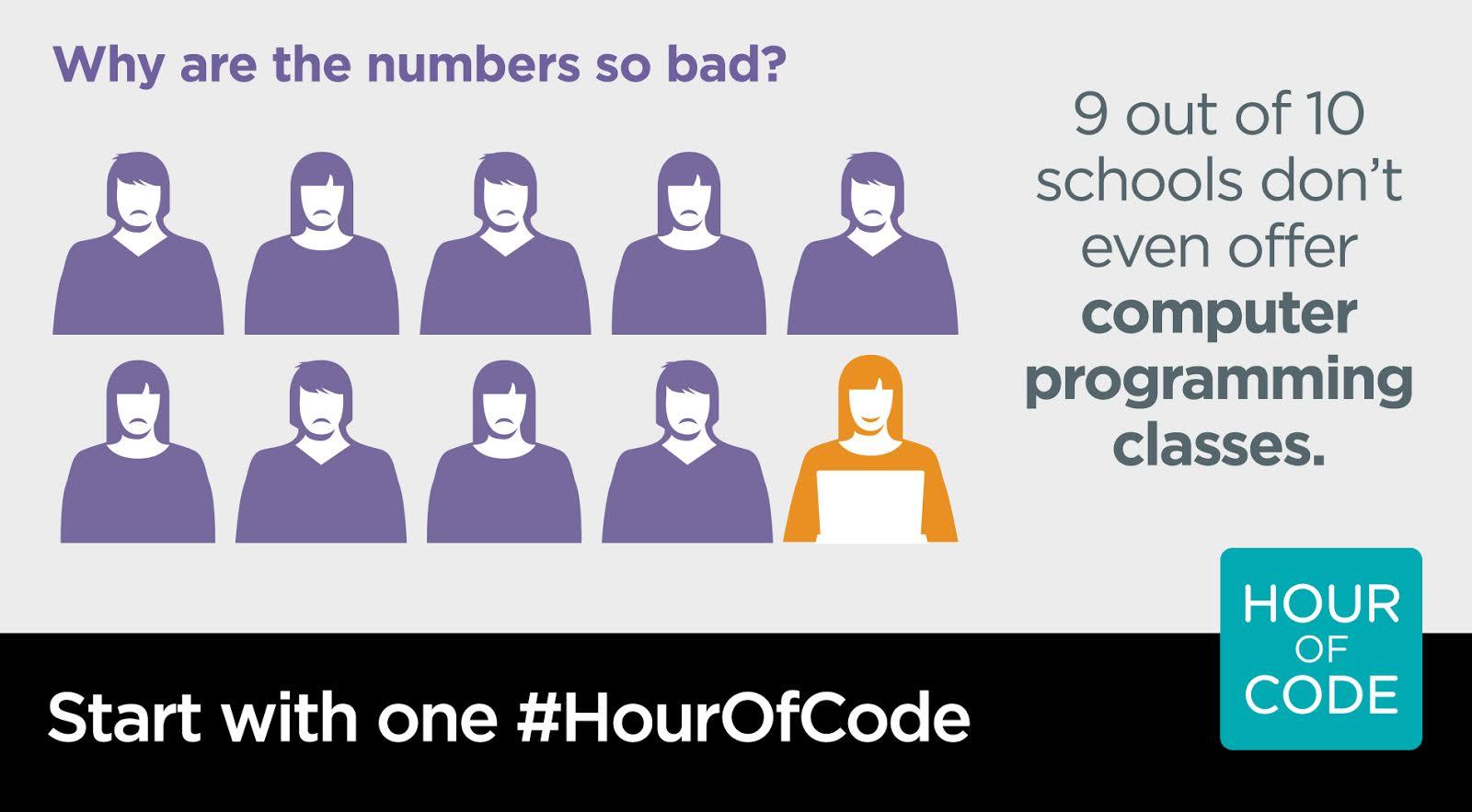
What's wrong with this picture? Voice your concern through #CSEdWeek. Sign the petition at http://csedweek.org/promote
Embedded image permalink
Meanwhile, the FBI Says It Can't Find Hackers to Hire Because They All Smoke Pot . Go figure. Smile

Tuesday, November 25, 2014

CSTA Leadership Gets Busy for CS Ed Week!

Did you see this on the CSTA mailing list? When the CSTA Board met recently we started talking about sharing what we were doing in our schools for Computer Science Education week. It’s not all about the Hour of Code – cool as that may be. The result of our conversation was this video recorded during breaks in the meeting 

Watch our latest video to learn what the CSTA Board Members and Task Force Chairs will be doing for CSEdWeek 2014, which coincides with Grace Hopper's birthday. From a Humanitarian Hack-a-Thon to a Birthday Party Open House, these activities will be sure to get you thinking about the engaging and inspiring programs you can host at your school

View the video at http://tiny.cc/CSTA_CSEdWeek

Subscribe to the CSTA YouTube channel at http://tiny.cc/CSTA_YouTube

For additional CSEdWeek ideas, visit the CSTA Advocate, the CSTA CSEdWeek web page, and the CS EdWeek Teacher Site.

Monday, November 24, 2014

Interesting Links 24 November 2014

This will be a short week in school. Thanksgiving is Thursday in the US and my school is off for a five day weekend. I’m looking forward to a bit of a break. I think my students are more ready though. Smile Well let’s share some links.

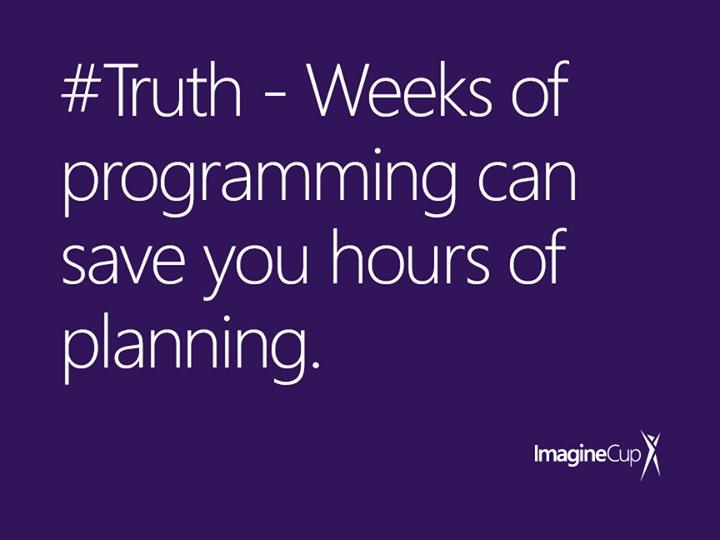
Weeks of programming can save you hours of planning. This is the most retweeted and favorite tweet I’ve done in a while. Wish it was unique to me but the saying has been around for a while. The other CS teacher at my school has this on his lab wall. It’s going up in mine as well.

Embedded image permalink

Shakespearean Insult Generator - an interesting project in Python by Simon Johnson @clcsimon. I’m working on doing this with my C# students in C# of course.

Seeking study participants: What should BS in CS graduates know about software development? I believe she is looking for people from industry (hiring managers) to reply.

Check out the CS Participation Kit and get inspired -- during CS ED Week, December 8-14, or any time of the year!

The call went out for Computer Science Teachers Association 2015 Board of Directors Nominations. I’m planning on running again. We’re always looking for good candidates though.

How to Not Drive Students Away from CIS my friend Randy Guthrie takes on this tough but important topic.

Little evidence to believe 10x programming productivity gap. Doesn't matter. It's an education problem. Great piece by Mark Guzdial.

Nice article by Pat Yongpradit. Should we teach computer science in elementary school? My vote is pretty clear.

Wednesday, November 19, 2014

TouchDevelop on Student Devices

I have this sort of love/hate relationship with web based applications. I had reason for a bit of both today. I like to introduce students to programming using TouchDevelop which is a web app for most people although there is a really nice Windows Phone app for it as well.
Today, for some reason TouchDevelop would not load properly on the student computers in my lab. I'm not sure why as it loads fine for me on the same computers and it has worked fine in the past. I suspect a network glitch.
Regardless, about half the students pulled out personal laptops, tablets or cell phones and asked if they could use those. Sure, why not?  It was very cool seeing students work on the exercise on all different devices and having success. I think that some of the students enjoyed the experience more using their own devices than they would have on the computers. Sure the computer screens are larger and that makes things easier (for me at least) but this make the exercise more personal.
I may make that the default option (using personal devices) in the future. We’ll see how it goes.
FWIW the web app we created in class today can be found at https://www.touchdevelop.com/nwgf

[Edit: Everything worked just fine the next day. A number of servers were rebooted and that seems to have cleared a number of network issues.]

Tuesday, November 18, 2014

Top Secret Rosies

This week I have been showing the movie "Top Secret Rosies" to my freshmen students. It’s a wonderful story about some long unsung heroes of both World War II and computing. As introduced on the related web page:

In 1942, when computers were human and women were underestimated, a group of female mathematicians were recruited to complete secret research for the US Army. Top Secret Rosies: The Female Computers of WWII is a one hour documentary that shares the little known story of the women and technology that helped win the war and usher in the modern computer age.

I show this movie for several reasons. An obvious one is to show how women have long been involved in computing. Their role has been ignored far to often. The students, not surprisingly the girls especially, notice how women were not given full credit for their work at the time. This is a great starting point for conversation. I want my students to understand though that women have and continue to contribute important things to computing even when men are getting most of the attention.

Another, perhaps less obvious, reason is to help students realize how important the software is to the hardware. When I hear students, mostly male this time, talk about the hardware specifications of computers, tablets and cell phones I realize their don’t really appreciate the importance of the software that makes those devices useful. The movie highlights how important the work of these pioneering women was in making the computer actually useful. I also like how they talk about the women debugging the hardware by knowing the complete system so well.

We often talk about Ada Lovelace and Grace Hopper when we talk about the history of computing and software. These are important people but there are more women we can talk about and show as examples for all of our students.

Banner for the movie Top Secret Rosies

Related post: Teachers and Role Models in CS Education

Monday, November 17, 2014

Interesting Links 17 November 2014

Last week was crazy for me. Professional development day last Monday and Veterans Day on Tuesday just made things start differently. Friday was a travel day as I flew out to Tucson AZ for the CSTA Board meeting. CSTA members you have some great people on the board (and me too). We had a great couple of days worth of meetings.

I spent less time on the internet than usual. You may have noticed blog writing has been less lately. But I do have a few links to share anyway.

Great "Faces of Computing" contest due Nov 20 2014. Still some time to get student entries in.

This Binary number game from CISCO can be addicting. It’s one of the resources listed on my Resources For Teaching Binary Numbers blog post. Someone tweeted about it and set me off playing for a while. So I thought it worth a reminder to others.

Have you been to the Summit? a report on the AP CS Principles summit that was held this past summer.

Computing Is The Safe STEM Career Choice in 2014 is an interesting article at the  blog@CACM | Communications of the ACM.

ACM's Turing Award Prize Raised to $1 Million – This is great news for this award. The Turing Award is the closest thing to a Nobel Prize in computing. Google is putting up money for this which is create. I’ve already seen enhanced news coverage of this award.

Dear Senator Ted Cruz, I'm going to explain to you how Net Neutrality ACTUALLY works  from  The Oatmeal who gets serious for a change. This is an issue I’ve been having my students discuss in class.

Saturday, November 15, 2014

CSEdWeek activities December 8-14, 2014

Blatantly stolen from the CSTA announcement mailing list.


We want to hear from all CS teachers! We are calling on YOU to participate in CSEdWeek activities December 8-14, 2014, and to let us know what you are doing to celebrate. Please take a look at the Participation Kit for CS teachers developed by a team of CS teachers and supportive community folks at www.csedweek.org/csteacher. You can also get to the Participation Kit page from the main page,www.csedweek.org, and clicking on the big red button “Are You a CS Teacher?” These resources are here for teachers looking for various and different ways to celebrate CSEdWeek in addition to Hour of Code.

In addition to resources, there is an event calendar and map for teachers to post what they are doing for CSEdWeek. We want you to participate by going to the event calendar and submitting your activity or event to share with the CS Education community. Click here or on the Tell Us​ button from the website to add your event. There is a searchable calendar of all events across the country. You can search by grade level, type of event, or even geographically. There is an event map where you can see what is going on in your area. Please show your support for CS Education by submitting your event or activity today!

Wednesday, November 12, 2014

Microsoft takes .NET open source and cross-platform

I'm still trying to wrap my head around this.

Microsoft takes .NET open source and cross-platform, adds new development capabilities with Visual Studio 2015, .NET 2015 and Visual Studio Online

Initially this feels good for me. I like Visual Studio and .NET. Specifically Visual Basic and C#. I wonder how this is good for Microsoft though. I also wonder how much development will actually take place on .NET with it being open source. Is this throwing .NET away in reality?

The announcement linked to above says that Visual Studio 2015 is “[b]uilt from the ground up with support for iOS, Android and Windows” And I see that the new Visual Studio has an Android emulator so there is that. There is a lot more to read about this move. And we’ll have to see how soon and how well the promised cross platform software develops and makes it into the wild.

In the mean time I am installing the Visual Studio 2015 Ultimate preview so I can start trying things out.

What does this mean for education? That’s the big thing I want to figure out. Initially it suggests that schools teaching using .NET languages can easily move to mobile development not matter what mobile platform them want to use without having to pick and teach several development tools and languages. And Apple Mac schools can now use Visual basic which I still believe is a wonderful first language for teaching.

What else? Still trying to figure that out. I didn’t get any heads up on this so I have no idea what the message for educators will be.

Monday, November 10, 2014

Interesting Links–10 November 2014

Parent teacher conferences last week made for a couple of long nights. I confess though that I enjoy meeting parents and talking about their children. Some interesting stuff came though my sources last week as well. Here are a few of them.

A self driving car is cool but this project from Microsoft that helps blind people navigate is amazing. It inspired one of the best headlines ever by Tom Warren: "Microsoft had to blindfold me so I could hear the future"

Biddle Bytes: First Grade Impressionist Landscapes This is the sort of thing I’d love to see more of in terms of using technology to teach more subjects. in this case using Paint to teach art.

Ohio Teacher is Teaching Game Design with 3D Printing: Comes up with Incredibly Inventive 3D Tic-Tac-Toe

Open sourcing Twitter emoji for everyone. I’m wondering how I can use that in projects.

I updated my Computer Science Education Blog Roll with a blog by Christian Thompson on Twitter at @tokyoedtech

Speaking of Christian Thompson, he has a series on creating a text based adventure game in Python.

Thursday, November 06, 2014

Office Applications and Computer Science

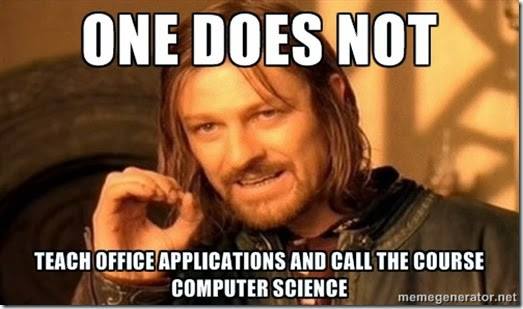
I love this meme image. When I tweeted it there was a lot of activity on it so I suspect it resonates with a lot of people.

Embedded image permalink

Most people who understand what computer science is will quickly agree that teaching office applications is not teaching computer science. On the other hand one certainly can use some of those applications to teach computer science. Excel comes to mind immediately.

In a comment on Mark Guzdial’s blog recently Shriram Krishnamurthi from Brown University said:

Personally, I think one of the great unexploited opportunities is in the teaching of spreadsheets for computation. In the real world, all sorts of people use it as their primary programming mechanism; I argue that Excel is maybe the world’s most widely-used functional and reactive programming language.

In our Explorations of Computer Science class we use spreadsheets to look at data of various types. We use sorting to help organize the data. We use conditionals as well. We use IF statements, conditional formatting and other forms of decision structures in our processes. These are all computational (even programming) concepts. Students learn about Boolean expressions even if they don’t always realize that is what they are doing.

Of course we also use build in functions. Average, Sum, Min and Max are just a few of the functions that students are introduced to. There are of course many more that we could use. Using these methods introduces parameters, return types and other concepts of using methods and functions. Naming data regions helps understand abstraction

I’ve long advocated the use of computing (with or without programming languages) across the curriculum. Treating all subjects in isolation seems wrong and a poor preparation for life outside of school. With the school day already so full in most schools it would seem that finding ways to use software, like spreadsheets, to teach in other subjects would be a natural idea. Teaching spreadsheets for the sake of teaching spreadsheets is wasteful. Teaching students how to use spreads sheets to solve problems and to better understand the numbers involved in science and social studies on the other hand kills two birds with one stone.

Monday, November 03, 2014

Interesting Links 3 November 2014

Interesting week last week. We finished the first quarter in school. For me a bit of catch up on grading. Not my favorite thing that. I didn’t blog a lot but one of my posts asked the question Is a CS degree harmful for professional developers? and has attracted20 comments so far. Anyone have anything to add.

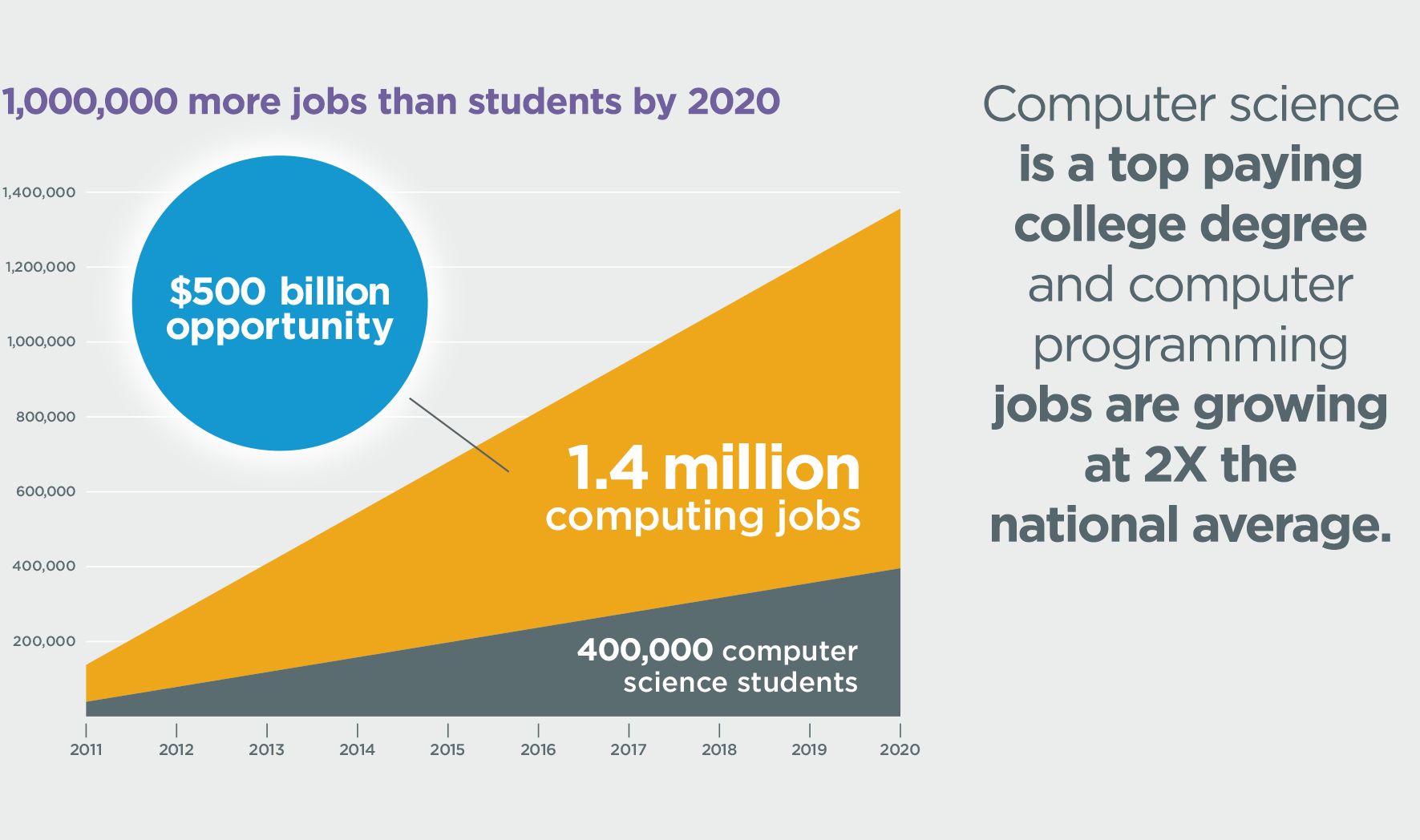
Calling all CS educators: @codeorg needs your help choosing tutorials for the #HourOfCode. Rate them now. Great chance to get your opinion in on what is good and not as good. Embedded image permalink

"In addition to many thousands of software professionals, we need far more software amateurs." argues Tom Davenport (@tdav) a Distinguished Professor at Babson College.

I found this brief history of programming languages that makes for an interesting read.

Tuesday, October 28, 2014

Leave School Now While You Still Know It All

Interesting questions appear on Twitter all the time. Sometimes addressed to individuals and sometimes addressed to the Twitterverse as a whole. One earlier today has me thinking a lot. And chatting with people on Twitter and Facebook.

This is a tough question if only because it raises many more. What does it mean to be “programming at a high level?” What is the value of a degree? How does one invest their time and money to make the most of their talents?

People regularly ask about moving into a career in software development right from high school. I never hear anyone asking about moving into a professional career in architecture, engineering, medicine, biology, chemistry or the like. If computer science is one of the hardest HS courses students can take (based on how many are afraid to take it) why is is seen as so easy to turn pro at?

In part this is because of the stories we tell. Bill Gates, Mark Zuckerberg and more made billions without finishing their degrees.  But wait, LeBron James makes millions of dollars and he jumped to the NBA right from high school. Being Bill Gates is probably about as much a long shot as being the next LeBron James. but While a lot of high school seniors think they are ready for the NBA and are wrong they at least know they have to be found before they can turn pro. Young software developers have the ability to “turn pro” at very little cost or risk these days. The temptation is great to try because the risk appears so low.

There are many people with very successful careers in software development who don’t have degrees so there is that. Why don’t we see that in other fields? Is it because we don’t do well teaching people professional level skills in high school in those fields or is it because there are artificial barriers to entry in those other fields or is there just too much more to learn? Possibly a bit of all three.

There is also a real anti-degree feeling among some software developers one could point to as well.

This is far from new. In the late 1970s I had a hiring manager tell me he was initially against bringing me in for an interview because I had a university education in computing. It’s hard to imagine another professional field were there are practitioners who see a university education in the field as detrimental.

One thing that makes computing, or perhaps more specifically software development, different from other fields is that it is easier to learn a lot without a formal education. Between MOOCs, freely available software, shared resources, online forums, and more there seems to be a virtual smorgasbord of resources for autodidacts.

One can quickly learn, on their own, enough to start making apps and applications and even make money. Once in the field one can bootstrap their learning though hard work and online resources to keep improving and growing. This is not really possible in many other fields. Not these days. There was a time when doctors and lawyers and other professionals learned on the job though internships and apprenticeships but those days are long gone. They have been replaced by professional degrees.

So to get back to the question that started this epic long post – degree or not? I’m a big fan of the degree. I think that people benefit from a guided learning experience. It forces one to broaden their knowledge and helps them to learn some things they don’t know that they need to know. There are some who can succeed without it but not as many as think they can.

If you are going to skip the degree you need some way of demonstrating that you really know your stuff though. You need significant projects that have been completed that you can show off as samples of your ability. That can be a profitable app for phones or tablets. I suspect that the students who created YikYak for example will have little trouble showing that they understand phone apps and cloud computing. People looking to get into game development need (and I’ve been told this time and again by hiring managers) to have a significant game project under their belts.

A degree, for good or for ill, is validation that you “know something” and if you don’t have that degree you need to be able to convince people you know as much.

One last thought, if a student says he doesn’t need a degree because Bill Gates doesn’t have one remind them that Bill Gates completed two years at Harvard. Then ask them if they can get into Harvard. It may get them to think a bit.

A late thought from someone on Facebook. A good degree includes a lot of courses that are not part of the major but which make for a more well-rounded and complete person. There is some real value in that.

Two States–the Highs and the Lows

I found this image on Facebook last week and it really rang true for me.

Two States

I experienced both sides of this recently. On one hand I wrote a program on the spur of the moment and pushed it out in 20 minutes with no struggle at all. On the other I started a program I thought should have been just as easy and spend a couple of frustrating hours as nothing I did seemed to work. I put part of it aside to come back later when I was calm again. Why does this happen?

The same is true with teaching as one of my friends on Facebook pointed out. One day you thrill to the sight of students “getting it’ and executing projects smoothly and with great pleasure. The next day you hear a lot of “I don’t know where to begin” and “I’m confused.” And you ask yourself, if I explained things so well one day why was my talk a complete failure the next?

Well I expect that some teachers will blame the student for not paying attention or not having what it takes. And of course there are students who don’t pay attention or who are lazy. But I feel some responsibility to be interesting enough for them to want to pay attention as well. Probably we, students and teachers, share some of the responsibility in most cases.

In the case of my frustrating program what I realized is that I was rushing things. I was not thinking things out enough before writing code. This is something I warn students about all the time. I need to sit down and work out the algorithm on paper before I revisit the code. Likewise with my teaching I need to sit back and honestly evaluate how I taught a lesson (or three).

Did I try to cover too much too quickly? Were my examples not as helpful as I’d like? Did I really plan the lesson well or did I rush it out assuming it would be easy or just the same as some other topic that went well? Was I insensitive to the state of the students? Were they paying attention or did I push them to where their eyes glazed over and they stopped listening? Most of all, how can I help them learn what I am trying to teach? I’m never going to become the teacher I want to be if I assume that a failure to learn is all on the students shoulders.

You know, teaching coding makes actually writing code seem REALLY easy some days.

Monday, October 27, 2014

Interesting Links 27 October 2014

What a week. I teach at a private school and one of the things we do is have open houses for prospective students and parents. Last week we had two which meant some extra time at school. Honestly though I really enjoy talking about the school and especially the computer science program. For students who are interested in CS there are not a lot of great options in high schools. I heard last week that New York state is going to let computer science meet a graduation credit. I hope that helps there.

And let’s not forget the lower grades either. Why Teach Computer Science in K-8? I Want Every Kid to Code by @mraspinall

Only a few more days to vote for my lesson on Binary numbers so I can get some computers for my school. http://aka.ms/omvote You can vote once a day so as they say “vote early and often.” I thank you for your support. BTW I have blogged about using the Office Mix tool a couple of times. Well worth checking out.

A couple of competitions for students are wrapping up soon. Check the deadlines and encourage students to enter.

Introducing teens to open source software development with the Google Code-in contest

Know high school girls who love computing? Award for Aspirations in Computing applications are open until Nov. 2nd.

Have your students entered the 2014 We Are the Faces of Computing Contest for students?

A little topical humor to end with. Perhaps the single most terrifying Halloween pumpkin ever carved.

Embedded image permalink

Thursday, October 23, 2014

Instructions and Removing Ambiguity

Recently I found the following image on Facebook. I plan to use it with my students this semester as a starting off point for conversation.

spagetti

This is a perfect description of someone dealing with ambiguous instructions. Context and assumptions come into play as does words that mean different things to different people. To some people “put some spaghetti on the stove” implies a multi-step process that results in cooked spaghetti. Or failing that at least spaghetti that is cooking when the wife gets home. To someone not used to cooking the obvious request is the literal one shown in this picture.

This brings to mind the old programming joke about the need for a “do what I mean” instruction that many of us have wished for from time to time.

When we ask people to do things we have a certain level of expectation that ambiguity and missing steps will be handled by the person we are talking to. Things like shared experience, known training, and common vocabulary and idiom are a big help here. Computers don’t (yet?) have much of this. We have to be very clear about what we want them to do.

BTW one of my friends, I have some geeky friends, suggested on my Facebook posting “Depends on if those were primitive operations or if it was a method call with anticipated output of cooked spaghetti.” A good point which also suggests that the method call could be better named to more clearly indicate what was happening in the method. Smile

All in all I am hoping for an interesting classroom discussion around this image.

Tuesday, October 21, 2014

Picking Good Variable Names

Actually picking any sort of name is important in programming but we can focus on variable names for a bit. The CS Teaching Tips team tweets and posts a lot of great suggestions. Today they send out a tip about variable names.

Avoid using x and y as variable names to prevent students from confusing variable assignments with mathematical expressions.

CS Teaching Tips Logo

I’ve been working on my variable naming for demos and sample code this semester. The x and y confusion is part of it. It’s tough because I learned in an era where short, even one character, names were the rule not the exception. Memory was expensive and long identifiers took up room in memory. Plus there was a certain amount of laziness on many people’s part. Well at least on mine. None of this is true anymore. Well that part about needing to save room with short variable names is no longer true.

Loop control variables in FORTRAN were almost always I, J, K, L, M, and N back in the 1970s. Variable names that started in those letters were automatically integers and so this was easy. Old habits die hard and I still tend to use those variables for FOR loops. I’m trying to get away from that in class.

I find that using “index” as a loop control variable, especially when the loop is iterating through a string or an array, makes things a bit more clear to students. It also helps reinforce the idea that variable names should have meaning. It’s hard to tell students, “yes I am using x, y, and I but you should all use meaningful names.” and be taken seriously. Using meaningful variable names in demos may take a little bit of extra effort but in the long run I think everyone is better off when teachers model the practice they try to teach.

CS Teaching TipsThere are lots more teaching tips at http://csteachingtips.org/ and you can also see tips from there on the side bar of this blog if you read it in a web browser. Follow @CSTeachingTips on Twitter too!

Monday, October 20, 2014

Decision Trees–Possible Interesting Coding Project

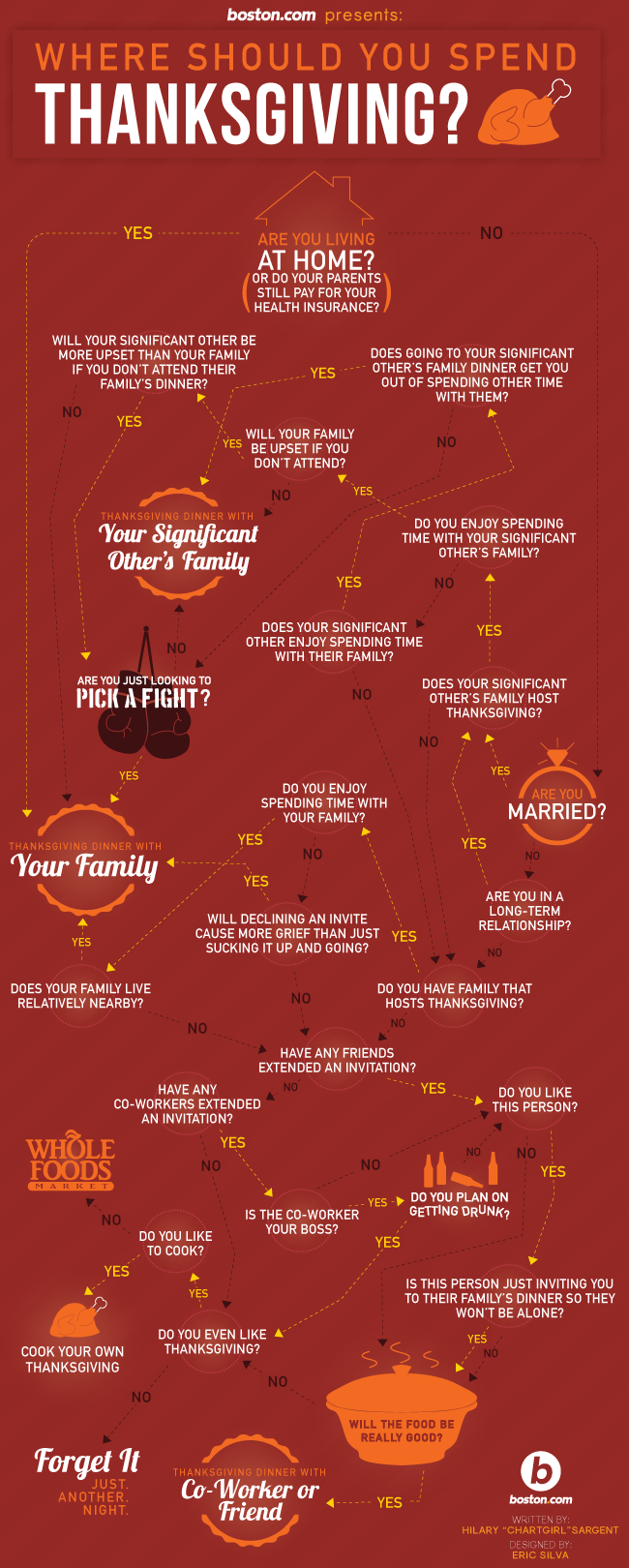
I found this interesting flowchart for determining where one should eat Thanksgiving. It’s pretty complete which also means it’s complicated. I guess if you know the answers it is not too bad to follow. If you just want to see the paths it is complicated. As I was wondering though it I thought “I’d rather have a computer program ask me the questions and spit out an answer.” Naturally the next thought was that I should ask students to write such a program.

And maybe I will. Probably not this particular flowchart but if I can think of something more relevant to teens I may just do it. Anyone have any ideas?

thanksgiving_final-1

Interesting Links 19 October 2014

You know those school weeks with lots of interruptions, strange schedules and little normal routine? Yep, had one last week. I also managed to record a good number of Office Mixes on various programming topics. I’ll post a list of them as soon as I have a few more under my belt. One of my earlier Mixes is a finalist for a contest Microsoft is running. The winners are chosen by community voting, so if you are willing to help me get some computers for my school, please vote for my mix at https://mix.office.com/Gallery/Category/vote 

Now for a few links I collected last week. Lets start with a couple of good articles addressing the question of why CS should be in schools.

I backed Notable Women in Computing Card Deck on @Kickstarter I signed up to get a deck of cards and a matching poster showing all 52 cards with information about women in computing. It will go up on the wall in my computer lab when it comes in.

The Null Professor a post by Crista Lopes   via @cristalopes  in which she shares some thoughts on CS education prompted by Mark @guzdial's recent posts.

Creating Surveys using OneDrive is a post by Rob Miles about a tool I’ve also been using a good bit in my classes.

I ran across this Ultimate List of UK Education Blogs last week. A lot of education blogs there that will probably be useful for educators in the United Kingdom and else where.