OK so the good news is that I am one of 15 finalists to win 15 Surface Pro's for my favorite school. The winners are chosen by community voting, so please vote for my mix at https://mix.office.com/Gallery/Category/vote Mine is the one on Binary Numbers.
Each person can vote for one mix per day, now through October 30th. You have to sign in (only one vote per person per day) using a Facebook, Google, Microsoft or Office 360 organization account. You can vote once every 24 hours. Note that the sign in is at the top of the web page not the button under each entry.
Please vote and ask your friends to vote.Thank you for your support.
Thursday, October 16, 2014


Wednesday, October 15, 2014
Idea vs Implementation–Using What We Learn
You’re at a great conference and you are hearing all sorts of great ideas. It’s exciting! You hear about tools and techniques that are working wonders in the presenter’s school or in the schools the researcher or vendor repeats stories from. You love it. It could make a world of difference in your class. And you get home and never use it. Has that ever happened to you? It has to me though I am embarrassed to admit it.
What happens to us? Lots of different things. Sometimes the tech is too expensive. Even when it is free perhaps we don’t have hardware capable of running it. Most likely though we start our planning for the year and it looks hard to find a place to use the tools. We may not have gotten a good idea of how the presenter uses it. It’s cool but what does it really teach? Perhaps we get push back from other teachers who are more resistant to change than we are. Or perhaps we just don’t have as much time as we’d like. Taking the idea/tool we heard in a conference and translating it into our own curriculum and style can be hard, at least in part, because we don’t know enough about who to teach with the tool. What does it teach? How well does it teach? When/where in the curriculum does it belong?
So much of what we hear at conferences is presented as how to use a tool with implementation in the curriculum left up to the teacher. Scott McLeod has a great post on Wasting opportunities at ed tech conferences that puts a lot of the blame (largely correctly) on the sessions presented at conferences. There are 78 comments there as I write this BTW. .
This problem isn’t limited to conferences though. How often do we teach tools to students where the focus is more about how to use the tool (this is how to format in Word, this is how you create a graph in Excel) without teaching them how to use the tool to solve problems or do useful things or learn other things?
One of the things we’re focused on in my school in our first course in the CS department is teaching with context. That is to say solving problems with the tools and learning more than the mechanics. We’re trying to make it more about the concepts and the ways you can learn things than about the tools themselves. I feel good about that but we still have a ways to go.
Two of the tools I learned about over the last year (Code Hunt and Office Mix) are relatively new. Teachers, especially including me, are still figuring out how to use them to teach better. I’m off to a slow start. I planned on creating a whole bunch of Office Mixes over the summer – I made two. I introduced Code Hunt late when I should probably have introduced it early. Currently I am working on a couple of Office Mixes that incorporate Code Hunt. I’m excited about seeing them in action but they’re not ready.
I bring this up in part because over the weekend I was thinking that I’d wished I’d submitted a proposal to the CSTA Conference to present on these tools. After all I think they are really cool. But then I read Scott’s post and realized that I am really not ready to present them. I don’t know yet how well they work with students or how I am going to fit them into my curriculum. Oh I have ideas and I have excitement. but how will they work in reality? That I don’t know yet.
While I hope (assume) they will be good and have some tentative plans I will not have real (or even good anecdotal) evidence until the spring. So while I might have a great talk for the summer it is not a sure thing. I may be missing an opportunity to present or have saved myself embarrassment. Fortunately I have a blog and I will be able to share what works and doesn’t work that way. Not the same perhaps but I think the important thing is that sharing goes on and that it is more about how to teach than how to use the tool for its own sake. That’s my goal anyway.
Related posts:
Monday, October 13, 2014
Interesting Links 13 October 2014
It was Spirit Week at my school last week. It’s always interesting what students wear when they have really wide latitude – they wear uniforms most days. I also tried out Code Hunt with my students. I blogged about that yesterday in case you missed it - Experiments with Code Hunt. Next I need to tell them about the Imagine Cup Code Hunt Challenge.
Mike Zamansky has another great post on Using easy assignments to introduce deep concepts.
How good is school IT? by Garth Flint About the big problems schools have doing IT support on the cheap. I wonder how many people understand how under resourced school IT support is in most schools.
Please check out the 2014 We Are the Faces of Computing Contest Information I posted last week. And have your students enter!
GitHub has a free Student Developer Pack with some developer tools in it. I don’t know why Microsoft’s DreamSpark isn’t included? My tweets to Microsoft went unanswered and most of the people I would have asked about this two years ago have moved on to other roles or even companies. In any case Dreamspark is worth checking out independently.
Google CS Engagement Small Awards Program that may be of interest to my friends in higher ed teaching CS 1 or CS 2
Another contest. Microsoft wants to hear from students navigating the future of cybersecurity. College/University students only apparently. Student Essay Contest: Cyberspace 2025

Sunday, October 12, 2014
Experiments with Code Hunt
 I tried something new last week with my Honors Programming students. I feel like they need more practice problem solving and writing short bits of code so I sent them to Code Hunt and had them go at it. Their interest perked up a bit more when they found out I like to do those puzzles for fun. At least one student told me he was going to do more when he got home. Long term we’ll see how it goes.
 I’m pretty sure at least one student found some answers on the Internet though. Not ideal but as long as most of them try most of the puzzles on their own it could work. On the other hand creating my own puzzles to match the curriculum and for which they likely could not find answers on the Internet might be even better. And it looks like that can be done.
I found the Code Hunt Designer manual and will give trying to create my own levels this week. I also want to try out Code Hunt with Office Mix. There are a couple of samples (
if statement lesson or this substring lesson) that look good. I see a lot of “flipped classroom” possibilities here but I also see these tools are making it easer to make accommodations to different learning styles and paces. For me it is not about technology for the sake of technology but using technology to teach differently and better. We’ll see how things work.
Oh and Microsoft is running a Code Hunt based contest as part of this year’s Imagine Cup. I need to tell my students about this. Read more at the Imagine Cup Code Hunt page.
- WHO CAN COMPETE? Students 16 and older worldwide
- WHAT'S THE TEAM SIZE? Individual Challenge
- WHEN? Challenge #2 Begins October 18th
- WHAT CAN YOU WIN? $1,000 for first place
I have a couple of Office Mixes that use Code Hunt now.
More coming soon.
Thursday, October 09, 2014
How to Run a Computing Summer Camp - Logistics Workshop
I saw this announcement on the SIGCSE mailing list. If you’ve thought about running a computer science summer camp this may be the training you need to get it going. If you are from some states (Alabama, California, Georgia, Indiana, Mass, Puerto Rico, and South Carolina) that are part of the NSF funded project that has created this workshop there may be the possibility of getting some funding grant money. There will also be an option for online participation if you can’t get to California for it in person.
Georgia Tech has been running computing summer camps for 4th - 12th graders for years. Our camps get statistically significant improvements in attitudes toward computing and gains in content knowledge. The camps are also financially self-sustaining in that they bring in more money than they cost to run.
As part of our current Expanding Computing Education Pathways NSF grant we are holding a workshop on How to Run a Computing Summer Camp - Logistics on Saturday Dec 13th from 9:00am to 3:30pm at Santa Clara University in California. Attendees from our partner and associate states (Alabama, California, Georgia, Indiana, Mass, Puerto Rico, and South Carolina) can apply for up to $4999.99 in "seed" funds for equipment.
People can also participate remotely. All they will need is a browser and internet connection. We will be using Blackboard Collaborate.
See http://expandingcomputing.cs.umass.edu/how-run-summer-camp for more information and you can register at https://www.surveymonkey.com/s/HTRASC121314
Barbara Ericson
Director, Computing Outreach
College of Computing
Georgia Tech
Wednesday, October 08, 2014
2014 We Are the Faces of Computing Contest Information

The Equity Committee of the Computer Science Teachers Association is sponsoring a contest to celebrate the many different kinds of faces that we see in the computing world. For the past two years, students have created posters to celebrate diversity in computing. This year, we're going to shake things up a little, and we are asking for a commercial-length (1-3 minutes) video that features students participating in computing in interesting ways. The exact style and format is up to your students. They might make a short-short film, a public service announcement, or a commercial for your class, your robotics club, or Computer Science in general. Let your students be creative!
Winners will receive Sphero, Ollie (http://www.gosphero.com/), or Finch robots (http://www.finchrobot.com/) for their classrooms (note: value of prize package per classroom is approximately $500). If you need inspiration, please see the winners of the last two years' poster contests on the CSTA Web Site (http://csta.acm.org/Advocacy_Outreach/sub/CSEdWeek.html).
The contest deadline is November 20, 2014. Rules, guidelines and release forms can be found on the CSTA Web site at http://csta.acm.org/Advocacy_Outreach/Other/FOC.html. If you have questions about the contest, please email Laura Blankenship at lblanken@gmail.com.
Yours truly,
The CSTA Equity Committee
Laura Blankenship
Alfred Thompson
Mina Theofilatou
Tuesday, October 07, 2014
Programming and Math and Computer Science
During my first few years I worked at Microsoft the focus of my job was higher education computer science. In that role I visited many computer science departments at different universities. I found that computer science programs developed out of different areas in different universities. In some CS came out of mathematics. In others computer science came out of engineering. In a few the departments grew out of the school of business. The latter probably comes as a surprise to some people. But of course a lot of business it mathematical and computational. In any case I found that the computing focus was different depending on where the computer science (by that or other name) grew from.
Last week Mark Guzdial pointed readers to a blog post titled Programming is Not Math. I linked to it in my interesting links post but I’ve felt the need to say more on the subject. Especially after some of the comments on Mark’s post. I don’t think there is any real doubt that programming, math and computer science are related to each other. There is some overlap but they are also not synonymous.
We don’t say things like business is not math or engineering is not math. I think that is because we, generally, understand what engineering and business are. While we know that math is involved and is important we don’t conflate math with engineering or business even though it is important to both topics. And yet the lines between math and computer science seem to easily get blurred.
A lot of that contributes to the idea that one has to be good at math to be good at programming or computer science (two things with overlap but which are also not synonyms.) In comments in Mark’s post you can read people saying that a lot depends on how you define programming or math. And that is true.
Programming, to focus on that for a bit, definitely depends on logic which does have a basis in mathematical thinking. Or philosophical thinking – logic is a key part of philosophy. Some of the best programmers I know have their formal academic training in philosophy. So is programming philosophy? Seems like a funny question but arguably the logic aspects of philosophy and programming have a lot in common.
Programming is related to many things but that doesn’t make programming the same as any of those things. Assuming that one of those things (math for example) is required to get to programming or that being good at mathematics means one will be good at programming is not a sure thing. It probably can’t hurt though.
Monday, October 06, 2014
Interesting Links 6 October 2014
Well it’s October already. Things are really starting to roll in my classes. Projects are getting more interesting in my honors programming class which is a good thing. And my Twitter, Facebook and RSS feeds are showing me all sorts of interesting things which I share here and via my Twitter (@AlfredTwo) feed. I’m also experimenting with Ello a little. Anyone else on Ello? I am there @AlfredTwo. Feels empty so far. But enough chit chat. Check out the links below.
The state of computing education in the world: Report on the 2014 ACM Education Council Meeting by Mark Guzdial on the blog@CACM Well worth the read.
Microsoft Sway Aims to Automate Beautiful, Responsive Web Design You can see an example about a trip to Mt. Rainier in a Sway: https://sway.com/rainier To me it looks a like a tool to create pretty interesting stories on a web page that combines images and text. I’m hoping to get a beta invitation.
According to the Electronic Freedom Foundation (EFF) a popular product that claims to be Security software distributed by cops is actually spyware in disguise
Computer Science Principles: Getting Started is the latest post by Myra Deister (twitter @shhsMath) on the Computer Science Teacher Association blog.
Programming Is Not Math by Sarah Mei @sarahmei This will make you think.
Laptop education for all should be Common Core by Garth Flint addresses some of the tech limitations that both students and teachers have that makes one to one computers difficult.
This post on the Microsoft New England blog struck me as interesting .Kinems Personalized Kinect-based Learning Games for Children with Learning Disabilities Anyone know someone using these games?
Scott Hanselman @shanselman has created a very nice Windows 10 tour video on  YouTube Looks to me like some of the best of Windows 7 and Windows 8 will be there.

Friday, October 03, 2014
Doing It My Way
I suspect that there are a lot of programs and websites available that let teachers enter a class roster and randomly pick out a student name. I know several teachers who like to use such tools to make sure they call on students fairly. This week I decided I wanted to start doing the same thing. I had a bunch of options. The other computer science teacher had a program he wrote and was using with some success and I could have asked him for a copy. There are teachers in the building who are using other tools and I could have asked them for a copy or pointer. Or I could have done an Internet search for something available online. Those are all easy. So of course I did none of those things. I wrote my own.

Obviously to some extent I was reinventing the wheel as they say. On the other hand I write code for fun when I have the time and so I saw this as justified. Sort of.
I wrote a basic program and it worked. But of course I was not satisfied.
This I did not already know how to do. I’d never needed to know it before. So I started looking things up. After a little bit of searching and reading through some documentation and sample code I was able to do what I wanted.
I consider any project that teaches me something new to be a success so now I feel doubly justified in writing this program.
From time to time students ask me if they can work on their own projects in their free time. This always surprises me as the answer is an obvious YES! So I am not sure why they ask first.
Other students just start working on projects and tell me about it later. Well actually I most often find out about it when they are having trouble figuring out how to do something they need for the project. Others like to report back on success at creating a program that solves a problem or need specific to them. In all of these cases students learn things. I think most people learn best when they struggle to learn what they need to know for a project of their own interest.
While some students find these sorts of projects on their own others need help. I wonder if this is because students are too used to being consumers of what others make available and so don’t think of themselves as empowered to create their own solutions/tools. That is something we as educators need to work on.
Wednesday, October 01, 2014
Do It Without Code
One of the projects I like to assign involves counting the letters in a set of text. In other words, how many times does each unique letter appear in a string. How many “a”s, “b’”s, etc. I usually want some thing that looks like this:

Students generally understand what I am looking for very easily. Writing the code seems to be harder. Students tend to say they don’t know where to begin. At first this project is pretty abstract to them. So today I tried something different.
I put a sentence on the board and asked them to count the letters on paper. Five minutes later we talked about how they got their count.
This was pretty interesting to me. There were several different ways of doing this which were different from how I approached the problem. Several students took the first letter in the string (a “T” in this case), copied it to a piece of paper and then traveled the length of the string counting how many times “T” was there. Then they looked at the next letter, copied it and again searched through the rest of the string counting that letter. And so on.
Other students listed all 26 letters and went from letter to letter in the string making a hash mark next to the appropriate letter on their list.
There were subtle variations on these two solutions but the basics were the same. The second solution is the one I have coded many many times over the years to where it has become the only solution I think about. The first one though is pretty interesting though.
Having two solutions game me a wonderful opportunity to talk about analyzing algorithms for efficiency. In this case we have an obvious tradeoff between space (the first solution optimizes how many counters we use) with performance (the first solution does a lot more comparisons). I wish I could say I’d planned that.
Regardless of intent I think we had a good discussion. Now we’ll see how the students do at converting the ideas into code.
Monday, September 29, 2014
Interesting Links 29 September 2013
The big deal for me this past weekend was the birth of my first grandchild – a grandson. People are already asking me about what his first technology will be. I think I’ll leave that to his parents. At least for now. Earlier in the week though I did collect a few things to share.
First off, in case you missed them, I’ve blogged about several contests/competitions/awards for students lately. Check them out and see if any are appropriate for your students.
This is the largest collection of FREE Microsoft eBooks I have ever seen. Your IT support people may be very interested.
CS EdCamp Anyone? is my latest guest post at the CSTA blog. What do you think of a computer science unconference somewhere and sometime?
Inspiring Quotes from 10 Influential Women in Tech something for a bulletin board perhaps?
I love this carton from xkcd. A lot of people, basically people without experience with computer science, don’t understand the difference between what is easy and what is hard in software.

First off, in case you missed them, I’ve blogged about several contests/competitions/awards for students lately. Check them out and see if any are appropriate for your students.
- 2015 Code Hunt Challenge
- NCWIT Aspirations in Computing 2015
- IBM Master the Mainframe Contest
- American Computer Science League Programming Competition
- Microsoft launches Cyberspace 2025 Essay contest for university students navigating the future of cyber security policy:
This is the largest collection of FREE Microsoft eBooks I have ever seen. Your IT support people may be very interested.
CS EdCamp Anyone? is my latest guest post at the CSTA blog. What do you think of a computer science unconference somewhere and sometime?
Inspiring Quotes from 10 Influential Women in Tech something for a bulletin board perhaps?
I love this carton from xkcd. A lot of people, basically people without experience with computer science, don’t understand the difference between what is easy and what is hard in software.
Wednesday, September 24, 2014
IBM Master the Mainframe Contest

From the web site:
What you need to know:
In Fall 2014, IBM is running its tenth Master the Mainframe Contest for students across the Unites States and Canada.
No experience with mainframes is necessary. In fact, the contest is designed for students with little or no mainframe experience, increasing with difficulty as the contest progresses. Students just need to bring drive and competitive spirit and be ready to compete!
Frequently Asked Questions/Answers:
When is the contest?
Registration will be open from September 23rd until December 31st! The contest runs from October 6th until December 31th. Students can register and join the contest through December 31st.
Why compete in a Mainframe Contest?
Prizes!
The prizes up for grabs in the 2014 Master the Mainframe Contest include:
- IBM Master the Mainframe T-shirts
- IBM Master the Mainframe Prize Packs (which includes):
- Hooded Sweatshirts
- Water bottles
- Messenger Bags
- IBM Notepads
- And other cool IBM swag
- Tablet Computers
- All expense paid trip to the IBM facility in Poughkeepsie, NY
- Experience!
Today's mainframes are growing in popularity and require a new generation of mainframe experts. This contest is designed to equip students with basic skills to make them more competitive for jobs in the enterprise computing industry. Participation in the Master the Mainframe Contest could give you the edge you need.
To help employers connect with the best mainframe students, contestants are encouraged to check out the jobs posted on the System z job board at Systemzjobs.com.
Who can compete?
Anyone is who is currently a student at the high school or university level can compete (13 years of age or older) – no experience is necessary! Please click here for the official rules and regulations.
Tuesday, September 23, 2014
American Computer Science League Programming Competition
If you didn’t see this in the recent CSTA email blast read below about the ACSL Programming Competition:
ACSL has offered a unique programming competition for 36 years. Here are some excellent reasons to participate this year:
- ACSL contests are conducted at your local school or institution throughout the year.
- All of your students can compete and be successful, not just a very few.
- All necessary preparation materials are supplies as soon as you register.
- The contest allows for various experience levels - Junior, Intermediate, and Senior.
- The Classroom Division provides a non-programming version of the contest.
- Programs can be written in any language(s) that the students know how to use.
- ACSL can extend the actual curriculum in computer science or be used as an extracurricular activity.
- New, creative contest questions and programming problems are used every year.
- Previous years' contest questions are able to be purchased for extra practice.
- Important Computer Science topics such as Boolean Algebra, Graph Theory, Computer Number Systems, and Data Structures are introduced.
- Prizes are awarded on a regional basis to top scoring students and teams during the year.
- Fast e-mail response is provided for all questions and concerns.
- Sample student-written programs in several languages are provided after each contest.
- The level of programming increases in difficulty as the year progresses starting with only IF-THEN statements for the first contest.
- ACSL has sponsored regional contests continuously since 1978 and is now international.
- There is an annual All-Star Contest that is hosted at a different location every year and this year it is in Orlando, FL!
- ACSL is on the Approved Activities List of the National Association of Secondary School Principals.
- ACSL is an institutional member of CSTA.
- All of the ACSL team members have been high school Computer Science teachers.
If you are interested in participating in the ACSL contests, please visit our web site www.acsl.org, read the 'How the ACSL Works' link and view the 'Sample Questions' link. All questions about ACSL can be sent to Jerry Tebrow @ jerry@acsl.org.
As in the past, ACSL will include a free contest CD in the registration packet that is sent to all new teams if the advisor is a CSTA member.
Monday, September 22, 2014
Interesting Links 22 September 2014
Last week ended with International Talk like a Pirate day. 
Last week I learned about Gidget (thanks to Mark Guzdial) which is a more text based programming environment for teaching programming.
Gidget is a game designed to teach computer programming concepts through debugging puzzles. Gidget the robot was damaged on its way to clean up a chemical spill and save the animals, so it is the players’ job to fix Gidget’s problematic code to complete all the missions. As the levels become more challenging, players can combine newly introduced concepts with previously used commands to solve the puzzles and progress through the game.
The MacArthur “Genius Grants” for 2014 were announced last week. A computer scientist, Craig Gentry who is an IBM Research Scientist in their Cryptography Group was one of the recipients.
I created a short video introduction to operators (math and relational) in C# which you can watch or download from Office Mix - https://t.co/sCpaJGvyNt
Mark Guzdial announced the release of JES 5 (the Jython Environment for Students) It includes: New Jython, Faster, Updated Watcher, with Jython Music.
Karen North is hosting a Houston Texas area Code Studio workshop (for teachers, grades K-5).
The 2015 Code Hunt Challenge is part of the Microsoft Imagine Cup competitions. The first event was over this past weekend but they are running more of them monthly. Worth pointing your students to since they don’t have to go anywhere but the Internet to take part.
You really want to look at this blog post -Wolfram introduces "Tweet-A-Program" – the Wolfram language looks VERY interesting. If you don’t think so yet you will after seeing the examples there.
Microsoft launches Cyberspace 2025 Essay contest for university students navigating the future of cyber security policy:
Today, we’re kicking off this year’s contest, the Cyberspace 2025 Essay contest. This year, we want to hear from University students who are conducting original research on how they see the future of cyberspace. The inspiration for this topic comes from our recently published paper, Cyberspace 2025: Today’s Decisions, Tomorrow’s Terrain, where we consider the impact that such factors as demographics, education, immigration, regulation, technology, collaboration, and even trade will have on the future landscape of cyberspace and cybersecurity.
Friday, September 19, 2014
2015 Code Hunt Challenge
Microsoft is running their big Imagine Cup 

ACTIVE DATES (GMT): Wed, 10 Sep 2014 00:00 - Thu, 30 Apr 2015 23:59
WHO CAN COMPETE? Students 16 and older worldwide
WHAT'S THE TEAM SIZE? Individual Challenge
WHEN? Challenge #1 Begins September 20th
WHAT CAN YOU WIN? $1,000 for first place
Check the Official Rules for all the details!
Put your coding skills to the test. In cooperation with Microsoft Research, Imagine Cup brings you the ultimate challenge: write effective and elegant code, in real-time, in competition with thousands of other student programmers.
In the Code Hunt Challenge, you'll be shown a snippet of code, and you'll have to rewrite it to produce the desired output in as few lines of code as possible. The puzzles start easy but quickly escalate in difficulty. Can you solve them all?
The winner of each month's Challenge is the student who produces the best possible answers in the shortest time. The Challenge lasts just 48 hours, and the first student to get the highest score will receive a $1000 prize! And every student who participates will be entered into our Grand Prize drawing. One student will be chosen at random to win a $5000 prize!
The first Code Hunt Challenge begins on September 20th at 12:01 AM (GMT), and ends on September 21st at 11:59 PM (GMT). Even when there's no Challenge happening, though, you can still visit www.codehunt.com and practice your skills to get ready for the big event.
To get started, please register now and sign into your Imagine Cup Dashboard.Then find the Code Hunt Challenge and sign up!
So Many Ways To Do The Same Thing
I updated my list of block programming languages and tools yesterday. Two more bringing the total list to 17. Seventeen? Yep. Also this week I learned about Gidget (thanks to Mark Guzdial) which is a more text based programming environment for teaching programming. There are so many of these tools out there.
It seems like these sorts of tools for teaching beginning programming are appearing faster and faster all the time. A couple of years there were just a few of them with Alice and Scratch getting almost all of the attention. Next came Snap! in terms of attracting a large teacher base. Of course those were not the first around but they were the first to really jump into mainstream CS education. All of these have their fans and lots of people rave about them. Do we have research on how they work? Not much. Even less on the newer ones.
Recently I asked (Yet More Block Programming Languages) why these new languages were created and received a nice answer from one of the creators. (Thanks Jeff Gray) I suspect everyone who creates one of these tools has their own ideas about what should be done and how. I’m not going to tell anyone not to try something they feel good about.
In some cases, Spherly and App Inventor just to name two, a specific application domain is the target. Robots and phones in those two examples. In others a specific platform such as apps for iPads or Android devices. Or even different programming paradigms – TouchDevelop for small screens and a touch interface rather than a keyboard. They all touch some interest of study and some audience.
Students react to different tools differently. I have asked groups of students about several on different occasions. I’ll have some tell me they love Scratch and hate Alice. Others hate Scratch and love Alice. It seems to be a pretty personal thing.
Right now I am gathering a list of educational tools and projects that teachers are using to teach programming. Not just at the very beginner level up up to and even beyond Advanced Placement Computer Science. (Supported by code.org) I’m looking for volunteer teachers who are willing to help me review and rate them all. If you are interested and willing to help let me know. Email at act2@acthompson.net Thanks
It seems like these sorts of tools for teaching beginning programming are appearing faster and faster all the time. A couple of years there were just a few of them with Alice and Scratch getting almost all of the attention. Next came Snap! in terms of attracting a large teacher base. Of course those were not the first around but they were the first to really jump into mainstream CS education. All of these have their fans and lots of people rave about them. Do we have research on how they work? Not much. Even less on the newer ones.
Recently I asked (Yet More Block Programming Languages) why these new languages were created and received a nice answer from one of the creators. (Thanks Jeff Gray) I suspect everyone who creates one of these tools has their own ideas about what should be done and how. I’m not going to tell anyone not to try something they feel good about.
In some cases, Spherly and App Inventor just to name two, a specific application domain is the target. Robots and phones in those two examples. In others a specific platform such as apps for iPads or Android devices. Or even different programming paradigms – TouchDevelop for small screens and a touch interface rather than a keyboard. They all touch some interest of study and some audience.
Students react to different tools differently. I have asked groups of students about several on different occasions. I’ll have some tell me they love Scratch and hate Alice. Others hate Scratch and love Alice. It seems to be a pretty personal thing.
Right now I am gathering a list of educational tools and projects that teachers are using to teach programming. Not just at the very beginner level up up to and even beyond Advanced Placement Computer Science. (Supported by code.org) I’m looking for volunteer teachers who are willing to help me review and rate them all. If you are interested and willing to help let me know. Email at act2@acthompson.net Thanks
Thursday, September 18, 2014
Teach APCS–A New Shared Resource Site
A few days ago I was contacted by Christina Cacioppo whose day job is an engineer at a startup but who is also helping to teach Advanced Placement Computer Science. She is involved at a public school in San Francisco through TEALS (http://tealsk12.org) which places software professionals in the classroom to help start CS programs. Christina has created her own site to share resources. I have to say it has a lot already but she is looking for others to contribute as well. The site is called Teach APCS.
According to its creator, Teach APCS currently has:
- an interactive REPL to help students get started
- a dictionary of common terms
- a compiler-error-to-English translator
- a list of exercises that have been tested in classrooms and seem successful (these look particularly interesting to me BTW)
- a "microtext" – snippet-sized explanations of key AP CS concepts
- a list of microlectures – solid YouTube videos that could supplement
classroom instruction.
If you are teaching APCS or other Java course check it out. Perhaps share some resources of your own!
Wednesday, September 17, 2014
NCWIT Aspirations in Computing 2015
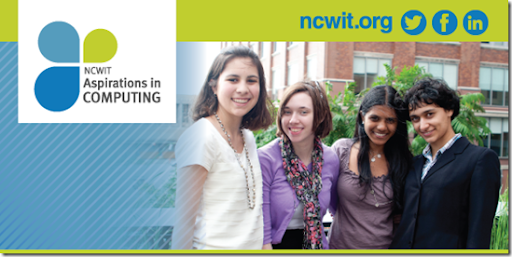
The nomination period for the 2015 NCWIT Award for Aspirations in Computing is now open. If you know a high school woman who is interested in computing nominate her or suggest she nominate herself. This is a great program to give some girls some recognition and support. And there are prizes too! From the web site:
The NCWIT Award for Aspirations in Computing honors young women who are active and interested in computing and technology, and encourages them to pursue their passions. This multi-tiered competition includes recognition at the national level (sponsored by Bank of America) and at the local level (sponsored by Microsoft), serving 50 states, the District of Columbia, Puerto Rico, and the U.S. Virgin Islands.
Criteria and Eligibility
Any U.S. high school woman with computing aspirations is eligible and encouraged to apply: NCWIT recognizes aspirations as well as accomplishments. Aspirations Award recipients are chosen for their outstanding aptitude and interest in computing, proven leadership ability, academic performance, and plans for post-secondary education. For more detailed information, please visit www.aspirations.org/faqs.
Tuesday, September 16, 2014
Why I Retweet Things From Heavily Followed People
I used to think that retweeting something that someone who had a lot of followers tweeted was a waste of time. After all they reach many more people than I do. Plus many of the same people follow both of us so I’d be duplicating things. Then I started to look at statistics that twitter provides. Mind opening.
For starters even though I have something around 5,000 followers it seems from the statistics that only between 150 and 250 people actually see the average tweet I make. Still an ego boosting number but it made me realize that just because I see a tweet doesn’t mean that all the other followers of a tweeter see it. In fact only a small percentage of followers see each tweet. So if I see someone tweets something really good then there is a chance someone who didn’t see the original tweet, even though they follow the other person, will see my retweet. And that is a good thing.
For me much of the value in tweeter is what people share with me. Sharing things with others, original to me or from someone else, is what keeps the whole thing working. This is also why I include links from people who have many followers on Twitter or on their own blog BTW. If information is good then it should be shared.
Linking from a blog or retweeting on Twitter also helps bring new readers/followers to people sharing good information. Since many of the visits to this blog come from search engines there is always a chance that someone will find a blog, a twitter person, or a piece of information that they were not looking for because they didn’t know it was our there.
So I retweet things I like no matter how many followers the person has and link to blog no matter how many readers they have. It’s what makes the web work.
Monday, September 15, 2014
Interesting Links 15 September 2014
Overshadowed, at least in the US, by the anniversary of the attack by terrorists on New York and the Pentagon, last week also included Programmers Day. Apparently started in Russia when Dmitry Medvedev issued an executive order establishing a new professional holiday, Programmers' Day, back in 2009.
Programmers' Day will be celebrated on the 256th day of each year, that is on September 13 or 12 depending on whether the year is a leap year.
I didn’t know in time to celebrate with my students. Maybe next year. I did collect a lot of good links to share with you. Read them all and don’t miss any.
Interesting article in @Marie Claire: How to Land a Job at Microsoft It’s good advice no matter what tech company you are interested in working for though.
Another hi-tech company is getting involved in promoting computer science education as Salesforce Pours $6M Into SF Schools, Computer Science Education Five million directly to schools and another million to CODE.ORG
Code.org also announced their new Code Studio set of tools for teaching programming last week.
Computer science is now the #1 course at Harvard (Just passed Economics) How does that happen? I wonder.
Digital Literacy vs. Learning to Code: A False Dichotomy Worth reading as you probably need to talk about this. I know I do.
Debugging the Gender Gap Documentary thanks to the CSTA blog I found out about this movie and watched the trailer. Good stuff!
Laura Blankenship shows once again why teachers need to share what they are doing with other teachers. Net Neutrality and other hot topics is about how she starts of class with a short discussion of current and important topics. I need to do this with my classes.
17 Rare Images Tell the Real Story of Women in Tech by @michaelmccutch About people who too often are left out of the history of technology.
Know any women in STEM fields looking for help with graduate education funding? Microsoft Research is giving scholarships to female graduate students in CS, Engineering, Information Science and Math. Pass it on. http://research.microsoft.com/en-us/collaboration/awards/fellows-women.aspx
Subscribe to:
Posts (Atom)