Friday, October 03, 2014

Doing It My Way

I suspect that there are a lot of programs and websites available that let teachers enter a class roster and randomly pick out a student name. I know several teachers who like to use such tools to make sure they call on students fairly. This week I decided I wanted to start doing the same thing. I had a bunch of options. The other computer science teacher had a program he wrote and was using with some success and I could have asked him for a copy. There are teachers in the building who are using other tools and I could have asked them for a copy or pointer. Or I could have done an Internet search for something available online. Those are all easy. So of course I did none of those things. I wrote my own.

image

Obviously to some extent I was reinventing the wheel as they say. On the other hand I write code for fun when I have the time and so I saw this as justified. Sort of.

I wrote a basic program and it worked. But of course I was not satisfied.image I wanted to make my life as easy as possible. Well at least I wanted to make using the program as easy as possible. So I wanted to track the class roster files and add them to the menu. After all real programs, like the Windows Live Writer I am using to create this post, do that sort of thing – include recently opened files in the menu.

This I did not already know how to do. I’d never needed to know it before. So I started looking things up. After a little bit of searching and reading through some documentation and sample code I was able to do what I wanted.

I consider any project that teaches me something new to be a success so now I feel doubly justified in writing this program.

From time to time students ask me if they can work on their own projects in their free time. This always surprises me as the answer is an obvious YES! So I am not sure why they ask first.

Other students just start working on projects and tell me about it later. Well actually I most often find out about it when they are having trouble figuring out how to do something they need for the project. Others like to report back on success at creating a program that solves a problem or need specific to them. In all of these cases students learn things. I think most people learn best when they struggle to learn what they need to know for a project of their own interest.

While some students find these sorts of projects on their own others need help. I wonder if this is because students are too used to being consumers of what others make available and so don’t think of themselves as empowered to create their own solutions/tools. That is something we as educators need to work on.

Wednesday, October 01, 2014

Do It Without Code

One of the projects I like to assign involves counting the letters in a set of text. In other words, how many times does each unique letter appear in a string. How many “a”s, “b’”s, etc. I usually want some thing that looks like this:

image

Students generally understand what I am looking for very easily. Writing the code seems to be harder. Students tend to say they don’t know where to begin. At first this project is pretty abstract to them. So today I tried something different.

I put a sentence on the board and asked them to count the letters on paper. Five minutes later we talked about how they got their count.

This was pretty interesting to me. There were several different ways of doing this which were different from how I approached the problem. Several students took the first letter in the string (a “T” in this case), copied it to a piece of paper and then traveled the length of the string counting how many times “T” was there. Then they looked at the next letter, copied it and again searched through the rest of the string counting that letter. And so on.

Other students listed all 26 letters and went from letter to letter in the string making a hash mark next to the appropriate letter on their list.

There were subtle variations on these two solutions but the basics were the same. The second solution is the one I have coded many many times over the years to where it has become the only solution I think about. The first one though is pretty interesting though.

Having two solutions game me a wonderful opportunity to talk about analyzing algorithms for efficiency. In this case we have an obvious tradeoff between space (the first solution optimizes how many counters we use) with performance (the first solution does a lot more comparisons). I wish I could say I’d planned that.

Regardless of intent I think we had a good discussion. Now we’ll see how the students do at converting the ideas into code.

Monday, September 29, 2014

Interesting Links 29 September 2013

The big deal for me this past weekend was the birth of my first grandchild – a grandson. People are already asking me about what his first technology will be. I think I’ll leave that to his parents. At least for now. Earlier in the week though I did collect a few things to share.
First off, in case you missed them, I’ve blogged about several contests/competitions/awards for students lately. Check them out and see if any are appropriate for your students.
iPads and Pens in the classroom by Garth Flint. It sure does seem like a lot of technology is thrown into schools without proper planning and teacher preparation.
This is the largest collection of FREE Microsoft eBooks I have ever seen. Your IT support people may be very interested.
CS EdCamp Anyone? is my latest guest post at the CSTA blog. What do you think of a computer science unconference somewhere and sometime?
Inspiring Quotes from 10 Influential Women in Tech something for a bulletin board perhaps?
I love this carton from xkcd. A lot of people, basically people without experience with computer science, don’t understand the difference between what is easy and what is hard in software.

Wednesday, September 24, 2014

IBM Master the Mainframe Contest

imageFor something different, IBM is running its tenth Master the Mainframe Contest for students age 13 and up.

From the web site:

What you need to know:

In Fall 2014, IBM is running its tenth Master the Mainframe Contest for students across the Unites States and Canada.

No experience with mainframes is necessary. In fact, the contest is designed for students with little or no mainframe experience, increasing with difficulty as the contest progresses. Students just need to bring drive and competitive spirit and be ready to compete!

Frequently Asked Questions/Answers:

When is the contest?

Registration will be open from September 23rd until December 31st! The contest runs from October 6th until December 31th. Students can register and join the contest through December 31st.

Why compete in a Mainframe Contest?

Prizes!
The prizes up for grabs in the 2014 Master the Mainframe Contest include:

  • IBM Master the Mainframe T-shirts
  • IBM Master the Mainframe Prize Packs (which includes):
    • Hooded Sweatshirts
    • Water bottles
    • Messenger Bags
    • IBM Notepads
    • And other cool IBM swag
  • Tablet Computers
  • All expense paid trip to the IBM facility in Poughkeepsie, NY
  • Experience!

Today's mainframes are growing in popularity and require a new generation of mainframe experts. This contest is designed to equip students with basic skills to make them more competitive for jobs in the enterprise computing industry. Participation in the Master the Mainframe Contest could give you the edge you need.

To help employers connect with the best mainframe students, contestants are encouraged to check out the jobs posted on the System z job board at Systemzjobs.com.

Who can compete?

Anyone is who is currently a student at the high school or university level can compete (13 years of age or older) – no experience is necessary! Please click here for the official rules and regulations.

Tuesday, September 23, 2014

American Computer Science League Programming Competition

If you didn’t see this in the recent CSTA email blast read below about the ACSL Programming Competition:

ACSL has offered a unique programming competition for 36 years. Here are some excellent reasons to participate this year:

  • ACSL contests are conducted at your local school or institution throughout the year.
  • All of your students can compete and be successful, not just a very few.
  • All necessary preparation materials are supplies as soon as you register.
  • The contest allows for various experience levels - Junior, Intermediate, and Senior.
  • The Classroom Division provides a non-programming version of the contest.
  • Programs can be written in any language(s) that the students know how to use.
  • ACSL can extend the actual curriculum in computer science or be used as an extracurricular activity.
  • New, creative contest questions and programming problems are used every year.
  • Previous years' contest questions are able to be purchased for extra practice.
  • Important Computer Science topics such as Boolean Algebra, Graph Theory, Computer Number Systems, and Data Structures are introduced.
  • Prizes are awarded on a regional basis to top scoring students and teams during the year.
  • Fast e-mail response is provided for all questions and concerns.
  • Sample student-written programs in several languages are provided after each contest.
  • The level of programming increases in difficulty as the year progresses starting with only IF-THEN statements for the first contest.
  • ACSL has sponsored regional contests continuously since 1978 and is now international.
  • There is an annual All-Star Contest that is hosted at a different location every year and this year it is in Orlando, FL!
  • ACSL is on the Approved Activities List of the National Association of Secondary School Principals.
  • ACSL is an institutional member of CSTA.
  • All of the ACSL team members have been high school Computer Science teachers.

If you are interested in participating in the ACSL contests, please visit our web site www.acsl.org, read the 'How the ACSL Works' link and view the 'Sample Questions' link. All questions about ACSL can be sent to Jerry Tebrow @ jerry@acsl.org.

As in the past, ACSL will include a free contest CD in the registration packet that is sent to all new teams if the advisor is a CSTA member.

Monday, September 22, 2014

Interesting Links 22 September 2014

Last week ended with International Talk like a Pirate day. Talk_Like_a_Pirate_DayI doubt this would have spread as far as it has without the Internet. Things were very busy for CS education on the Internet last week. I’ve got a lot to share today. I hope you find something useful here.

Last week I learned about Gidget  (thanks to Mark Guzdial) which is a more text based programming environment for teaching programming.

Gidget is a game designed to teach computer programming concepts through debugging puzzles. Gidget the robot was damaged on its way to clean up a chemical spill and save the animals, so it is the players’ job to fix Gidget’s problematic code to complete all the missions. As the levels become more challenging, players can combine newly introduced concepts with previously used commands to solve the puzzles and progress through the game.

The MacArthur “Genius Grants” for 2014 were announced last week. A computer scientist, Craig Gentry who is an IBM Research Scientist in their Cryptography Group was one of the recipients.

I created a short video introduction to operators (math and relational) in C# which you can watch or download from Office Mix - https://t.co/sCpaJGvyNt

Mark Guzdial announced the release of JES 5 (the Jython Environment for Students) It includes: New Jython, Faster, Updated Watcher, with Jython Music.

Karen North is  hosting a Houston Texas area Code Studio workshop (for teachers, grades K-5). 

The 2015 Code Hunt Challenge is part of the Microsoft Imagine Cup competitions.  The first event was over this past weekend but they are running more of them monthly. Worth pointing your students to since they don’t have to go anywhere but the Internet to take part.

You really want to look at this blog post -Wolfram introduces "Tweet-A-Program" – the Wolfram language looks VERY interesting. If you don’t think so yet you will after seeing the examples there.

Microsoft launches Cyberspace 2025 Essay contest for university students navigating the future of cyber security policy:

Today, we’re kicking off this year’s contest, the  Cyberspace 2025 Essay contest.  This year, we want to hear from University students who are conducting original research on how they see the future of cyberspace.  The inspiration for this topic comes from our recently published paper, Cyberspace 2025: Today’s Decisions, Tomorrow’s Terrain, where we consider the impact that such factors as demographics, education, immigration, regulation, technology, collaboration, and even trade will have on the future landscape of cyberspace and cybersecurity.

Friday, September 19, 2014

2015 Code Hunt Challenge

Microsoft is running their big Imagine Cup imageinternational student competition again this year. While some of the events take a lot of work and teams of students some of them are individual events. The Code Hunt Challenge is one of the later.

I grabbed a bunch of information from the Imagine Cup Code Hunt Challenge web page to share. Code Hunt

ACTIVE DATES (GMT): Wed, 10 Sep 2014 00:00 - Thu, 30 Apr 2015 23:59

WHO CAN COMPETE? Students 16 and older worldwide

WHAT'S THE TEAM SIZE? Individual Challenge

WHEN? Challenge #1 Begins September 20th

WHAT CAN YOU WIN? $1,000 for first place

Check the Official Rules for all the details!

Put your coding skills to the test. In cooperation with Microsoft Research, Imagine Cup brings you the ultimate challenge: write effective and elegant code, in real-time, in competition with thousands of other student programmers.

In the Code Hunt Challenge, you'll be shown a snippet of code, and you'll have to rewrite it to produce the desired output in as few lines of code as possible. The puzzles start easy but quickly escalate in difficulty. Can you solve them all?

The winner of each month's Challenge is the student who produces the best possible answers in the shortest time. The Challenge lasts just 48 hours, and the first student to get the highest score will receive a $1000 prize! And every student who participates will be entered into our Grand Prize drawing. One student will be chosen at random to win a $5000 prize!

The first Code Hunt Challenge begins on September 20th at 12:01 AM (GMT), and ends on September 21st at 11:59 PM (GMT). Even when there's no Challenge happening, though, you can still visit www.codehunt.com and practice your skills to get ready for the big event.

To get started, please register now and sign into your Imagine Cup Dashboard.Then find the Code Hunt Challenge and sign up!

So Many Ways To Do The Same Thing

I updated my list of block programming languages and tools yesterday. Two more bringing the total list to 17. Seventeen? Yep. Also this week I learned about Gidget  (thanks to Mark Guzdial) which is a more text based programming environment for teaching programming. There are so many of these tools out there.
It seems like these sorts of tools for teaching beginning programming are appearing faster and faster all the time. A couple of years there were just a few of them with Alice and Scratch getting almost all of the attention. Next came Snap! in terms of attracting a large teacher base. Of course those were not the first around but they were the first to really jump into mainstream CS education. All of these have their fans and lots of people rave about them. Do we have research on how they work? Not much. Even less on the newer ones.
Recently I asked (Yet More Block Programming Languages) why these new languages were created and received a nice answer from one of the creators. (Thanks Jeff Gray) I suspect everyone who creates one of these tools has their own ideas about what should be done and how. I’m not going to tell anyone not to try something they feel good about.
In some cases, Spherly and App Inventor just to name two, a specific application domain is the target. Robots and phones in those two examples. In others a specific platform such as apps for iPads or Android devices. Or even different programming paradigms – TouchDevelop for small screens and a touch interface rather than a keyboard. They all touch some interest of study and some audience.
Students react to different tools differently. I have asked groups of students about several on different occasions. I’ll have some tell me they love Scratch and hate Alice. Others hate Scratch and love Alice. It seems to be a pretty personal thing.
Right now I am gathering a list of educational tools and projects that teachers are using to teach programming. Not just at the very beginner level up up to and even beyond Advanced Placement Computer Science. (Supported by code.org) I’m looking for volunteer teachers who are willing to help me review and rate them all. If you are interested and willing to help let me know. Email at act2@acthompson.net Thanks

Thursday, September 18, 2014

Teach APCS–A New Shared Resource Site

A few days ago I was contacted by Christina Cacioppo whose day job is an engineer at a startup but who is also helping to teach Advanced Placement Computer Science. She is involved at a public school in San Francisco through TEALS (http://tealsk12.org) which places software professionals in the classroom to help start CS programs. Christina has created her own site to share resources. I have to say it has a lot already but she is looking for others to contribute as well. The site is called Teach APCS.

According to its creator, Teach APCS currently has:

  • an interactive REPL to help students get started
  • a dictionary of common terms
  • a compiler-error-to-English translator
  • a list of exercises that have been tested in classrooms and seem successful (these look particularly interesting to me BTW)
  • a "microtext" – snippet-sized explanations of key AP CS concepts
  • a list of microlectures – solid YouTube videos that could supplement
    classroom instruction.

If you are teaching APCS or other Java course check it out. Perhaps share some resources of your own!

Wednesday, September 17, 2014

NCWIT Aspirations in Computing 2015

aic_applicationsopen_banner09142014

The nomination period for the 2015 NCWIT Award for Aspirations in Computing is now open. If you know a high school woman who is interested in computing nominate her or suggest she nominate herself. This is a great program to give some girls some recognition and support. And there are prizes too! From the web site:

The NCWIT Award for Aspirations in Computing honors young women who are active and interested in computing and technology, and encourages them to pursue their passions. This multi-tiered competition includes recognition at the national level (sponsored by Bank of America) and at the local level (sponsored by Microsoft), serving 50 states, the District of Columbia, Puerto Rico, and the U.S. Virgin Islands.

Criteria and Eligibility
Any U.S. high school woman with computing aspirations is eligible and encouraged to apply: NCWIT recognizes aspirations as well as accomplishments. Aspirations Award recipients are chosen for their outstanding aptitude and interest in computing, proven leadership ability, academic performance, and plans for post-secondary education. For more detailed information, please visit www.aspirations.org/faqs.

Tuesday, September 16, 2014

Why I Retweet Things From Heavily Followed People

I used to think that retweeting something that someone who had a lot of followers tweeted was a waste of time. After all they reach many more people than I do. Plus many of the same people follow both of us so I’d be duplicating things. Then I started to look at statistics that twitter provides. Mind opening.

For starters even though I have something around 5,000 followers it seems from the statistics that only between 150 and 250 people actually see the average tweet I make. Still an ego boosting number but it made me realize that just because I see a tweet doesn’t mean that all the other followers of a tweeter see it. In fact only a small percentage of followers see each tweet. So if I see someone tweets something really good then there is a chance someone who didn’t see the original tweet, even though they follow the other person, will see my retweet. And that is a good thing.

For me much of the value in tweeter is what people share with me. Sharing things with others, original to me or from someone else, is what keeps the whole thing working. This is also why I include links from people who have many followers on Twitter or on their own blog BTW. If information is good then it should be shared.

Linking from a blog or retweeting on Twitter also helps bring new readers/followers to people sharing good information. Since many of the visits to this blog come from search engines there is always a chance that someone will find a blog, a twitter person, or a piece of information that they were not looking for because they didn’t know it was our there.

So I retweet things I like no matter how many followers the person has and link to blog no matter how many readers they have. It’s what makes the web work.

Monday, September 15, 2014

Interesting Links 15 September 2014

Overshadowed, at least in the US, by the anniversary of the attack by terrorists on New York and the Pentagon, last week also included Programmers Day. Apparently started in Russia when Dmitry Medvedev issued an executive order establishing a new professional holiday, Programmers' Day, back in 2009.

Programmers' Day will be celebrated on the 256th day of each year, that is on September 13 or 12 depending on whether the year is a leap year.

I didn’t know in time to celebrate with my students. Maybe next year. I did collect a lot of good links to share with you. Read them all and don’t miss any.

Interesting article in @Marie Claire: How to Land a Job at Microsoft It’s good advice no matter what tech company you are interested in working for though.

Another hi-tech company is getting involved in promoting computer science education as Salesforce Pours $6M Into SF Schools, Computer Science Education Five million directly to schools and another million to CODE.ORG

Code.org also announced their new  Code Studio set of tools for teaching programming last week. 

Computer science is now the #1 course at Harvard (Just passed Economics) How does that happen? I wonder.

Digital Literacy vs. Learning to Code: A False Dichotomy Worth reading as you probably need to talk about this. I know I do.

Debugging the Gender Gap Documentary thanks to the CSTA blog I found out about this movie and watched the trailer. Good stuff!

Laura Blankenship shows once again why teachers need to share what they are doing with other teachers.  Net Neutrality and other hot topics is about how she starts of class with a short discussion of current and important topics. I need to do this with my classes.

17 Rare Images Tell the Real Story of Women in Tech by @michaelmccutch About people who too often are left out of the history of technology.

Know any women in STEM fields looking for help with graduate education funding?  Microsoft Research is giving scholarships to female graduate students in CS, Engineering, Information Science and Math. Pass it on. http://research.microsoft.com/en-us/collaboration/awards/fellows-women.aspx

Sunday, September 14, 2014

Getting Organized

Most years I have had a rough plan of what I wanted to teach.  I use the term “plan” loosely there. My granularity tended to be a week rather than a day. I knew the topics and the order of the topics but day by day plans tended to be recorded after the fact. This year I got really organized.

I’m teaching two courses and one of them includes sections of a course that two of us are teaching. Tom (the other teacher) and I (largely Tom) built up a daily plan based largely on records of how the course went last year. This seemed like a great idea so I did the same for the honors programming course where I am the only teacher. I laid out every day of the semester. Oh there is room if something runs long and I can deal if things go short and I adjust the schedule as that happens. But basically, in theory, I know what I am doing every day all semester long.

It’s early to see how it will work for the semester but so far I think it is going well. The plan forced me to spend more time and do more exercises with students on some of the early stuff. This is stuff I think I rushed too much last year. Very basic stuff like variable types, proper use of assignments, breaking down problems into little pieces, and other concepts that really have to be solid before getting serious about things like loops and decision structures and all that. Without the plan I might have rushed too much.

I have planned out what projects and exercises to do as well. I spent some time during the summer tuning them up a bit from previous years. While I leave myself open to changing projects based on student interest at least I know what I need and when I need it.

What I have found most amazing is how this has kept my stress level down. I know what I did when I did it and what to do  today. When I get in to school I review the plan for the day and I am good to go. It feels great.

This is not to say I don’t spend my prep time doing things. I do. Grading of course takes up some part of it. Mostly though the time is spent improving what I had or have used in the past. And some time improving things for the next time I present the same topic. Improving slide decks and building additional support resources for students seems like a natural result of almost every class. our learning management systems makes it easy to share things with students and I encourage them to go there for review information.

Wednesday, September 10, 2014

Fun With Code Monkeys

In industry demos I have worked on over the years the people who enter code as part of a demo, usually with someone else explaining what they are doing, are referred to as “code monkeys.” It’s all in fun and taken with humor. This year one of the things I am working on is putting more students hands on and taking an active part in demonstrations of code. I know that most good teachers do stuff like this but I’ve had trouble giving up control of the keyboard. Embarrassing to admit.

I know that I need to get away from being the boring voice in the front of the room. So having students do more “board work” is a step in the right direction.These students are sort of like code monkeys except that there is more interaction between them and me. So far having students do the work seems to be getting students more focused. So I’m happy. Why didn’t I do this years earlier?

I have instituted one primary rule – anyone who makes fun of or gives the student doing the demo a hard time has to replace that student. It seems to cut down on teasing and makes the student in the demo a bit more comfortable. Interestingly enough it seems to encourage other students, not just the demo student, to call out peers for unsupportive behavior. Since a mutually supportive environment is one of my goals this may help there as well.

One other thing I have done is to let the demo student call on others when I want an answer from the audience. They find that empowering and as it turns out they are better about spreading the questions out than I am.

Tuesday, September 09, 2014

Can I Look That Up?

The other day a student wanted to add something to a program using functionality we had not covered in class. His question to me was “Can I Google how to do that?” I resisted telling him to use Bing and just said “sure.” I want students to go beyond what we cover in class. And in fact being able to find and learn things from ones own research (internet or other source) is a valuable skill that I want to see students develop.

Another student who had finished the required code for an assignment asked me if he could add more features to his program. Again I answered in the affirmative. Any time a student wants to do more than the minimum required I am all for it.

I almost wondered why students felt they had to ask me these questions but I realize that there are teachers who demand precise work that doesn’t vary from a comment set of standards or rubrics. Schools do not always encourage creativity and when they do there are often limits placed on it.

The one big limit I try to enforce though is that the minimum requirements for a project have to be done first. Once that is done I really want the students to make the project theirs. I don’t want to grade a classroom set of completely identical projects. That is boring for me and it means the students are likely to be bored as well.

I want students to make the project their own but more than that I want them to stretch themselves in directions that interest them.  Students who learn to do something because they want to learn it and use it seem to learn those things much better than if they are just learning for a test. Passing a test is pretty sad motivation. Yes some students will never get as excited about computer science as I am and that’s ok. Some of them will need the pressure of a test to make them study. That is reality. But for the most part I want students to want to learn to solve problems that interest them. If that means looking things up or adding additional features that work fine for me.

Monday, September 08, 2014

Interesting Links 8 September 2014

Busy busy last week. I feel like I am getting back into the rhythm of school but grading takes up a good bit of time. As it always does. Still enjoying working with my students though. This week the post ends with a couple of images I found this past week. Some I have already shared with students and some I will be sharing.

From  @sbceoedtech and the BBC A computing revolution in UK schools Things are changing in the UK and it is not always smooth.

Check out the latest (Summer) edition of The Journal for Computing Teachers (JCT). Here's the link:

Great video from NSF about ECS! Use it to help administrators understand the impact of CS!

 Pushing the Start button on a computer science curriculum for K-12 schools. People are talking in California which is often a bellwether state in education.

And now some images. Hope you enjoy them.

Embedded image permalink

Embedded image permalink

Embedded image permalink

My students were surprised this week when I showed them the first floppy disk some of them had seen.

Thursday, September 04, 2014

Thoughts On The Start of School

Today is the eight day of classes for me. By and large the school year is off to a good start. The students are great. I told my students this morning that I was happy because I was spending the day with them. I don’t think they believed me. One of them said “teachers always say that but then we give them a reason to hate us.” Now that is a mixed story.

I think that most teachers really do enjoy spending time with their students. On the other hand students can be very frustrating at times. Discipline can suck the joy out of a classroom for both students and teachers. And yet I think things would be horribly boring if students sat in class like little robots just listening and regurgitating facts and information. Somewhere between that and kids wildly doing what every they want is the sweet spot. Some good questions. Even some off the wall questions that spark good discussions. And yes maybe even a little goofing around – in moderation – can be a good thing.

So far though my students haven’t given me a reason to hate any of them and in fact most of them fascinate me.  I found out today that one girl used to drive race cars in races. We had a fun conversation about that before class today.

As for the actual teaching that is going pretty well. Our Explorations in Computer Science course (2 teachers/5 sections) seems right on schedule. Well on adjusted schedule. Things always seem to pop up that require moving one thing up and another later but a good plan allows for that.

I’m still working on the timing for my honors programming course. Last year was the first year for it and we had a mix of prior experience that included some with no prior experience in programming. My schedule this year was based in part on how long things took last year. This year all of my students have had some prior programming even if only a partial semester of Visual Basic. More sticks with some than others and for some the switch to C# is easier or harder than for others. The result is some things are moving much faster than planned and some a little slower. Can one ever get it all right? Probably not – each class has a pace and a personality of its own.

One change this year is starting off with the students doing more coding between topics. I have found that not doing that means students forget simple basics later on which can get in the way or using new concepts.

The biggest change for me is the most detailed plan for the semester I have ever had at the start of the semester. (I’ve seen a lot more detailed plans by others but at least I’m moving in the right direction.)  Only time will tell how it has to be adjusted as we go along. In the long run I think I and the students will benefit from the summer planning.

Monday, September 01, 2014

Interesting Links 1 September 2014

Nothing like easing into the new school year. Last week was a four day week and so is this week. Today being Labor Day in the US most schools are closed. Here in New England and in fact much of the US tomorrow is the traditional day to start school. Some have been back longer of course. Standards and US education seem to have a rough time of it. No matter if you are off today or working I have a few links to share.

School administrators are really starting to take notice of and advantage of social media. The school district where my son is an assistant principal has made that a priority this year. Not just school accounts but administrator accounts. Want to help my son get going? Follow him at @ace_thompson

Mark Guzdial is looking for help figuring out how to design ebooks to be usable. If you have ideals drop on by his blog.

I made some minor updates and additions to my Computer Science Education Blog Roll last week.

I’ve been seeing a lot of good times from CS Teaching Tips @CSTeachingTips on their Twitter feed and in the gadget on the side of my blog. Like this one:

Speak to students directly if they use language that downplays the ability of women and students of color.

Are you a STEM teacher? Interested in serving at the national level for a year?

The Albert Einstein Distinguished Educator Fellowship (AEF) Program is now accepting applications for the 2015-2016 Fellowship Year. Program applications are due by 5:00 pm EST, November 20, 2014, and must be submitted through an online application system.

The AEF Program provides a unique opportunity for accomplished K-12 educators in the fields of science, technology, engineering, and mathematics (STEM) to serve in the national education arena. Fellows spend 11 months working in a Federal agency or U.S. Congressional office, bringing their extensive classroom knowledge and experience to STEM education program and/or education policy efforts.

Sniff – A (next) programming language for Scratchers on Arduino and Raspberry Pi Sort of a textual version of Scratch. Interesting idea.

Is this a great clock or what? I wonder if I can find one for my classroom to go along with my clock that shows time in binary lights.

Embedded image permalink

Wednesday, August 27, 2014

Yet More Block Programming Languages

I saw this announcement on Facebook first but I probably just missed seeing it on the email list. At this stage I have to wonder why? Why more of the same? Do we really know that these languages work and if so for what definition of “work?”

From Dr. Jeff Gray at the University of Alabama via the SIGCSE mailing list:

We would like to announce the availability of two new Blockly-based languages that may be of interest to CS educators:

  •  Spherly is a web-based programming environment that allows programs to be written using a block language to control a Sphero robot. Project URL: http://outreach.cs.ua.edu/spherly/
  • Pixly provides a block language for exploring topics in media computation; particularly, the manipulation of pixels within an image to support red-eye removal, chroma key, etc.  Project URL: http://outreach.cs.ua.edu/pixly/

Both projects can be run from within a browser (Spherly requires a provided server to be executing on a local machine for Bluetooth contact to the Sphero). Each project page has links to a demonstration video, a user manual, a Google Groups users forum, related links, and a “run” link for executing each environment.

For completeness I did add these to my Programming With Blocks post.

Tuesday, August 26, 2014

Rotate the Cell Phones

One of the things I am working hard at this year is making things more clear to students. I want them to understand concepts and why they are important and useful. Of course one issue with teaching computing is that experienced people are used to thinking in the abstract but beginners are not. So tying theory into physical activity can be helpful. And if you can use something students care about even better. I was pleased to discover a new visual aid today that I think worked well.

I was working with a simple project – rotate the values in a series of textboxes.

image

Take what is is the first box and move it to the second, the second into the third, the third into the fourth and the fourth back into the first.

Experience tells one to save what is in box 4 in a temporary variable so you can copy it later and not lose it. Students sometimes have trouble visualizing this in their heads and I often see projects were a value is lost for each rotation. In the past I have used classes of soda (pop, tonic, soda pop) and asked students about how to swap the contents. Today I didn’t have any of that (poor planning perhaps) and I was talking about more than two items to swap. Fortunately an answer was at hand.

The new school policy this year (let’s ignore if it is a good one or a bad one for now) is for all students to place their phones in a rack in the front of the classroom when they arrive. Teachers can of course tell students to keep and use the phones when educationally appropriate. In any case I had a rack of phones to use. Four phones in the bottom four slots in the rack.PhoneRack How convenient!

I asked a student to come up and show me how he would rotate them though the slots in the rack. Interestingly he tried to explain it to me but I insisted he show me.

This turns out the be an important step because it forced him to think for a second. The answer was there but not clear and solid until he was forced to move physical objects. After a pause he picked up the first phone and moved it out of the way – to an empty slot in the rack. Rotating the rest was easy after that.

Watching the students duplicate my example (from only the running form and explanation) is seemed like students understood the concept of the temporary variable better than usual. We are teaching a visual generation for sure. I wonder if the cell phones were an extra incentive to watch? Regardless this is a visual I plan to use again. When we cover sorting for example.

Monday, August 25, 2014

Interesting Links 25 August 2014

Well I made it though going back to school. Teachers went back Tuesday, we saw our freshmen students briefly on Wednesday and had a full (very full) day of classes on Friday. Today starts the regular routine.

Edutopia says the Computer Science is the Future of Education. Agree?

Abby Fichtner aka @HackerChick who I first met when we both worked at Microsoft writes convincingly on  Why We Need to Teach Kids to Code

Google is giving $1.5 million tosite.site_name organizations that encourage girls and minorities to learn computer science in the Google RISE Awards.  Apply now

I found yet another robot startup designed to get kids interesting in computing http://startrobo.com/ on twitter at @start_robo I don’t know much about them yet but their web site looks interesting

Bing's Developer Assistant for Visual Studio promises to make coding a little bit easier via @neowinfeed I’ve been using it a bit as I write some small projects. It’s helpful but you still need to know a) what you are looking for and b) how to recognize when what you have found will or will not solve your problem.

Computer Science and "Makered" on the @csteachersa blog by Laura Blankenship @lblanken  The maker movement in education and computer science are natural fits.

Friday, August 22, 2014

CSTA 2015 CALL FOR PROPOSALS

Time flies when you’re having fun. It seems like just yesterday I got home from this summer’s CSTA conference. But it has actually been a while. And then yesterday I saw the call for proposals for the Annual CSTA conference. Are you doing something interesting that you are willing to share with other computer science teachers? Seriously think about making a proposal.


The Computer Science Teachers Association (CSTA) invites you to participate in the 15th Annual CSTA Conference. This event will be held July 13-14, 2015, in Grapevine, Texas (Dallas/Fort Worth area).

The CSTA 2015 Program Committee seeks proposal submissions related to the practice of teaching and learning computer science and information technology in K–12. This year, the conference is seeking 3-hour workshops and 1-hour sessions, and 20-minute mini-sessions that focus on pedagogy and best teaching practices.  Proposals for all three session types must include:

  • the names and contact information for all presenters
  • an overview of the session
  • a description of the intended audience (level, knowledge, …)
  • a description of session activity (in sufficient detail for an informed decision)
  • presenter background and presentation experience

Proposal must also include an expanded description (to be submitted as a PDF attachment) that provides the following information:

  • background for the topic to be presented
  • description of the information to be covered
  • description of why this information is relevant/useful to K-12 computer science and information technology teachers
  • description of what the attendees will learn from this presentation, and
  • description of any handouts

Presenters will have the use of a computer projector and screen. If additional equipment or facilities are required, this should be clearly requested in the proposal; it may be possible to accommodate such requests but this cannot be guaranteed. Presenters will be required to pay for their conference registration.

All proposals will be submitted through the online symposium submission system that can be found at https://www.softconf.com/f/csta2015. If you encounter a problem with the submission system, please contact Duncan Buell at buell@acm.org.

The deadline for proposals is midnight on October 6, 2014. Review of proposals will occur shortly thereafter and notification of a decision will be made around November 15, 2014.  All submission will be evaluated on the following criteria:

  • technical quality
  • writing and presentation
  • relevance to CSTA (focus on K-12 computer science)

Successful proposers should expect to be asked to submit a draft copy of their presentation by May 15, 2015. Draft presentations will be posted on the website for attendee reference and note-taking. All final presentations will be gathered by room proctors at the end of each session. Some sessions may be selected for videotaping, which will be shared online post conference. All workshops and sessions will be photographed.

Why present at CSTA 2015? The CSTA annual conference is the only CS conference specifically dedicated to meeting the needs of K-12 computer science educators. Come network with your peers, present your great ideas, and learn best practices. Here is what some 2014 conference attendees had to say about the conference:

  • “Best session and workshops I’ve ever attended at CSTA conference”
  • “First year as CS teacher, and I’ve heard a number of good ideas that I’m excited to research further and implement, via CSTA”
  • “Very welcoming presenters, participants and volunteers”
  • “Excellent conference! Very informative and exciting!”

Additional conference details can be found at www.cstaconference.org.

We look forward to receiving your proposals and to your attendance at the symposium.

The 2015 Annual Conference Planning Committee

Wednesday, August 20, 2014

Hacking Away at Little Problems

We have a fairly nice system for student information and the like. It is not perfect but then what system is? For example, our student management system will output class rosters as PDF, Word or Excel files. The problem with the excel output is that there is way too much information in it to be easily used for many of the things teachers want to use it for.

If it were just a matter of extra columns it wouldn't be too bad but there are also extra rows. It is tedious to strip things out. I’ve done it before but it’s just not fun. Writing code on the other hand is fun. Well for me anyway.

So of course I wrote some code. I saved the Excel file as a CSV, ran it through my program which output a new CSV file with just the information I want. That CSV was opened in Excel, nicely formatted and saved for future use.

Honestly I think it took less time to write than it would have to manually clean the data. It was something under 30 lines of code and a bunch of that was just variable definitions and other setup.

As a bonus, now I have the code for next semester. It's not fancy and it is not bulletproof - I'd really worry about supporting it for use by others - but it works for me. Just one edge programmers have over people who are not comfortable writing code. I did this in Visual Basic. Others would use other languages or tools and I am sure some UNIX/Linux person will jump in without how they would do it as a shell script using utilities. But the point doesn’t change that knowing these things can be useful.

I think lots of people run into simple problems that can be solved with what we like to call “a small matter of programming.” One doesn’t have to be an expert or a professional to write many simple programs to solve simple problems. Nothing is my code is beyond what I teach my beginning students for example. In fact my honors programming students will have a similar, but involving more complicated string manipulation project, later this semester.

In today’s world should basic coding be part of more people’s skill set? I think so.

New Widget–CS Teaching Tips

I added a new widget to my blog last night. It is connected to CS Teaching tips which is a webpage and Twitter account – @CSTeachingTips. imageThe widget provides a different teaching tip when ever this blog is opened in a web browser. It looks like it could be a useful addition. You can of course also go to the CS Teaching tips website and search for specific types of tips.

Some information from the website’s About Page where you can learn more about the people involved.

Project Summary

Problem: CS pedagogical content knowledge (CS PCK) – i.e., knowledge of how to teach computer science – is mostly undocumented.
Project Goal: Develop a set of CS teaching tips to help teachers anticipate students’ difficulties and build upon students’ strengths.
Status: Beginning the project in October of 2013, we are currently recruiting CS teachers who have insights into student learning.
Funding: This material is based upon work supported by the National Science Foundation under Grant No. 1339404. Any opinions, findings and conclusions or recommendations expressed in this material are those of the author(s) and do not necessarily reflect the views of the National Science Foundation.

Tuesday, August 19, 2014

Why AP

Sometimes you miss something by reading a blog post too early. Such is the case with a recent post by Mark Guzdial - Python is the most popular intro language: But what about CS Principles? There have been some 37 comments worth of interesting discussion since I read the initial post. I wouldn’t have known about it if not for a post by Laura Blankenship. The comments discuss the future of the new CS Principles course as an AP course. A lot of the discussion is about why students take AP exams. There are two main reasons:

  • To get college/university credit
  • To improve their chances of getting into the college/university of their choice

A lot of the discussion on Mark’s blog post focuses on the possibilities for students getting credit at the university level. Most of the people commenting are in fact teaching at the university level and there is some skepticism as about the number of universities that will teach an equivalent course and give credit or placement for the AP CS Principles exam. If students can’t get credit will they take the course?

Some point to the perceived value of AP courses on high school transcripts towards college admissions. With additional weighting at many school and with admissions officers looking at AP courses as evidence of students being able to handle post secondary workloads this is a big incentive for many students to take these courses.

Are these what we really want in a high school course though? Should it be all about university credit or acceptance or something else? Do we worry too much about the post secondary aspect/goals and not enough about both shorter and longer term benefits?

I think we are looking at AP courses, at least in CS, as the only way or perhaps the best (for some definition of best) way to get CS into the curriculum. It may be true but it is also sad.

Monday, August 18, 2014

Interesting Links–18 August 2014

Seems like I spent all my time last week doing last minute tasks before school starts. Getting cars inspected and reregistered for example. And a haircut that my wife insisted, correctly, was overdue. Teachers at my school report back tomorrow. I’ll see students on Wednesday!  I spent hardly any time on line last week. That showed in a shortage of my own posts last week and a brief set of links today.

Favorite quote found on Facebook this week. “Without requirements or design, programming is the art of adding bugs to an empty text file.” -- Louis Srygley

Ray Chambers has a nice blog post about Multi-Dimensional Data Structure – Example

Mike Zamansky wrote over the weekend about the crew (the teachers) of his summer CS program. The Crew

One problem we have getting more computer science in schools is reports like this. Ofcom: six-year-olds understand digital technology better than adults via @guardian Even if we agreed (which I do not) that six-year olds understand digital technology better than adults that is not the same as agreeing that they know enough about technology. Ever CS and ICT teacher I talk to has stories of digital technology knowledge that is just a thin veneer

Someone sent me to a link to an interesting infographic and set of information about The Raspberry Pi: The Tiny Computer That Could

Friday, August 15, 2014

Learning By Doing Works for Adults Too

Over the last year or so I have had a number of meetings and conversations with school leaders about using social media. One of my first questions is always “who has a Facebook account?” Invariably I get answers like “I created an account to look at but haven’t used it” or “Not me.” Occasionally I get a person who shyly admits that they have an account. Most of what most administrators know about social media is what they read in the mainstream media. Unfortunately that tends to be bad news – scary tales of things going viral that most administrators would rather no one knows about. Is it any wonder they are afraid of the possibilities more than excited by them?

Educators worry about social media for some very good reasons. People have lost their jobs and reputations by doing stupid things on social media. Or even for doing things that would be acceptable for most others but which are detrimental to educators because of the extra scrutiny people in those roles are subject to. On the other hand there are very good reasons why educators should, arguably must, understand these new communication paths.

Teachers and administrators are role models. We try to set good examples every day at school. We work to exemplify life long learning. We watch carefully how we treat others and how we act in front of students. We try to teach what we know and share our excitement at our subject matter. And yet somehow we often feel content to talk to students about social media without really understanding it ourselves. That is not a recipe for success.

Students today are communicating and learning about the world though social media. Facebook, twitter, snap chat, and many more online tools are part and parcel to the way they interact with the world around them. Can we as educators afford to be ignorant of them? Can we really understand those tools without using them?

Can you imagine a shop teacher who has never used a saw? Or a chemistry teacher who has never mixed chemicals and watched the reaction? Or an English teacher who doesn’t read books? Or a math teacher who reads about calculators but doesn’t use them herself? Of course not. And yet we trust administrators to make rules about social media that they only know about from reading about them. Or teachers to talk about online social behavior who get their information from watching movies like “The Social Network.”

Now I am not suggesting that people start living their whole life on line. Or even that some social media should be required. But it should not be banned either. And people who hope to understand social media should at least use it to some extent. Facebook can be very useful for keeping in touch with friends but it is also a good way to keep informed on the latest social media memes – not all of which are bad. Arguably the ALS Ice Bucket Challenge which has seen donations to find a cure for this horrible illness skyrocket is a powerful force for good.

Twitter is an amazing tool for professional development as well as communicating about the good things that happen in a classroom, a school or a school district. It can be hard to see the value without experience however.

Educators need to fearlessly experience the modern online world. Not carelessly or thoughtlessly of course. But knowledge and understanding are vastly improved by hands on learning. The end result is highly likely to be better policies, better communication, and even better understanding of the world our students live in. Most of all perhaps, it is a chance to lead by example.

leadershipday2014_01

This post is a contribution to Scott McLeod's Leadership Day 2014 project.

Monday, August 11, 2014

Interesting Links 11 August 2014

One more week until I return to school for the new year. I’ve been spending a lot of time planning and thinking about how to teach things better this year than last. You many have seen some of my posts on projects lately. A lot more to be done but I feel good about the year. How about you? Are you back already or starting soon? Either way I have links to share.

The Hottest Ticket in Tech for Companies Struggling With the Gender Gap via @BloombergNews They are talking about the Grace Hopper Celebration of Women in Computing. A must attend for women in computing from all I’ve heard. Attending one day is on my bucket list.

It was interesting reading about the Founding of the Grace Hopper Conference via @anitasquilt as well.

40 Down, 1 To Go: What is this? A teacher friend is documenting his 41st and last year of teaching. I’m looking forward to reading what he has to say.

Apparently I am not the only one thinking about new projects. Take a look at Always a new idea for a project by Garth Flint and don't miss the discussion in the comments. Plus this follow up post by Garth - Silly little programs

School has started for many. I love the message here. Smile

Embedded image permalink

Thursday, August 07, 2014

Why You Need Parentheses

A friend posted the following image on Facebook. You’ve probably seen like it. Actually I have posted similar myself.
math puzzle
The result, as you might expect, was people arguing over the answer. Is it 9 or is it 1? Obviously it is. Smile
I wrote some code.
            double x = 6 / 2 * (1 + 2);
            button1.Text = x.ToString();
Actually I wrote it twice. Above in C# and below in Visual Basic. Not that there is a lot of difference or course. And they both probably translate to the same intermediate code (MSIL).

        Dim x As Double
        x = 6 / 2 * (1 + 2)
        Button1.Text = x.ToString()

As I expected, the result showed as 9. The addition happens first because of the parentheses. Next the operations start on the left and move right. So 6 is divided by 2 and that result (3) is multiplied by 3 (the result of 1 + 2). But while the computer thinks that way not all people do.

For many people the obvious next operation after the addition is to multiple that result by the 2 before dividing. And there is some logic to that. One would like to think it didn’t make a difference. But of course it does.

Moving from left to right is common practice and it makes things consistent but there is no law of nature that says it has to be that way. This is the sort of sloppy coding that confuses a lot of people. The question should probably be written ( 6 / 2) * (1 + 2) to remove ambiguity. That would remove the confusion. It is a better coding practice even though it just states what we’d like to think is obvious. In real life what is obvious to one person is not always obvious to another.

When writing code a developer owes it to the people who will later have to work with their code (even if it may be themselves) to remove as much ambiguity as possible. Things should be clear to both the computer and other people.

Tuesday, August 05, 2014

It's Hard To Make Easy Projects

I’ve been working on my lesson plans for this year and one thing I always struggle with is creating projects. Oh I have lots in my tool box but I am always looking for something new and more interesting. In many ways the hardest to create are the ones that are easiest for students to create. Let me put it this way – what sort of project can you design using nothing more than assignment statements? And make it fun and interesting for students?

Not easy is it? There is of course the traditional Hello World program. Yawn. And of course conversion programs. Fahrenheit to centigrade obviously. Last year I was introduced to the Red/Green program. This works very well in Visual Basic or C# where one can easily create buttons on the form and have one button change the color of the form to Red while the other changes it to green. Students actually have some fun when you say “now create more buttons for more colors.”

We’ve also used a program where an image is loaded into one picture box and pressing a button causes it to “move” from one box to another. This has a great feature that lets it be built up and made cooler as more programming features are learned (See this rotating lights project for example) I like projects that can be built upon for later use.

I’m always looking for more ideas though. What do you use for the first or second program?

Monday, August 04, 2014

Interesting Links 4 August 2014

It was both a slow week and a busy week last week. Slow online for the most part. There were a couple of big events that friends of mine were at but I was home. Microsoft had the world wide finals of the Imagine Cup in Redmond last week. A couple of years ago I might well have been there. It is a great event especially for university students – few high school teams make it as far as the world wide event.

Apparently Edutopia had a big event at the Skywalker Ranch in California as well. I expect to read blog posts about that this week. Mostly I have been doing lesson planning with school scheduled to restart in about two weeks. But there are some links to share.

Code.org announced that the Computer Science Education Act is now the most-supported education bill in Congress! Over 100 co-sponsors. I’ll be a bit more excited if Congress actually passes it though.

Congress CS

The Scratch Team at MIT @scratchteam announced that ScratchJr (for ages 5-7) is now available as a free iPad app. And claims that “coding is the new literacy!” See http://scratchjr.org for more information. Ages 5-7? I’m interested in how that plays out.

The Anita Borg Institute posted a link to 20 TED Talks by Women in Computer Science which I really need to spend some time watching. Maybe I’ll find one for use with my students.

Mike Zamansky continues his series on building a High School CS Summer program with SHIP - the Toolset Once he is done I plan to post an index if he doesn’t. A lot of good stuff going on. I think his model is reproducible if the right people, teachers and students, with a good culture can be found. Culture is under appreciated by many programs but not at Stuyvesant where Mike teaches.

Wednesday, July 30, 2014

The Troubles with Tutorials

The first thing I ran into with regards to programming tutorials last week was this tweet and accompanying image.

That is of course one extreme but it does seem like some tutorials are like that. Start simple and jump through some complex steps very quickly with little explanation.

Other tutorials take the other extreme. They give one every single step spelled out in great detail. The often try to explain things but the implementation details are such that you can create the program without learning a single thing. A number of online tutorials are like that. They seem great in theory and if someone actually read the explanations they would probably learn a lot. But alas many students will not read any more than what they need to create the project/program.

These are all reasons why I am not a fan of online or overly detailed (or not detailed enough) tutorials in textbooks. I prefer to live tutorials. Students can stop and understand things in a text or an online tutorial of course. I do that myself when trying to learn new things. But far too many students don’t. When doing a tutorial life it is easier to keep an eye on students and see where they are struggling. Plus one can ask questions “why did we use a variable here?” to force students to think about what is actually happening during the tutorial.

At some point though students have to write a program from scratch without tutorial like instructions. This transition can be difficult if tutorials have been too foolproof. If the tutorials have had too large of a jump from beginning to end students may never have success and develop the confidence to attempt a program from scratch. I just don’t think tutorials are enough. I think real teaching with explanations of concepts rather than just steps is necessary for most students. While some may be able to learn just from good tutorials many will need a bit more than that.

What do you think? Are there great tutorials online or in textbooks? What sort of help do students need (if any) beyond tutorials?

Monday, July 28, 2014

Interesting Links 28 July 2014

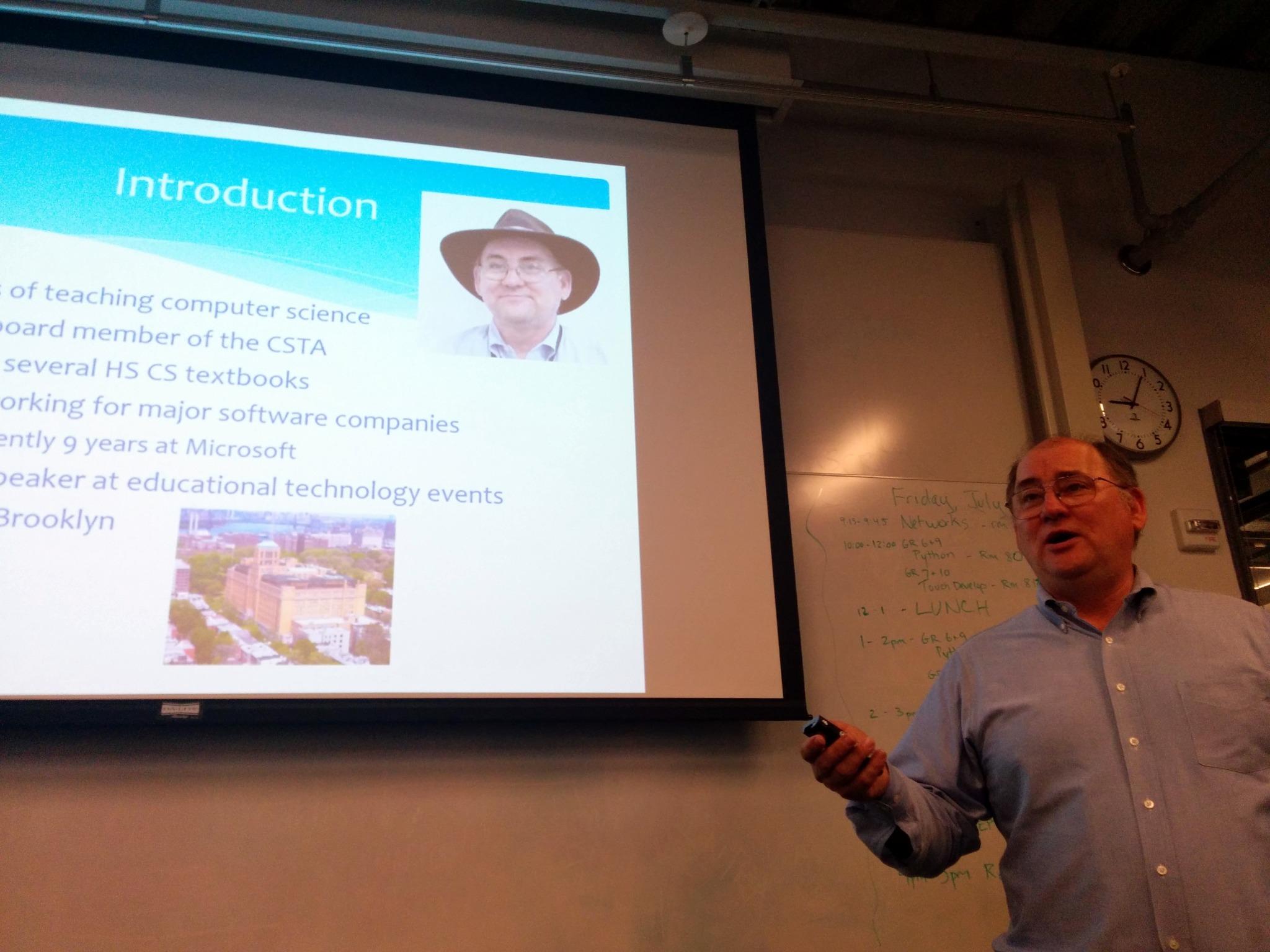
The highlight of last week was a two-hour workshop on TouchDevelop which I presented to teachers who are part of the New York City Department of Education Software Engineering Pilot program.  That’s me presenting below.Embedded image permalink

There was a great bunch of really smart and enthusiastic teachers there. I hope they enjoyed it as much as I did. It brought me back to Brooklyn where I grew up which was an added bonus. It was great to walk those streets again.

I added a blog by John Olsen to my computer science education blog roll.  Let me know if I am missing anyone who should be there.

Chris Leach @chrisleach78 is working on a list of female ICT icons. That is women in the field of computing who have been recognized for their accomplishments in the field and not icons/images of women. Just to be clear.

An HTTP error 404 is when a web server can not find the page you have asked for. One can specify a specific page to show for this error and one group has really done a 404 page in a special way.

I had to share this list of 10 things classroom teachers need to know about modern school librarians via @LibraryAllegra because its just so true.

My students are always surprised when I tell them that their smart phone has more computing power than the computers that helped men land on the moon. This posts by Dan Bowen explains that that really means - How coding has changed in 45 years

 Building a SHIP – Outreach is the latest post  by Mike @Zamansky talking about the summer program for students to learn computer science that he has been running this summer. Seems like a great program.

There is so much great stuff happening in New York City with regards to computer science education. Mike Zamansky’s SHIP program. The SEP program putting CS in more schools. And the many efforts supported by the NYC Foundation for Computer Science Education (CSNYC). It will be interesting to see how this plays out over time. Will it start making “Silicon Ally” a force to be taken seriously by the people in Silicon Valley? We’ll have to wait and see.

sep_hd11Print

Friday, July 25, 2014

Geeks Pick Nits Even On Jokes

I posted this following image on my Facebook page.

running

Comments came immediately. First one was something like “only one step?” Another said the method should be called inside a loop. Another suggested a more involved loop.

while (stamina > 0) 
{
step++;
stamina--;
}

We could probably go on and on. I just find it amusing that coders just can’t look at the joke and see it at face value. They do, I think, see it funny at face value but they also want to make it better for some definition of better.


Thursday, July 24, 2014

Whack A Mole Project

I’ve done variations in Whack A Mole over the years. I did a Whack Something Game for Windows Phone 7 some years ago for example. But somehow I put it aside and didn’t think about it when I was teaching the last year and a half. This week as the National CS Principles Summit this project came up in one of the presentations. This struck me as a particularly good idea for me to bring back into my own practice. So obviously I started coding. I came up with this.
image
What I have decided I want to do is use this for is to teach objects and classes. I created a MoleHole class. I may have to revisit that name before I go to students though. Suggestions are welcome. The reason for creating a class is that I could allow the class itself to handle showing and hiding the moles. My hope is that students will understand that having the object take care of itself will make things much easier.
The first think I did was to create  (using Paint) a couple of images – one to show a “mole” and the other an empty “hole.”
NoMole MoleNothing fancy and I may ask students to create their own. So many of them are much more artistic than I am. Doubtless one of them will use a picture of me if history is any indication.
Then I created a new User Control. I’m using Visual Studio and C# for this sample by the way. Once created I added the images to the project as resources and loaded the empty hole image as the initial image for the object background.
I have very little code in  the class. The constructor just sets the initial value of the Tag property which I could have avoided by putting that in the properties when I added the initial background image. The one method I wrote changes the background image and Tag value.
        public void Swap()
        {
            if ((string)Tag == "Empty")
            {
                BackgroundImage = global::WhackAMole.Properties.Resources.Mole;
                Tag = "Full";
            }
            else
            {
                BackgroundImage = global::WhackAMole.Properties.Resources.NoMole;
                Tag = "Empty";
            }
        }

Very simple. I add the objects to the form dynamically and included in that is setting the event handler for the click event. The code for the event handler checks to see if there is a mole showing and if there is it increments the score and swaps out the image by asking the object to do it.

        private void Whack(object sender, EventArgs e)
        {
            MoleHole hit = (MoleHole)sender;
            if ((string)hit.Tag == "Full")
            {
                hit.Swap();
                score++;
                ScoreLabel.Text = score.ToString();
            }
        }

The mole appears or disappears based on a timer firing. It randomly picks a mole hole object and switches its image and tag, again, by asking the object to do it.


        private void timer1_Tick(object sender, EventArgs e)
        {
            MH[r.Next(MH.Length)].Swap();
        }

Overall, including dynamically creating and loading the mole holes there are something around 30 lines of code. I think I can get students to manage this. And then I’ll want them to make it better, fancier, more interesting. We’ll see how it goes.