Monday, February 23, 2015

Interesting Links 23 February 2015

It's February break for my school. I’m trying to take it easy this week. And catching up with grading of course. I suspect a lot of teachers use so-called vacation time to catch up on school work like grading and planning. I also hope to play with some tools I haven't had time for. With any luck at all I’ll get my new 3-d printer working. And maybe a Kinect project I want to start. We’ll see!  IF you’re looking for interesting things I have a few good links below.

I love the suggestions that come fromCS Teaching Tips @CSTeachingTips For example “Give students a caesar cipher to teach how characters can be treated as numbers and to reinforce string manipulation. http://ow.ly/IiLhJ  “ I love Caesar cipher projects! Also this one “Give students a large data file to sort when teaching sorting algorithms. http://ow.ly/IiJZ7 “ Sorting small data sets is boring, feels to easy and doesn’t give one a real chance to see performance differences.

Computer Science Teacher: 2015 CSTA annual conference – Registration is Open. Will I see you there?

Fun images to help visualize how computers have changed. Your students may find these interesting.

Algorithms – Teaching coding structures to 6th grade.

New collaboration features in TouchDevelop   This opens some interesting possibilities. I’m wondering about how several students modifying the same program at the same time will work out in class.

Friday, February 20, 2015

Today’s BASIC Is Not Your Father’s BASIC

A post at Doug Peterson’s blog (A Different Time) sent me to a site that has a collection of old BASIC programs. And by old I mean the 1970s. I remember many of these programs as I was starting my programming career back then. One could take these programs and type them into their computer and run them. It was fun and we learned a lot. But I’ll tell you the language has changed a lot since then.

image

For example back then a comment was a REM statement. Short for REMARK of course. Today most version of Basic use a single quote to flag a comment. Today variable names can be of any length while back then one was limited to a single letter followed by a number or numbers. Variables were declared using a Dim statement as they are today but the type was specific by a $ for string, a % for integers and floating point numbers had neither of those special symbols. One can’t use them in variable names today of course.

Originally BASIC did not have subroutines as we know them today. We had the GOSUB statement which branched code to a line number (we don’t use line numbers at all any more) and a return statement brought the flow of execution back to the line after the GOSUB. There was no parameter passing and variables were basically global. There were functions of a sort. Those were defined in a single line like this:

180 DEF FNM(X)=X-8*INT((X-1)/8)

The functions were all named FN followed by some letter. Return values were loosely typed. It sure was easy to use though.

I’m looking though these old projects for ideas for updated versions to use with my current students. Some I will use with Visual Basic and some with C#. And just maybe some with TouchDevelep. Some things never get old.

Today’s versions of BASIC are both much more powerful and much more complicated than those early versions were. Stronger types, more powerful functions and subroutines,  lots more flexibility in identifier names and real error handling.  Small Basic is an attempt, and a good one, at returning in part to those simpler days.  It still has more power and complexity but many things are much easier. Visual Basic is a very powerful professional level language and development environment. It too makes some things much easier than they were “back in the day” but in other ways the complexity can be intimidating and even frustrating for beginner.  It seems to work well with my high school freshmen though as long as I stick to the basics.

I wonder how many people judge the idea of BASIC based on thirty (or forty) year old versions of the language? Today’s versions, especially Visual Basic are every bit as powerful and modern as Java or many other popular languages. And still easier to learn. I still like them.

Thursday, February 19, 2015

2015 CSTA annual conference – Registration is Open

unnamed

Registration is now open for the CSTA annual conference. CSTA 2015 is a professional development opportunity for computer science and information technology teachers who need practical, classroom-focused information to help them prepare their students for the future. Conference content is peer reviewed and peer or industry led, making it relevant to today's classroom needs. This year we are staying true to being "bigger and better than ever" so we have expanded our conference to span three days, with two days worth of workshops, more exhibitors, along with multiple networking opportunities.

Highlights:

  • Explore issues and trends relating directly to your classroom
  • Learn, network and interact
  • Choose from various workshops and breakout sessions
  • Amazing value (complimentary conference Wi-Fi, breakfast, lunch and snacks - CHECK!) at approximately $100/day!

Some of this year's session topics include:

  • Advanced Placement Computer Science
  • Computational Thinking
  • Increasing Enrollment in Computer Science
  • Programming
  • Robotics

Keynotes:

  • Megan Smith, Chief Technology Officer of the United States - Invited
  • Randy Pitchford, Aaron Thibault and Jimmy Sieben with Gearbox

Pre-registration is required and will be accepted for the first 500 teachers. The registration deadline is June 26, 2015. Also, please note that you must complete the payment portion of the online form in order to be fully registered for the conference!

As always, we thank our sponsors for their generous donations. Your registration fee will include networking opportunities, lunch and resource materials. The 2015 CSTA Annual Conference is made possible by the generous support of Google, Lockheed Martin, Oracle Academy and the University of Texas at Dallas.

Costs:

Conference registration (which includes a community session on Sunday (July 12) afternoon, Monday night's event with the University of Texas at Dallas, and all general and plenary sessions on Tuesday(July 14) is $100 if you register by April 15. From April 16-June 26 the price is $150, and after that the price increases to $225.

Workshops are a separate price, and this year we have expanded our offerings to include options on Sunday, as well as Monday. The price for workshops is $100 for the first one, and $50 for each additional workshop (maximum number of three).

Please note that all workshops are "bring your own laptop" and that workshop registration is limited to 30-40 participants; so be sure to register early to get your workshop choice. As an additional reminder, we DO NOT accept workshop registrations onsite, and there is NO switching of options.

Register at: www.cstaconference.org

For more information contact Tiffany Nash, CSTA Events and Communications Manager at t.nash@csta-hq.org

P.S. A big thank you to the 2015 Conference Planning Committee:

  • Doug Peterson, Program Chair
  • J. Philip East, Workshop Chair
  • Duncan Buell, Review Chair
  • Mindy Hart, Volunteer Coordinator
  • Stephanie Hoeppner
  • Tammy Pirmann
  • Dave Reed, CSTA Professional Development Committee Chair
  • Hal Speed, Central Texas Chapter Conference Liaison
  • Sheena Vaidyanathan
  • Henry Vo, Dallas Fort Worth Chapter Conference Liaison
  • Lizan Ward, Greater Houston Chapter Conference Liaison
  • Lissa Clayborn, Acting Executive Director, CSTA

We look forward to seeing you in Grapevine!

The CSTA 2015 Annual Conference is generously sponsored by:

Tuesday, February 17, 2015

One Thing Leads To Another

One of the great things about teacher blogging is the sharing of ideas. Often these ideas can be easily adapted and adopted in new ways. Earlier today Doug Peterson had an interesting post about wind chill calculations. He had an interest, shared by lots of us “enjoying” a particularly cold winter, and did some research. This resulted in a Small Basic project. And all the information I needed to write my own project.

Now Small Basic is a wonderful little language for projects like a wind chill calculator.  I can easily understand why it was a go to language for Doug. On the other hand I have been doing a lot of work with TouchDevelop lately so writing the program in that came to my mind. My wind chill program (which you can run from any web browser) looks like the following.

image

TouchDevelop has three levels of ability for coding these days BTW. That is the “beginner” format which I chose in part because I like the color coding.

Any way, I can see some room for expansion. There are obvious UI improvements but as is often the case there is more to wind chill can meets the eye. For example these calculations are apparently only useful for temperatures below 50 degrees Fahrenheit. That’s an obvious check that should be made. It has the added advantage of being able to add if statements to a simple assignment statement project.

We should probably also check for negative wind speed. As always one thing leads to another in programming. And now thanks to Doug for sharing what he did I have another project I can use with my students. One that conveniently works in any programming language I might use.

Monday, February 16, 2015

Interesting Links 16 February 2015

President’s Day today which means my school is closed. I can use the rest after cleaning up from the latest snow storm. I’ve lost count of the number of feet (yes FEET) of snow we have had in the last month. Probably over 6 feet (2 meters) and it looks like more to come. Great weather to stay inside and write code. And look though some interesting links.

Rob Miles has put the materials for his  C# Course and a Shiny New Kindle C# Yellow Book on line. I recommend his materials. He does good work.

Garth Flint writes about taking his students on A CS Field Trip. Do you take students on field trips? Where to?

Simon Johnson has created Flapping Birds v.2.0.1 in 68 lines of touchdevelop! I may use this as a starter for some additional projects.

Speaking of TouchDevelop. TouchDevelop is now an open source project on GitHub. The current team will keep working on it, but can use some help.

Have you been following the CSTA blog? Maybe it is time to catch up on the latest posts.

Care about CS Education? You can work for http://Code.org ! They are hiring. Lots. http://code.org/about/jobs Some great people already working there.

Thursday, February 12, 2015

Creating Code Hunt Puzzles

As I mentioned the other day (see Learning From the Code Hunt Dashboard) I have been creating my own Code Hunt puzzles for use with my students. Earlier this week I spent some time at Microsoft Research in a workshop about Code Hunt. Among the things I learned was a few more things about creating puzzles. Specifically I learned more about how test cases are generated and how I can tune what test cases are created for my students to see. This can make puzzles harder or easier for students which is a good thing. Sometimes I want the test cases to point a little more clearly to a solution. I don’t want students too frustrated but at the same time I want some challenge to the puzzle. I learned a lot from the Code Hunt designer documentation which is available online here but I wanted to highlight a few things that others may find useful.

Let’s start with something simple. I created a puzzle where the correct solution is to convert a number from Celsius to Fahrenheit. Initially I created something that looked like this:

   1: #level Cold
   2: #code C#
   3: using System;
   4: public class Program {
   5:     public static double Puzzle(double x) {
   6:         return 0.0;
   7:     }
   8: }
   9:  
  10: #secret C#
  11: using System;
  12: using Microsoft.Pex.Framework;
  13: public class Program {
  14:     public static double Puzzle(double x) {
  15:          return (9.0/5.0) * x + 32.0;
  16:     }
  17: }

the problem for me is that the test data looks something like this: image


While the 0 to 32 is helpful I wanted a bit more of a hit. So I added a simple if with no action that forces 100 to 212 to run as test data. This makes the secret code more like this:


   1: #secret C#
   2: using System;
   3: using Microsoft.Pex.Framework;
   4: public class Program {
   5:     public static double Puzzle(double x) {
   6:         if (x == 100);
   7:          return (9.0/5.0) * x + 32.0;
   8:     }

The other issues I have had are with string based puzzles. While for some puzzles I want students to deal with the null case for some the early puzzles I want to remove that complexity. And in fact I may want to have a minimum number of characters in the string. For that there are some PexAssume methods we can use. I particularly like IsNotNullOrEmpty for avoiding having the null or empty string case. Though I could also use PexAssume.IsNotNull(s); to leave in the empty string case while removing the null string case. I can also use PexAssume.IsTrue to require that strings be at least a specific length.


   1: PexAssume.IsNotNullOrEmpty(s);
   2: PexAssume.IsTrue(s.Length >= 3);


To the computer a string is a string is a string and it doesn’t really care what characters is in it. So you can see strings like “/0/0/0” which can be a bit confusing and intimidating to beginners.


image


IT turns out that you can do some work in your secret code before you feed a value to a PexAssume.IsTrue method. That means that code like the following will make sure that the test data includes only the characters “a” though “z” are included in the test data.


   1: Boolean b = true;
   2: for (int i = 0; i < s.Length;i++)
   3:     if (char.Parse(s.Substring(i, 1)) < 'a' || char.Parse(s.Substring(i, 1)) > 'z') b = false;
   4: PexAssume.IsTrue(b);


I see a lot more potential in that sort of thing for the future.


I’ve been using PexAssume.IsNotNullOrEmpty for arrays as test data as well. I’ve got a zone that I have been using this semester but I am gradually adding puzzles as I learn more about Code Hunt. I’m willing to share my puzzles with others. Anyone else creating custom puzzle for their students?

Wednesday, February 11, 2015

Coding lessons for 8-10 yr olds

Are you a tweeting teacher who teaches K-8 computer science? If so I am hoping you can join the CSTA K-8 task group for the next #CSK8 Twitter chat on Wed Feb 11 8pm EST. Please forward the invitation to other teacher/specialists/parents and others interested in teaching this age group. 

Topic: Coding lessons for 8-10 yr olds. What do you need to know about teaching this age group?

Learn and share your favorite lessons, activities and resources for this age group. Talk about integration of CS in the curriculum by non CS teachers and the role of after school coding clubs.

Tuesday, February 10, 2015

Learning From the Code Hunt Dashboard

This week I am in Redmond WA at a two day workshop around Code Hunt being run by Microsoft Research and the developers behind Code Hunt. After day one I can say I have learned a lot.  I’ve been using Code Hunt with my honors programming students. I started using it with last semester’s class but have been using it right from the beginning this semester. While I have used the default question set and also included puzzles in Office Mix recordings I really got into developing my own Zone for my students. As you can see I have four basic sectors each with 3 to 6 puzzles. I’m going to expand that over time. BTW the Code Hunt designer documentation is available online here. I’m planning on blogging some about that soon.

image

One of the things I learned more about today was the ability of a zone developer to get information about how users are doing with the puzzles from a dashboard. How do I get to the dashboard? Pretty simple so I wonder how I didn’t fall into this earlier. From user settings I can open a dashboard and see some status of how my students are doing.

image

Here is a look at the dashboard for my class (student names removed)

image

We just started on decision structures which is why most of the class hasn’t finished those puzzles. The outlier in the middle is me by the way. Most of the top students have had some previous programming experience. But not all. Some people are just picking things up quickly. Some of the people at the bottom have missed an above average number of school days. I’ll know to spend some time with them one on one to help them catch up.

I’m using the data, especially the number of failed tries, to understand what puzzles are giving students issues. I feel that probably indicates something I could/should teach differently or better. On the other hand, that some of the students have worked their way beyond what we have done is class is encouraging.

Something else I have done this week was to ask the students to all describe one of the puzzles that is giving them problems. I am hoping to learn more about how they think about solving puzzles, what concepts they need to learn or learn better to move forward and what is coming easy. Code Hunt, which students seem to really like using, is helping me get a better understanding about what and how my students are learning. This is pretty exciting to me.

Monday, February 09, 2015

Interesting Links 9 February 2015

I’m back in Redmond WA today. First time in over three years I have been here. I expect it to feel different as a visitor after being hear many times as an employee in the past. My time here this time is with the CodeHunt team for a two day workshop with some university educators. I’ll talk about my use of Code Hunt with my high school students tomorrow. I’m also hoping to learn quite a bit while I’m here. Speaking of learning, here are this week’s interesting links.

The Science Fiction Books That Every Computer Scientist Should Check Out I haven’t read any of those books. I wonder if I should. Anyone have an opinion?

Mentors can be a powerful aid to people getting started in any area. To Get Women Into Computer Science, Sheryl Sandberg Launches Lean In Mentorship Network.

Decision trees and football? Does it get any better? Why the Pass at the End of Super Bowl XLIX was the Right Call  via Communications of the ACM

Microsoft announced that they are increasing their interest in the Internet of Things  (IoT) by delivering Windows 10 support for Raspberry Pi 2. That could open the door for some interesting projects.

School Leaders Mostly Mystified by Computer Science Education An interesting article about the results of some research the CSTA published recently.,

Speaking of CSTA, the winners of the recent CSTA equity competition made the news in their local paper. Mass. Academy students ace international video contest

The Call for Participation for the Grace Hopper Celebration of Women in Computing has opened!

Sunday, February 08, 2015

Recursion – Love it or hate it?

The following was posted to the AP CS Facebook page yesterday with the question "What would the answer be?" Things went along just fine for 3 replies of people giving the answer (0123456) until some troublemaker (who would be me) piped in with "Yet an other example of how AP exams are loaded with poor coding practices". And then it got interesting. Recursion seems to stir up a lot of discussion in CS Education circles.

I would argue that this is a poor example of code practice. It is a good, for some definitions of good, example of both recursion and asking students to trace good. That doesn’t make it a good way to get 0123456 output to the command line. At least not in my opinion. Someone raised on functional programming where recursion is a pretty standard way of doing looping might disagree of course.  I tend to think that:
for (int i = 0; i <= n; i++) System.out.print(i);
is a lot easier to understand however.
There is a saying that when all you have is a hammer all your problems look like nails. This seems, in a way, to be the case with recursion and loops. If your first tool of choice (or what you have learned first) for iteration is loops you tend not to think of recursion as a solution. Similarly if you start with recursion (as is common with functional programming) you are a lot more likely to look at recursion as a tool for iteration. Personally I struggled with recursion in the beginning. I just couldn’t wrap my head around it for a while. Now I find it really interesting and in some cases very useful. But I prefer not to use it for simple iteration. There is extra overhead involved with all that stack use and I’m still thinking in terms of minimizing memory from my early days when memory was expensive.
But getting back to the discussion I started on Facebook. We are often forced to use code examples that are not ideal coding practice. WE do that to make things clear and to demonstrate specific concepts in a sort of isolation that we might not normally use. We seem to do that a lot with recursion because the example that require recursion tend to be fairly complex. For example traversing trees is an application that recursion is particularly good at but trying to teach both trees and recursion at the same time can be complex. An other frequent example if the Towers of Hanoi which has a complexity of its own. The Fibonacci sequence? Probably better than some but you can still solve it without recursion.
We move on to the question of when should recursion be taught. With functional programming it has to be early. We procedural programming it doesn’t have to be taught early but people disagree on if it should be. I don’t teach it in my first course. Part of that is time – its a single semester course and I can’t fit everything in. Also I tend to think that recursion should be taught in conjunction with other CS concepts like stacks and context switching and memory usage. That is a big pill for a first semester course in high school.
Some might argue that this is all an argument for teaching a first course with a Functional language. I’m trying to make my mind up about that. I’m also wondering if the most important thing a first course does is cover all the key concepts beginners need for some definition of all the concepts beginners need OR is the most important thing for them to learn enough to want to learn more?

Tuesday, February 03, 2015

Girls Who Code Is Hiring Paid Teaching Staff

Looks like these opportunities are in New York, Detroit and San Francisco.


Girls Who Code is a national non-profit organization working to close the gender gap in technology. Through our Summer Immersion Program and Girls Who Code Clubs, we're leading the movement to inspire, educate, and equip young women with the computing skills to pursue 21st century opportunities.

Girls Who Code has grown from a single pilot program in 2012 to reaching more than 3,000 girls with high quality computer science by the end of 2014. Backed by the nation's leading technology companies, we are scaling rapidly, hiring across the country, and preparing to enter new markets in 2015.

We are a small, dynamic group of individuals passionate about changing the world. We thrive on working in a collaborative, fast-­paced environment. We represent a diversity of backgrounds, a wealth of experience, and a ton of fun.

Gearing up for a drastically expanded 2015 Summer Immersion Program, national non-profit Girls Who Code is looking to triple its teaching staff across the country! The organization encourages empathetic and enthusiastic women and men with technical backgrounds to APPLY NOW for hundreds of available paid Teacher and Teaching Assistant positions:girlswhocode.com/get-involved

Teaching at Girls Who Code offers individuals the unique opportunity to empower teenage girls with computing skills to change the world while sharpening their own tech skills and making lasting industry connections. Teaching staff will get the opportunity to work at one of the following companies:

Accenture, Adobe, AIG, Akamai, AOL Charitable Foundation, AppNexus, AT&T, BSA | The Software Alliance, eBay, Electronic Arts, Expedia, Facebook, GE, Goldman Sachs, Google, Groupon, IAC, IBM, Intel, Intuit, Lockheed Martin, MassMutual, Microsoft, Moody's, Pixar Animation Studios, Square, The Honest Company, Twitter, Viacom, and Verizon.

Monday, February 02, 2015

Interesting Links 2 February 2015

Happy Groundhog Day! We’re having a snow day with schools closed because of a snow storm. I’m betting on six more weeks of winter. It may take that long for all the snow we’ve had in the last 10 days or so to melt. I’m not complaining though. I like snow. And today I’ll have some time to work on some personal coding projects I’ve been wanting to get to.

Interdisciplinary Computing Blog: Who thinks Computer Science is less relevant than physics? A good question in my somewhat biased opinion.

I saw some interesting discussion on this week’s Twitter chat for K8 computer science sponsored by the K8 Task Force of the CSTA. There will be another chat but here are a couple of interesting links from this week. An archive of tonight's chat on Coding Lessons with 5-7 year olds has been posted at https://plus.google.com/114810523265094113657/posts/LF7ZTnm24Lo

Beginner languages – the usual infinite loop and interesting take on the subject by Garth Flint

ANYBODY CAN LEARN — With education moving online, do we even need teachers anymore?… YES!   from @codeorg Some interesting data that reinforces the value of a real in person teacher.

I found a pair of interesting examples of code solutions for common technical interview questions. Maybe there are some projects here for students?

Thursday, January 29, 2015

The Queen of Code – Grace Hopper

There is a new movie about Grace Hopper out in the Internet. The movie is about 16 minutes look and I think it is pretty good. I’m looking for a place in my schedule to show it to my students. Grace Hopper is a long time inspiration for me. I was able to meet her in person back in the early 1970s and hear her speak several times. She was ahead of her time and many ways.

As a rear admiral in the U.S. Navy, Hopper worked on the first computer, the Harvard Mark 1. And she headed the team that created the first compiler, which led to the creation of COBOL, a programming language that by the year 2000 accounted for 70 percent of all actively used code. Passing away in 1992, she left behind an inimitable legacy as a brilliant programmer and pioneering woman in male-dominated fields.

Hopper’s story is told in “The Queen of Code,” directed by Gillian Jacobs (of “Community” fame). It’s the latest film in FiveThirtyEight’s “Signals” series.

Monday, January 26, 2015

Interesting Links 26 January 2015

A new semester starts for me today. Since I only teach semester courses that means a whole new group of students to meet and teach. I have spent much of the weekend retooling my plan for the semester based on what I learned last semester. My goal is always to teach each new group of students better than I taught the last group. Wish me luck!

Guest speakers are often hard to arrange but can add a lot to student experience and learning. Over the weekend I learn about a program to provide Guest Speakers in Computer Science via Skype. This looks pretty interesting to me.

Ontario CS and Computer Tech teachers, don't forget to register for the ACSE Conference on Feb 28! Looks like a great conference. If it were just a little bit closer I think I would try to attend myself.

I thought this was interesting. Retiring Python as a Teaching Language a number of teachers have pointed out that there are tools for solving all the “problems” with Python that this brings up. I link to it manly to show the thinking that goes behind decisions on languages. And as a suggestion to look more than superficially for answers.

I always talk about what makes a good password with students. Having an updated list of really bad and yet still common passwords hanging on my bulletin board starts a lot of conversations. SO this article “123456” Maintains the Top Spot on SplashData’s Annual “Worst Passwords” List means my board gets updated today.

My big post last week was: Robots For Teaching Programming What am I missing? Are you using something not on my list? Please let me know.

Wednesday, January 21, 2015

Robots For Teaching Programming

One of my most popular posts has been a collection of links to block programming (drag and drop programming) tools and languages. The other day it occurred to me that a similar list for programming with robots might be useful. There seems to be more and more interest in this as time goes on. A lot of students prefer to “move atoms more than move pixels” after all. Since I first posted this I have added more and reorganized a bit. The latest update is because of resources from the #CSK8 Twitter chat and this list of Robotics and Physical Computing Resources for Kindergarten (5 yr olds) to Middle School (14 yr olds).
Robots are not just for boys either. Girls love robots as much as boys do. Many of the newer educational robots appeal to younger students as well with bright colors and friendly shapes. There are many options. I plan to add to this post as I learn about more robots over time. If you know of something that should be listed please mention it in the comments.
I’m not listing costs because a) those change a lot and b) there are often different options for educators including loans and grants. Visit the web sites to learn more.

Pre-Built Robots


Finch_logoFinch robots were among the first robots designed from the ground up for teaching programming. They seem to be programmable in just about any language you want to use. There is also a lot of curriculum support available and a large community of users.

Scribbler Scribblers are another of the early robots designed and built for teaching programming. “The S2 robot is suitable for a wide range of programming skills. The Scribbler robot arrives pre-programmed with eight demo modes, including light-seeking, object detection, object avoidance, line-following, and art. Place a Sharpie marker in the pen port and it will scribble as it drives. Next, use the Graphical User Interface (S2 GUI) tile-based programming tools, or modify the Propeller source code in our BASIC-like Spin language. Through the use of third-party tools you can also program the S2 on a Mac or under Linux, in PropBASIC and C using PropGCC.”
If you interested in Scribblers be sure to check out the Institute for Personal Robots in Education (IPRE) resources including the Calico project.

DotDashDot and Dash from Wonder Workshop Dash, the larger robot, moves while Dot is stationary. Both are pretty cute. These are both connected via Bluetooth to iOS and/or Android devices. They are programmed with a version of Blockly which is very similar to Scratch. There is also a very simple app that I am told works with students in the very early grades.


BeeBot_blinking_leftBee-bots are definitely for the young students. Small and cute they are programmed using buttons. A wide variety of resources and add-ons seem to be available.


Sparki Sparki is an Arduino based robot. “Sparki works out of the box with its remote control. To write your own programs, just plug it in via USB, install the custom-enhanced Arduino software and try any of the dozens of example programs.”


banner_edison__04371 Edison sort of fits in both the pre-built and the build it yourself categories. It is Lego compatible so you can add more to it pretty easily but from the looks of it you can use it right out of the box as well. “Edison is programmed using EdWare, a drag and drop graphical programming language that is easy to learn. EdWare is free and open source and works on Windows, Mac and Linux computers.”


graphic-render-spherographic-render-ollieSphero and Ollie from Go Sphero  are another set of app controlled robots. Ollie (the barrel shaped robot) has apps for iOS and Android devices. Sphero (the ball) has apps for iOS, Android AND Windows 8.1 and Windows Phones as well as some Amazon Kindles. There is also some curriculum support materials available.
image[4] ThymioTechykids.com is a robot developed in Europe for educational purposes. It provides three main features:
  • a large number of sensors and actuators,
  • an educative interactivity based on light and touch,
  • a programming environment featuring graphical and text programming.
Ohbot is from the UK. I saw it demonstrated on a Microsoft product announcement for Windows 10S. It is a roughly humanoid talking head that is programmable in Scratch. It can be purchased either assembled or as a kit. With text to speech standard I can see some interesting project ideas.

They have a US distributor called TechnyKids who also have curriculum..
create2The Create 2 is the latest educational offering from iRobot, the people behind the Roomba home vacuuming robot. A bit more expensive than some of the others and also a bit more appropriate for people who want to add on to a robot. But it is also a lot larger than the others on the list which can be a plus in some situations.


Codie_logoCodie is involved in a crowd funding effort as I write this and should be available in the November of 2015 according to the company. They are developing their own language for programming. Check out their crowd funding page if interested.


mBot and mDrawBot from Makeblock Small classroom robots looking to get funded through Kickstarter. Bazsed around Arduino.
image[17]Pro-Bot is a turtle robot, cleverly disguised as a race carPro-Bot commands are entered via a set of arrow and number keys mounted on the back. Plan a route for Pro-Bot and press the corresponding keypad controls. Press the GO button and send Pro-Bot on its way. Pro-Bot will follow the sequence of commands that were entered step by step.
 image_thumb[11]
Ozobot  is a tiny robot “You can program ozobot to move, play and dance through intuitive color code patterns.” Also can be run on top of Android and iOS tables using special apps.
KIBO
KIBO is a robot kit specifically designed for young children aged 4-7 years old.


mOway A european entry that looks like it can be programmed in a flowchart language called "Moway World Software", C, and Assembly language. See mOway education for more information.

ezrobot EZ-Robot makes a family of robots including the Adventure Bot, JD Humanoid, Six Hexapod, and EZ-Robot Roli. These are not inexpensive but they look pretty interesting. An SDK allows the robots to be controlled using C# or Visual Basic with a wi-fi connection.

Built Them Yourself Robots

mindstormslogo A lot of students get their start with
Lego Mindstorms. Involvement with FIRST Robotics and their FIRST Lego League competition has been a big part of that. This is a nice platform for people who want to include building the robot as well as programming a robot.
EV3 Basic is an extension to Microsoft Small Basic that allows Small Basic to interact with the Lego Mindstorms EV3 robot.
image3[3]The WeDo 2.0 is designed for the younger grades – grades 2 through 4 – while the earlier NXT and related products are for older grades – middle and high school. They seem to see this product as fitting in to science classes not stand alone computer classes. I like this idea. I think we should use coding and related tools as ways to teach other subjects and not just as independent and unrelated topics.
imageMirobot is an Arduino compatible kit that can be controlled via wi-fi using a number of programming languages and tools.
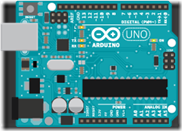
arduino-UNO Arduino is not strictly robots but a lot of people use them as the base for a robot.  And there is an Arduino robot kit! There are other robot kits built around Arduino as well. One of them is the Funduino UNO Robotics Kit
Arduino is an open-source electronics platform based on easy-to-use hardware and software. It's intended for anyone making interactive projects. Arduino senses the environment by receiving inputs from many sensors, and affects its surroundings by controlling lights, motors, and other actuators.

 Hummingbird Robotics Kit Not complete robots but important building blocks for creating and programming robots. Probably just the thing for maker spaces and pre-engineering programs. “The Hummingbird Robotics Kit is a spin-off product of Carnegie Mellon's CREATE lab. Hummingbird is designed to enable engineering and robotics activities for ages 13 and up (8 with adult supervision) that involve the making of robots, kinetic sculptures, and animatronics built out of a combination of kit parts and crafting materials.”
Vex Robotics - “The affordable VEX platform is expanding rapidly and is now found in middle schools, high schools and university labs around the globe. Robotics hobbyists also appreciate the advanced capabilities of the VEX System”
moss Cubelets are magnetic robot blocks that snap together to make an endless variety of robot toys. Without wiring or programming, you and your youngsters can build thousands and thousands of tiny robots!
image[11]
Edison is Lego compatible, easy to program and has built-in programs that are activated by driving over barcodes.

BrainNewLogoandPhotoRiQ This is a “brain” for use in building with a number of build it yourself platforms.
“The All-New Cortex™ 5.0 is compatible with Windows and Apple computers and, best of all, offers tablet based robotics programming for Android and iPad!!  The Cortex robotics programming language is gamified, visual, and intuitive. Kids have so much fun with RiQ they don’t realize they’re learning to program robots!”

Monday, January 19, 2015

Interesting Links 19 January 2015

School is out today in honor of Martin Luther King Jr Day. Semester exams start tomorrow. I think I’m ready. I hope my students are ready.  I do have a couple of interesting links to share today. Hope you find them useful.

Logo changes: The challenge of making a square in modern Logos – From Mark Guzdial – you can’t use lessons and instructions from early Lego materials with modern implementations of Logo. I’m wondering how hard it would be to write a new Logo that was backward compatible with the original materials.

Kids these days -- they don't know nuttin – New from Mike Zamansky about how little students know about the technology industry. 

Applications are now open for Google’s Computer Science Summer Institute and the Generation Google Scholarship! Mostly for graduating high school seniors. Looks good for those who can get in.

Choice of Programming Language - Justifying my Choice. We all get asked about what languages we teach with and why. In this post Ben Gristwood, an ICT/Computing teacher in the North West of England, writes about why he teaches with Visual Basic.

New Entrepreneur Unit for CS Classes – on the CSTA blog, Irene Lee writes about and interesting looking add-on unit for computer science classes being developed in New Mexico.

Thursday, January 15, 2015

Surface Pro 3 – First Thoughts

Thanks to a contest run by the Office Mix people I won a Surface Pro 3 for my school. And I get to use it which is great. I’ve had a Surface RT (first edition) for a while and while I like it the fact that it is Windows RT means I can’t run “regular” Windows apps on it. That is not always a problem since office is there and I can do a lot of web based things easily. But I teach programming so not being able to run Visual Studio is somewhat limiting. Also I could not use Windows Live Writer on it for blogging. Those issues go away with the Surface Pro 3.

First off the keyboard. Yes not quite the computer but I have a Type keyboard with my RT and while it works just fine it doesn’t give me the tactile feedback I like. The Pro came with a Touch keyboard and I love it. Looks great, feels great, is just enough bigger that it works better with my big hands and fat fingers. Recommended.

Performance is great. The screen is beautiful to look and the 12 inch screen is large3 enough for most things I do. And it is a touch screen I love touch. TouchDevelop works better with touch than with a keyboard and mouse for me. There may be a game or two that I occasionally play where touch is an advantage over a touch pad or even a mouse as well.

The whole unit is very light and it looks so far like battery life is going to be very good as well. Seems like a great computer for traveling or for 11 computing at school.

It came with a pen and I confess I haven’t used it yet. I probably will use it with creating Office Mixes as I think it will be easier to highlight things with a pen than it was with the mouse. This is going to work for me.

Set up was quick and easy and since I save things like favorites to OneDrive my web browser settings, screen background and more personalization came over from my other computer automatically. Good thing since the hard drive on my main personal laptop died yesterday. My most important files are all on OneDrive as well. So a possible catastrophe has been avoided.

Wednesday, January 14, 2015

Code Hunt for Review and Problem Solving

Code Hunt is something I have been experimenting with a bit this year. For those who are not familiar with it, Code Hunt “is an educational, browser-based coding game targeting teachers and students” (link to information about Code Hunt) I’ve used it in a couple of ways. I had my students do the standard Code Hunt puzzles for a while and I have used Code Hunt combined with Office Mix to provide some exercises following the audio recording of some PowerPoint presentations. I suggest them for review for my students. (Links to them are below if you want to check them out.

What I like about Code Hunt is that it forces students to do some critical thinking. They have clues to what the code should do and have to analyze it to understand the problem. Then they have to develop the code to provide the correct answer for the problem. They are forced to review the syntax so that is reinforced. But since they have to use the syntax is more than just a “fix this code” sort of thing.

I had two issues with the standard Code Hunt puzzles. One is that some of them are a bit too hard for my absolute beginning programming students. Great fun for more experienced coders of course. The other is that the solutions are findable via Internet search. Also not a totally bad thing but I’d rather some puzzles my students can’t find the answers for on the Internet.

This week we are reviewing before semester exams so I created my own set of levels and puzzles for my students. These C# Code Hunt puzzles are based on things we have done in class so they are optimized a bit towards the things I have tried to cover during the semester.

The four sections of my C# Code Hunt puzzles are basics (assignment statements with some math), Decisions (solved using if statements), strings (some basic string handling) and loops (loops required for solutions). I plan to use these earlier in the new semester in hopes that I can improve the connection between problem solving and understanding the programming concepts. I’ll probably try to come up with a second set for review. And they are going to appear in more Office Mixes as well.
Anyone else using Code Hunt with their classes? Any interest in sharing puzzles?

A great Office Mix lesson about getting started with Code Hunt may be found at https://mix.office.com/watch/q4tnp5au9mbo

My Office Mixes with C# Code Hunt puzzles

Tuesday, January 13, 2015

But I Have The Same as Him

One thing I hear a lot is “I have the exact same code and someone else and theirs work and mine doesn’t.” The obvious wise guy reply is “if yours doesn’t work then it is not the same.” Students are not huge fans of that reply. Typically this situation occurs because students copy code without understanding it. They don’t realize that code does not exist in nice isolation.

The two most common reasons I see this complaint is that the code depends on variables the student has not defined or there is an identifier mismatch. For example the code uses a variable that has a scope beyond just the method the student is looking at. Usually there is a warning or even an error that would point the student to this answer. For some reason students often want someone else to explain the error message to them.

The identifier mismatch comes into play in a lot of Windows Forms applications. The student whose code does not work has named their objects differently from the student whose code they copied. Students seem to expect the computer to magically understand what object they mean regardless of what they call it. Alas the “do what I mean” instruction seems not to have been implemented yet.

I try to impress on students that names matter and that spelling names correctly matters. Somehow it seems to take a while to stick.  Students are used to other people understanding what they mean even when they have trouble expressing themselves. Computers are not very good at that though.

Monday, January 12, 2015

Interesting Links 12 January 2015

It’s the end of the semester and I’ve been crazy busy. Outside projects, grading, exam writing, and more. Time for blogging seems to be in short supply these days. Plus I haven’t had much to say probably because of all the routine work going on. I picked up a few things though during my breakfast blog reading though. Here are the best of them.

From Simon Johnson  10 StepByStep tutorials for introducing TouchDevelop Some interesting looking projects here.

CS Degree to Army Officer – an interesting write up of how computer science background applies to being an Army officer.

CSTA is searching for an Executive Director. To apply or to nominate someone you know, visit http://tiny.cc/6ih7rx .

Better Know a (CSTA Board Standing) Committee  This blog post introduces the CSTA standing committees and their chairs. Posts from the various chairs talking about what the committees do are coming in the near future.

CSTA, in collaboration with Oracle Academy, releases new survey data addressing the state of CS education in the US.

Monday, January 05, 2015

Interesting Links 5 January 2015

First interesting links post of the new year! I hope your year is off to a good start. Classes started back up for me today. I think I’m ready even though I didn’t get all the grading done that I planned. Oh well I needed the time away from it. And now for some links to start you off.
Mike Zamansky responds to my predictions with his own post at CS Ed Predictions 2015. Laura Blankenship replies on her blog as well. An example of how cross blog conversations adds to the the discussion.
The Changing of the Nerd by Doug Bergman. Good quote “It’s normal to have the same gadgets which, in another time, would qualify you to be kind/queen of the nerds but now it just makes you cool…I mean normal.”
Recommended SF Reading for Computer Scientists on the blog@CACM I left some suggestions in the comments but I’m surprised not to see more from others. Jump in!
One bad tweet can be costly to a student athlete another cautionary tale to share with students. People ARE paying attention to them and that is not always to their advantage.
Time to Reflect   A few thoughts on reflecting and planning - posted on the CSTA blog
Why there’s no such thing as an ‘F’ in computer science By Ayanna Howard and Alison Derbenwick Miller Fear! Our students have it – how do we deal with it?
Let's Not Forget: CS 1 Is Hard For Most Students by Eugene Wallingford. For those of us who have been coding for a long time it is easy to forget this. It was once hard for us to.

Saturday, January 03, 2015

Computer Science Education Predictions for 2015

Seems like a lot of people like to make predictions this time of year. I tend not to because I’m not that good at it. But I think I have some ideas so I’m going to try.
More states allow CS to count for graduation. The momentum is there. CS Ed Week is helping to bring attention. The bad news is that allowing it to count doesn’t automatically translate to more schools offering it.
Python continues to grow in popularity. Ok that is probably an easy one. The trend has been that way for a while. It’s not going to change the AP CS A language yet though. Will it be the big language for AP CS Principles? Maybe.
AP CS Principles gets real for a lot more people. It is now an official course starting in 2016. The way things work is that a school that wants to offer it that year needs to get started this year so it can be in the program of studies next winter. This means a lot of demand for professional development as well as a lot of soul searching for teachers. Add AP CS Principles or replace AP CS A with it? I think most schools with APCS A will ignore AP CS Principles but a many schools that don’t offer AP CS A will add AP CS Principles. What will your school do?
Debate on the right languages for AP CS Principles will get heated. A lot of people have been using Snap! while others have been using Python and that is just the start of the options. What will most people choose? I don’t think anyone knows but I have to wonder how many teachers are ready to learn a new language for the new course. I see a Tower of Babel selection in the early years of the exam.
Chromebooks for 1 to 1 computing become a big problem for CS education. This is the year of the Chromebook as more and more schools see it as the silver bullet computing device. They love the price and the tech support people love that students can’t do serious things that make their life harder. It’s not a great platform for teaching computer science though. None of the currently popular IDEs run on it. Chromebooks may be the single greatest threat to expanding CS education we face in 2015. of course in 2016 the next big thing becomes popular and I have no idea what that will be.
What do you think? All wrong? Some right? What do you see happening? I almost can’t wait until next January to see how I did.

Note: Mike Zamansky responds to my predictions with his own post at CS Ed Predictions 2015Laura Blankenship replies on her blog as well. Garth Flint responds in the comments here. Don't miss the replies. Conversation is helpful to everyone.