Wednesday, April 27, 2016

2016 Cutler-Bell Prize contest now OPEN!

The Cutler-Bell Prize is awarded to outstanding high school students who do computer science work well beyond the bounds of an ordinary high school computer science course. The first awardees did some amazing work. You can read about their projects ACM AND CSTA ANNOUNCE FIRST-EVER CUTLER-BELL PRIZE STUDENT WINNERS. I was impressed and I think you will be as well.

But maybe you have or know of some impressive high school computer science students. If so it is time to tell them about this years contest.

Below is the official CSTA announcement.  


The ACM and CSTA are excited to announce the opening of the 2016 Cutler-Bell Prize for Excellence in High School Computing contest. Applications will be accepted May 1 - November 1.

This prize seeks to promote and encourage the field of computer science, as well as to empower young and aspiring learners to pursue computing challenges outside of the traditional classroom environment.

Up to four winners will be selected to be awarded a $10,000 prize. The prizes will be funded by a $1 million endowment established by David Cutler and Gordon Bell.

Eligible applicants for the award will include graduating high school seniors residing and attending school in the US. Challenges for the award will focus on developing an artifact that engages modern computing technology and computer science. Judges will look for submissions that demonstrate ingenuity, complexity, relevancy, originality, and a desire to further computer science as a discipline.

The application is NOW available and will close on November 1, 2016. Winners are expected to be announced in January of 2017.

Please share this exciting announcement with your fellow teachers and your students!

Tuesday, April 26, 2016

Hands On with the BBC Micro:Bit

Recently a padded envelop showed up in the mail. No return address. No identifying information. Inside was a BBC Micro:Bit. Now I have played with one once or twice and of course tried out software in emulation at the official BBC Micro:Bit website this is my first chance to really get into it. And I am grateful for the chance..

Micro accessoriesIt comes with a power source, which uses two AAA batteries, and a short USB cable for attaching to  your computer. When you plug in the Micro:Bit (at least on my Windows 10 systems) it shows up as an external disk drive. More about that shortly.

The device itself is pretty cool and obviously meant to be easy to understand. One side has the “stuff that makes it work” and is clearly labeled.

MicroBack

Seeing things like compass and accelerometer is a good clue that there are more to this gadget than some pretty lights. Though it does have pretty lights on the other side. Twenty five of them to be specific.

MicroLights

Here we see the A and B buttons which are programmable, the LED grid and the labeled pins for attaching things to it. I have a Makey Makey that may be plugged in soon. We’ll see. BTW I blurred out the white box in case it has information to track down where it came from just in case someone might get into a fix for sharing it on the wrong side of the pond.

My idea of a “hello world” is to make the lights light up and rotate around the screen. I used the version of TouchDevelop for my first couple of tests. There are JavaScript, Block Editor, and Python options as well.

image

The way it works is that you write code, test it in the emulator (assuming you are the testing sort – I am), and then compile it to a .HEX file. The .HEX file is then copied to the MICROBIT where it runs.

The .HEX file is downloaded to your Downloads folder (at least on Windows 10) and has the name of the script as its name. You could easily have a bunch of scripts compiled and ready to move to the Micro:Bit. Copies go quickly.

The Micro:Bit will run without the separate power supply while it is connected to the computer. But to take it and show off your program to you friends you’ll need to plug in the power supply.  Losing power does not lose your program from the Micro:Bit. So you don’t have to keep the power on all the time. When you plug in the power the last program you downloaded will run right away.

You could. in theory, use these without a class set but I wouldn’t recommend it. If my experience is any indication it is much more motivating to see the program run on the device than the emulator. Somehow the emulator is just not as real. Plus you can take the device around to show your friends a lot easier than you can a full size computer. Students will want to move around showing off for a while and you can’t do that with less than a class set.

It will be a while (sometime next week) before I can show this to students and get their impressions. In the mean time I’m going to try a few things and think about how I might use these next year if they become more widely available.

I would love to hear from teachers and students in the UK who are using them though. What works? What is cool? What should I watch out for?

Monday, April 25, 2016

Interesting Links 25 April 2016

April vacation! Yes we do things different in New England. After this week we still have 7 to 8 weeks of school left. So this is a good time for a break. I hope to use some of it to work on some projects like writing up some of the assignments I have been using to make then sharable, cleaning my home office desk, and playing with some “toys” like my Kinect and a BBC Micro:Bit that showed up in an envelop with no return address.  For today I have a few links to share.

Bill Gates: Ed Tech Has Underachieved, But Better Days Are Ahead https://marketbrief.edweek.org/marketplace-k-12/bill-gates/?cmp=soc-tw-shr-mktbf … via @EdMarketBrief He’s both right and wrong here. I think he still doesn’t get the culture of education, the need for more professional development and that new hardware and software is not the magic bullet  to “fix” education.

Root, the code-teaching robot http://wyss.harvard.edu/viewpage/629 Yet another "new idea" that seems familiar. Doesn't appear to be widely available. I’ll add it to me list of Robots For Teaching Programming when it shows up “in the wild.”

Wednesday, April 20, 2016

Surface Pro 4 Unboxing

My Surface Pro 3 has been my constant companion and major computer workhouse ever since I got it over a year ago. It’s pretty much ideal for a school computer. I’m seeing more and more students carry them around the building all the time. So when the opportunity came to apply for the MIE Surface Experts program I jumped. I was accepted and today I received a Surface Education Expert Kit. I thought I might share the unboxing with you.

WP_20160420_001The outside of the box really highlights the inking features. That’s something I really want to start using more. I think the combination of projecting on the screen and writing by hand will let me do some things I have been thinking about but haven’t really done much yet.

WP_20160420_002

Now my first look inside the box. Everything is neatly arraigned and pretty easy to find. I went with the small things first.


WP_20160420_003This is a wireless display adapter. I’m going to connect it for the LCD projector in my room. I’ve been using a mostly software solution to connect with our existing wireless connection but it’s been slow and doesn’t have all the functionality I’d like. Based on what I have heard this will be better. I’ll report on that soon.

WP_20160420_004Ok the computer is out of the box. It’s a little larger than my Surface Pro 3 but still very light. I think it is a pretty nice looking device. All smooth and clean. It’s got an Intel Core M3 processor and 4GB of RAM. Not exactly top of the line but should be more than adequate for school use.

WP_20160420_005Next up the Touch Keyboard. This seems to be upgraded from the keyboard I received with my Surface Pro 3. Blue is my favorite color. How did they know? It works very well and feels natural.


WP_20160420_007Here is a side by side look at the new Surface Pro 4 (on they right) next to my older Surface Pro 3 (on the left).

One unexpected difference is the Pro 4 supports Microsoft Hello – logging in by it recognizing my face. I need to try that once the software installs are finished.

WP_20160420_006And there are some marketing materials. I’m planning on doing a show and tell for the teachers in my school soon. We’re buying new faculty computers for next year. I think there is will be a lot of interest in inking as time goes on and teachers see what you can do with it.

As I write this software installations of Office 365 and Visual Studio Community Edition 2015 are taking place. Open Live Writer for blogging is already installed and I have connected it to my OneDrive. More updates after I’ve run it through it’s paces.

Monday, April 18, 2016

Interesting Links 18 April 2016

Last week was both long and short. Short in that I only spent three days at school. Long in that I spent the weekend and Monday working at the K 12 Computer Science Framework Stakeholders Convening Time well spent of course even with a long travel day Monday night into Tuesday. BTW just a suggestion. Make sure to pay attention to AM and PM when making reservations. Just saying.

More than compiling is a great blog post by Doug Peterson that takes off where one of my posts (It Compiled, It Ran, It Must Be Right. Right? )  leaves off.

CaptionBot is a new AI bot from Microsoft that attempts to describe images that are feed to it. Visit https://www.captionbot.ai to try it out.

Kinect and the self-driving car is about using different types od sensors in self-driving cars. An interesting conversation to have.

In IDE or the Cloud Mike Zamansky takes on the question of using a web based development or one installed locally.  He covers the plusses and minuses of both. It’s a useful article for teachers looking at what tools to use for teaching programming.


Friday, April 15, 2016

Teaching Binary with a Clock

There has been a Binary clock on my desk at school for some years now. I like using it to help students learn Binary numbers. A few years ago I wrote a software version to display on my white board so everyone could see it. (More on that at Can You Explain the Binary Clock?) It works pretty well but today I got an idea. Wouldn’t it be better to have the students set the values in the clock?

Binary time

A few minutes work over lunch and I modified the program to let me display an empty set of circles that I could have students fill in.

I brought students to the board and gave them a time and asked them to fill in the circles to show the time requested. I think it was a lot easier than it would have been without the template on the white board. It probably let me get more students up at the board working things out which is a plus.

This exercise seemed to work out pretty well today with most students seeming to get the hang of things quickly. After that we talked a bit more about how computers store information using Binary numbers.

Later I remembered how little kids learn to tell time by setting the hands of toy clocks to different times. I wonder if students still learn analog clocks in kindergarten and first grade?

BTW my primary blog list of Resources For Teaching Binary Numbers can be found at this link. I’m always looking to update it with new resources so let me know about any you might use. Thanks.

Wednesday, April 13, 2016

It Compiled, It Ran, It Must Be Right. Right?

One of the hardest things about teaching students about programming is getting them to properly test their code. Testing is something I explain regularly and go over from the very beginning of a course. Every course. And yet, time and again I run student programs myself and find they are not giving the correct answers.

Anyone who has every taught students programming has looked at the results of a student program and asked them “is that the right answer?” and had them reply “I don’t know. I think so.” Students seem to assume that if the program compiles and runs and gives an answer then it must be the right answer. It’s as if they expect magic from the computer sometimes.

One of the very first projects many students see is temperature conversion from Fahrenheit to Celsius. Well at least it is common in the US where we are still using Fahrenheit but our neighbors are using Celsius. Students will plug in random numbers, get an answer and declare “it works.” Now I test that sort of program by using temperatures I know the answer to: boiling and freezing temperatures of water and of course –40 which is the same on both scales. This seldom seems to occur to students though. I wish I knew why but at least it is the basis for a good conversation on test data.

Should I provide test data with expected results for projects? That’s pretty easy for some projects. It’s not as easy for others. I also want students to figure out how to create good test data though and handing out too much test data gets in the way of that. There is also the problem of students hardcoding results into a project. That hasn’t happened in my classes in a long time but I know it does happen.

We’ll be having yet another conversation about testing in my class this week. Perhaps I just need to keep hammering it in. Anyone have any advice for me? I’m open to suggestions.

Tuesday, April 12, 2016

K 12 Computer Science Framework Stakeholders Convening

Most people don’t associate either rain or computer science with Las Vegas Nevada but the last few days have seen plenty of both. In fact they tell me Las Vegas had as much rain this past weekend as they normally get in a year. As for the computer science part, the K12 CS Framework writing teams worked hard all weekend on the document incorporating feedback from the recent review period.

Monday was something different. Monday saw people from 14 states, 3  large school districts, a number of educational organizations (CSTA was there), many  teachers, and education researchers meeting for a convening of stakeholders in the framework process.

The convening had several purposes (quoting the agenda)

  1. Stakeholders will get an update on the development of the framework.
  2. State and district teams will receive guidance on the different uses of the framework and discuss state and district-level implementation issues beyond the framework.
  3. State and district teams will also be able to provide input on the types of guidance materials that will help them message and implement the framework within their local education context.
  4. Advisors will provide input on the most current framework drafts and collaborate with the writing teams to address the feedback.

An ambitious agenda for sure. As a member of the writing team (focused on practices) I spent most of Monday with advisors and other interested stakeholders reviewing a lot of the recent work from that section. We got some great feedback both on the wording and of the process we used to arrive at the wording. This is definitely a community effort. Transparency and cooperation among all involved is essential.

First thing in the morning we heard from a number of states that are working to build CS for All programs in their states. There seems to be agreement that professional development and certification of teachers is a major issue across the country. (no surprise there) These states are working on professional development programs and they hope to work with hundreds of teachers this summer. Ultimately it will have to reach thousands of teachers though.

It’s amazing to me the difference between a virtual meeting and a meeting that takes place in the real world. There is so much more and better communication that takes place in real life. These meetings really help build relationships, mutual understanding (even if not always complete agreement) and generally help the process a lot. Some really great things happen when people can break off into smaller groups from time to time. Informal conversations not in the formal agenda also contribute to the process.

It’s hard to get away for meetings like this and it is not without monetary cost either. But the framework is an important project so it is great to see the number of really amazing people who are willing to take part.

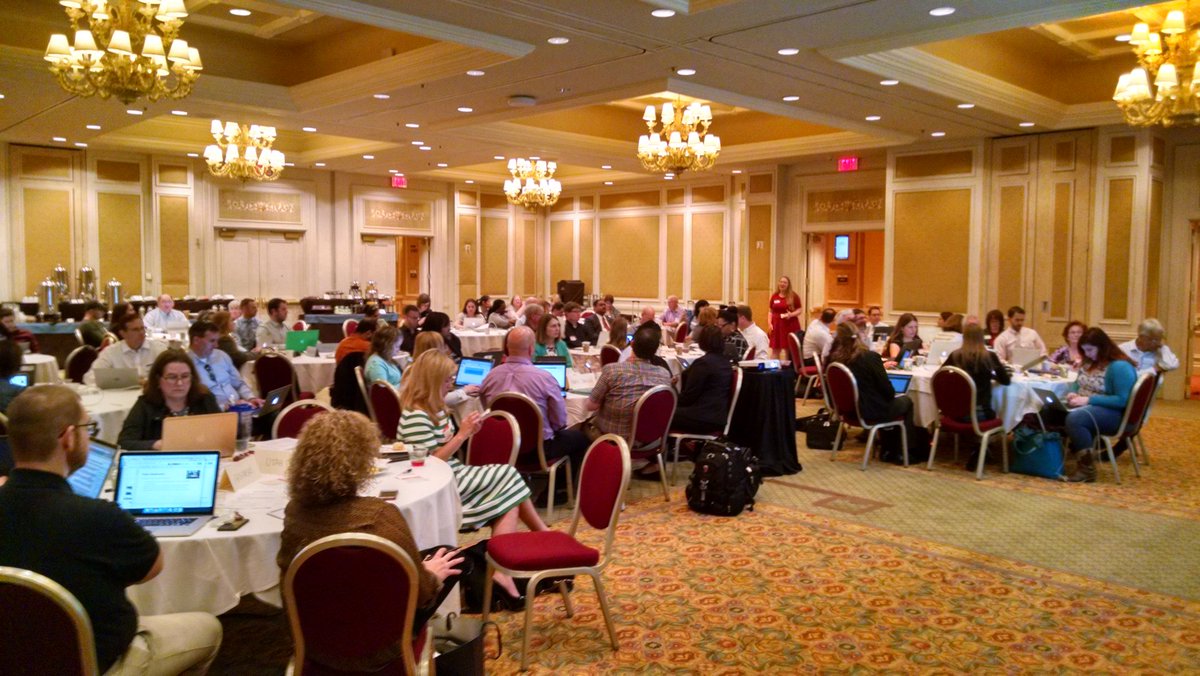
People hard at work on the K12 CS Framework.

Monday, April 11, 2016

Interesting Links 9 April 2016

This past weekend (and today) have been spent working with some amazing and knowledgeable people on the K12 Computer Science Curriculum Framework. We’ve been making updates and improvements based on a lot of great feedback from the last review period. Another review will be coming up next month I believe.

On a related topic, CSTA needs your feedback on the draft CSTA K-12 CS Standards. Visit http://www.csteachers.org/page/submityourfeedback and let us know what you think. The Framework and standards project are separate and different but the framework is influencing the standards.

The CACM blog had a good post about CSforAll - Qualify your Quantifiers –which asks the important question about “what do we mean by CS for All? Is it all students or all schools? Worth a read. I know that I want all students.

Concerned about accessibility and teaching web design? Microsoft just released a  new Web Accessibility Checker for use with Visual Studio Accessibility Checker for use with Visual Studio and ASP .NET applications.

Lee Stott in the UK reports that girls are enjoying working with the BBC Micro:Bit. I can’t say I am surprised.

  NSA to the Next Generation: "The Nation Needs You!" Agency Launches NSA Day of Cyber http://www.nsadayofcyber.com/ A  bunch of learning activities for students.

By the way, April is National School Library Month! A lot of school librarians are on the edge of technology use in schools.

Thursday, April 07, 2016

Cybersecurity Summer Workshop for High School Teachers

I wish I had more time this summer. This sounds amazing.

WHAT: Cybersecurity Summer Workshop for High School Teachers
WHEN: Thursday, July 14 - Friday, July 22, 2016
WHERE: Pace University, Pleasantville, NY

The Seidenberg School of Computer Science and Information Systems at Pace University invites you to attend a seven-day summer workshop aimed at introducing high school teachers to diverse topics in cybersecurity, free of cost.

The workshop will include lectures, hands-on exercises, presentations by industry professionals, group discussions, and lesson design projects. By the end of the program, participants will develop lesson plans that integrate cybersecurity concepts into their curricula or after-school programming.

Participants will receive a $1,400 stipend upon completion of all workshop sessions and activities.

TOPICS:
Basic Concepts in Cybersecurity
Cryptography
Access Control
Biometrics
Digital Forensics
PROGRAM DETAILS and APPLICATION INSTRUCTIONS:http://www.pace.edu/seidenberg/gencyber

Questions?
Program inquiries: gencyber@pace.edu
Announcement inquiries: acotoranu@pace.edu

This workshop is supported by the GenCyber program, and funded jointly by the National Security Agency and the National Science Foundation.

Wednesday, April 06, 2016

The Brackets Project

Inspiration for projects come from everywhere. Today there was a lot of talk about “March Madness” or the NCAA Men’s basketball tournament. It got me thinking about how to write a program to fill out a bracket. Since I have been thinking about randomization lately (did you see my post about the expensive TSA project?) this idea fit right in.

Purely random wouldn’t work because the odds are not even. Sure any team could win on any given day (Michigan State losing to Middle Tennessee this year threw a lot of people for a loop) chances are that the higher seed is going to win. So I decided to weight the random factor. That means I have to keep track of the name and the seeding value throughout the effort. Ah, great, an excuse to create a class.

After that the hard part was creating a form to display the results. That is were I spent by far the most time. And yes it could still be a lot nicer. I’m a programmer not a graphic designer!

My current thought is that this may make a good project to finish the semester for my one semester programming course. Done right it incorporates a user created class, arrays of objects, loops, decision statements, a number of methods both in the class and in the program, and generally everything we manage to fit in one semester. It’s complicated enough to test beginners and yet simple enough for them to finish in a few days time. (I’m pretty sure it will take them more than the hour or two I spent on it.)

brackets

BTW it took me a number of tries before the program picked Villanova as the winner.

Tuesday, April 05, 2016

Forty Thousand Dollar Coin Flipper Program

Have you heard about the $47,400 piece of software that randomly points an arrow left or right? TSA says its Randomizer app only cost $47,400 This doesn’t seem very complicated so why/how could it possibly cost so much. I spent a few minutes coding a version in TouchDevelop. It’s called TSA Arrows and you can see it using that link. It works. It’s not pretty but it works.

imageI used images that were already in the TouchDevelop picture library and you have to touch the button on the bottom right of the screen. And there lies our first clue as to costs that are not obvious.

Chances are they had an artist either create or obtain rights to arrow images. Art work is not always (really not even often) free for commercial use. Sure an arrow is easy to draw but it’s still an effort. I would assume there were several people debating the size and color of the arrows as well. Believe it or not these sorts of things are not done in a vacuum.

Let’s think about the randomization. Is it just like flipping a coin or is there a ratio of right to left that has to be used? None of the articles I’ve read make that clear. If so there is a little more testing. Not a lot but you can’t just assume things work right when getting it wrong could inconvenience thousands of people.

These projects, any commercial project really, involved several people even for something this simple. Usually a designer, a coder, and a tester. Sure they could be all rolled up into one person but typically they are not so that there are several eyes on everything. The designer probably had to work with someone at TSA to determine all of the requirements. That takes some time. You’d be surprised how hard it can be to get a good set of project requirements – even for something that appears this simple.

The programmer has to create the program and have it tested. It probably had to run though several levels of approvals as well. That’s time and effort right there. One doesn’t just throw software on hundreds of devices without people trying it and approving it. It is very likely that the first version was not approved. I’ve seen some very picky customers in my time.

And there is management overhead. Remember that this is part of a much larger contract as well. Everything has to fit together and that requires some overhead. If all that was involved was the single randomizer things would be simpler and cheaper.

Now don’t get me wrong, I still think $47,400 is a lot of money for the program based on what I know about it. But I have to admit that I probably don’t know all I need to know to determine what a reasonable price might be. That is with many years of industry experience. There just isn’t enough information about the requirements to know what was requested. I can imagine it seems even more ridiculous to people who haven’t worked in a commercial software company.

Monday, April 04, 2016

Interesting Links 3 April 2016

Some weeks the blog post ideas flow like water. And then there is last week. I don't know how Doug Peterson and Mark Guzdial manage to get something interesting to post every day. Or at least every weekday in Mark's case. At least I saw enough interesting things from other people last week to have things to share. So let’s get to it.

Oracle Academy Scholarship Application for First-Time CSTA Conference Attendees  Great opportunity for some teachers. Details and qualification information at that link.  

Xamarin now free in Visual Studio Develop on Linux and Windows for Windows and Linux. And MacOS if you have a Mac to work with.

Big Data Visualization: Review of the 20 Best Tools via @wearebluframe A lot more options than I was ever aware of.

"Choosing A Computer Major” CSTA Board member, @yadavaman shares his thoughts on the topic.

The BBC Micro:Bit will create entrepreneurs or so goes one theory. What do you think? It will continue to be interesting to watch what happens with these cute little devices.

Profiles: 8 women earned computer science degrees two decades ago — and here’s what happened next via @GeekWire Some interesting stories here.

"Controversial opinions" about programming from @dadgumjames : Great food for thought, especially the first.

BBC News - Do you have the brains for cybersecurity? Some interesting puzzles in cryptography. Challenges for you or your students perhaps?

Monday, March 28, 2016

Interesting Links 28 March 2016

Wow! I have a lot to share this week. Please read through it all and I am sure you’ll find something of interest. There is BBS Micro:Bit news for my UK readers, a bunch fo stuff from Microsoft Research that came out last week, and as always some great sharing from teachers!

First thing, in case you missed it, the latest review period, and the first that includes the full draft, of the K-12 CS Framework is now open. http://k12cs.org/review

Dan Schellenberg and Garth Flint have been continuing a conversation of sorts on an interesting coding project by looking at it in different ways and with different tools and languages. Read them both for the full value.

Doug Peterson did one of his excellent blog Interviews with Sheena Vaidyanathan, CSTA Board Member and elementary school computer science educator. 

Do you teach CS in lower grades? Take a survey for those who teach computing to kids 14 and younger? It's at: http://goo.gl/wzKXRi and is part of a research project.

MonoGame 3.5 is now available for download for Windows, Mac, and Linux http://www.monogame.net/news/ A cross platform game engine. It’s a follow on of sorts to Microsoft’s XNA.

The BBC Micro:Bit is out and the reviews are starting to come in. Hands on with the BBC’s child-friendly microbit: if you’re an adult you might struggle via @thenextweb I’d say that if you are not a computer person and you didn’t have any professional development you might struggle. Computing At School (CAS) did provide a lot of training abut I know they can’t reach everyone.

In related news, the BBC News is highlighting  seven outstanding Micro:Bit projects.

Microsoft SandDance is a beautiful data visualization tool for chart geeks It looks SandDancevery interesting. The official site is at  https://www.sanddance.ms/ They are talking about supplying some data sets to play with., Those may be useful for CS classes talking about data.

Jeannette Wing writes about “Computational thinking, 10 years later” in a mostly upbeat article that included the following:

“Still, practical challenges and research opportunities remain. The main practical challenge is that we do not have enough K-12 teachers trained to teach computer science to K-12 students. I am optimistic that, over time, we will solve this problem."

I wish I were as optimistic about the shortage of teachers trained to teach computer science to K-12 students. And of course I know that CT was around before her paper. But it did do a lot to bring it into the conversation.

Thursday, March 24, 2016

Lessons From Two Artificial Intelligences

Artificial Intelligence has been in the news. Last week Google got a lot of great press with some AI software that learned how to play the ancient game of Go. (Google's AlphaGo scores 4-1 against South Korean Go player)  This week things didn't;t go so well for Microsoft Research when they sent an innocent AI on to social media to learn on it’s own. (Microsoft deletes 'teen girl' AI after it became a Hitler-loving sex robot within 24 hours )

Some differences jump out at me that I think have implications for education. The first is how the two AIs, both of which were designed to learn, were educated. AlphaGo was introduced to the best Go strategy available. It continued to learn on its own but under close supervision and guidance. When it started to interact with people beyond the research team it was with professionals who had nothing but good intentions. Things worked well.

Tay was sent out into the world with very little in the way of training. The idea was for it to learn from interaction with people on the Internet. Unfortunately people on the Internet can have goals other than helping an AI learn good and useful things. Supervision seems to have been less close than would have been ideal. Tay learned from people who seemed, in too many cases, to want to mess things up. Things did not work well and the AI was shut down in less than 24 hours.

As I see it having help selecting what to study and who to study with was a huge advantage for AlphaGo. Tay was set lose with no guidance. It had no way of knowing what was good information, who were reliable sources, or how to use the information it gathered. Poor teachers can do a lot of damage to people or AIs. “Teachers” who are trying to steer people wrong can do even more damage.

I suspect that if most people had communicated with Tay in good ways things would have turned out much better. This experiment turned into a game without rules and that is very unfortunate. Though I suspect the researchers learned quite a bit anyway.

An AI can be turned off, reprogramed, and made harmless pretty easily. People not so much. That is one reason I worry and too little guidance for learners. Experienced, generally older, learners have good filters and better insight into what is going on than younger learners of course. Some people are better at discovering things as well. But most people need some help from teachers in some ways. It is important that we pick good teachers.

Wednesday, March 23, 2016

Online Cyber Security Competitions

Computer security has been in the news a lot lately with all the talk of the FBI and Apple going at it in court. Students are interested as well. In the last 24 hours or so information about two cybersecurity and computer science competitions have come across my virtual desk. I thought I would share them with you.

PACTF, short for Phillips Academy Capture The Flag

PACTF, short for Phillips Academy Capture The Flag, is a free online cyber security and computer science competition for middle- and high-school students. Teams of up to 5 competitors will face a series of increasingly challenging problems, in which they must break, hack, decrypt, reverse engineer or do whatever it takes to find hidden answer strings known as flags. Once a team exploits the security vulnerability purposefully left in the problem material, they can submit the correct flag to receive points and improve their ranking. Challenges will be distributed across the spectrum, for beginners and for experts, and they will feature binary exploitation and reversing, cryptography, and other miscellaneous topics. Prizes totaling over $2,000 will be awarded to the top-ranking teams.

imageThe entire competition will be online at PACTF.com
and will last for 3 weeks: April 10–30, 2016.

If you have any questions, please feel free to email us at
contact@pactf.com.


HSCTF 3, An Online Computer Science Competition, Running From May 14-21

HSCTF is a free online programming and cyber security competition organized by high school students for high school students. Last year, in HSCTF 2, we had over 2,300 competitors from over 40 countries. Competitors in High School Capture the Flag (or HSCTF) will learn computer science skills, and use ingenuity to discover a series of increasingly hard to find "flags" encrypted, hidden, or otherwise stored somewhere difficult to access. HSCTF includes topics such as computer security, programming, algorithm design, and programming language design. Previous prizes totaled over $1,000 and assorted Facebook swag.

The HSCTF team will be releasing a substantial set of practice problems on April 8th. We will also be available for video conferences with teachers, classes and clubs in the intervening time until the competition to go over problems and answer any question you may have.image

You can sign up for email updates from our website, hsctf.com. If you have any questions, you can email us at contact@hsctf.com.

Tuesday, March 22, 2016

Post Number 1000

About two weeks ago I realized that I was approaching 1,000 posts on this blog. Most of these have come in the last three and a half years since I left Microsoft. This is really the second version of the blog I started while I was working t here. Since that was a Microsoft owned site I lost access to it when I left the company.  I thought maybe I should try and make post 1,000 something profound and important. I couldn’t decide what that should be though.

I thought about doing a post on artificial intelligence. And I though about doing a post on diversity in computing. Or the future or robotics combined with AI. Ultimately I decided just to write about a few lessons learned from blogging.

First off maybe around the reason I have a second version of this blog - never run a blog on a site that is dependent on your employment with a specific company. Oh you may be required to blog at a company site. I have an obligation to blog at the CSTA Voice blog because I am on the board and that is fine. But if you want to blog about things that interest you and that is an extension of you than you really want to keep ownership of the blog. You might get extra attention or traffic on a company site but in the long run your life and your work should be about more than the company you work for.

Secondly, you never know what is going to get attention. For the last year the post with the most traffic on my blog has been Interview Questions for Computer Science Teachers and I have no idea why. Second most is Programming With Blocks  or Drag and Drop programming but I think I know why that is. It talks about a lot of products that people search for. Search engines are responsible for something around 60% of my blogs traffic. Their ways are mysterious.

Something of a corollary to the last lesson is that you never really know who is reading your blog. That person you know personally who you think of as your natural audience may not be reading. That famous (for some definition of famous) person who you think would never notice you might be a regular reader. The only ones you really know read are those who leave comments or who tell you at the occasional face to face meeting that they read. The message here is don’t worry about who is reading. Never get upset when you find out someone isn’t reading or get too excited when you find out someone you are impressed with is reading. OK you can get a little excited when someone “important” reads but never think poorly of yourself if that never happens.

Blog statistics are useless. They are amazingly unreliable. I look at two sets of statistics on this blog. They disagree by an average of 7 times. That is to say that one of them reports 7 times as many readers as the other. Just like you should not get worked up over who is reading or not you should never get hung up on how many people are reading. If you help one person with a post once in a while it’s worth it. In fact if you help yourself by making it easier to find things or by working though an idea by writing it out its worth it. In some ways blogging is its own reward.

Comments are awesome!  Comments are how you really learn as a blog writer. Sure sometimes someone will really challenge you. They will tell you that you are wrong and why. Read those with an open mind. You may actually be wrong. It could happen. There is no shame in learning and changing your mind based on new information. Other comments will be in support of your ideas but will take them in new or improved directions. That’s terrific. Blogger says there are about 1,029 comments on this blog. More than one per post but many posts have no comments. Some of the comments were written by me and maybe they should not count as much. But they are part of a conversation and that is where the value is.

Blogging at it’s best is a conversation. Maybe it happens in the comments. Maybe it happens with someone else writing a related post and linking. Other times the conversation happens on Facebook or Twitter (both see announcements when a blog post shows up here). Sometimes it happens via email.  Sometimes it actually happens in face to face communication. Imagine that! And sometimes it is really a conversation the author has with themselves.  At its best it happens in multiple ways.

Thanks for reading.

Monday, March 21, 2016

Interesting Links 21 March 2016

It’s Spring! And as I work on this Sunday afternoon I am wondering if we will have enough snow to cancel school tomorrow. I’m thinking we will not but it’s still fun to think about. Computers have make weather forecasting a lot more accurate but the weather has a knack for changing direction is ways we don’t predict that well yet.

Speaking of computers, here are some links that may be of interest to you.

The ACM, CSTA, Code.org, NMSI, and Cyber Innovation Center invite you to review the first full draft of the K-12 CS Framework. See the review instructions at k12cs.org/review.

Alan O'Donohoe ‏@teknoteacher shared some interesting looking Python resources. 10 Python Teaching Resources You Really Should Be Using and the Micro:Bit Python cheat sheet

image

This EdTech Conference Puts Teachers Before Tablets is a nice article on Forbes about the conference Microsoft ran for/with teachers around the world recently. It really is as much about the teachers as the technology.

2 weeks to take advantage of early bird registration for the 2016 CSTA Annual Conference. Workshops , Sessions, keynotes, BOFs & playgrounds! Hope to see you there!

Will robots care for elderly?  And if they do is that good or bad? Good questions to discuss with students.

Apple vs. FBI: this is just the beginning by @hadip Hadi Partovi talks about the deeper issues of this controversy and what it tells us about the need for computer science education for everyone.

Math Teachers Group Questions Allowing Computer Science to Count as Math Credit  via @educationweek Well of course they do. A lot of this is about turf of course. Math teachers don’t want to lose courses but there is more too it than that. What it really means is that CS has to be required as computer science.

Computer Science is Changing Everything is the new CS promotional video from @codeorg And its a good one!

Via @NPR: Can Computer Programs Be Racist And Sexist?  Short answer – yes it can be. This is another example of why we need more diversity developing our software.

[Resource] Over 16GB of high-quality, royalty free sound effects to boost your game development projects 

There was a lot of attention being paid to Google’s program AlphaGo taking on one of the world’s best Go players and winning. For example, Google's AlphaGo scores 4-1 against South Korean Go player But is AlphaGo the solution to artificial intelligence? This article Why AlphGo is Not AI argues that it is not even real artificial intelligence. Great topic for discussion with students.

I’ll finish up with this cartoon from Hugh MacLeod that has had me thinking a lot lately.

Friday, March 18, 2016

Review Period Open for First Full Draft of the K-12 CS Framework

Writing the K12 Computer Science Framework is an ongoing effort by a writing team of several dozen computer science educators with review and advise from many more. A month or so ago the first, but incomplete, draft was reviewed. The writing teams have worked for several weeks to incorporate those suggestions and complete a full draft. Well it is ready for review. Will you help with the review?


The ACM, CSTA, Code.org, NMSI, and Cyber Innovation Center invite you to review the first full draft of the K-12 CS Framework. See the review instructions at k12cs.org/review.

The review period ends on April 5th. Your feedback in the online form will help us improve the framework - what works, what doesn't, and how to improve. On behalf of the K-12 CS framework writers, thank you!

Tuesday, March 15, 2016

Maple Syrup and Coding For Fun

It’s maple syrup time in New Hampshire where I live. My wife and I with some help from the neighbor kid decided it was time we got in on the fun. TreeSo we bought some supplies and tapped a couple of trees. The picture on the right is one of those trees which happens to be in my back yard.

Now sugaring on this scale is not a great way to save money. In fact the supplies we bought to get started would probably buy us several gallons of the stuff and we hope to get a couple of pints this year. While the supplies will last us for years it would take quite a while for it to pay off. And that is not including our time and efforts. It can be a labor intensive process. So why do it?

There are actually a couple of good reasons to do it. One is that it is fun. We pay for fun right? Another is that it is educational. We’re learning a lot about how sap flows, its relationship to weather, the process of boiling sap down to syrup (5 gallons of sap gave us about a pint of syrup), and more. There is also the intangible but very real satisfaction of creating syrup from our very own trees and effort. We’re not saving money if all you take into account is the syrup but that doesn’t mean we are not getting real value for the money (and time and effort.)

By now, assuming you haven’t left after thinking you were reading the wrong blog, you are wondering what this has to do with computer science education. Valid question.

Lots of people get hung up on the idea of computer science and learning programming being all about the money. How often do you hear someone talk about creating the next Bill Gates? Computer science is a lot more than that for me. I write code for fun.

Oh sure I am usually trying to solve some “problem” for myself but in terms of cost benefit there are often more cost effective ways to do things. I wrote a phone app to help we track my rotating class schedule at school for example. The information is all available on a webpage and I could get it that way. It’s a little easier with the app but it took some real effort on my part to write (and keep updated) the app. It would probably not be workable if I had to pay for my time. Not when you compare what I charge for writing code with what I get paid for teaching. Smile 

I also have a number of students writing code for projects of their own. Mostly they are writing games. Now the games they are writing can not compare with the games they cold buy by just about any measure. If you figure the pay rate they get for their part-time jobs they could buy much more sophisticated games for a few hours of paid work. Far fewer hours then they are spending on their personal coding projects. So why do they do it?

For many of them the creation itself is fun. The journey being as important, if not more so, than arrival at a destination. And they are learning things. Students actually like learning. They may not enjoy the process and that sometimes colors their view but really they do want to learn. There is also a level of personal satisfaction in creating something even if only for personal use. As a teacher I really enjoy helping students with these projects BTW. So much of life’s learning takes place outside of a formal classroom.

Most of my students will not go on to be professional software developers, university researchers, or other computer science professionals. And that is ok. What they will all have, if they work at learning and retaining, is a skill they can use in other ways. They will be able to have intelligent conversations with developers. They will have a deeper understanding of what software can and cannot do. They will have the knowledge to make better use of the software others write. Understanding programming can really make a difference in using search engines, spreadsheets, database applications and much more.

And some of them will code for fun. I sure plan on doing so for the rest of my life.