Friday, November 13, 2015

Adding Interest Via Data

One of the lessons that stuck with my from some workshops I took some years ago was that more interesting projects involved doing things that involve a lot of data. Doing something once can often be done manually more easily than writing code to do it. Doing that same thing 10,000 times on the other hand justifies writing code. For that reason I like to assign projects with lots of data.

A couple of examples.

  • To learn about string handling I sometimes assign a project to calculate license numbers from names and birthdays. I prepared a data file of 20,000 names and birthdays for that one.
  • Today I asked students to generate such a data file using a set of files IUnited States Census Bureau obtained from the US Census Bureau. It turns out that files listing popular first names (by year no less) and popular last names are available there. Students will randomly generate name combinations and birthdays.
  • The thirdProject Gutenberg choice I gave students today was to count the occurrences of individual letters in a document. Project Gutenberg has some great data for that sort of project. Mark Twain’s “A Connecticut Yankee in King Arthur's Court” has over a half a million words. Plenty of data.

There is no shortage of large data sets on the Internet these days. (take a look at Big data sets available for free sometime) Computers are great at doing interesting things with data. A little interaction with students can help to determine the sorts of information they are interested in knowing about. That helps provide motivation for them as they work on projects.

Thursday, November 12, 2015

Imagine Cup Earth–Online Competition

Back in my Microsoft days I was actively promoting the Imagine Cup competitions. Realistically, while a couple of high school teams did well, its really hard for high school students to compete with college.university students. This year there is an Imagine Cup competition just for younger students – specifically events for students 6 to 18 years of age. Imagine Cup Earth which is run with help from NASA. This one I am passing along to my own students.

Here is some of the information from the Imagine Cup Earth home page:

ic Eaarth

Imagine Cup Earth is a new contest for students ages 6-18 in which you’ll use computer programming to create a game, simulation, or story inspired by the kinds of earth science that NASA and other researchers do every day. 18 winning students will win prizes totaling $36,000! You can read the official rules here.


Do I need to know coding?

We have two skill level brackets so you can compete in the one that’s right for you:

Beginner: No coding experience necessary! You can learn to code with free online coding kits from Microsoft Imagine and make your first game, app, or science project in about half an hour using our free learn-to-code tools Kodu Game Lab, Microsoft Touch Develop, or Project Spark. After doing a couple of those coding kits, you should be ready to start thinking about your project for Imagine Cup Earth.

Intermediate: For this bracket, you’ll create a web app in the language of your choice such as HTML5/CSS/Javascript, or Python, or anything else. The only requirement is that it run in a web browser. You can either host your project on your own website or use our free-for-students Microsoft Azure cloud hosting service. Your web app will use real earth-science data provided by NASA to explore the role of chlorophyll and algae in our world’s oceans.

Wednesday, November 11, 2015

Beetle Blocks Visual Code for 3D Design

The other day I added a new entry to my blog post listing drag and drop programming languages. It is based on Scratch and Snap! which many teachers are already using to teach programming. Beetle Blocks adds something different – drawing in three dimensions. Not only that but one can export the results in forms usable in 3D printers.

I find this exciting for several reasons but the big one is the move from the virtual works of the screen to the physical world using 3D printers. Creating something that you can actually touch has got to excite some students. The possibilities seem virtually (no pun intended) unlimited. Plus maybe it is a justification for computer science teachers who want a 3D printer but who could not justify it before. Just saying.

Beetle Blocks is all web based (seems to work best with Chrome at least now that it is in the early stages of development) so it can be used anywhere and without software installations. It’s similarity with Scratch and Snap! should make for a lower learning curve for teachers and students already familiar with those languages.

I just started playing with it myself but I’ve told a few others who use 3D printing for other classes about it. They seem pleased with the idea of incorporating coding, along with the CAD tools many of them already use, to the mix.

Anyone else using it in class? I’d love to hear how it is being used.

Note that I learned about this from Doug Peterson’s excellent blog. Yet another example of how people sharing what they have learned about online helps others discover valuable resources and ideas.

Tuesday, November 10, 2015

How to Teach Coding

Mitchel Resnick, the man behind Scratch and other cool educational tools, runs the Lifelong Kindergarten research group at MIT’s Media Lab. He posted a great article (co-authored with David Siegel) called A Different Approach to Coding. In the article he posted four guiding principles for introducing coding.

  • Projects: Provide children with opportunities to work on meaningful projects (not just puzzle-solving activities) so they experience the process of turning an initial idea into a creation that can be shared with others.
  • Peers: Encourage collaboration and sharing, and help children learn to build on the work of others. Coding shouldn’t be a solitary activity.
  • Passion: Allow children to work on projects connected to their interests. They’ll work longer and harder — and learn more in the process.
  • Play: Encourage children to experiment playfully — try new things, take risks, test the boundaries, learn from failures.

The whole article is well worth reading. I really like these “Four Ps” though because they resonate with me and how I like to teach. I think these is the best explanation of how I think coding should be taught I have seen.

Congressional App Challenge 2016

Do you know students who are  interested in creating an app? The Congressional App Challenge is now open for submissions! Entries are due by January 15, 2016. Learn more at congressionalappchallenge.us

Monday, November 09, 2015

Interesting Links 7 November 2015

I spent the last few days in Phoenix Arizona at the fall board meeting of the Computer Science Teachers Association. It was a very busy couple of days and I got home late last night. Tonight and tomorrow night my school has parent teacher conferences. I actually really like parent teacher conferences but I think I’m really going to need Wednesday off. 

I did collect a lot of good links to share last week and I’m sure they are more interesting than reading about me. So let’s begin.

NSA Day of Cyber is an effort to  raise the National IQ for STEM and Cyber Science run by the US National Se3curity Agency. Yes, that NSA. It looks pretty interesting and worth you looking at.

I found this video of DigiGirlz trying out HoloLens at a developer education session  interesting. The DigiGirlz program is from Microsoft in an effort to get more girls interested in computer science and STEM. You may want to look and see if they have events in your area. HoloLens is a virtual reality device. It was fun to hear the girls reactions to and opinions of this new technology. What does VR mean for the future? A good topic for discussion.

Windows shortcut keys every educator should know – actually anyone who uses Windows should learn these. I know they save me time every day. 

Programmers: Stop Calling Yourselves Engineers I’ve seen a lot of discussion about that article by Ian Bogost. It may start some conversations in your classroom as well. 

What does a CS methods class look like? Mark Guzdial shares the syllabus for a course in computer science teaching methods that he conducted. Is this how you see one running? Have better examples? 

Still No African-Americans Taking the AP Computer Science Exam in Nine States  via @educationweek The interactive charts are very useful. This is based on work by Barbara Ericson at Georgia Tech.

Do We Still Need Computer Science Teachers? That is the question I ask and try to answer on the CSTA Blog. Drop by and leave a comment of agreement or disagreement. Love to read your opinion. 

Academic Computer Science is Not University IT Eugene Wallingford lays out a problem I see at a lot of high schools as well as universities. The conflict that comes from trying to run a network for teaching and learning when that network is under the control of people in network management not education. 

Installing XNA with Visual Studio 2015 : If you have been using XNA for game development and want to continue with the latest version of Visual Studio this is a post to bookmark.

Hadi Partovi speaking at ISTE: Teach computer science to all students

All Kids Code: Are Code Academies Nonsense? A slightly controversial topic in some circles.


The Bebras Challenge; 1-hr adventure in the world of CS! Your 5-12 grade students can participate tween 11/9-11/20: http://challenge.bebraschallenge.org/


Wednesday, November 04, 2015

Are there some students who can't learn how to code?

Are there some students who can't learn how to code? Mark Guzdial asks that question on his blog and says that “Teachers must always answer "No!"” There is some pushback from teachers in the comments. I think we as teachers have to act as if the answer is “No” even if we might not completely believe that is the truth.

I took on a variation of this question on this blog some time ago at Any Monkey Can Learn To Code. There garth Flint pointed out in a comment that “I could teach a monkey syntax. It takes significantly more work to teach someone what to do with it.” And I think that gets to a big part of the question – what does it mean to learn to code?

The syntax is pretty easy. Well compared to a lot of things. I think most of us would agree that anyone can learn the syntax of a programming language to answer the standard multiple choice questions the standard test companies like so much. But is that really coding? Not really. Coding is how you use that syntax to solve problems and that can be a much higher bar. That is also what some people think not everyone can learn.

If a student doesn’t learn coding whose fault is it? Teachers may need to take blame in some cases. If the majority (or significant minority) of my students do poorly on a test or project I feel I have to assume I could/should have taught the material better. If only one or two do poorly I’m more likely to assume it is the student. Students don’t always pay attention, they don’t always review the material, they are not always at their best on test day. There are lots of reasons a student might not do well. Is it because they are not capable of learning the material?

It’s a hard question. We all know students who say “I can’t learn math” or “I’m not good at languages.” Does that mean they really can’t learn it? Or does it just mean they have to work harder to learn it? I’m not sure we have research to back up either answer.

A lot of software people I have met want desperately to believe there is something extra or special about them that they can write software. The idea that not everyone can do it is appealing. And there are teachers who want to believe that they are great teachers (ok we all want to believe that) but who also want to believe that any student failure is the fault of the student. That they can't get it. It helps one sleep at night.

Ultimately though the job of the teacher is to do all they can to help the student to “get it.” You have to assume that they can get it; that learning the material is possible in order to do that job well. So maybe some students can’t learn coding. Or can’t learn it well. But we have to live as though they can. Giving up on a student prematurely is not fair to the student. So we try. And hope the student works at least as hard as we do.

Tuesday, November 03, 2015

Thoughts On Old Software–Why We Need Documentation

A former student sent me a links today - NASA seeks programmer fluent in 60-year-old languages to work on Voyager My first thought was that  I know FORTRAN and COBOL but its been decades since I've used them. But of course there is more to think about here.

NASA has had someone working on this software for many years. No doubt that person has a lot of knowledge of the software. Knowing the languages, FORTRAN, COBOL, and/or Assembly language, is really only part of the issue. Understanding the way the software works and why it works that way is really important to maintaining and enhancing the software over time. What is obvious to someone with years (decades) of looking at the same code is not going to be obvious to someone looking at it for the first time.

Now looking at code with fresh eyes is not completely bad. It’s good to get away from assuming that everything old is good and that change is bad. But as the old saying goes “you have to understand the rules to know when to break them.” So I do hope there is a lot of good documentation to go along with this code.

Another issue with the computers on this spaceship is that they are old. Old means very little memory, very little processor power, and serious limitations on upgrade possibilities. It is not like one can send a tech out there to upgrade the hardware. So understanding the hardware is also very important. I would assume that code has to be hand optimized to take advantage of the the hardware. This also needs to be documented.

These days we tend to think of computers as easily replaceable. To some extent they are. We also think of software as easily replaceable. In some cases that is true but in other cases upgrading both hardware and software is very difficult and expensive. One might be able to write a new phone app in a short period of time but a very complex set of enterprise software that has decades of data and modifications is not always easy to replace. Languages, such as FORTRAN and COBOL, tend to stick around because they are too expensive to replace. Poor documentation makes this situation even worse.

Documentation is not glamorous but it is still important. Something to communicate to beginners before they find out the hard way.

Monday, November 02, 2015

Interesting Links 2 November 2015

Wow! It’s November already. My school’s first quarter is done (I’ll finish updating grades today I hope), Halloween is over and so is Daylight savings time. And interesting things keep happening in computer science education. Here are a few I collected to share this week

CodeGirl, the new doc from @lesleychilcott, follows teams from around the world who dream of holding their own in the world’s fastest-growing industry.”  Watch for free today thru 11/5 thanks to @YouTube madewithcode.com/codegirl

An interesting piece called It’s time to stop programming for the teletype era  made me think  a little about TouchDevelop which is definitely not programming for the teletype era

Cybersecurity is everywhere. Is it in your K-12 CS program?  Nice post on the CSTA blog by Deborah Seehorn, CSTA Board of Directors Past Chair I’ve been asked about cybersecurity in my program by a couple of parents. I do some but really should do more. How about you?

Grant allows Wisconsin high schools computer science curriculum  -“Marquette received a $1 million three-year grant from the National Science Foundation in 2013 to promote computer science courses in Wisconsin high schools.” The plan is to double the number of students taking computer science in high school in the state.

Speaking about TouchDevelop, this post on the TD blog talks about the work that went into developing TouchDevelop for the BBC Micro:bit  -Touch Develop in 208 Bits A lot goes into something like that.

Embedded image permalink

With the new autograding and Custom Content tools on CodeHS, let autograders do the busy work for you! Learn more at https://codehs.com/ I’m still not 100% sure about autograders (Autograders–for good or for evil? ) but this one may be of interest so I’m passing it along.

Welcome to Personified Systems A new blog by a friend of mine. Interested in AI, Security and computer assistants? This may be of interest to you:

What's a "trustworthy personified system"? Every day we see new systems emerging that we interact with as if they were people. We talk with them, take their advice; they read our gestures and facial expressions, help drive our cars, amuse our children and care for the aged and infirm. If they are going to integrate with our society and begin to act as if they are persons, we need them to behave as trusted members of society, not as outsiders, outliers or outlaws. How do we create that trust? That's what I hope to discuss here.

Thursday, October 29, 2015

Learning By Teaching

One of the best things about teaching is students asking questions that never occurred to you. I learned several new things today. Students always seem to have a new take on things. They look at things differently.

I try to encourage students to be innovative in their projects. Sometimes the questions they ask are easy and indeed obvious. One student asked me how to find the default color for a command button in a Windows Forms. I knew there had to be a way to find it and there is (SystemColors.ButtonFace for what it’s worth). It’s useful information to have though it is more a platform question than a computer science question. That’s ok though.

Then as a student left class he asked me about the name property of an object that is part of an array of objects. He wanted to know if the system automatically assigned a name to objects created in arrays at runtime. That’s one I hadn’t though about. After all one accesses these objects as part of the array and we tend not think of these objects as individuals with their own names.

If an object is created first and added to an array the name is still available and usable independently of the array. That is pretty much what I would expect. One wouldn’t expect a name created at compile time to “go away” at run time.

It turns out that if you are dynamically adding objects, like buttons, for a Windows Form there is no name assigned by default. You can assign a name property but using it to access the object seems to be problematic. I’m sure there is a way but I’ve not been sufficiently motivated to look for it.

Still it is a concept worthy of discussion. It may be as much philosophical and computer science.  We may talk about it in class tomorrow. In the mean time I learned something and have something to ponder. That makes for a good day.

Monday, October 26, 2015

Interesting Links 26 November 2015

I’m writing this post from a hotel in Chicago. I’m here for some meetings which I’ll be sure to blog about later. I left my power cord home so this may be a short post though. The trials of travel. I’ll start with a couple of Twitter chats.

How can we create PreK-16 learning continuum in #compsci & #csed? Join @CS10K & @codeorg for #cs10k Twitter chat on 10/26 (TONIGHT)  from 9-10pm ET. I’ll be on a plane. May have to buy wi-fi if available.

#CSK8 chat Wed Oct 28 8pm ET
Topic:Connecting coding in K-8  to the real world.
Engage students using a variety of projects – run with the CSTA K-8 Task Force helping.

The battle for computer science's future in the classroom via @dailydot

The Five Knows of Programming another great post about teaching and learning computer science   by Rob Miles  @RobMIles

Todd Lash@Todd_Lash Shared this helpful image on a tweet.

Great watching @MrsLienhardt generate strategies with her students for getting unstuck while coding. #csk8

Embedded image permalink


Wonder Workshop@WonderWorkshop THe makers of the Dot and Dash robots tell me that the wonder league Robotics Competition is the 1st competitive robotics event for kids as young as 6. http://competition.makewonder.com It looks interesting if you are using robots with young students.

The real reason U.S. students lag behind in computer science via @FortuneMagazine Area with them or not?

Chalkbeat: Yes, any teacher can help the city spread computer science. No, not any training will do By Eric Allatta who is a math and science teacher at the Academy for Software Engineering, an unscreened public high school in Manhattan, where he is also an AP Computer Science Principles pilot instructor.

Curious? Take a peek at SIGCSE preliminary program. It's posted on the website: http://sigcse2016.sigcse.org This is my favorite Computer Science Education conference after the CSTA conference. I haven’t made it for a while but I want to try this year.

Disrupting the Gender Gap in Computer Science on the CSTA  (@csteachersa) blog by @lblanken laura Blankenship

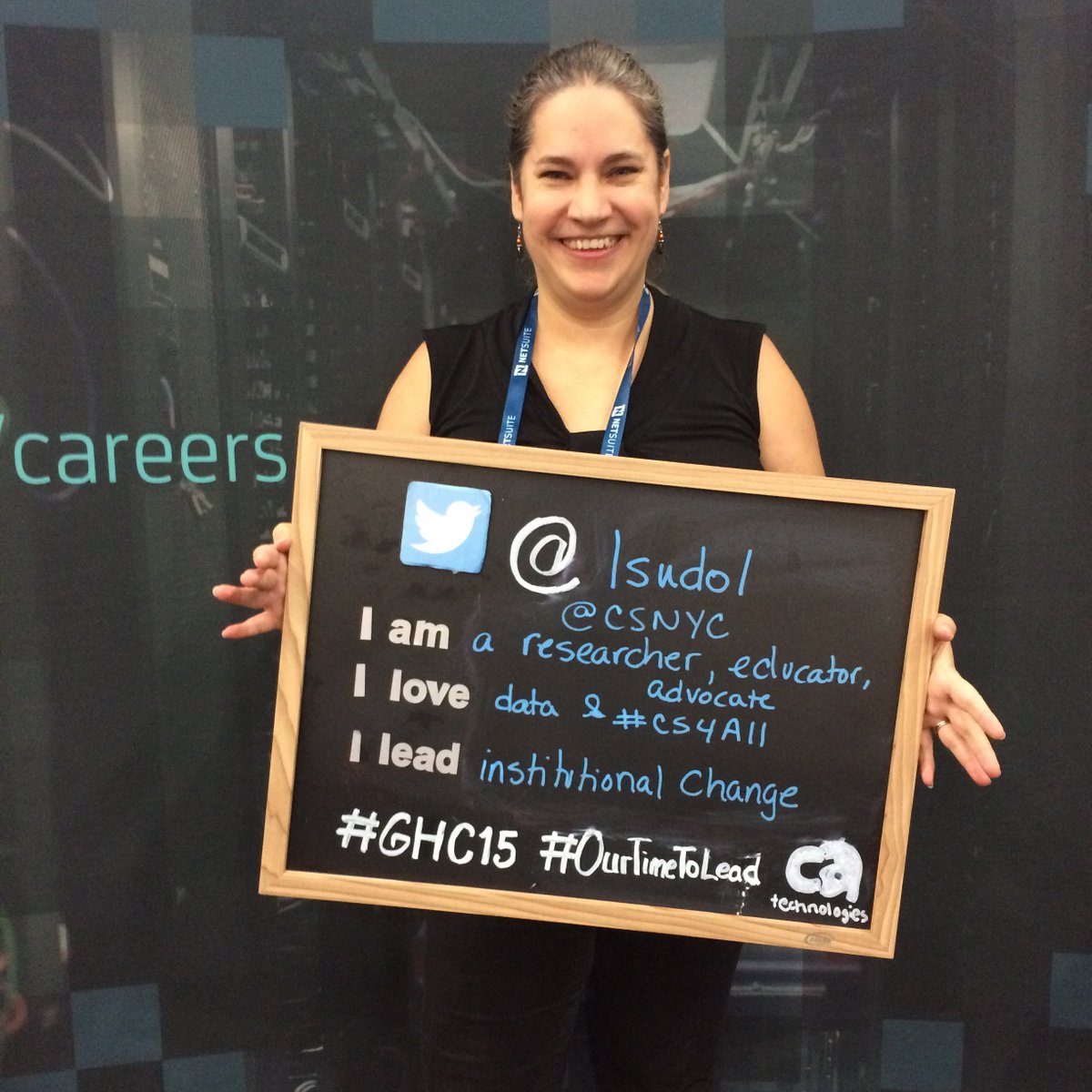
Assumptions and Best Intentions: Curriculum is not the biggest problem in computer science education Post by Leigh Ann DeLyser  @lsudol (Pictured below)

Embedded image permalink

Friday, October 23, 2015

Would You Like a Hint?

Students ask me why their program doesn’t work all the time. Sometimes they ask me as soon as a problem pops up. Usually they work on it themselves for a while. They also ask their peers for help. But sooner or later a lot of problems come to the teacher. This is where things get tricky.

Obviously just giving them the full answer is generally not the best idea. Students learn best when they figure things out for themselves. On the other hand the frustration level can rise high and fast at times. A teacher doesn’t want things to get to the point where a student gives up. So timing is the first complication. That can be very dependent on the student and the relationship they have with the subject.

Figuring out the problem yourself is a bit part of the problem. Often the student has not paid attention to the messages the system has given them. “What error message are you seeing?” tends to be my first question. Next it to ask the student what they think the message means. Sometimes that is enough to get them over the hump with the problem. It’s important to get students used to reading and understanding error messages. There is usually enough of a hint there for many problems. Sometimes the student doesn’t understand the message. This is often an opportunity to explain the words in the message and how they apply to the statement in question. Learning to read error message is a critical skill.

Student problems, like most programming problems , tend to fall into two categories – syntax errors and logic errors. This is where teacher experience really comes into play. An experienced teacher can usually figure things out quickly. Though occasionally a student manages to create a problem I have trouble with. This is actually a good thing because it gives me a chance to model debugging techniques. That is a sort of hint for students in and of itself.

The next complication is how much of a hint to give and how to word it. For example yesterday I had a student who was trying to compare a string variable to a constant. In C# string constants are enclosed in double quotes while char constants are enclosed in single quotes. The student was using single quotes. Several hint possibilities come to mind. One can simply say “Use double quotes in place of single quotes” that that will fix the problem. It doesn’t help the student to understand what they did wrong. Another option, which I took in this case, is to say “you can’t compare strings to chars in that way.”

With that hint the student still had to figure out what is a char in his statement and also how to fix things. This student was able to talk himself though the issue and look at the problem in several ways. A more experienced student would have seen the problem sooner. Of course this student is now more experienced than he was before and will probably spot this sort of problem quickly in the future.

Hints are not always easy though. There is a temptation to tell the student too much. At least for me there is. For others the temptation is to give too little a hint. It’s a balance. There are researchers working on developing automated hinting systems. It’s a wonderful idea but a difficult problem. One limitation I think they will have is customizing the hints to the student. I think most systems will start with tiny hints and more up to more complete hints as the student progresses (or not). That will probably work for most students. What do you think?

For the time being it is up to the teacher. Hinting is one reason I think we still need computer science teachers for most students.

Thursday, October 22, 2015

TechPrep -- a website to help people start programming careers

Facebook entered the efforts to help more people learn about programming yesterday with a new website. “TechPrep -- a website to help people start programming careers” It is a web site with links to all sorts of resources for learning. There are entry points for parents and for people who want to learn for themselves. As you might expect from a company like Facebook they have spent good money making the site inviting.

They have a nice section on why programming that includes stories from a very diverse set of people and jobs in the field. They really seem to want to highlight resources for under represented minorities.

I read some research recently (wish I could find the link) that says that many parents have trouble finding resources for helping their children learn about computer science and programming. The keywords they use are not always effective in search engines. Maybe the large reach of Facebook will help some with this problem.

Out of school programs have their place but I hope Facebook will be supportive of in school programs as well. Out of school learning often takes a certain level of resources that not every student has. Many students need school support and school resources. And personally I think that teachers add a lot of value that most learners really need.

Tuesday, October 20, 2015

Programmers vs. Idiots

I found this image recently and shared it on Facebook.

idiots

Reactions from my friends was interesting. Most agreed with my saying that I didn’t think programmers were doing enough to make software easy to use. One person pointed out that this image shows an arrogance that software developers too often believe that everyone else is an idiot.

Programmers often tend to write software that works for them. In other words they think that what is easy and logical to them is easy and logical for everyone. Well except for, you know, idiots.  That is very often not the case. In fact one of the reasons we have different people test software other than the authors is that if you know too much about how something works you can easily sidestep the limitations of it.

Making user friendly applications can be hard. I’ve got a couple of applications I wrote for my own use that I would never hand off to others.I know they are not user friendly. They are usable only by someone who knows a lot of details. I wrote them to be easy for me to develop. They are easy to use once set up with data entered in proper formats. Setting up that data is not trivial for a non-computer geek. That’s not because non-computer geeks are idiots but just that a certain amount of domain specific knowledge is required to jump though the setup hoops.

And that, the setup hoops, is where a lot of software gets hard to use. I’m a pretty savvy computer user but there is some software I don’t use just because I’d have to learn too much new stuff to set it up and run it. Oh it would be easy, I think, to use once set up but it’s not worth my while to go though the setup pain right now. 

A lot of complexity has to do with adding more features, more power, and more flexibility. Ease of use seems to be one piece that gets set aside from time to time. Tools become more powerful and perhaps even more useable by the high end user but lose the ease of use for the low end or casual user. It is a sort of sliding bar where the difference between the low end and high end stays the same but everything moves towards the high end.   

This can be a particular problem for those of us teaching computer science. Integrated Development Environments and programming languages that are designed for professionals are becoming too hard for beginners to use. Special environments for beginners are available but often the jump between them and professional tools is large and getting larger. There is no easy answer.

There are teaching/educational environments that have stages with the early stages having fewer complications and less power than more advanced stages. The idea is to ease people into the complexity and power. It’s a great idea. I just wish we had more of them, especially in specific development domains. Of course getting the right features at each level can be tricky as well. One wants to walk the line between enough features to make for interesting projects and the too many features that might overwhelm beginners. We also have to keep the gap between levels manageable. It’s a hard balance.

We need to have the conversation about ease of use with students. One thing we have to remind them of is that the ability to write code comes with a responsibility to create easy to use code. We need to let them know that the users are not idiots and that they deserve the respect of the coders. After all those users likely have domain knowledge that the coders may need some day. We certainly don’t want those users to treat us like idiots when we need their expertise.

Monday, October 19, 2015

Interesting Links 19 October 2015

I played around with social media statistics this weekend. Apparently some 7% of both my Twitter followers and readers of this blog are from the UK. That more than justifies me posting BBC Micro:Bit news. That’s my story and I’m sticking with it. Only about half of the people who read this blog are in the US. That was a surprise. India is the country with the second most visitors to this blog. Happy to have everyone.

Hopefully people become because they find useful information. So here now this week’s links.

TeachCS is a new program to help raise money to help computer science teachers pay for professional development. Teachers may use these funds to attend professional development programs for one of three NSF backed high school computing courses: Exploring Computer Science (ECS), Bootstrap, and Advanced Placement (AP®) CS Principles. The more students your school has on free-and-reduced lunch the more money you can get. US only because of where the public money comes from.

What can you build with a Micro:Bit? – This article highlights some interesting projects by actual students. Lots of fun stuff. 

High school students: Submit an app to the Congressional App Challenge & represent your hometown on the national stage

Code.Org has been studying the results of their programs to expand computer science. Recently they filmed a video presentation  Increasing Access to CS Education: Results of http://Code.org 's 2014-15 Evaluation

Good/bad news: CS is the top major for women at Stanford--while nationally the percentage  of Female CS majors dropped.

One thing every programmer should do to succeed in the tech industry, according to an ex-Microsoft engineer – short answer learn to COMMUNICATE!

"I would advise folks in software to do one thing, and that's write," he told Business Insider. "Learn how to write ... It's actually useful. You need to know how to express yourself. And it's really tough for a lot of engineers to step up and do public speaking."

Daniel Moix@moixland posted a very good video presentation called CS Praxis Pass By Reference Video Tutorial It’s a great review.

Chicago mayor calls for national CS and coding requirement for High Schools. “Just make it a requirement,” says Chicago mayor of computer science in high school Ah, if only it were that easy.

KidsCodeCS is a bi-monthly magazine about kids, programming, CS & how we use technology in our daily lives. https://KidsCodeCS.com Looks interesting. 

New from Garth Flint So You Got That Computer Science Teaching Job. Now What?

@csnyc Hosted a computer science pedagogy meetup. Want to see the video? http://bit.ly/cspedagog Several different presentations were recorded.

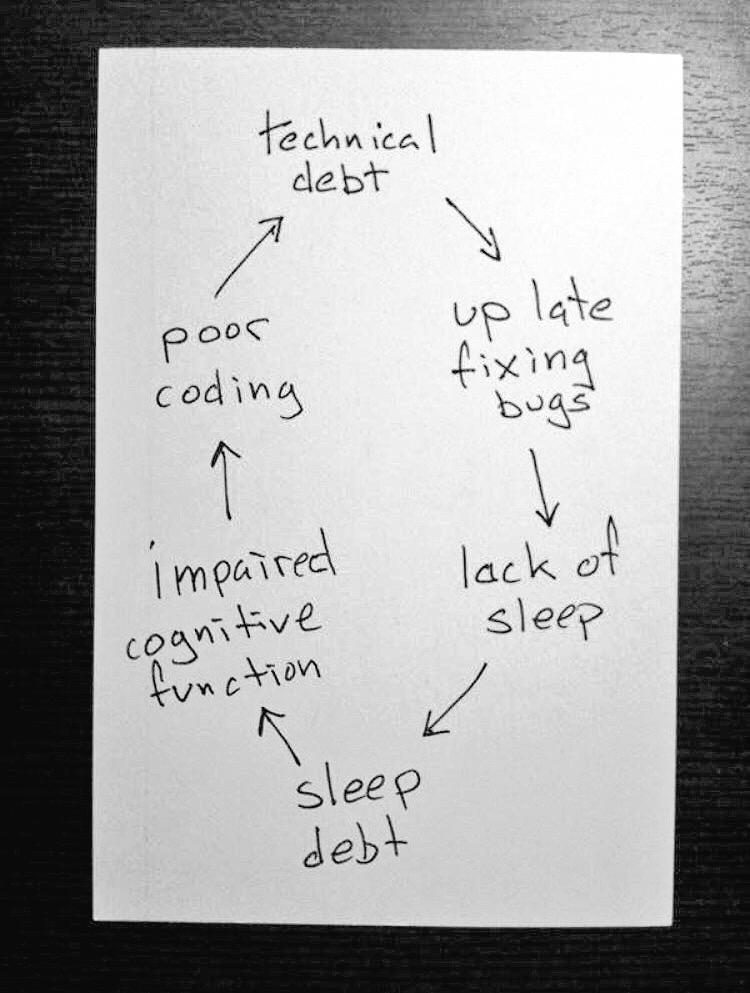
I think this graphic was aimed at professional developers but I have seen it in a number of areas. I’ve been the victim of this myself. Schedule some rest people. You need it!

Embedded image permalink

Friday, October 16, 2015

Autograders–for good or for evil?

Over 40 years ago I first graded programming projects. As an undergraduate lab assistant I reviewed student projects based on metrics from the professor. The professor assigned the grade in large part based on my review of how the project met the assignment goals. Grading coding projects was a pretty labor intensive process. For many of us it still is labor intensive today.

There are programs that evaluate programs that instructors can use. The CS 50 MOOC and in-person course out of Harvard uses one such autograder. Using it really got me thinking about autograders recently. After all automating labor intensive work is something computer science people think about all the time.

Recently I played around with using CodeHunt as a sort of autograder. I had my students copy code they had written previously into a CodeHunt puzzle. (The puzzle I used is embedded in an Office Mix at Palindrome Tester  if you want to try it.)

Having student using it emphasized a minor frustration I had with the CS 50 grader – it is very picky.  If the grader is looking for a return of “palindrome” and the student uses a capital “P” the grader judges it incorrect. A Binary right or wrong lacks any of the granularity that one would like to incorporate into grading. At least CodeHunt will give some weighting based on how a student solution compares to the canonical solution the puzzle writer used.

Recently CodeHS announced an autograder and made it available. (These Are The Autograders You’ve Been Looking For) They posted a link on a Facebook group for computer science educators. One of the replies there was from Mark Guzdial who really knows his stuff about what works in computer science education.

I'm deeply worried about use of autograders. Lecia Barker's research says that THE most critical factor in retaining students in CS (especially women and URM students) is using creative, relevant, meaningful assignments. Autograders steer assignments towards easily graded, cookie-cutter coding projects where creative solutions are a minus -- they're harder to autograde.

That comment really resonated with me. As I have been thinking about autograders one of the issues for me has been how to write an assignment that works with an autograder. I’d already thought about how picky they are and had been thinking about other limitations. The limitations I had been thinking about had been mostly technical and I hadn’t really thought about the creativity aspect. I hope I would have gotten there eventually but Mark’s comment brought it home immediately.

I like creativity in projects and I don’t mean just creative ways to get a narrowly defined answer. I alluded to this in a recent post (Just Don’t Turn Them Off  - more so in the comments) but it is a common thread in my ideas about teaching. An autograder that is hyper picky about spelling and punctuation is a little frustrating but an autograder that leaves no room for “creative, relevant, meaningful assignments” is likely to be deadly boring.

That doesn’t mean there is no role for autograders. I do like using CodeHunt for small exercises. And my students like it for the game aspects of it as well. But for major projects I think I really want interesting projects of the sort that do not lend themselves to auto grading. I also want to offer a lot of options for individual projects and that is likely to be more work to set up in an autograder than to grade manually.

So do autograders have a place? I think so. You can’t do a MOOC without them for example – though I am not so sure a MOOC is the way I want to learn or teach. They can be useful for the simple exercises that one wants students to do before incorporating a concept into a larger project. But they are not the end all answer to grading really interesting and motivating projects.

Thursday, October 15, 2015

Project Ideas Are Everywhere

Yesterday, like thousands of other teachers, I was proctoring the PSAT exam. Few things are less exciting that watching a room full of students fill in little circles with number 2 pencils. 

One does need to pay attention to the instructions though. They are a mix of clear and not so clear. Helpful and not as helpful. The different parts of the test are  25, 35, 45 and 60.minutes long and you have to get the start and end times right. The proctor’s booklet has a chart in the back to help you determine end time based on start time. No, really, they want to make sure you know that 35 minutes after 9:48 is 10:23 without you having to do all that heavy math. And yes, there was a column for 60 minutes later. Boggles the mind.

Naturally my second thought was “that makes for a good programming project.” You can probably guess what my first thought was but let’s not get into that. My friend Tom suggested the output should be a CSV file. That would make it easy to check and use.

There are all sorts of ways a table like this can be created of course but they all require loops. And they require that students take wrap around into account. I’m actually more curious to see what sort of solutions students come up with than anything else.

Of course we could also make a simple time differential calculator that takes a start time, a length and provides the end time.That might be fun as well. No loops in that one but some interesting math. It really gets into wrap around discussions are well. Computer science beyond programming for the win.

Wednesday, October 14, 2015

Just Don’t Turn Them Off

A couple of years ago two of my students were discussing my influence on motivating students into computer science. One was giving me much too much credit. The other was being more realistic but did say that I encouraged him and that I could have turned him off from computer science. Given this students great success, which I credit to his own intelligence and hard work – it’s all him, I am sure glad that I didn’t mess things up. Bad teachers turning students away from a topic is not an issue limited to computer science of course. But given the shortage of CS people this is a real concern.

As we expand computer science into more and more schools and more and more grades in schools the potential to excite more students about the field runs hand in hand with the risk of losing potentially great students. Are we careful about not losing the students who are not already interested? Or worse, driving away the students who are interested?

I’m a big proponent of teaching with enthusiasm and passion for the subject. I really want my students to see the fun, excitement, potential, and even wonder of computing. The goal it to “turn them on” to computing. Thinking “just don’t turn them off” seems like a defeatist attitude. They are two sides to the same coin though. Often what excites some students will be a turn off for others. Not everyone gets all geeky for esoteric operators and abstract concepts. Some people want to do interesting and artistic things with images. Some students like pretty graphical user interfaces what others like the clean simplicity of a command line interface. Do we try to use a range of different projects and exercises to appeal to the widest range of student?

All of this leads me to believe we need a wide range of computing experiences. We need to mix it up a bit if we only have one course, one chance to win students over. That is often the case in high schools for example. In lower grades we can’t always expect one teacher who teaches every subject to know 10 different ways to teach the same CS concept so the challenge is  extra real there. What was want, I think, is to see different ways of doing things at different ages and grades. The more side of the elephant that is computing that students are exposed to the more likely that they’ll find an aspect they like.

What we have to worry about is deadly boring “you have to learn this for the test” classes. We don’t need “filter” or “gatekeeper” courses that weed students out at young ages. We need courses that expand the possibilities and open doors for more students. It’s not always going to be easy but it is important that we try.

Tuesday, October 13, 2015

Live Coding and the Teachable Moment

The smart thing is to practice any code writing one is going to demonstrate in front of an audience. When I was was working in industry and preparing demos for presentations I would typically work though the program code several times before a demo. Over and over until I could get it right in my sleep. As a classroom teacher I sometimes get a bright idea 5 minutes before class starts. And that is where it gets interesting.

The other day I decided that as a class we would work out how to create a program to determine if a string is a Palindrome or not. I’ve done this several times over the years. It’s a great little exercise to practice string handling and loops. Later in the semester we will revisit it as we refactor it into methods. But I was doing it on the fly that day. It went very well. For a while. I kept things very simple.

Then I decided to get fancy which is seldom a good idea. I created an if statement that looked like this:

if (working.Substring(i, 1).CompareTo(working.Substring(working.Length - (i + 1))) != 0)
{
    isPalindrome = false;
}

It didn’t work. Can you see the problem? I didn’t. My students didn’t. It’s a horrible statement for understanding and debugging. There are just too many pieces all crammed together in one place. Just getting the parentheses balanced took a while. I know better than to write code like this but I was winging it. It wasn’t in my plan at all. So what do you do when demo code doesn’t work? Obviously you pretend it was done on purpose and model debugging methods.

The first step was to make things easier to see via the debugger so I broke the code down a little:

temp = working.Substring(working.Length - (i + 1));
if (working.Substring(i, 1).CompareTo(temp) != 0)
{
    isPalindrome = false;
}

It’s a lot easier to read and understand already though of course it could be simplified more – and probably should be. If you understand that I want to be comparing single letters you can probably see the error now. The Substring command on the first line is missing the second parameter which specifies how many characters to use. This became immediately obvious when I put the program into the debugger and looked at the values of temp. It wasn’t so obvious in a mash of lots of nested parentheses, parameters inside of parameters and generally to much “stuff” in one statement.

This led to a discussion of simplifying code to make it more readable, more debuggable and more maintainable. We’ll continue the discussion next class.  Just don’t tell my students I didn’t do this it on purpose ok?

Monday, October 12, 2015

Interesting Links 12 October 2015

I’m not in school today. Columbus Day holiday here in the US. A bigger deal is that my grandson stayed over last night. I love being a grandfather. He’s only a year old. Not quite ready to learn to code but when he is I’ll be ready. Now for some links. Some funny, some about jobs, some about news and programs and some about resources. Take a look and I hope you find something useful.

US law declares STEM includes Computer Science. Many, perhaps most,  STEM programs don't reflect this.  This is big news.

Can I start a coding club?  Katie O'Shaughnessey @KTOCompSci starts up an aftert school coding club for middle school students. A gre3at age to g et them started because they don’t “know” coding is supposed to be hard.

6 Youtube Channels For Beginner Raspberry Pi Users  - yet another thing I would like to try to find room for in my curriculum.

The TEALS team is looking for people who Want a Job Expanding Computer Science Education.

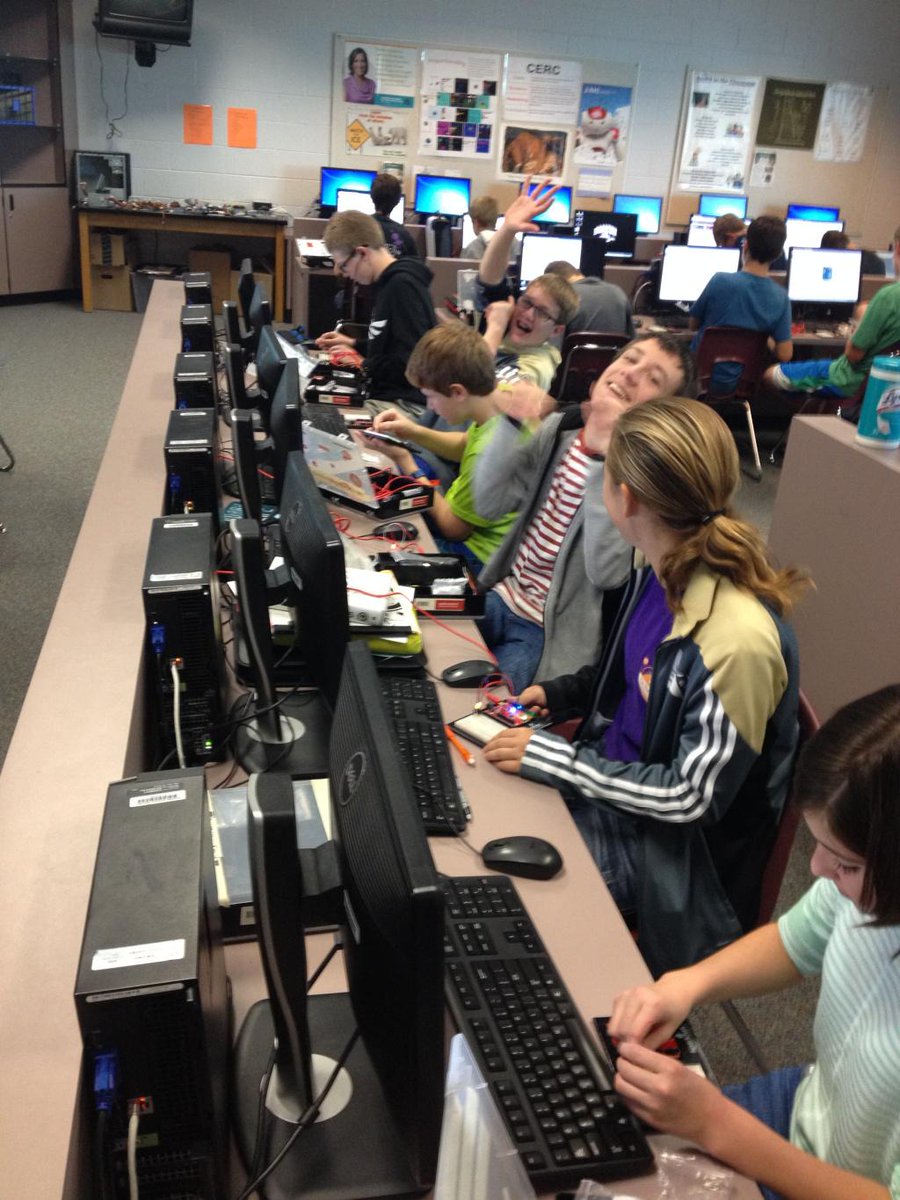
 Dawn DuPriest@DuPriestMath has a great post titled “My girl programming students have been great. Better than the boys!” Why you should never say this. A bunch to think about here. I struggle with trying to make my class comfortable for both boys and girls but I’ve never been a girl myself so I know I miss a lot. The picture below is Dawn’s/ Looks like they are having fun.

Embedded image permalink

NSF is hiring a permanent program director in Computer Science Education. This is big: more funding -> more research -> better teaching.

I had not heard of the Allen Distinguished Educators program Allen Educators ‏@AllenEducators Until they tweeted - Teachers: We need you to Inspire, Enable & Empower. Apply to be one of the next Allen Distinguished Educators Check it out. There is money involved.

The Allen Distinguished Educators (ADE) Award honors K-12 teachers who create innovative, student-directed programs focused on computer science, engineering and/or entrepreneurship skills.

What we can do to unblock the bottleneck [shortage of CS teachers]: Incentivize CS teachers, grow more pre-service CS teacher ed by Mark Guzdial at @blogCACM

The Try Guys Try Coding With Girls Who Code – this is kind of funny. Though I am still not 100% sure what to make of it. 

Speaking of funny. I’ve seen this before but I’m not sure I have shared it here. Recognize you or any of your students here?

Embedded image permalink