Wednesday, August 24, 2016

Cutler-Bell Scholarship Deadline November 1 2016

Dave Cutler and Gordon Bell have funded an amazing CS competition for American high school students. Last year’s winners had some truly impressive projects. Do you have a student doing some out of the box thinking and building something impressive? Have them look into entering this event. There is money and recognition in it for them.


The ACM/CSTA Cutler-Bell Prize in High School Computing is a prize designed to recognize talented high school students intending to continue their higher education in the areas of computer science or technology. The program seeks to promote and encourage the field of computer science, as well as to empower young and aspiring learners to pursue computing challenges outside of the traditional classroom environment.

The prize is a made available through a $1 million endowment established by David Cutler and Gordon Bell. Dr. Cutler is a software engineer, designer and developer of several operating systems including Windows NT at Microsoft and RSX-11M, VMS and VAXELN at Digital Equipment Corporation. He is Senior Technical Fellow at Microsoft. Dr. Bell is an electrical engineer and an early employee of Digital Equipment Corporation where he led the development of VAX. He is now a researcher emeritus at Microsoft Research.

Up to four winners will be selected annually and each will be awarded a $10,000 prize which will be administered through the financial aid department at the university the student will attend.

Eligible applicants for the award will include graduating high school seniors residing and attending school in the US. Challenges for the award will focus on developing an artifact that engages modern computing technology and computer science. Judges will look for submissions that demonstrate ingenuity, complexity, relevancy, originality, and a desire to further computer science as a discipline.

The application period for the 2016 award is scheduled to open May 1, 2016 and close November 1, 2016. The winners are expected to be announced in January of 2017. 

Any questions? Contact us at awards@csta-hq.org.

The Cutler-Bell Application deadline is November 1!

**Click here to apply for this year's award**

Monday, August 22, 2016

Interesting Links 22 August 2016

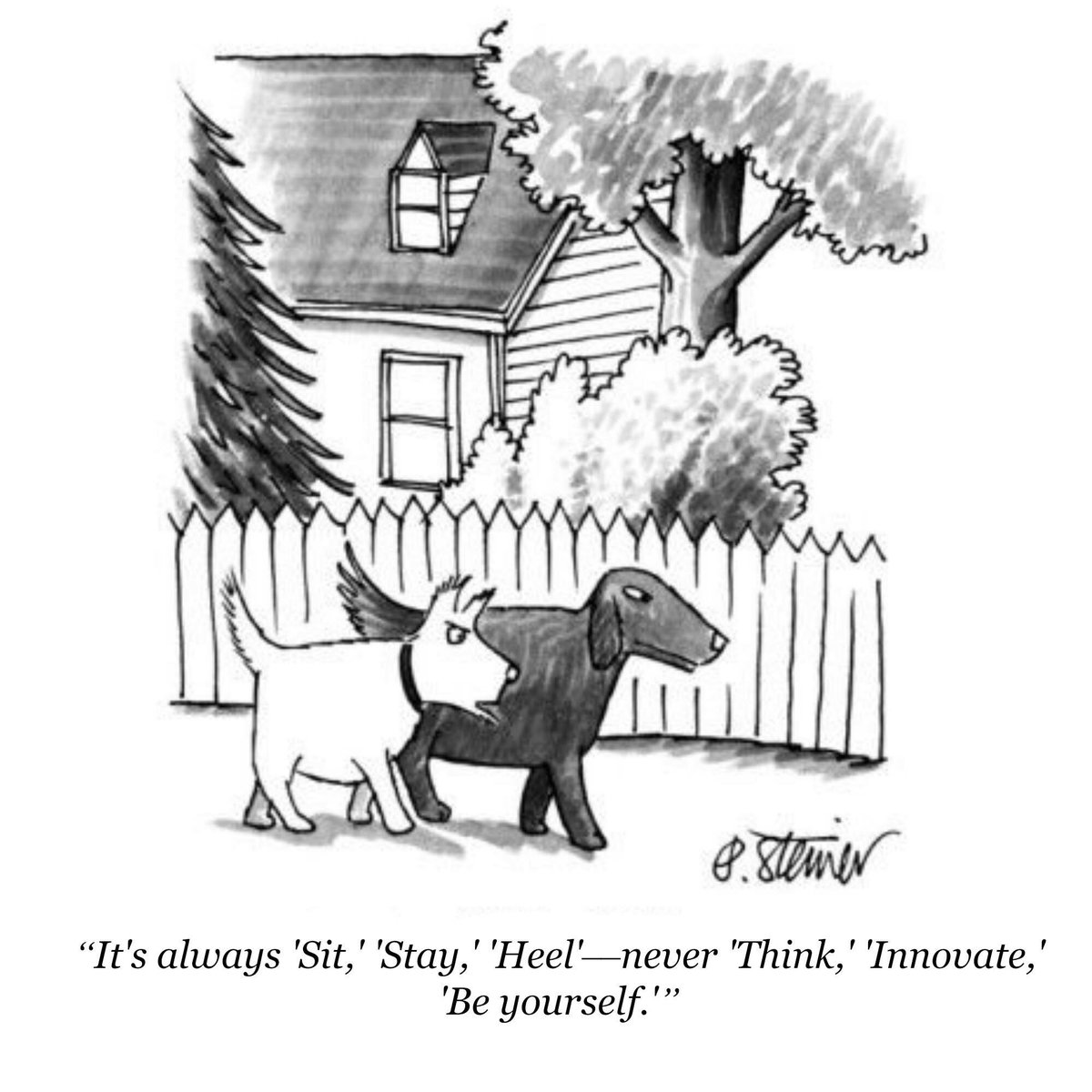
I meet my new freshmen students today. I hope they are as excited as I am. Should be a good year with lots of interesting things to try with my students. It starts with an attitude shown by this cartoon. I want to get them DOING things. New things. Innovative things. Projects that are about them!

And now some links.

Wisconsin eyes model academic standards in computer science actually they are looking for feedback. I hope they look at the CSTA Standards and the K12 CS Framework. 

Scratch now has  Educator Accounts That should make some things interesting and even easier for many teachers.

Microsoft announced the new Microsoft Innovative Educators Experts and Showcase Schools Spoiler alert: I was named an MIE Expert for the second year in a row. Great company to be included in. 

School study of computer science key to Irish knowledge economy  via @IrishTimesBiz People are seeing the need for more CS education everywhere th3ese days.

From Computational Thinking to Computational Participation in K-12 Education Really good and thought provoking post by Yasmin Kafai

imageStudents who are interested in creating apps should check out the Congressional App Challenge

Intel's Joule is its most powerful dev kit yet  via @engadget A bit pricy but looks like it might work for some makerspaces.

Supports for blind CS students: Guest blog post from Andreas Stefik /  via Mark @guzdial as a follow up to a post I linked to in last week’s interesting links post.

Monday, August 15, 2016

Interesting Links 15 August 2016

Teachers report on Friday this week for back to school. The College Board was making a big thing about Advanced Placement Computer Science Principles starting for real last week. Are you back yet? Seems like just yesterday we were celebrating spring graduations. I’ve been on social media less than usual or maybe e it’s been quiet as so many people get ready for school. In any case just a few links to share today.

Sheena Vaidyanathan took on the question of What’s the Difference Between Coding and Computational Thinking?  Her illustrations are a bonus

Technology allows us to teach students where they are.” /  I was interviews for Anthony Salcito’s blog highlighting teache3rs. It came out fairly well though I wish I hadn’t used the term “real computer science” in one reply.

Programming and learning CS when legally blind  by Mark @guzdial a must read if you care about #CSforAll No really you must read it.

Lastly US New Online edition did a piece on Get Experience at Top Tech Companies as a Teenager. I’m quoted but it is still a good article with some good information and links.

Tuesday, August 09, 2016

Trip Report: Advanced Placement Summer Institute

My school will be offering AP CS Principles in the 2017/2018 school year so it was suggested that the current computer science teachers attend an AP Summer Institute to help us prepare. Sounds like a good idea so Tom (Indelicato my department chair) and I signed up to attend the Institute in St Johnsbury Academy in nearby Vermont.

image

The APCSP workshop was taught by Jackie Corricelli​ who has been a pilot teacher of the CS Principles course for several years and has had a lot of training on the course. I learned a lot. One of the things that impressed me is that she models what she teaches. The workshop was very participatory and we worked though many of the things she has her students work though in her classes. This is a lot better than a “sit and get” sort of presentation that takes place too often in PD events. I recommend her workshops if you are looking for one for next summer.

I’m taking a lot of ideas home with me. Obviously I feel like I have a much better understanding of the performance tasks that students taking APCSP will have to do. That is probably the main reason I felt I needed more formal training than reading a book. The tasks have given me some ideas for my earlier courses as well. I’ve been making changes to our Explorations in CS course based on these ideas. I’ll also make some changes to how I have students  turn in and document programs in my honors programming and mobile apps courses.  Good ideas are ideas that work in different courses and levels.

Being in school full time is interesting. Living in a dorm, eating in a cafeteria, after school activities. It was sort of like being back in college again. Although the food at St Johnsbury is quite a big step above the cafeteria food I grew up with.  Dorm rooms are dorm rooms and I have stayed in a number of them over the years I have been teaching. The ones at St Johnsbury were pretty nice for dorm rooms. I don’t think HS students mess with their rooms as much as college students do.

They had a lot of adult interest activities in the late afternoons and evenings as well. It all made for a really good experience. Added on was the social time at meals and afternoons when I got to talk with other teachers. That was valuable and helped me work though a number of ideas and concepts. Picking the brains of other teachers is always helpful.

I’m very pleased with what I got from this Summer Institute. I recommend both the instructor and St Johnsbury..

Monday, August 08, 2016

Interesting Links 8 August 2016

Today is back to school for some students. Also for some teachers. I know some teachers who reported to school last week. Whoa! It’s getting close for the rest of us. Many teachers at my school were in last week to pickup new faculty laptops. Some really nice ones with Windows 10 and touch screens. Better (more performance) than my Surface. Though the Surface will still be my travel computer because is is smaller and lighter.

As it is I have started to put together some new resources for teaching various topics this school year. Some of the links below will be used by me. I hope you find some of them interesting and helpful.

Are colleges and universities really teaching courses like the new Advanced Placement Computer Science Principles course? Mark Guzdial has a list of College-level CS Principles Courses

Please take this Internet bandwidth survey to help a teacher. There vis a lot of data that that you could use in your own class BTW.

What are you doing to achieve #CSforAll? The White House wants to know

5 Free Cyber Security Courses to check out. A topic growing in importance and attracting more interest from students.

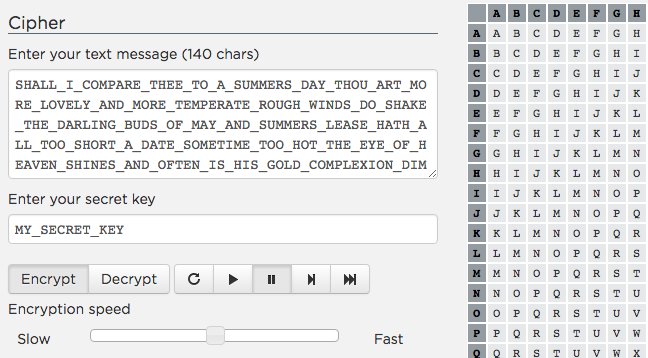
Code.org has four new tools for teaching the Internet, Encryption, pixilation and data compression. They’re pretty cool and I plan to use several of them this year.

Monday, August 01, 2016

Interesting Links 1 August 2016

In parts of the US, teachers start returning to school this week. I'm not one of them but the time is approaching. Fewer than three weeks to go for me. It’s been a crazy busy summer for me. Last week was a week long Advanced Placement Summer Institute for AP CS Principles. A good session and I learned a lot. Trip report coming soon.

In the mean time a bunch of interesting links and some humor (at the bottom of the post) to share with you to start your week.

Doug Peterson seems to always come up with new and interesting ideas for projects. If you like programming assignments involving string manipulation as much as I do you’ll want to check out his post called  A cutie-pie string problem

The Future of Computing Education is beyond CS majors: Report from the Computing Research Association (CRA) Snowbird conference of deans and chairs of computing by Mark Guzdial.

NASA's 10 Coding Rules for Writing Safety Critical Program -   The focus is on C programs of some real complexity but there are some good ideas even for beginners in this post.

Google RISE Awards - annual grant program for informal edu orgs who promote CS for K-12/pre-university age youth
“The RISE program supports and connects not-for-profit organizations around the world to increase equity in CS education with a focus on girls, minorities who are historically underrepresented in the field, and youth from low-income communities.”

For your geeky pleasure - Decimal, Binary, and Hexadecimal Odometers – something fun to show students perhaps. Or maybe an example to ask them to code up? 

College Board Hopes to Broaden Access to CS With AP CSP the largest AP debut- ever!

Coding across the primary curriculum  Great post by Miles Berry by @mberry Miles is a really smart guy. He’s now on the CSTA Board where he brings a lot to the table.

150 Members of Congress from 38 states signed up to participate in the 2016 Congressional App Challenge  Has yours? Check it out as something with potential for your students to get involved with.

Sunday, July 31, 2016

Computer Science Should Be Its Own Requirement

There is an idea that high school curriculum is a bit of a zero sum game. In other words that adding something new can only happen if something else is removed. To some extent that is true. A lot depends on various graduation requirements of course and same places have more room in the schedule than others. But any change in graduation requirements becomes a political issue of sorts. Computer Science, trying to cut out a place for itself, runs into this all the time.

Last week the National Council of Teachers of Mathematics issues a statement called  Should mathematics course requirements for high school graduation be satisfied by computer science courses?   George Reese wrote a very good Reaction to the NCTM Position Statement

The NCTM position worries that more CS will mean that students will get to college without enough preparation in mathematics. They suggest that CS should only count as a math credit if there are four years of math required for graduation. I’m sure science teachers feel the same way about CS counting as a science requirement. And language teachers about CS as a language requirement. None of these groups want to lose teaching slots for their fellow subject matter teachers. Ah, I mean, none of them wants to see students have less than adequate grounding in math, science, or language.

To me this brings out a bigger problem. I think CS should be required as a CS credit. I don’t see that happening anytime soon – politics – but it is a goal we should be working towards.

Wednesday, July 27, 2016

Advanced Placement CS Principles Off By One Errors

I’m learning about the new AP CS Principles class the week. There is some good stuff in it. On the other hand the arrays in the pseudo code that is used to write language independent questions uses one based indexes rather than zero based arrays. This is going to make things interesting.

Most modern text based languages (C, C++, C#, Java, etc.) all have arrays where the index of the first element is zero. Many block based languages (Scratch for example) have the index of the first array element be a one.

As I understand it the logic behind the decision is to make it easier for students who learn with one based arrays. It does disadvantage students who learn with zero based arrays of course but I suspect the “powers that be” expect most AP CS P courses to be taught using block based languages. They may be right.

My school is still deciding what language to use for APCSP (we’re not offering it for the 2016/2017 school year but the year after) but this issue is one we will have to face eventually. Other schools who are using languages like Java and Python will be facing this issue this year. Oh boy!

I think it would be nice if array based questions on the exam include a reminder comment about the index start. Some will argue that it is covered in the handout and that teachers should prepare their students for this issue. And they would be right but under the stress of answering 74 questions in 120 minutes I think a tad extra reminder would be a good idea. Discuss!

Tuesday, July 26, 2016

Collecting and Grading Programming Projects

No one like grading. Well no one I know. But as teachers it is an essential part of what we do. Grading programs can be a real pain to do though. Do you run every program? Well you probably better. Do you read all of the code? Probably better do that as well. How do you collect it? On paper? Online? A lot to think about. Bare with me as I “think out loud” here looking for input from others.

My students save all of their programming work on a network drive that I have full access to. Assuming they follow directions, give files the names I ask them to use, and save things in the right place we’re off to a good start. Easier than it sounds but let’s assume it works. It usually does.

Opening up the project in the IDE used to develop it is the simple most powerful way to look at the code and run the resulting program. IT an take a while depending on the size of the project, the speed of the network and the speed of the computer.It’s not really necessary if the program compiles. One can just run the executable – assuming one trusts that the executable matches the code.

One can also ask for the code to be printed out and handed in. I do that a lot but it feels like a waste of paper. On the other hand reading code on paper feels better to me than reading it online. This is probably a result of me being old school and dating back to before we had screens to read code on and it was look at the cards or a listing or nothing.  I miss the color coding of the IDE though sometimes. Like those times when I think there is a problem somewhere in the code.

I’m thinking of having students create a Word document (or PDF) for handing in code this year. I’ll ask them to include a couple of screen shots of the running program at the top of the listing. That way I can see how their results look without running anything. I’m unsure if that will actually save time or not. Will it also open the door for more cheating? I hope not but it is something I will watch for.

I’ve been learning about the way projects have to be submitted for the new AP CS Principles course and that is moving my thinking about a bit. IT seems like doing something similar even if not exactly the same might have the added benefit of preparing students (and me) for the APCSP course which my school will be offering in 2017/2018.

Feedback is the other issue in grading. I have experimented with a couple of programs to record my feedback and grade justifications for both students and myself. Basically I have the result saved in each student folder on the network drive. Files are less likely to be lost or misplaced than pieces of paper. Plus my typing is a lot easier to read than my handwriting. I plan to keep this up this year but I also want to upgrade the rubrics I use and the programs I use to make it easier to provide more details than previously. What I use now   if very basic.

I’ve experimented with the rubric developed for Harvard’s CS 50 course. I like it for the most part but I want to tweak it some to fit what I think I need to provide for details. I’m open to other rubrics or grading plans as well if you know one that works well for you.. No matter what method I use for collecting and reviewing projects a good clear rubric that students understand is critical.

Monday, July 25, 2016

Interesting Links 25 July 2016

Blogging just hasn’t been my thing the last two weeks. Too much travel, too much work around the house when I haven’t been traveling, and I really need to do more prep for the new course I am teaching in September. Speaking of preparation and travel, I am in St Johnsbury Vermont this week learning how to teach the new AP CS Principles course. Thankfully not starting in September as two new course in the same semester would be a bit much. Not that CS teachers don’t face that a lot but really I’d like to avoid it if possible.

A lot of these links came from the Annual CSTA Conference the other week. I tweeted a lot while I was there. Some are from later. There are more than usual. But as usual I tried to pick out the best of what I saw in hopes of not wasting your time. Enjoy!

Speaking of the Computer Science Teachers Association – have you seen the new logo and website? I like it how about you?

The Beauty and Joy of Computing - CS Principles Part 1 - starts on edX on September 6. If you are thinking about starting AP CS Principles this may be a good place to start.

Coding Resources for non-Computer Science Teachers – we’re seeing more and more teachers who do not have a CS background being asked to step up and teach CS. This is a useful list for them.

Building Computer Science Teacher Pipelines at CSNYC  h/t @lsudol New York City has big plans for adding more CS education and filling the teacher pipeline is a big part of it. Take a look at some of their plans.

Interesting trip report (not by me) on the Snowbird conference focusing on talking about CS Education research. http://blogs.uw.edu/ajko/2016/07/20/snowbird-trip-report-automation-education-and-academia/

The Allen Educators program is still somewhat new to me.@AllenEducators and it is not just for CS teachers.

Dawn DuPriest writes about it on her blog at The Allen Distinguished Educator program and grants

Meeting the need for AP CSP at Georgia Tech  by Mark @guzdial Teaser: It’s not by adding a new course patterned after AP CS Principles.

OK what is interesting about this new camera from Nest is that they are building software so that it recognizes the difference between people and not people (animals, leaves blowing in the wind, etc.)
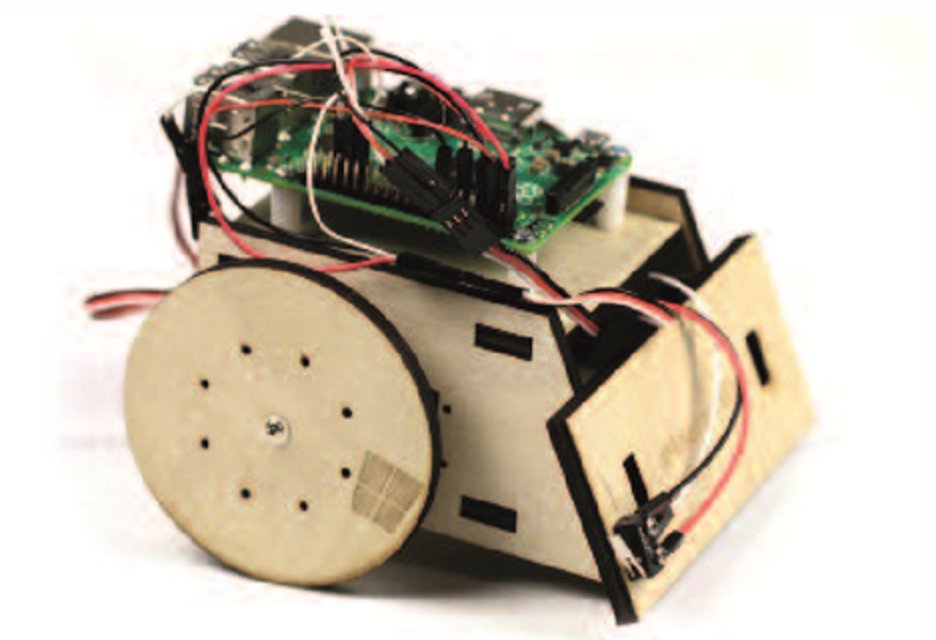
Read about it on Wired or the Nest official outdoor camera website.

Microsoft announces professional degree program to fill the skills gap via @techcrunch People have been asking Microsoft and other t3ch companies to run their own university courses for years. Is this a good idea? I’m not sure and I tend to be a MOOC skeptic but still an interesting development.

Looking for a Crypto101 Introductory Course for Programmers  This may be an option.

Small Basic Pi – “Small Basic, one of our favorite learning languages, marry that up with the Raspberry Pi and you got some tasty IoT”

Build your own robot with #Internet of Things and Raspberry Pi! See how:  One day I’ll have time to do this.


Great rubric for evaluating CS resources from Saber Khan ( @ed_saber) at informative #csta16 session. I love these suggestions.

BBC micro:bit lessons via @YouTube These devices may be coming to the US. When? No idea but if you are in the UK and have them check out these videos.

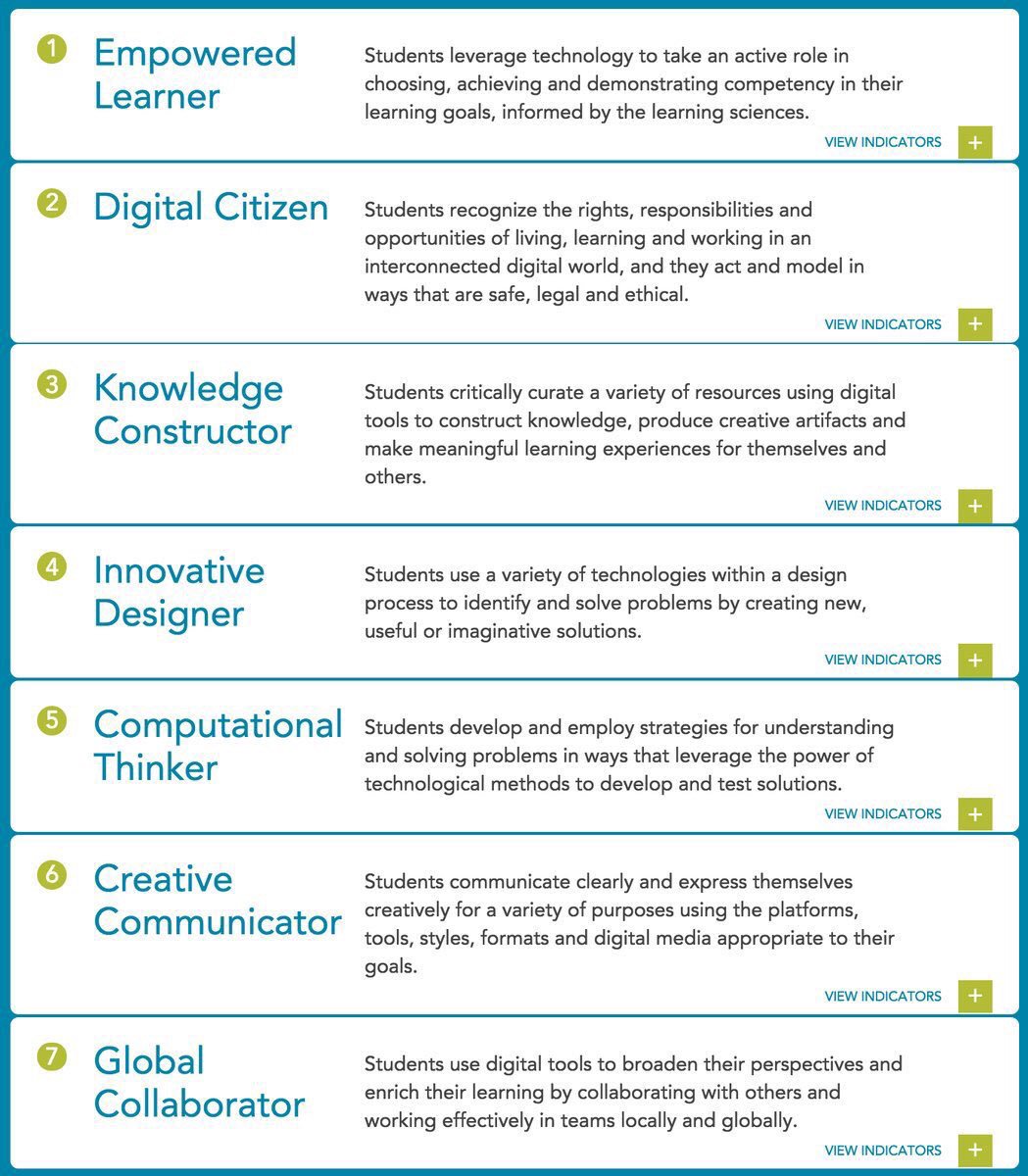
Here they are! The new ISTE Standards for Students

Speaking of standards have you seen the New CSTA standards at http://www.csteachers.org/page/CSTA_Standards

The ScratchEd Teamis crowd-sourcing a list of cross-curricular Scratch projects. Add your suggestions here: http://bit.ly/scratchacrossthecurriculum …

Saturday, July 16, 2016

Picking a Platform for Teaching Mobile App Development

Come late August I’ll be teaching a course in Mobile Application Development. It seemed like a great idea when we were discussing new courses to add to the program of studies. Now it appears to me that picking a development platform is easy if you only have to teach one set of devices: iOS or Android Of course Windows Phone is by far the easiest platform to develop for but I am pretty sure the students who have signed up want to develop for their phones. Previous surveys I have done at school suggest the split will be about 60-70% iPhones and 30-40% Android phones. So I need something that works on both. Ouch!

I’d prefer a text based language but a drag and drop or block based language would probably work. Most of those create apps that run in the browser which is ok but never really feels like a “real app” what ever that means these days. What I’ve looked at in that area are TouchDevelop and code.org’s AppLab.

AppLab is pretty cool and gives easy access to cloud data which is a plus. It doesn’t seem to give access to phone features such as accelerometers, GPS, and cameras. I’d really like that to make the course relevant to phones. TouchDevelop, which I have some experience with and even a few lesson and project plans for, does give access to phone features. I need to find out more about cloud data. I think it is there but am not sure how easy it is to use yet.

For text based languages the only real option I know about so far is Visual Studio with Xamarin. I know it lets me do C# and build for both iOS and Android but I don’t yet know how hard it is to deploy to them. I believe that deploying to iOS requires a Mac which I do have access to but I don’t yet understand how that connection works. Hopefully YouTube has something on it.

What I’d really like is to talk to someone who has already done something like this. What worked? What didn’t? Typically I get people who say things like “I haven’t done it myself but this should work.” Ah, thanks, but “it should work” I can usually figure out myself. I’d like to same myself from having to try a lot of things that should work and go right to things people know works.

Next week I start trying things in earnest. Hopefully the computers at school have had their memory upgrades – emulators take a lot of memory. And I can play with the Macs there. But I’m still open to suggestions here. Anyone I know done this already and can save me time?

Monday, July 11, 2016

Interesting Links 11 July 2016

Yes I’m late with this week’s interesting links. In my defense I have been extremely busy the last four or five days. Last Thursday and Friday were the CSTA Board meetings. Saturday was helping to set up for the CSTA conference. Sunday and today have been the first days of the CSTA Conference. With over 500 attendees the place is hopping. I’ll have a post or two about the conference later in the week after its over. In the mean time if you are not at the conference but are on Twitter follow the #CSTA16 hashtag for a lot of great stuff going on.

But for now a few links including some things I have learned at the conference.

The ScratchEd Team ‏is crowd-sourcing a list of cross-curricular Scratch projects. Add your suggestions here: http://bit.ly/scratchacrossthecurriculum

The new CSTA K12 Computer Science standards are now available at http://www.csteachers.org/page/CSTA_Standards

I learned about this How-To: Papercraft Enigma Machine at one of the workshops at the CSTA Conference. This link may be the most retweeted link I have ever tweeted. Looks like fun.

David Renton ‏posted Resources for creating a Flappy Bird game in < 2hrs with TouchDevelop & @Spriter2D

Problem solving or solving problems via @dougpete Should we rethink how we write Computer Science Textbooks? Take a look at Doug's post and let us both know what you think.

There is a new Hopscotch update is now out ! Download now for new blocks and features to power up your projects. http://hop.sc/29uda4M

Thursday, July 07, 2016

Secretary of Education Hosts Tea with Computer Science Teachers

Once a month a small group of teachers is invited to have tea with US Secretary of Education John King. June was the month for computer science teachers and I was honored to be one of 14 teachers from around the country to be invited to meet with the Secretary at the Department of Education in Washington DC. US DOE

In his welcoming remarks Secretary King spoke about how important he and President Obama felt computer science education is for students. While he mentioned jobs I was pleased that he sees CS as more than vocational training but as an important liberal art that helps all students better understand the world around them. That is all too often left out of the conversations.

Of course there is only so much the Department of Education or the President can do about supporting CS education without help from Congress. There is currently a request for $250 million dollars to be included in next year’s budget to support computer science education. This action seems to have bi-partisan support and the Computer Science Education Coalition (who hosted lunch for he teachers earlier in the day) has been bringing industry and NGOs together to back the request.

US DoE AlfredTeachers did most of the talking after the Secretary's brief remarks. The Secretary (and his staff) took copious notes and were very focused on listening.

Equity was a big topic. Access to all is a big deal as too many students never have a chance to learn CS.Teachers talked about how important it is that all school offer CS at least as an option. It is better as a requirement though as we can’t count on everyone to self select into CS. We talked about making CS relevant and interesting. While it is intrinsically interesting to many of us in the field students need to be shown its power, it’s options for creativity, and how it can make a big difference in the world.

We were asked about the importance of starting CS early. Was HS soon enough? Teachers pretty much all agreed that it was important to start CS earlier. Middle school at the latest. Students are making too many decisions about their academic paths too early to wait until HS to expose them to CS for the first time.

Teacher training is a big deal as well. One teacher pointed out that it takes less training to allow an elementary or middle school teacher to teach some basic CS than it does to prepare a HS teacher for a full blown CS course such as the Advanced Placement course. On the other hand getting students all excited about CS at a young age but not having more advanced options in HS can be a problem. So we really do need it throughout the system. We need a lot more professional development at all levels though.

I left feeling listened to and that the Department of Education, the Secretary, and the President really do want to support computer science education. Now if we can get Congress onboard we can see some real progress in bringing CS for All.

More pictures from the Computer Science Tea With Teachers can be found at the Department of Education Flickr page

Three Legs to a Successful Computer Science Curriculum

Summer is a great time to think. I’ve been fortunate enough to have several opportunities to talk to other computer science teachers this summer. And will have more next week at the Annual CSTA Conference. It seems to me that the best computer science programs have support from three areas:
  • · A good teacher (or teachers)
  • · A supportive school administration
  • · A supportive IT support person/organization
The teacher “leg” is pretty obvious. The teacher doesn’t have to be the most knowledgeable person if they can make up for that with courage to trust students and the willingness to always be learning. Enthusiasm for the subject is important as well.  There is no one way to describe the good CS teacher. There are many kinds of them.

Administration has to, at a minimum, stay out of the way. I’ve seen some great CS programs where the building principal appears not to have much of an idea of what is going on with CS. But they let the teacher run their program. Of course it is better still to have active support from administration. You really want a building principal and district level administrators who help to provide resources and encouragement for a computer science program.

The IT and network support seems to be the hardest “leg” to find. In a small school the CS teacher and the IT department may be the same person. That can work out fairly well but it really puts a strain on the teacher. It seems as though IT issues take a lot of time away from teaching for the teachers. That is why a separate IT person (or team) can make a huge difference. IT departments can put crippling restrictions on CS teachers or they can help them make the most of available resources.

A lot depends on how they (the IT people) see their mission. You really want IT people in a school who see their mission as enabling education to take place and not just to make their lives as easy as possible. I’ve seem IT departments who take weeks to fix problems with a student account and I have seen IT departments who will drop almost anything to get a student back online and in the program. You can imagine which schools have the better CS programs.

Administrators have a key role in ensuring that IT supports rather than hinders CS education. I’ve heard a lot of stories of principals and even superintendents say “my IT department will not let me do that.” You’d think the IT department ran the district rather than the IT people working for the administration. Fear is a big part of that. Far too many school administrators don’t know much about the technology they use so they defer in too many cases to an IT person who is looking for an easy way out. Administrators who have good CS teachers, especially those who spent time working in industry, have a second resource – the teacher – they can turn to for fact checking.

Ultimately teachers, administrators, and IT people have to work together with a single mission – providing the best CS curriculum possible for the students – for a CS program to really live up to its potential.


Wednesday, July 06, 2016

Must and Should Are Not The Same Thing

I came under some criticism for a comment I made on Facebook earlier today. I asked “I wonder how many high schools teach Calc AB to students who have not had math previously?” This is in response to discussion of AP CS students struggling when APCS was their first CS course.

This was called “troll bait” because “We teach intro compsci at most colleges to students with no prior experience” While it is true that intro to computer Science it taught with no prior experience I question if that is really a good thing.  It’s a necessity in many cases of course. But should it be? I think not. I really believe that most students would benefit from at least a one semester CS course before taking AP CS A. There is just too much material for most HS students to take cold.

Computer Science is moving very quickly and change is constant. When I took my first computer science course (in college) over 40 years ago high school CS was basically none existent. In fact college CS was still fairly rare. The things I learned in my first college course were probably very close to what I teach in a first semester HS CS course today. And that course is no where near what the current AP CS A course is.

If you look at the ACM/IEEE CS 2013 recommendations you will find that a university computer science program should offer far more than a student could possibly take in four years. Perhaps even in five. Logically, well in my opinion at least, university programs would be much better off if CS students came with some prior background in  CS. My critic on Facebook pointed out that they don’t accept students in the university without prior math background. True!

I doubt anyone would suggest making CS a requirement for admission to computer science in college or to college itself. Computer Science in high school is still far too rare for that. Making prior CS a requirement for admission to a university CS program would be far to restrictive today. Will it always be the case? That’s hard to say even with a lot of efforts going on to expand CS to all students.

As much as an Advanced Placement course is supposed to be similar to a college level course the fact remains that we don’t teach it exactly the same. We can’t because students are not ready for that. We may cover the same material and we do have high performance expectations. But we take a lot more time teaching it for one thing. And we probably coach a lot more. Requiring a prior course is a reasonable thing. After all we do have pre requisites for other AP courses don’t we?

Monday, July 04, 2016

Interesting Links 4th of July 2016

Happy US independence day for my friends in the US. Also happy birthday to Queen Sonja of Norway. My family in Norway jokes that the American embassy always throws a big party on the Queen’s birthday. I’m celebrating Independence Day today. That doesn’t mean I don’t have links to share though. (Sorry about last week. I was busy.)

Like a lot of things I found this via Doug Peterson. This great site from Mozilla explains why encryption is so important and why it’s worth protecting You should watch the videos and share it with your friends to start a conversation. Check it out at https://advocacy.mozilla.org/en-US/encrypt/codemoji/2?sp_ref=210103973.352.169283.e.534573.2

Don’t miss Doug’s post on Learning encryption either.

An example of an IT failure. What is the mission and purpose of the IT department at your school/district? Apparently I am not the only one who believes that “A school IT department has only one major priority, supporting teachers so they have the tools to teach.

Naysayers rebuke idea that everyone should learn to code. @codeorg we say that all schools should offer CS #CSforAllhttp://www.usnews.com/opinion/articles/2016-06-29/progress-of-technology-only-makes-computer-science-education-more-valuable?src=usn_tw …

New research project will make computer science more hands-on in the classroom—meet Project Bloks http://blog.code.org/post/146557448103/new-research-project-will-make-computer-science#_=_ … #feedly

“Coding Is Over” by @LoorinM https://medium.com/@loorinm/coding-is-over-6d653abe8da8#.xhxfx5rz1 … I've heard this before. Not sure it will ever be true. Agree or disagree?

Everyone can code according to Apple http://www.apple.com/education/everyone-can-code/ … A video plus resource links.

Why I Teach Coding - Starting at the End A middle school teacher talks about Middle School Coding

Minecraft and Religious Education You probably didn’t see that connection coming did you?  via @Lanky_Boi_Ray ·

Thursday, June 30, 2016

Interesting Projects Funded by SIGCSE

Earlier this week I received email about several grants that SIGCSE has awarded. I think they look pretty interesting. I’m especially excited about the first one. Making coding accessible to everyone is important.


The SIGCSE Board is pleased to announce three recent SIGCSE Special Projects grant awards. 

  • Making Block Languages Accessible
  • Richard E. Ladner
  • University of Washington

Block languages such as Scratch, Snap!, Alice, Blockly, App Inventor, ScratchJr, and others, have opened up programming and problem solving to millions of children worldwide.  This project will make block languages accessible to blind children so they can have the same opportunities as their sighted peers.   Most blind children in the US are already familiar with smartphones and tablets including the gestures used to navigate and spatially understand what is on a touchscreen. This project will extend the open source Blockly language by building on touchscreen phone applications. 

  • The Dawn of Computing: Charles Babbage and the Difference Engine
  • Mark M. Meysenburg
  • Doane University

Dr. Meysenburg will create a Reacting to the Past role-playing game, "The Dawn of Computing: Charles Babbage and the Difference Engine," regarding British polymath Charles Babbage and his quest to build his difference engine. The game can be used in general-audience first-year seminar courses, to encourage students to study computing.  Reacting to the Past games revolve around debate, with groups of students divided into factions aligned to different sides of the issue at hand.  The central issue at stake in “The Dawn of Computing: Charles Babbage and the Difference Engine” will be whether or not Babbage should be awarded funds from the British government for the development of the difference engine, first in 1823 and then in an ongoing manner. The outcome will be in the hands of the students.

  • A Tutoring System for Red Black Trees
  • Chun Wai Liew
  • Lafayette College

A web based tutoring system will be developed to help students learn top-down insertion and deletion algorithms in balanced trees, specifically in red-black trees.  The tutoring system will help students recognize the preconditions for single and double rotation transformations.  The system will allow instructors to provide problems and will automatically generate solution paths.

Sunday, June 26, 2016

Microsoft US MIE Forum 2016–Day 2

Day two started with a keynote by Stephen Reid about game playing in education. It was very interesting and he showed samples of a lot of games. He spent the most time on Minecraft. It does seems like some interesting cross curriculum things are going on in classrooms using Minecraft. I’m waiting for them to reopen modding for us in CS classes though.

The rest of the morning was concurrent sessions with teachers talking about how the are using various technology in their schools. I attended one session on Microsoft Classroom. It is a basic learning management system that works well with Office 365 and several student information systems. Well worth looking into if you are in the market for an LMS. It has some very nice features and they are building it up with teacher feedback.

Next I attended a talk by Melanie Wiscount about flipped classrooms. I learned a bunch and she shared her presentation Sway at  Flipped Learning Sway One key take away was that flipping is not always a daily thing. I felt validated in my thoughts of using it occasionally. You can see the lists of tools she uses on that Sway. Sway is pretty cool as well. I need to learn more about using it.

WP_20160626_008I skipped the third breakouts because I got the chance to try out Doug Bergman’s HoloLens. The first picture is a close up of the device on Doug. Its basically a Windows 10 computer with two screens as a wearable device. It feels very light and one almost forgets the are wearing it as they get involved in the experience. WP_20160626_007

In this next picture I am wearing the HoloLens and interacting with a virtual shark floating in space. My mind was racing with ideas for using this in education. Virtual reality looks to be huge and I hope education gets out in front of it and takes advantage of it. It is too powerful to be limited to games and entertainment.

Doug has students writing code for it BTW. It’s fairly advanced programming though so we’ll see where development takes place going forward.

The afternoon started with some classroom hacks – useful suggestions and information from teachers. I saw some really cool things to do with pens on Surfaces. I’ll play with that at home and write more on that. Also cool was how to create custom ribbon tabs for Office applications. I’ve started to create one for myself to make it easier to get to the things I use most. But the suggestion was also made that a teacher could make a simple custom ribbon for students. I can see this being very useful for young students, special needs students, or any student who might be overwhelmed by the full blown ribbons that come standard.

The closing presentation was by Mike Tholfsen who is from the OneNote team at Microsoft. He talked about  OneNote Class Notebooks.  I really need to get my school using Office 365 so I can take full advantage of this tool.

It’s been a great event. Microsoft makes all the teachers feel appreciated and important. I hope I can come to more in the future.

If you are interested in being a part of this program Nominations for the 2016-17 global Microsoft Innovative Educator Expert program are open! Learn more: http://msft.it/6010Btfn8

Here is the group picture from this weekend’s event.

MIE Expert photo

See also Microsoft US MIE Forum 2016–Day 1

Microsoft US MIE Forum 2016–Day 1

I’m in Denver for the Microsoft Innovative Educator Expert Forum this weekend. I’ve spent some time at these events in the past but those times I was there as a Microsoft employee. This time I am there as one of the teachers selected to participate. It feels really different. Not better or worse – just different. Having been before I know what amazing teachers are invited so I’m really honored to have been invited as a teacher.

It’s quite an event with 101 teachers from all over the country here to share ideas and learn from each other. And from Microsoft of course but most of the presentations are teachers who are working in the classroom.That makes for some real authenticity.

Anthony Salcito,vice president of Worldwide Education at Microsoft, gave the opening keynote. Anthony and I have talked a bunch over the years when I was at Microsoft and since. He really impresses me with as having a real interest in making education work better and not just selling stuff to schools. In his keynote he talked about needing to “go beyond digitalization.” That is to say we should not be doing the same old things with new tools but we should be using tools in innovative ways to change the way we teach. That is something one hears from a lot of teachers who want to really shake things up in education. Microsoft seems pretty serious about making tools that help teach better and differently.

imageThere were a number of short flash talks from teachers. My friend Doug Bergman gave one representing the computer science teachers. He talked about the need for more people who think like computer scientists. He thinks we need to get more people not just into CS majors but CS minors. Given how important CS is in so many fields I think he is right about that.

He also made an impassioned plea for “no more meaningless projects” As more and more schools and districts start requiring more CS this plea is critical. We have to avoid turning off students who sign up for courses that are required and which they don’t start with an interest. CS is fun and exciting. We need to teach it that way.

There was a lot more to the day of course. All of the teachers prepared poster sessions and I saw a lot of interesting things. Much of it for younger grades. And Doug showed off his HoloLens. But these are some of the highlights for me.

Wednesday, June 22, 2016

Do We Teach Design for Everyone?

Summer is a time for me to think about how I want to teach better in the next school year. I’m always looking for ideas about this and recently came across this post about Designing Games for Everyone at Microsoft. Now I’ve been thinking about this for a while as part of my involvement with the K12 Computer Science Framework (see k12cs.org) as this issue is a big one for us. It’s being covered in the principles section.

I’ve been thinking about how I teach this in my courses. Of course when we talk about web design and HTML I make a big thing about using the alt tag for images. I talk about why that is so important. And several places in my freshmen course we talk about color choices. Many students have no idea about various color blindness unless we talk about it in class.

I’ve thought about a unit on accessibility but at the same time I wonder if teaching it in context, integrated with other discussions, might not be the best way to do it.

While I’m thinking about this accessibility (dealing with people who have different abilities) is not the only thing to talk about when discussing designing for everyone. There are also cultural issues. Race, color, national origin, and more. This shows up in little things that can mean a lot. For example a shortage of female emojis. (See Google proposes new set of female emojis to promote equality ) Why were they not their from the beginning? Now isn’t that an interesting topic for discussion!

We need our students to think about these things and more. Inclusivity has to be designed in to our software. It can’t be an add on for later. Teachers need to help students see this before they develop bad habits. Doing this better is a goal for me for next year. I’m looking for resources over the summer. Suggestions anyone?