Monday, January 18, 2016

Interesting Links 18 January 2016

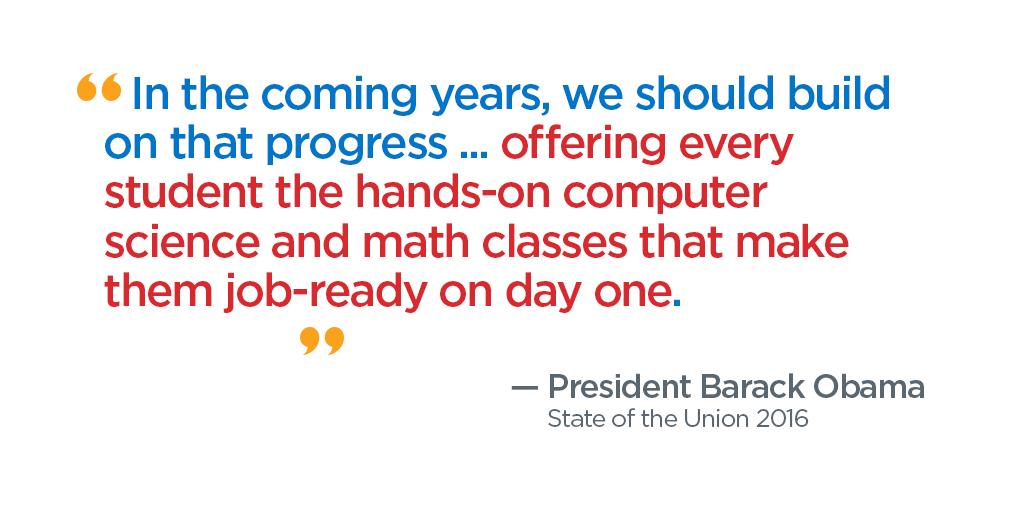
Last week was a good week as computer science education was called out by the President of the United States. And a student of mine, me and some other great people were quoted in an article on NPR The President Wants Every Student To Learn Computer Science. How Would That Work?
Embedded image permalink
Registration is open for the 2016 CSTA Conference, July 10-12, in San Diego. Don’t miss it!

Doug Peterson takes on lottery inspired programming projects in a post at In praise of lotteries I use some of these ideas already. Do you?

Structure of my Computer Science Classes is the first blog post by Dan Schellenberg. HS Computer Science & Mathematics in Saskatoon, Canada I’ve added his blog to my Computer Science Education blogroll.

Dan’s second post is Simple Steganography Using Processing which looks like a really cool project with lots of great learning involved.

Computational thinking is implausible. Our goal should be computational literacy.  Interesting post by Mark Guzdial. Opinions?

40 Key Computer Science Concepts Explained In Layman’s Terms A range of quality of answers but some good starting points.

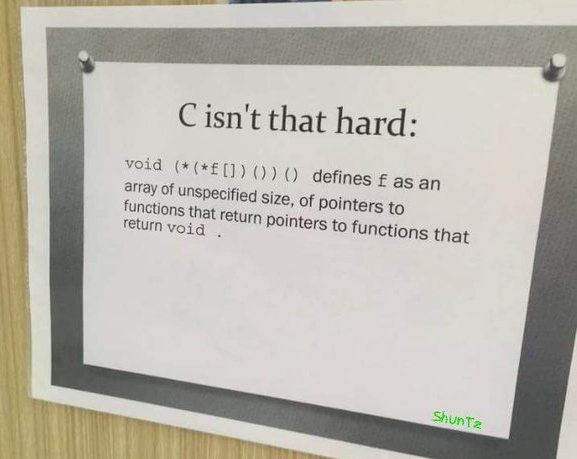
  Here is one possible reason that C is not the best language for beginners. Smile Embedded image permalink


Friday, January 15, 2016

Lottery Inspired Projects

This week’s monstrous PowerBall lottery jackpot (1.6 million US dollars) had a lot of people talking. I bought a ticket but didn’t win. On the other hand discussion brought up several good ideas for projects.
One of my friends built a spreadsheet that uses conditional formatting to let her know at a glance if one of her tickets is a winner. I may have students do something like that. When you add money to a project, even as abstract values, students tend to like it. And they might actually be able to use this to look at tickets their parents might buy. It’s always a struggle to find cool spreadsheet projects so this may be a good one.
image
I spent some time thinking about what the database used to store the lottery information looks like. A friend in the gaming industry told me it used to be an ISAM (Indexed Sequential Access Method) file. I didn’t get more details so I wonder what the key looks like. I don’t teach database these days but if I did this would make for a good design question.
Of course there is the obvious project of creating a simulator of the actual number selection. Various lotteries have various sets of numbers. PowerBall picks 5 of 69 numbers on white balls and one out of 26 red balls. The hard part is making sure there are no duplicates among the white balls. This one may be fun for students. It would be interesting to talk about various solutions that may or may not involve arrays. Students do not always see how much easier a good array can make things.
image
I think I’ve got one new project for each of my current courses. So while I may not have won any money I think I have won in other ways from all the hoopla.

EDIT:
Doug Peterson takes on lottery inspired programming projects in a post at In praise of lotteries I use some of these ideas already.

Tuesday, January 12, 2016

Experience Pays Off

It’s that time of semester again - Final project time for my semester courses. Students are working on their big projects and running into difficulties. Projects are great learning experiences for students and making mistakes is part of that learning. This is the time when I think a real (in-person, face to face) teacher really becomes important.
While the struggle has some value (teaches grit perhaps?) there comes a time when a small hurdle puts a whole project into jeopardy that can be easily avoided with a few minutes of time with a teacher.
This week I have looked at all sorts of problems. Some are caused by simple mistakes. One of the risks of using a professional grade tool like Visual Studio is that students can easily do “something bad” without knowing what they are doing. Sometimes it is deleting something they shouldn’t because they don’t know what it is for. Or they add something they don’t understand but which has unintended consequences. Most of these I have seen before and can repair quickly while a student might not (before the project is due) figure out. Some take me a bit longer but at least I’ll know it for the next time. It seems like every semester at least one student finds a new creative way to destroy their project.
The most interesting problems are design issues though. Students with a limited “tool set” and limited experience find some interesting ways to solve problems. Often these are much more complicated than they need to me which causes its own set of problems. A few minutes from a teacher or other experienced person can save lots of time. Even more importantly new or different ways of looking at a problem can be shared. I think these design suggestions are very important.
Solving logic or design problems is a real highlight for me. Sometimes I think I’d rather debug code than write original projects from scratch. Having a lot of experience makes solving student errors fairly easy for me. At least most of the time.
Students are absolutely amazing at writing code that is hard to understand and debug. Helping them learn to write more understandable code is an important part of my job as a teacher. I wonder how teachers who are not that experienced do it though. I guess they learn a lot with their student which is not really a bad thing. It can be frustrating though.
Looking for help online, which can be great at times, can be frustrating though. There are a lot of really bad examples on the Internet. Online forums can be helpful but they can also be unfriendly places for beginners. No one likes it when students try to get others to do their whole projects for them and that happens all too often. Getting help with debugging online can also be very difficult. Often there are many lines of code to look though and having unclear code exacerbates the problem for someone who wants to help. Getting online help can also take a long time as conversations take place when people have time and on their own priorities.
It can work but after observing a lot of students look for help both online and with an in-person classroom teacher I think the teacher is the way to go.
BTW I seem to think up variations of this topic regularly. See also these older posts.


Monday, January 11, 2016

Interesting Links 11 January 2016

I didn’t win PowerBall this weekend so it is back to school for me. BTW am I the only one who has been thinking about what sort of database is used to keep track of PowerBall tickets for the last several days? It will be interesting this week though as my students are all working on semester projects. I love seeing them put things together into orgional projects. And it means some debugging on my part. Students are really clever at creating logic puzzles for me to solve. I’ve learned a few new things already from students wanting to try new things.

TechFrenzy! is a three day mini-course that Bob Irving ran for a mixed age group of students. Sounds like fun was had by all.

I found this Great list of videos on Artificial Intelligence on a teacher's blog post. I plan to show some of them to my students in the new semester starting soon. 

'CodeGirl' is now available to watch on Mashable's website- I still ned to watch this one.

DO YOU TEACH LEGO MINDSTORMS? Get free products, training, and support! 

Ease of use vs. power of various programming languages

Ease-of-use-vs-power-of-various-programming-languages[1]

I think that VB is easier than C# and more powerful than Java. But this is a nice start for conversation.

What is a “game” programming course?  A common question. I like Garth’s take on them. Lots to think about.

Computer science students mine software developer forums to teach coding practices via @physorg_com

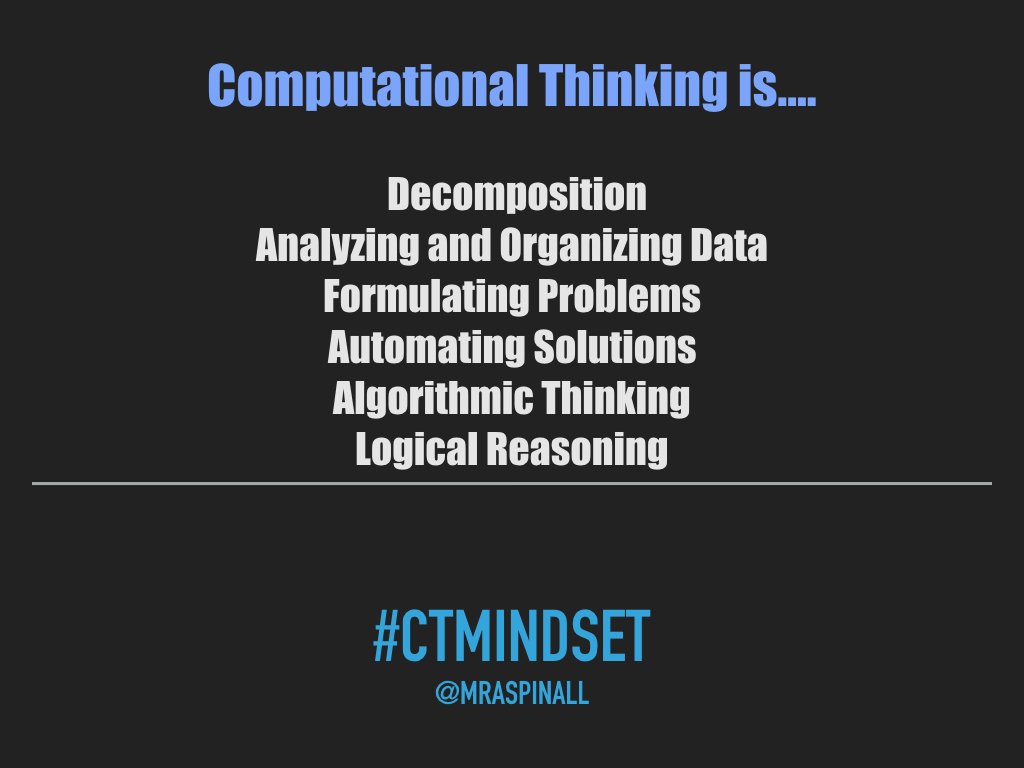
Blogged: What is Computational Thinking?  Nice post by Brian Aspinall

Embedded image permalink

A New Framework to Define K-12 Computer Science Education at blog@CACM from Communications of the ACM we learn abiout an big project being run with ACM, CSTA and Code.org. Lots of great people involved.

Fisher-Price gets into the devices to teach coding business with the Think & Learn Code-a-Pillar I’m not sure about availability at this time. Eventually it will show up on my  Robots For Teaching Programming post along with the WeDo 2.0–LEGO Robot for Teaching Science and Coding from @LEGO_Education

AP Computer Science Principles - Bookshelf a collection of reference suggestiong from Rebecca Dovi from @codeVirginia

Google answers questions for educators about trusting Google Makes for interesting reading. And maybe for discussion. 

How Robotics is Transforming STEM in Elementary Schools This post was written by someone affiliated with Wonder Workshop FWIW.

Raspberry Pi Zero – Programming over USB!  I have a wi-fi dongle for mine but this may come in handy in the future.

Computer science hiring still puzzles school districts from District Administration Magazine No surprises here but nice to see the issue getting some attention.

Friday, January 08, 2016

2016 AP Computer Science Principles Scholarship Programs

A lot of people are looking for help getting professional development. I saw this on the CSTA mailing list and thought I should post it for people who have have missed it. Or who go searching for things like it later as they prepare to take on Advanced Placement Computer Science Principles in the next year. (Though deadlines for applications are not that far away – you’ve got about 3 weeks from today.)


As you may know, the Advanced Placement (AP) program's Summer Institutes
(APSIs -- www.collegeboard.org/apsischolarships) offer intensive professional development programs where teachers can network with peers and learn about tools and resources that inspire success in their AP classrooms.

To support the launch of the new AP Computer Science Principles (CSP) course in fall 2016, the AP program is offering two different scholarships for teachers to attend an APSI in 2016.

Apply for these AP Computer Science Principles scholarship programs at www.collegeboard.org/cspscholarships by February 1, 2016.

The AP CSP scholarship covers the cost of tuition for an AP CSP Summer Institute for teachers of AP CSP in the 2016-17 academic year at schools where at least 51 percent of the student population consists of underrepresented minorities (African American, Hispanic/Latino, and/or Native American students) and/or at least 51 percent of the student population qualifies for free or reduced-price lunch.

The White House Initiative scholarship provides $1,000 toward AP Summer Institute tuition, travel, and expenses to AP CSP teachers in the 2016-17 academic year at schools where at least 51 percent of the student population consists of Hispanic/Latino students. AP is granting these scholarships as part of the White House Initiative on Educational Excellence for Hispanics.

Please note that the scholarship funds can only be used toward an official AP Summer Institute; they cannot be used to fund AP Computer Science Principles professional development training offered by another organization.

Wednesday, January 06, 2016

Teaching Looping as a Concept

I’m introducing loops to my Freshmen this week. I’m trying a couple of new things. I thought I might put them out there in hopes of getting feedback but also possibly hearing how others introduce the concepts.

I’ve talked for years about the stairs. Everyone knows what happens if you don’t end your walking loop up or down stairs. We know to stop when we see that we are at the top or bottom of the stairs (while/until loops). I talk about how blind people know to count the steps in the places they regularly find themselves (for loops). It works ok.

Today I had one student count the people in the room. How did they do that? When did they know to stop? What would have happened if they double or triple counted? I need to ask how it would be different if people were moving next time. Then I had someone name three people in the room and we talked about that process some. Students haven’t thought about how they do things like this but they are basically loops.

Students seem to sometimes struggle with counters and accumulators which are commonly used with loops. Today I tried introducing them with money. Money seems to get attention. Go figure. I handed one student some coins and asked them to tell me how many coins there are. I give the same set of coins to a second student and asked them for the value of the coins. So we have a count and a total. Now we can talk about that similarities and differences in the two algorithms. It seemed to make an impact. At least everyone was paying attention.

So how do you introduce the concept of loops? What sort of real life examples do you use? Please share what works for you. I have a new class in three weeks and I want to get better.

WeDo 2.0–LEGO Robot for Teaching Science and Coding

This week at the big Consumer Electronics Show LEGO Education announced a new product WeDo 2.0. In the press release they called it a “New wireless, tablet-ready robot-based learning system for elementary science curriculum [that] teaches science and coding in a hands-on way” I noticed it said science before coding and found that interesting.

imageThe WeDo 2.0 is designed for the younger grades – grades 2 through 4 – while the earlier NXT and related products are for older grades – middle and high school. They seem to see this product as fitting in to science classes not stand alone computer classes. I like this idea. I think we should use coding and related tools as ways to teach other subjects and not just as independent and unrelated topics. LEGO is also supplying

Featuring curriculum that contains 40+ hours of lessons and activities built on key science standards for 2nd-4th grades, WeDo 2.0 enables students to engage with the science practices and engineering habits of mind by testing multiple designs through eight guided and eight open-ended projects. For example, in the “Drop and Rescue” project, students are challenged to design a device to reduce the impacts on humans, animals and the environment after an area has been damaged by a weather-related hazard. Students can prototype solutions to a challenge where there is no single right answer helping teach creativity and problem-solving skills. This also enables educators to tailor lessons to meet all students’ needs, no matter their abilities.

Richt now software for the WeDo 2.0 is available for iPad, Android, PC, and Macs. ChromeBook support is coming and later this year a Scratch interface will be available. That should work well in schools that already use Scratch with older students.

More information is available at  www.LEGOeducation.us/WeDo

BTW This has been added to my list of robots for teaching programming post.

Tuesday, January 05, 2016

International Blog Delurking Week 2016

OK this is the first I have heard of this but it is a great idea. Comments are a huge thing for bloggers. I get a few comments now and again and they add great value to the conversations. Along with that they let me know people are actually reading what I write. That is encouraging.

So if you seldom (never) leave comments on blogs think about leaving one here and/or on other blogs you follow. Just a ping to show your support.

Monday, January 04, 2016

Interesting Links 4 January 2016

Happy New Year! Happy 11111100000! Today is forst day back at school. I didn’t get to everything I wanted to do over the break but I did start playing with some wi-fi enabled light bulbs. Hoping this will be the start of getting serious with Internet of Things development for me.
Embedded image permalink
I did some thinking about Computer Science Education Things to Watch in 2016. It probably means I’ll have to review it all at the end of the year.
Teaching Coding - getting beyond superficial syntax  A good post by Mike Zamansky.
Arduino Final Projects by Middle Schoolers by Dawn DuPriest @DuPriestMath Cool stuff by younger students.
Your teacher blog by Doug Peterson  Really isn't it about time you shared what you are doing with others?
North Korea's 'Red Star' computer-operating system tracks its users A bit scary I think. A good reason to keep governments out of operating system control I think. 
Education Technology - A solution in search of a problem? What do you think? Interesting questions in this post.


Saturday, January 02, 2016

When Blogging Works For Educators

It seems like there is a regular stream of articles, often on blogs, talking about blogging going away. Or changing for the worse. Or other negative comments. But I find that there is a real place for blogging. I think this is especially true for educators. Blogs allow for a lot more detail and nuance than most other social media outlets. They also allow for people to build on each other’s words, ideas, projects, and thoughts.

Take for example a recent string on blogs I followed. Via Twitter I stumbled across an interesting post by Rob Underwood called Code Syntax Compared. I wrote a small post (Code in Different Languages) that added two more pieces of sample code but also brought up the subject of static typing and dynamic typing. The comments led to more discussion. This discussion brought up the value of learning different languages and the importance of learning the idiomatic ways of these languages.

Mike Zamansky who was one of the commenters on my post wrote his own follow up post (Teaching Coding - getting beyond superficial syntax). There is some conversation in the comments there as well.

So here we have a string of three posts – all related – all building on the conversation – all linking to each other as well.

This is blogging that works. It is idea sharing, conversation and educators learning from each other. Pretty awesome stuff if you ask me. Now I ask you, shouldn’t you be blogging too? Take a look at Doug Peterson’s take on teacher blogging at Your teacher blog.

I’d love to add more blogs to my Computer Science Education Blog Roll How about yours?

Friday, January 01, 2016

Computer Science Education Things to Watch in 2016

“It is difficult to make predictions, especially about the future.” I was thinking about writing a post with predictions but realized that I’m not smart enough for that. What I do have are some things I think are worth keeping an eye on over the coming year.

Very Inexpensive Computers – There are a growing number of under $20 computers coming on the market. They are being touted as amazing teaching tools but I’m not so sure. I addressed some of my concerns in How Much Does a $5 Computer Cost? If I were to make a prediction I would predict they will not live up to the hype.

BBC:MicroBit – one could argue that this is included in the very inexpensive computer category but I think it deserves to be called out on its own because it is different in some important ways. One is that it is really being rolled out in a huge way. Another is that there are a good number of cool looking tools created for using it. And a third reason is that there is actually being a lot of professional development being provided. Will that be enough to make it really succeed? I don’t know but I’ll be watching from across the pond and so will many other people.

MOOCs and other Online CS Teaching tools – I expect the evidence to continue to show that these do not increase or broaden participation of girls and minorities. On the other hand, I expect a lot of people to promote them as “the answer.” They are low cost “solutions” to a problem a lot of people in government and education administration want to check of their lists. Saying “it’s available online” helps them avoid spending real money on real teachers and real programs that really work. We’ll see.

Advanced Placement Computer Science Principles – This course and test goes live in 2016. How will adoption go? Will it draw students away from APCS A or will it increase the total number of AP CS students? What will be the popular curriculum? There are a bunch of them out there. Many don’t use traditional programming languages but use things like Scratch, Blockly and Snap!. Will universities give AP credit? So many questions. I go back and forth in my mind as to how I think they will be answered a year (or year and a half) from now. Keep watching. It’s going to be important.

Python vs Java vs drag vs drop programming – Python has been growing in popularity in K-12 CS education for the last several years. I tend to think that the APCS A course is mainly what is keeping Java in schools. Will APCS P pull attention away from Python? Yes, some of the curriculum out there will likely use Python. Some even Java but there seems to be a movement to Snap! and similar.

Computer Science for Everyone – I’m thinking especially of large school districts and states that were talking about spreading CS everywhere last year. Can they pull it off? A lot is going to depend on professional development. Can they recruit and train enough teachers? What will curriculum look like? It’s going to be interesting watching.

Well that is the big six for me. What are you looking to see succeed or fail in 2016? Have I listed your concerns? Do you have predictions or anything else to add? That’s what comments are for.
Wednesday, December 30, 2015

Code in Different Languages

The other day I found an older blog post by Rob Underwood called Code Syntax Compared. In it he wrote a very simple program in 5 different languages. He used Python, Ruby, JavaScript, PHP and Java. No .NET languages. So since I was interested I wrote samples of the same program in C# and Visual Basic. Hey why not.

The most interesting thing to me is the typing. That is to say that some of the languages that Rob used are dynamic type languages while Java, C# and Visual Basic are statically typed languages. Which is better? Well like so many things in computer science – it depends. There is a good paper (the link is to a PDF)  on the topic - Static Typing Where Possible, Dynamic Typing When Needed: The End of the Cold War Between Programming Languages by Erik Meijer and Peter Drayton.

Anyway, if you are curious my samples are below:

C# example

image

Visual Basic Example

image

Tuesday, December 29, 2015

Top Posts from 2015

I decided it was time to take a look at my most read posts from the last year. This is an interesting exercise for several reasons. One is the inconsistency of statistics. I have two sources (Google Analytics and Blogger’s native statistics) there is not as much similarity as you would expect. Certainly not as much as I’d like. Another reason is that most of the most  widely read posts were not posted originally in 2015.  Search engine traffic brings a majority of my readers. But for good or for ill, accurate or not, here is what appear to be the most read posts over the last year.
Programming With Blocks  First posted three years ago but updated regularly since. A lot vof people seem interested in this topic.
Recursion – Love it or hate it? Posted this year back in February.  I guess I am not the only one who struggles with this topic.
Interview Questions for Computer Science Teachers A surprise. I wrote this list in March, with input from many people, after I saw that people were searching for related questions.
How NOT To Tell If Someone Is Cut Out For Computer Science This was a reaction to something I read online. In it I try to address some stereotypes about who is and is not cut out for computer science.
Lecture, Demo, Project From April of 2013, this post talks about my teaching style. I’ve no idea why search engines bring so many people to it.
Resources For Teaching Binary Numbers Also from April 2013 though I have updated it several times. And always looking for new resources if you know of any. Lots more people seem to be teaching this topic lately. It’s one of my favorites.
Programming Languages for Middle School From December 2013 (I must have been on a roll in 2013) this is another topic that has had a lot of interest this year. I’d love for some current middle school CS teachers to make suggestions for updates.
Robots For Teaching Programming Another list post that is updated as I found new resources. Good stuff for people who would rather move atoms than pixels.
Computer (and Math) Humor From May 2013. The link here is actually to a new version I posted yesterday that has a lot more images.
Your GPA Doesn’t Mean Anything Useful Really some thoughts on grades and what they are and are not good for.
The first three on this list have the really large numbers along with the base address (http://blog.acthompson.net ) I expect them to continue to attract search engine traffic. I’ll try to create some new posts that add value during the coming year though. Thanks for reading.

Monday, December 28, 2015

Computer (and Math) Humor

Two Kinds

I like this one in part because it is subtle. There are two basic standards for opening the curly brace in C-type languages.  Not everyone will pick up on it. Is it important which way you do it? Actually no. It may not even be important if you stick to it. But some people really do insist that their way is the one true way and that everything else is wrong.

Of course there is also the group of people who think that curly braces and semi colons are crutches for compiler developers and that real programming languages don't need them.

lol_programming

I’ve seen this time and again. OK perhaps even felt the same way. When nothing seems to be working programming can be frustrating and even something to hate. But lots of us persist. And when it works it just feels so good.

pi

OK it’s math not computer science. But is sure is fun.

afraid to compile_thumb[1]

I use VB_thumb[1]bugs gone bugs up_thumb[1]difficult_thumb[2]Programming a book_thumb[1]semi colon_thumb[1]

Christmas humor

image_thumb3_thumbimage_thumb4_thumb[1]

This one is the for math teachers in the crowd.

Merry-math-Christmas_thumb2_thumb

Interesting Links 28 December 2015

I just realized that this will be the last interesting links post of 2015. What a year it has been. Last week I spent less time online or thinking about school and computer science than usual. School was out for me but I had many things to fill my time with. Last minute Christmas shopping and dealing with home onwership problems. And then of course the Christmas celebration which was wonderful with my 15 month old grandson. But I still have a few links to share if you are looking for things to read and learn about.
Here is an interesting topic for class discusion or a “think piece” writing assignmnet. The problem with self-driving cars: who controls the code?

There is a new version of Kodu out. I may need to try it over break   You know for the learning.

Speaking of game related programming. Garth Flint asks the question Can a non-gamer teach a game programming class? It’s a concern of mine I have as well. I am not a gamer butv many of my students are.

Congressional App Challenge submissions due Jan 15. Open to all US High School students.

New from Mark Guzdial@guzdial Book released: Learner-Centered Design of Computing Education: Research on Computing for Everyone 

The annual Scratch Conference at MIT Media Lab is coming this summer August 4-6 (proposals due February 15)

More news from the Scratch Team at MIT ‏You can now record Scratch projects by selecting "Record Project Video" in the File menu!

  Don't forget that there's still time to participate in CSTA's "I AM" Campaign! Only a few days left before we choose a winner. My picture is there. Is yours? I’m pretty sure I am ineligible to win BTW. My picture is at http://wshe.es/33o9Hy8P

Sign up now! - Stack Exchange Q&A site proposal: Computer Science Educators This could be a valuable resource if enough teachers sign up.


Friday, December 25, 2015

Merry Christsmas 2016

It’s Christmas at my home. If you are also celebrating I wish you all a very Merry Christmas.

Maligayang Pasko at Manigong Bagong Taon

Boas Festas e Feliz Ano Novo

Pozdrevlyayu s prazdnikom Rozhdestva i s Novim Godom

Joyeux Noël et Bonne Année!

Froehliche Weihnachten und ein glückliches Neues Jahr!

Kellemes Karacsonyiunnepeket & Boldog Új Évet

كريسمس مبارك

Selamat Hari Natal

Linksmu Kaledu ir laimingu Nauju metu

Kung His Hsin Nien bing Chu Shen Tan

聖誕節和新年快樂

Chuc Mung Giang Sinh - Chuc Mung Tan Nien

圣诞节快乐,预祝新年快乐

Vesele Vianoce a stastny Novy rok

Selamat Hari Natal dan Tahun Baru

Feliz Navidad y Próspero Año Nuevo

God Jul og Godt Nyttår

If I missed anyone's language or got it wrong I apologize. I hope you all have a great day on December 25th whether or not you celebrate the birth of Christ in your own tradition or religion. And my strong wishes that you will all have a happy, healthy and prosperous New Year!

Monday, December 21, 2015

Interesting Links 21 December 2015

Yea! I’m on Christmas Break. Most of the public schools in my area start their winter break after Wednesday. I’ll be spending some of my free time getting ready for the spring semester. All my classes this year are single semester so I’ve got a chance to make things better for the next group. Plus, I hope to spend some quality time with my grandson.

Part of preparation is visiting some of the resources I have collected this semester. Speaking of resources, here are this week’s interesting links.

Should schools count coding as math? This keeps coming up. What do you think?

The Importance of Computer Games Development in the Computing Curriculum in Schools interesting article  by David Renton  @drenton72

Massachusetts Board of Elementary &Secondary Education Draft Digital Literacy and Computer Science Standards (DL&CS) are available for review. Have you looked at them? What do you think?

Untangling the Tale of Ada Lovelace – A very good read about Ada Lovelace written by Stephen Wolfram Founder & CEO of Wolfram Research Creator of Mathematica, Wolfram|Alpha & the Wolfram Language

The Big, Big Computer Science Gender Gap article on the CSTA Blog.

I hope you saw these announcements on my blog last week:


Friday, December 18, 2015

2015-16 ACM/CSTA Cutler Bell prize closing soon

There is still time to encourage your students to apply for the 2015-16 ACM/CSTA Cutler Bell prize!  This $10,000 award will go to four graduating high school seniors who show exceptional creativity and innovation in creating computing artifacts.

Eligible applicants for the award must be graduating high school seniors residing and attending school in the US. Challenges for the award will focus on developing an artifact that engages modern computing technology and computer science. Judges will look for submissions that demonstrate ingenuity, complexity, relevance, originality, and a desire to further computer science as a discipline.
The application is available now but will close on January 1, 2016. The inaugural awards will be announced in February of 2016 and the winners will be celebrated at a banquet in March in Seattle, Washington.


Please share this exciting announcement with your fellow teachers and your students, and Good Luck!

Thursday, December 17, 2015

2016 CSTA Annual Conference

Making Waves with CSTA!

2016 CSTA Annual Conference  |  July 10-12, 2016
Town and Country Resort & Convention Center
San Diego, California
Registration  is now open for the CSTA annual conference! CSTA 2016 is a professional development opportunity for computer science and information technology educators working in, or within the K-12 arena who need practical, classroom-focused information to help them prepare their students for the future. Conference content is peer reviewed and peer or industry led, making it relevant to today's classroom needs. This year we are staying true to "making waves with CSTA" so we have expanded our conference to span three days, with two days worth of workshops, more industry-specific sessions, more exhibitors, along with multiple networking opportunities.

Highlights:
  • Explore issues and trends relating directly to your classroom
  • Learn, network, and interact
  • Choose from various workshops and breakout sessions
  • Amazing value (complimentary conference Wi-Fi, networking events, hands-on activities, lunch, etc.) 
Some of this year's session topics include:
  • Advanced Placement Computer Science
  • Computational Thinking
  • K-8 topics
  • Programming
  • Robotics
  • STEM
Keynotes:

Our morning keynote will be moderated by Gary Beach (Publisher Emeritus, CIO Magazine) with a unique CIO panel joining him. Our afternoon keynote will be announced at a later date.

Pre-registration is required and will be accepted for the first 500 teachers. The registration deadline is June 16, 2016Also, please note that you must complete the payment portion of the online form in order to be fully registered for the conference!

The 2016 CSTA Annual Conference is made possible by the generous support of Google, Microsoft, and Oracle Academy. We thank our sponsors for their generous donations. Your registration fee will include networking opportunities, activities, lunch, and resource materials. 

Costs:
  • Early bird registration: $125 for 1.5 days (December 14-April 1
  • Conference registration: $175 for 1.5 days (April 2-June 16)
  • Workshops: $100 for the first one, $50 for each additional (three max, and must be scheduled for in advance as there is NO ONSITE registration for workshops)
  • Onsite registration: $225 for Tuesday only
  • Onsite registration: $250 for 1.5 days  
Workshops are a separate price, and this year we have expanded our offerings to include options on Sunday, as well as Monday. The price is $100 for the first workshop, and $50 for each additional workshop (maximum number of three).
 
Please note that all workshops are BYOD (bring your own device) and that workshop registration is limited to 30-40 participants; so be sure to register early to get your first workshop choice! As an additional reminder, due to the amount of advance preparation involved with each workshop, we are UNABLE to accept workshop registrations onsite or switch options.

Register at: www.cstaconference.org

Wednesday, December 16, 2015

CSTA Board of Directors Election Call for Applications/Nominations

It's time for elections or at least nominations for positions on the Computer Science Teachers Association board of directors. I'm in my third year on the board (and not up for reelection) so I have some ideas about what is involved in being on the board. I thought some might find that useful if they are thinking of running.
The first thing you have to know is that the board is a working board. It is not just showing up for a couple of meetings, hearing reports and nodding appreciatively or perhaps suggestions some tweaks to process. There are two face to face meetings a year. They are generally each two-day meetings. One is held in conjunction with the CSTA Annual Conference. The other, held in November, is held at a fairly central location. I've attended meetings in Arizona the last three meetings. Turns out that is the off season and expenses are kept low that way. There is also a full board meeting via teleconference in the winter.
All members on the board are on several committees which conduct business throughout the year via teleconference, email, and cloud based shared documents. For example the Equity committee runs an annually competition. This involves creating the contest, designing the rules, judging the entries and picking winners. Even with staff help (CSTA has a small but amazing staff) this means real work for committee members. Other committees have their own projects. The nominations and elections committee will be working on collecting and evaluating nominations over the next few weeks and months.
It is rewarding work though. The board is very collegial and people tend to work well together. And of course we are all committed to the mission of the CSTA. If you feel like this is a project you want to take on give serious thought to running.

The following CSTA Director positions will be vacated on June 30, 2016. We encourage interested CSTA members to apply or to encourage other qualified members to submit an application. Late nominations will not be accepted. 

The CSTA Board is a working Board. All Directors are required to attend two face-to-face Board meetings per year (including the combined Board Meeting and CSTA Conference on July 7-12, 2016) and are expected to contribute meaningfully by participating on at least two committees. 

Vacancies: 

9-12 Representative: A classroom teacher who is currently teaching computer science at the high school level.

At-Large Representative: An educator with responsibilities for K-12 CS education.

International Representative: An international (outside the United States) classroom teacher who is currently teaching or promoting computer science at the pre collegiate level.

State Department Representative: An educator or administrator who reports to a state department of education and oversees, in some capacity, computer science education.

University Faculty Representative: A faculty member from a university computing department offering graduate degrees in computer science.

CSTA is dedicated to promoting diversity in K-12 computer science education as well as on its Board. We strongly encourage all qualified individuals to apply. The Nominations and Elections Committee of the CSTA Board will select the two best-qualified applicants in each position for inclusion on the ballot. 

Nominations deadline: January 31, 2016. 

How to submit your application: 

1. Download the 2016 CSTA Nominations Form from the CSTA website at:

2. Complete the nominations form.
The form includes the following information: 
  • Position for which you are applying
  • Your name
  • Address
  • School or employer
  • Current title/Role
  • Email address
  • Phone number
  • Personal statement that explains your motivation, and why you are a strong candidate (limited to 130 words). 
  • Answers to the following four questions (no more than 100 words each): 
    • What experiences and/or interests in K-12 computer science/information technology education qualify you to serve as a leader for the organization?
    • What previous experience do you have with CSTA?
    • What leadership skills do you have that would enrich the Board and the organization? 
    • What do you think are the most important issues fir K-12 computer science education?
3. Submit the completed Nominations Form and your current résumé of experience to the Elections Committee by emailing them to nominations@csta-hq.org. The documents may be submitted in Microsoft Word or PDF format; PDF is preferred. 

Each candidate's personal statement and answers to the four questions will be posted on the CSTA website and included on the ballot. Statements will be truncated at the word-count limit if necessary. The candidate's résumé will not be made public. 

Ballot distribution: The election will take place online, beginning February 22, 2016. All CSTA members in good standing will be eligible to vote.

Voting deadline: The election will close March 22, 2016. 

Election results: Results will be posted by April 1, 2016.

Please send election related questions to: 
Nominations and Elections Committee Chair, nominations@csta-hq.org 

Monday, December 14, 2015

Interesting Links 14 December 2015

I’m late this week. Windows Live Writer’s connection to Blogger (where this blog is hosted) is broken. Now that it is being open sources as Open Live Writer I am hopeful all will be fixed soon. In the meantime I have to use the built in editor on the web (and manually upload images) so that slows me down. Plus I had a real life this weekend. :-)

Many of this week’s links are related to Computer Science Education week. BTW Twitter posted a custom icon for all Tweets using the #HourOfCode hash code.

Happy 200th birthday to the remarkable Ada Lovelace, a Victorian pioneer of computing

And of course it was Grace Hopper’s birthday last week as well.


US Secretary of Education @JohnKingatED talks to students about the importance of computer science.

A Tale of Two Coding Programs a reminder of the struggles. 

Why do students love Computer Science? Head to the Microsoft New England blog and they'll tell you!


Oakland joins almost 100 other US cities to add computer science to curriculum together with http://Code.org

Every Student Succeeds Act: CS defined as part of well-rounded education. What it means is that the same sort of support as is available for subjects like math and English will also be available for Computer Science. 

Tim Cook (CEO of Apple) crashes coding party, calls for fundamental changes in education.Cook said that he wants “to see coding be a required course like social studies, English, and mathematics in every public school curriculum.”

Why the Hour of Code Is Right for Your Students  with quotes from me :-)

Computer science is finally getting some well-deserved respect by Doug Bergman, Computer Science Chair, Porter Gaud School

Key Messages of Computer Science Education http://www.huffingtonpost.com/pat-yongpradit/key-messages-of-computer-_b_8742250.html by Pat Yongpradit the Chief Education Officer at Code.org.
 
Ria Galanosupdated her @Twitter assignment. Check it out at https://www.dropbox.com/sh/o0fvuw9hovm2m8c/AACvoL3Mf7C1MxUuNICcoQ54a?dl=0

Google for Education Blog: CS Education Week is All About Making a Difference Some of the history of Computer Science Education Week from Chris Stephenson who has been involved since the beginning.

Google for Education: Supporting the development of excellent computer science teachers globally Grants for professional development programs. Mostly of interest to universities who want to support secondary school CS teachers.  Google’s Computer Science for High School (CS4HS) award program opens applications for the 2016 year.

Play With Apple's Open Source Programming Language In Your Browser With IBM Swift Sandbox (via @LifehackerAU) I hear a lot of good things about Swift. I may have to try it out.


Friday, December 11, 2015

Do You Have Any Duct Tape?

Students this morning were asking people for duct tape. I don’t know what problem they were trying to solve but eventually it was solved with a plastic cup. Really. But it got me thinking about how students ask for help in programming projects. What seems to happen a lot is that they come up with a solution, some action they want the computer will do, that will solve their problem. This leads them to ask how to implement that action rather than how to solve their real problem. The problem for them and for me as a teacher is that the “solution” they have come up with may not be the best or even a good solution.
This can often lead to frustration in the long run as students try to make some feature of a language or library do things it was not really intended to do. I’ve learned to ask “what problem are you trying to solve?” Students sometimes have trouble explaining that as well. So my asking them often helps (or forces) them to think a bit more deeply about their ideas. Once they do that and understand both what they want to do and what the feature they are asking about does they see that they need something different. Or even see how to use a feature more correctly.
In many ways I see teaching programming as pointing students in a direction and getting out of the way. It sounds easy and in some ways it is. At least it is easier than trying to cover everything they could possibly need to know in lectures (which bore everyone). On the other hand it involves dialogue between teacher and student so that there is mutual understanding. I think that this helps students a lot though. They learn to think things out in more detail and learn how to communicate their ideas better. And of course it avoids some (though never all) of the “wrong” directions students run down in their hurry to get things done.
There is value in the “wrong” directions as well. But when you have a limit3ed time to work with students and grades must be given (yuck) and you want to keep enthusiasm high providing some good direction is pretty important.

Wednesday, December 09, 2015

Technology Changed How I Read

This week I have been reading an old-fashioned paper book. (The Martian – outstanding read) For the last two years most of my reading has been on my Kindle. I love my Kindle. I didn’t realize quite how much it changed things for me until I started reading the “dead tree” book though.

There are a couple of game changers for me in the Kindle. One is the obvious fact that if I read a book that is part of a series and I like it I can order the rest of the books and start reading them right away. A more subtle change though is that the Kindle has a dictionary.

If I run into a word I don’t know, which happens more than I like to admit, I can highlight the work and the dictionary will tell me what it means.

This feature doesn’t seem to exist in paper books. Yes, I find myself wanting to press on a word on the paper to see definitions but it doesn’t work. Silly I know but one gets used to things.

I remember as a child reading encyclopedias which were also paper back them. I would see references to other articles and in a few hours I would have a stack of books as I followed links from one article and book to another. I could do that because my mother worked hard selling encyclopedias so that we could have a set at home. Not every child was so lucky. Today of course we have the world wide web and following links is easy and doesn’t require stacks of books. It’s wonderful for the curious.

I wonder what things will be like when my grandson is my age. Will he just ask the computer for more information and say “tell me more?” Will he virtually walk though virtual corridors looking at virtual things? Or will it be something else again?

Tuesday, December 08, 2015

PBS KIDS ScratchJr.

Scratch Jr and PBS are both well known entities in education for younger children. It’s probably not surprising that the two have partnered up . Just in time for CS Education Week PBS announced its first coding app called PBS KIDS ScratchJr. From the announcement:

Today, PBS KIDS launched PBS KIDS ScratchJr, a free app developed in collaboration with the MIT Media Lab and Tufts University’s Developmental Technologies Research Group. Available now on iPad and Android tablets, PBS KIDS ScratchJr helps children ages 5-8 learn core coding concepts as they create their own interactive stories and games using PBS KIDS characters. PBS KIDS ScratchJr incorporates PBS KIDS media properties, including WILD KRATTS, WORDGIRL, PEG + CAT and the new series NATURE CAT. As kids snap together colorful programming blocks to make their favorite characters move, jump, dance and sing, they will learn to solve problems, design projects and express themselves creatively.

PBS KIDS ScratchJr Features

  • Colorful Programming Blocks: Snap together the color-coded programming blocks to create sequences of actions that cause characters to animate and interact in fun and exciting ways.
  • PBS KIDS Characters and Backgrounds: Create projects based on PBS KIDS shows and mix-and-match over 150 characters.
  • Paint Editing: Create unique characters and backgrounds.
  • Voice Recording: Use the recording tool to add sounds and give voice to projects.
  • Story Starters: Find inspiration with in-app story starters! Each Story Starter features a different set of characters and is designed to encourage children to edit and complete the story however they’d like.


The app is free, and can be downloaded on the
App Store and Google Play.

image

Monday, December 07, 2015

Interesting Links 7 December 2015

The calendar years is coming to a close. I have 10 days of school (including today) until my school’s Christmas break. I’m looking forward to it. I hope to find some time to play with my new Raspberry Pis. I have a link about that this week. Also some geeky computer science humor (you have to read to the bottom for that) But least I forget this is Computer Science Education week. Lots around that. So let’s get to the links.

Don’t miss the CSEdWeek: Message from CSTA’s Executive Director

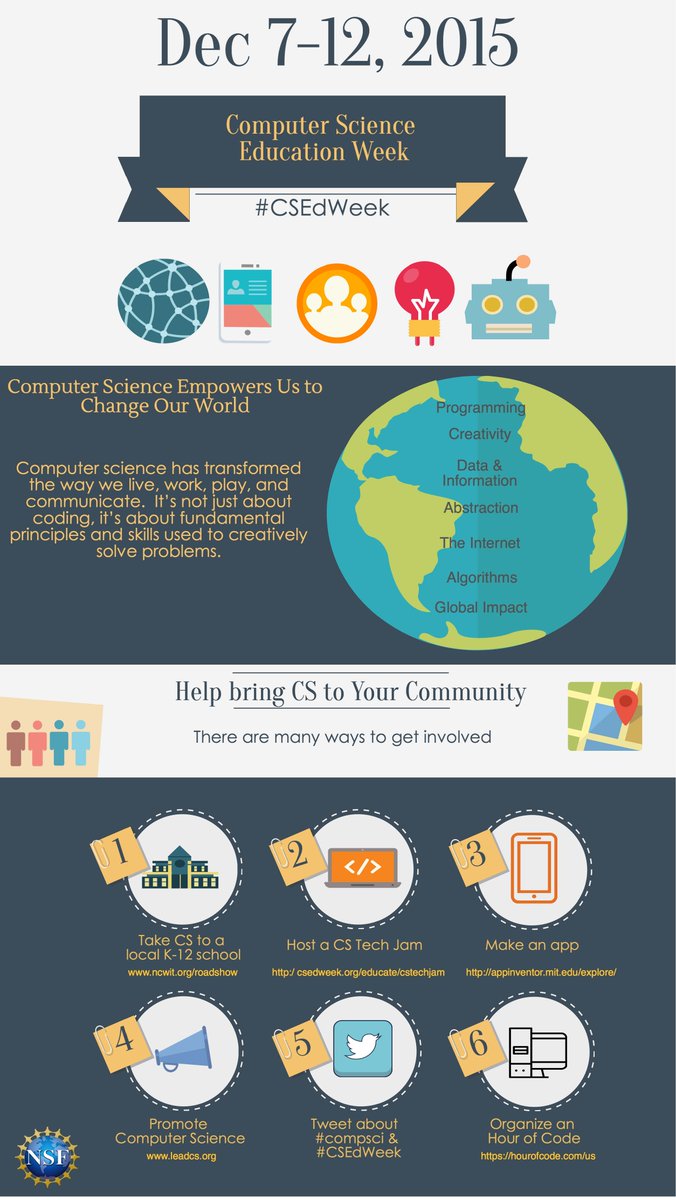
NSF is gearing up for CSEdWeek. Here are some things you can do to celebrate computer science in your community!

Embedded image permalink

Tips for introducing computing   from @CSTeachingTips Read this before #CSEdWeek and #HourOfCode

Computer Science Education week photo contest  

On December 7-13, celebrate Computer Science Education Week 2015 with the CS10K Community by sharing how your students are innovating. Whether they’re using a new programming language or working together to create a robot, show the world what they can do for a chance to win great prizes for your classroom.

image

Exciting Hour of Code experiences from our friends by Kiki Prottsman, Edu Program Manager at http://Code.org

My Hour of Code 2015 Collection by Doug Peterson

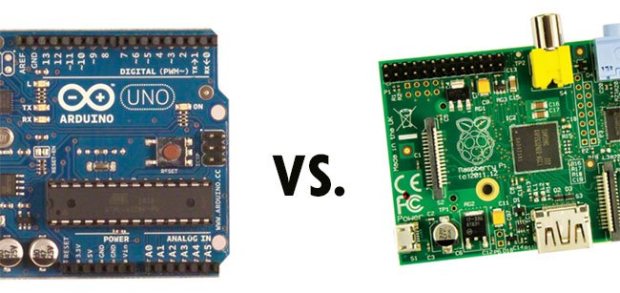
Which is better, Arduino or Raspberry Pi? Make Magazine has a super-simplistic answer: 

Embedded image permalink

I added Added Harvey Taylor’s blog  to my computer science education blog roll Check out the post that lead me to discovering it. Getting into Computational thinking with Noughts and Crosses (Tic Tac Toe)

Computer Science Education Stands to Benefit from ESEA Reauthorization – good news in the law that is replacing No Child Left Behind.

My blog list of  Robots For Teaching Programming has been updated with Thymio

On the Computer Science Teachers Association Advocate blog -- "A review of Google's Exploring Computational Thinking Resources"

A pair of posts that speak to each other are worth reading:

Jokes I had to explain to my students:

imageimage

Saturday, December 05, 2015

Studio K for Kodu

I first wrote about Project K several years ago when it first came out. That was in my old Microsoft blog which I no longer have access to change. Recently I was contacted by the Project K team who told me about new links for their curriculum materials. They worked with the Kodu team at the very beginning and have years of experience teaching with Kodu at this point. So it seemed like a good idea to write about it again with updated links.


What is Studio K?

Studio K is a game design curriculum, online community, and set of teacher-support tools intended to enable teachers to help learners make their own video games using Microsoft Kodu. Kodu is a powerful 3D game design and programming tool that enables users to focus on creating compelling games for their friends.

Learn more at:http://www.gameslearningsociety.org/studiok/

Friday, December 04, 2015

Thymio–An interesting Looking Robot for Teaching

New things for teaching seem to appear every week. Sometimes they are around for a while before I find out about them. Apparently the world of computer science education does not revolve around me. :-) In any case I recently learned about the Thymio II robot. It’s a bit pricy at around $199 but it seems to have a lot of nice features including sensors and actuators. So I think it can serve as the basis for some complicated projects if that is a goal.
image ThymioTechykids.com is a robot developed in Europe for educational purposes. It provides three main features:
  • a large number of sensors and actuators,
  • an educative interactivity based on light and touch,
  • a programming environment featuring graphical and text programming.
They have a US distributor called TechyKids who also have curriculum.. It is run by a teacher who uses these robots in her classroom.
This is the latest entry to my list of Robots For Teaching Programming which I update as I learn of new robots. Let me know if I am missing any that I should list.

Wednesday, December 02, 2015

Students are Creative and that is a Good Thing

I love the creativity of students. We worked on a whack a mole game in class today. The purpose was to create a user control but of course students want to do more. Or at least different. Clearly the images I provided are too boring for most.

Several students used pictures of themselves or a friend. Others found other images to use. As you might expect at least one student went and found a picture of me. Yes, “whack Mr. Thompson.” But he was clever about at. He took a standard picture of me wearing my hat for one image. For the other he found an image of a hat much like the one I wear. When the program runs it almost looks like the hat is moving up to show the "mole" underneath.

Another student wanted to add sound. I made him look that up and figure it out for himself. I expect sound to show up in projects from a lot of students in the next few days. That may or may not be a good thing. The jury is still out on that. In any case students do a great job of teaching each other and learning from each other.

Letting students get creative really seems to help them learn. They do more and try more things. They decide to look things up and so learn how to teach themselves. That is more than worth being used in a whack a mole game.

image